Search  for anything...

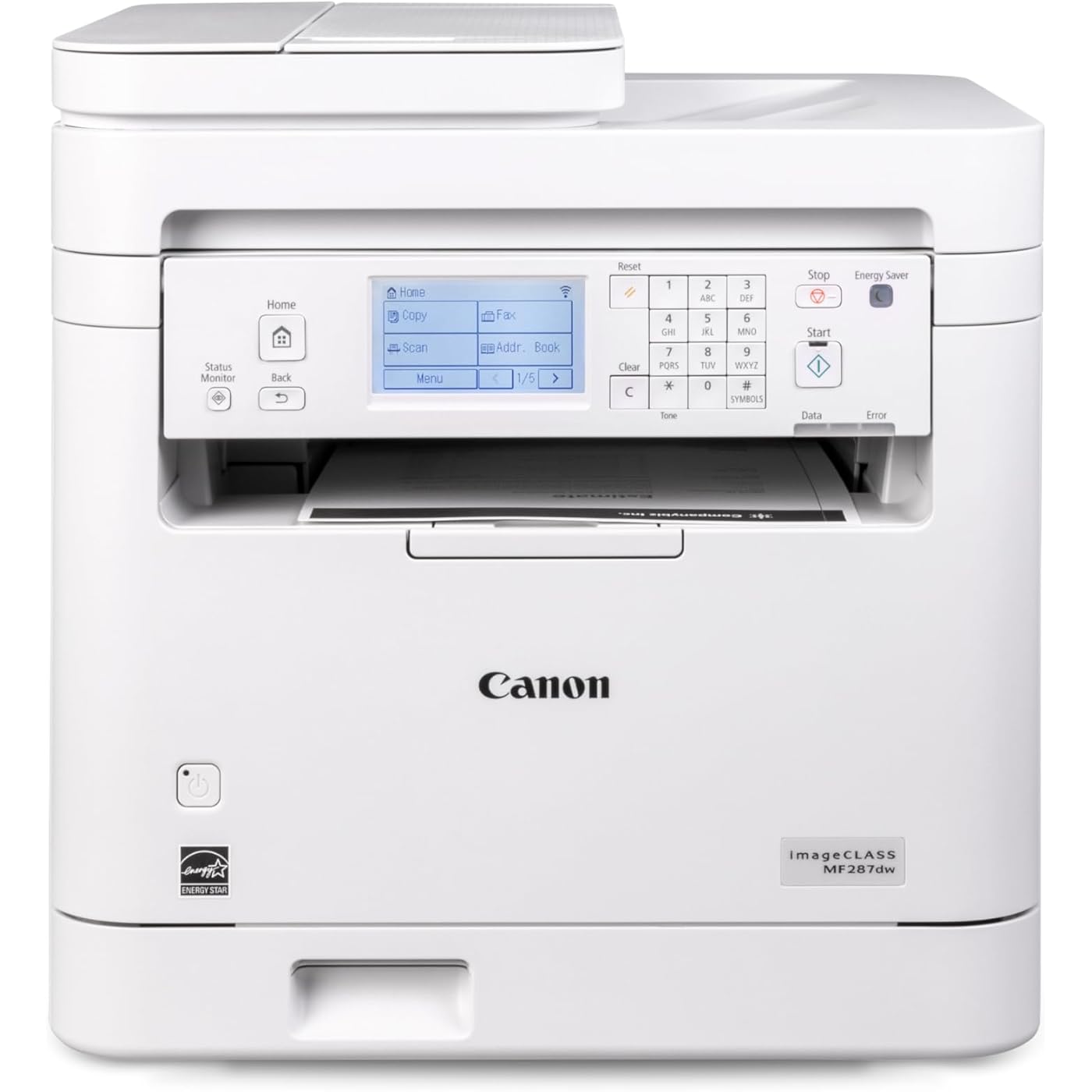
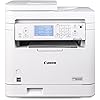
Canon imageCLASS MF287dw - Monochrome, Duplex, Wireless Laser Printer, All-in-One Print, Copy, Scan, Fax, Auto Document Feeder, 1 Year Limited Warranty, 35 PPM, White
  • Based on 815 reviews
Condition: New
Checking for the best price...
$270.99 Why this price?

Buy Now, Pay Later


As low as $45.17 / mo
  • – 6-month term
  • – No impact on credit
  • – Instant approval decision
  • – Secure and straightforward checkout

Ready to go? Add this product to your cart and select a plan during checkout.

Payment plans are offered through our trusted finance partners Klarna, Affirm, Afterpay, Apple Pay, and PayTomorrow. No-credit-needed leasing options through Acima may also be available at checkout.

Learn more about financing & leasing here.

Selected Option

Free shipping on this product

FREE 30-day refund/replacement

To qualify for a full refund, items must be returned in their original, unused condition. If an item is returned in a used, damaged, or materially different state, you may be granted a partial refund.

To initiate a return, please visit our Returns Center.

View our full returns policy here.


Availability: In Stock.
Fulfilled by Amazon

Arrives Mar 2 – Mar 3
Order within 21 hours and 52 minutes
Available payment plans shown during checkout

Protection Plan Protect Your Purchase
Checking for protection plans...

Style: Multi-Function Monochrome Printer


Features

  • Print up to 35 pages-per-minute with a first print out of time of less than 4.9 seconds (letter)
  • Print on-the-go with Canon Print App, Canon PRINT Business, Apple AirPrint and Mopria Print Service
  • High capacity toner option keeps up with your printing needs and limits toner replacement interruptions
  • Duplex print saves paper and related costs
  • Send scanned documents to / forward received faxes to email or file server

Description

All in One, Wireless, Duplex Laser Printer

Brand: Canon


Connectivity Technology: Wi-Fi


Printing Technology: Laser


Special Feature: Display Screen


Color: White


Model Name: imageCLASS MF287dw


Printer Output: Monochrome


Maximum Print Speed (Color): 35


Max Printspeed Monochrome: 35 ppm


Item Weight: 27.6 Pounds


Product Dimensions: 22.5"D x 22.8"W x 22.1"H


Maximum Media Size: 8.5 x 14 inch


Included Components: Toner Cartridges


Print media: High-resolution paper, Paper (plain), Unknown


Scanner Type: Automatic Document Feeder


Max Input Sheet Capacity: 250


Max Copy Speed (Black & White): 35 ppm


Sheet Size: 3 x 5 Inches to 8.5 x 14 Inches


Maximum Black and White Print Resolution: Up to 600 x 600 dpi


Warranty Type: limited warranty


Dual-sided printing: Yes


Wattage: 970 watts


Max copy resolution black-white: Up to 600 x 600 dpi


Duplex: Automatic


Hardware Interface: USB 2.0


Ink Color: Black


Additional Printer functions: All In One


Compatible Cartridge: Canon Genuine Toner 072 Standard, 072 High Capacity


Series Number: 6354011


Total USB Ports: 1


Model Series: imageCLASS


Specific Uses For Product: Office


UPC: 013803372267


Printer Ink Type: toner


Item Weight: 27.6 pounds


Item model number: 6354C011


Date First Available: September 24, 2024


Manufacturer: Canon


Frequently asked questions

If you place your order now, the estimated arrival date for this product is: Mar 2 – Mar 3

Yes, absolutely! You may return this product for a full refund within 30 days of receiving it.

To initiate a return, please visit our Returns Center.

View our full returns policy here.

  • Klarna Financing
  • Affirm Pay in 4
  • Affirm Financing
  • Afterpay Financing
  • PayTomorrow Financing
  • Financing through Apple Pay
Leasing options through Acima may also be available during checkout.

Learn more about financing & leasing here.

Top Amazon Reviews


  • Good printer for the money, not that hard to set up.
Style: Single-Function Monochrome Printer
In response to the whiners that gave low marks, it really isn’t that hard to set up. Yess the little LCD 2” screen is hard to read and they should have lighted it, but for the 15 minutes it takes to set up, I just pointed a light on it and problem solved. The set up didn’t seem like it was designed by someone who wanted a good user experience. Yo set the time zone you have to down button through about a hundred places before you see central US. Setting the clock and date were stupid unnecessary steps if it is going to be connected to the internet. The thing that took the most time was enter the router password, only because it wasn’t immediately clear how you “accept” it after entering the final digit. That should have been mentioned in the user guide (which was pretty crappy, wasted most of the paper space on safety warnings and how to dispose of the unit, and only a paragraph on the set up menu, where most of the confusion lies). Once the wifi password was entered, it just worked, perfectly. On my iPhone I opened a file, hit print, it saw the printer and printed. On the MacBook, I hit printed, I just had to select this printer instead of the one I was replacing, selected the number of copies, and it printed. Zero problems and issues. Easiest and fastest printer I ever set up. Lightweight so it sat on a small shelf by the bed. Energy star so it doesn’t have much of a phantom load when not used. On/off switch on the front so you don’t have to go searching on the side or back to turn it off. Print quality is acceptable. I didn’t notice any more noise than other printers, maybe even a bit less, but my hearing is shot so it hardly matters. So, there is room for improvement, like a better manual, lit LCD screen, paper tray that can close with paper to keep out the dust, and automatic time and date recognition, but I really don’t understand all the complaining about set up. It took fifteen minutes and if they had improved the user interface it could have been done in 5, but it really wasn’t a big deal. I got it on sale and it was a bargain, especially compared to the much crappier laser printer I bought in 1997 for $1400. ... show more
Reviewed in the United States on October 14, 2025 by Ant Farmer 1 Ant Farmer 1

  • Shame on Canon
Style: Single-Function Monochrome Printer
Read the negative reviews - they're 100% true. Size The picture and dimensions look like this is a nice, compact footprint. It doesn't reveal that it has a paper drawer that remains open as long as you have paper in it. So, the footprint is actually the size of the paper you have in the drawer. And because the drawer is now always open, you're suseptible to dust. So I load the paper every time I want to print and keep the printer closed. LCD Screen The screen is on the front instead of the top. I laid the device on it's back with the edge off the end of the table for the power cord so I could look down onto the printer in order to read the LCD screen. I also opened the curtains and turned my lights on. Once setup, I laid it flat again. Still, you have to interact with this screen every time you print and for every firemware upgrade. Connection Yes, the instructions suck and mine was actually missing the CD (empty case). I found the best luck was to connect the printer directly to my wi-fi and then locate the printer on my PC on the same network. My PC is directly hard-wired to my router, so not sure if that's why my PC found the printer so easily. I didn't want to connect the printer to my PC via USB since they're more than 6 feet apart. I don't use Apple products nor do I print from my Android. Printing Every single time you print something, the LCD prompts you to select a print drawer. There is only one print drawer. But, you have to scroll down and press okay on the LCD screen for the one and only print drawer before it will print. If there's a firmware upgrade available, it won't print and your job will remain in the queue until you upgrade. Firmware upgrades This is more often than I'd prefer, about as often as your PC receives updates. I've had the printer two months and have had to update the firmware 3 times. This is done through the hard to see LCD screen by scrolling down to Upgrade, pressing OK, and then scrolling one button press at a time to read through the entire agreement (smh). 50-75 or so clicks later, you will be able to proceed. Print quality I gotta say it prints shockingly fast - like 2 seconds. But that means the quality is going to match. Color docs don't translate well, but they are crisp and lightning fast and dry. Toner seems to be priced well, so replacements shouldn't be less than the old inkjet cartridges. Noise Sure, it's noisy, but I kind of expected that for the price. It sounds cheap. Overall "Buy" if you have lots of patience and just want to print text docs at a lower price point. Otherwise, treat yourself and upgrade. I feel like these printers have been sitting around for decades. They're only giving Canon a bad reputation. ... show more
Reviewed in the United States on February 14, 2025 by D. Mason

  • Replacement needed
Style: Single-Function Monochrome Printer
I need to speak with someone about this product I am having major issues with it. I love the product but it seems the one I received is defective I want to replace it ASAP PLEASE ASVICE. I’ve been with Amazon long time and bought many things over the years. I just got a replacement for some cleaner I bought and now this ... show more
Reviewed in the United States on October 15, 2025 by Michael Guadalupe Michael Guadalupe

  • A good printer
Style: Single-Function Monochrome Printer
I’m thoroughly delighted with this machine. It’s an excellent choice for home use. The print quality is exceptionally good. However, I wish the printing speed could be faster.
Reviewed in the United States on October 24, 2025 by Mr USA

  • love it!
Style: Single-Function Monochrome Printer
i've had it about a month now but it's so convenient it sucks not having color but does everything i need it to for school!
Reviewed in the United States on October 21, 2025 by Liz :)

  • printing speed and quality
Style: Single-Function Monochrome Printer
The printer prints very quickly, faster than I expected. At the beginning it could not automatically detect the paper and I had to press OK to load the paper into the printer, and later I adjusted the setting that aligns the paper size in the tray, the printer was loading and worked fine.
Reviewed in the United States on October 2, 2025 by Daniel

Can't find a product?

Find it on Amazon first, then paste the link below.
Checking for best price...