




AURSINC Shari PiHat – Portable SA818 Ham Allstar Radio Interface Raspberry Pi Hosted Allstar Node with USB-C Power, Compatible with Raspberry Pi 2/3/4/5, UHF 420-450MHz/70cm Amateur Radio Operators




Buy Now, Pay Later
- – 6-month term
- – No impact on credit to apply
- – Instant approval decision
- – Secure and straightforward checkout
Ready to go? Add this product to your cart and select a plan during checkout.
Payment plans are offered through our trusted finance partners Klarna, Affirm, Afterpay, Zip, Apple Pay, and Google Pay. No-credit-needed leasing options through Acima may also be available at checkout.
Learn more about financing & leasing here.
FREE 30-day refund/replacement
To qualify for a full refund, items must be returned in their original, unused condition. If an item is returned in a used, damaged, or materially different state, you may be granted a partial refund.
To initiate a return, please visit our Returns Center.
View our full returns policy here.
Recently Viewed



Features
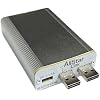
- [Upgraded SHARI PiHat] Add a 5V 1-1.5A USB-C port. Small, portable with self contained radio and antenna, SHARI(SA818 Ham Allstar Radio Interface) is designed for construction and uses in the amateur radio service, works with a Pi2/Pi3 or Pi4, SHARI RF output power is 500 to 1000 (default) milliwatts
- [RPI Hosted Allstar Node] SHARI PiHat implements a Raspberry Pi hosted Allstar node using a Nice RF SA818 embedded UHF (420-450 MHz|70cm) radio module, often used to build a personal RF "hot spot" AllStarLink node. In order to create an Allstar node, SHARI plugs into two USB jacks on a Raspberry Pi2/Pi3/Pi4 or Pi5 for power, the Allstar interface and radio programming (a short M/F USB extender cable can be used if desired)
- [Power Supply] SA818 Ham Allstar Radio Interface is a power supply intended for the version of the Raspberry Pi. These supplies typically provide 5.1 to 5.2 VDC to the Pi. Please Note: Current requirements vary with version. Numerous problems with Allstar Nodes have been traced to inadequate power supplies
- [Indicate Status] Front panel LEDs indicate the status of SHARI-POWER (green), USB Audio CONNECTION STATUS (blinking green), COS (green) and PTT (red); SHARI PiHat uses 5 volts from the Pi, and the best place to measure it is from pin 8 (+5) to pin 9 (GND) of the SA818 module
- [Radio Module] SHARI PiHat uses a single circuit board which contains installed surface mount (SMD) parts as well as 2 through-hole parts, a surface mount SMA connector and the SA818 (UHF) radio module; PiHatU also uses the Cmedia CM119B USB audio IC
- [Setting Up the SA818 RF Module on ASL3] Two new commands have been added to ASL3 Pi Appliance systems for module programming: SA818-menu, a visual interface for configuring RF module settings, and the sa818 command line interface for users who prefer manual coding
Description
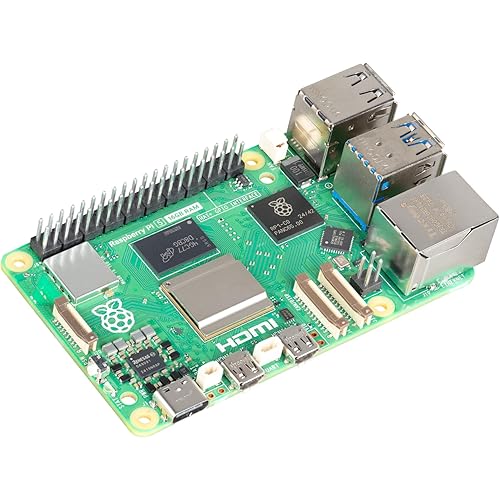
SHARI (SA818 Ham Allstar Radio Interface) PiHat Allstar Node is a kit construction project that implements a Raspberry Pi4 hosted Allstar node using a NiceRF SA818 embedded UHF (420-450 MHz) or a VHF (144-148 MHz) radio module. The radio module and interface circuits are located on a custom Raspberry Pi Hat board. A complete Allstar node can be implemented with a SHARI PiHat kit, a Raspberry Pi 4 (with power supply and microSD card) and an Allstar image 1. A fully assembled SHARI Pi3U, Pi3V, Pi4U or Pi4V. 2. A Raspberry Pi 2, Pi 3 or Pi4. The Pi2 or Pi3 is normally used with the SHARI Pi3(U), while the Pi4 is normally used with the SHARI Pi4(U) 3. A case for the Raspberry Pi. A metal case is preferred but if you want to use a WiFi connection instead of a wired network connection then a plastic case may be required to obtain adequate range. 4. A micro SD card – 16GB or larger, Class 10 or better is recommended. 5. A power supply for the Pi-This should be a power supply intended for the version of the Raspberry Pi. These supplies typically provide 5.1 to 5.2 VDC to the Pi. Current requirements vary with version. Numerous problems with Allstar Nodes have been traced to inadequate power supplies. 1. Create an Account with Allstar 2. Create a Server and Request a Node number 3. Software 4. Configuring Allstar 5. Configuring SimpleUSB-Tune-Menu for SHARI 6. Connecting and Configuring SHARI 7. Setting Receive and Transmit Voice Levels 8. Testing DTMF Decoding 9. Enabling the COS LED SHARI PiHatU implements a Raspberry Pi hosted Allstar node using a NiceRF SA818 embedded UHF (420-450 MHz|70cm) radio module. SA818 RF modules are RF transceiver modules, often used to build a personal RF "hot spot" AllStarLink node. Setting Up the SA818 RF Module on ASL3: Two new commands have been added to ASL3 Pi Appliance systems for module programming: SA818-menu, a visual interface for configuring RF module settings, and the sa818 command line interface for users who prefer manual coding. To program your SA818 with the menu utility, use the following command from the Linux CLI: sudo sa818-menu. Here, you will be able to view the last saved (or default) settings. Saved Settings The "last saved" settings are those saved by the sa818-menu command on your system. There is no way to "read" settings from the SA818 RF module. To program your SA818 using the command line you can execute the sa818 command.
Brand: AURSINC
Model Name: SA818
Ram Memory Installed Size: 16 GB
Memory Storage Capacity: 16 GB
Connectivity Technology: USB
RAM Memory Installed: 16 GB
Memory Storage Capacity: 16 GB
Connectivity Technology: USB
Operating System: Raspbian
Processor Brand: Broadcom
Wireless Compability: Radio Frequency
Compatible Devices: Raspberry Pi 2, Raspberry Pi 3, Raspberry Pi 4
RAM Memory Technology: LPDDR4
Processor Count: 1
Total Usb Ports: 4
Brand: AURSINC
Model Name: SA818
Built-In Media: SA818
Number of Items: 1
Manufacturer: AURSINC
Model Number: SA818
Mfr Part Number: 02-G7FR-H1ZN
Warranty Description: 1 year
Frequently asked questions
To initiate a return, please visit our Returns Center.
View our full returns policy here.
- Klarna Financing
- Affirm Pay in 4
- Affirm Financing
- Afterpay Financing
- Zip Pay in 4
- Financing through Apple Pay
- Financing through Google Pay
Learn more about financing & leasing here.





Top Amazon Reviews
