Search  for anything...

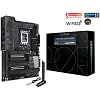
ASUS ProArt Z790-Creator WiFi 6E LGA 1700(Intel 14th,13th&12th Gen) ATX Content Creator Motherboard(PCIe 5.0,DDR5,2X Thunderbolt 4,10G&2.5G LAN,4xM.2/NVMe SSD,Front Panel USB 3.2 Gen2x2 Type-C).

  • Based on 222 reviews
Condition: New
Checking for the best price...
$1,003.87 Why this price?

Buy Now, Pay Later


As low as / mo
  • – Up to 36-month term if approved
  • – No impact on credit to apply
  • – Instant approval decision
  • – Secure and straightforward checkout

Ready to go? Add this product to your cart and select a plan during checkout.

Payment plans are offered through our trusted finance partners Klarna, Affirm, Afterpay, Zip, Apple Pay, and Google Pay. No-credit-needed leasing options through Acima may also be available at checkout.

Learn more about financing & leasing here.

Selected Option

Free shipping on this product

30-day refund/replacement

To qualify for a full refund, items must be returned in their original, unused condition. If an item is returned in a used, damaged, or materially different state, you may be granted a partial refund.

To initiate a return, please visit our Returns Center.

View our full returns policy here.


Availability: Only 1 left in stock, order soon!
Fulfilled by OneDealOutlet Online

Arrives Sep 12 – Sep 19
Order within 18 hours and 59 minutes
Available payment plans shown during checkout

Protection Plan Protect Your Purchase
Checking for protection plans...

Style: Z790-Creator|M.2 x4|WiFi 6E


Features

  • Intel LGA 1700 socket: Ready for 14th, 13th&12th Gen Intel Core processors, support PCIe 5.0,DDR5 and out of box Windows 11 ready.Audio : High quality 120 dB SNR stereo playback output and 113 dB SNR recording input (Line-in)
  • Robust performance: 16 plus 1 power stages, ProCool II power connector, high-quality alloy chokes and durable capacitors
  • Comprehensive thermal design: Massive VRM heatsink, double-sided heatsink and M.2 aluminum heatsinks
  • Extensive connectivity: Dual Thunderbolt 4 Type-C ports, 10 Gb & 2.5 Gb onboard Ethernet, WiFi 6E, 4x M.2 slots and front panel USB 3.2 Gen2x2 Type-C ports with 60W fast charging support
  • Advanced security: USB port management, software blacklisting and Regedit on/off controls via ASUS Control Center Express

Description

The ASUS ProArt Z790-Creator WiFi 6E perfects the art of performance, empowering creativity and maximizing the computing power of the latest 12th,13th &14th Generation Intel Core processors with powerful hardware and software, efficient cooling and lightning-fast connectivity, including Thunderbolt 4, 10 Gb and 2.5 Gb onboard Ethernet, and WiFi 6E.

Brand: ASUS


CPU Socket: LGA 1700


Compatible Devices: 12th, 13th & 14th Gen Intel Core, Personal Computer


RAM Memory Technology: DDR5


Compatible Processors: 14th, 13th, 12th Gen


Chipset Type: Intel Z790


Memory Clock Speed: 1700 MHz


Platform: Windows


Model Name: PROART Z790-CREATOR WIFI


CPU Model: Core i7


Processor Socket: LGA 1700


Compatible Devices: 12th, 13th & 14th Gen Intel Core, Personal Computer


RAM Memory Technology: DDR5


Compatible Processors: 14th, 13th, 12th Gen


Chipset Type: Intel Z790


Memory Clock Speed: 1700 MHz


Platform: Windows


CPU Model: Core i7


Memory Storage Capacity: 128 GB


Ram Memory Maximum Size: 128 GB


Main Power Connector Type: 24-Pin


Graphics Card Interface: PCI Express


Memory Slots Available: 4


Number of Ports: 7


S/PDIF Connector Type: Optical


System Bus Standard Supported: SATA 3


Total SATA Ports: 6


USB 2.0: 4


Total Usb Ports: 12


Number of Ethernet Ports: 2


Total PCIe Ports: 3


Brand: ASUS


Model Name: PROART Z790-CREATOR WIFI


Model Number: PROART Z790-CREATOR WIFI


Manufacturer: ASUS


Number of Items: 1


UPC: 195553988988


Item Type Name: Computer motherboard


Item Weight: 1500 g


Mfr Part Number: PROART Z790-CREATOR WIFI


Warranty Description: 3 Years


Item Dimensions L x W x H: 10.75"L x 3.03"W x 13.5"H


Frequently asked questions

If you place your order now, the estimated arrival date for this product is: Sep 12 – Sep 19

Yes, absolutely! You may return this product for a full refund within 30 days of receiving it.

To initiate a return, please visit our Returns Center.

View our full returns policy here.

  • Klarna Financing
  • Affirm Pay in 4
  • Affirm Financing
  • Afterpay Financing
  • Zip Pay in 4
  • Financing through Apple Pay
  • Financing through Google Pay
Leasing options through Acima may also be available during checkout.

Learn more about financing & leasing here.

Top Amazon Reviews


  • Almost perfect
Style: Z790-Creator|M.2 x4|WiFi 6E
I'd read a number of horror stories about the current crop of Asus motherboards, but this motherboard has been just great, and I think most of those reviews reflect misunderstanding on the customer's part. (Amazon should remove the reviews for the obsolete models which no longer apply, e.g., the current model has WiFi.) First off, there have been complaints about bent pins. The manual contains a warning that if the protective cover has come loose in transit, pins can be damaged. Check first to make sure that the pins are OK, and send back if there's an issue. Then, there are complaints to the effect that four sticks of memory don't work at XMP rates. Well, they won't, and nobody ever said the would. You cannot combine two sets of overclocked memory; you would need a set of four. Even then, unbuffered memory isn't going to give you full speed with four modules installed. *People should check the Asus QVL before buying memory, as well as the QVL of the memory manufacturer, which has tighter standards. Pay attention to the number of sticks.* The memory I chose, 2 x 32 G Skill Trident 6400, was on the Asus QVL but not Gskill's. However, someone here said it worked, and GSkill listed all the other Asus motherboards of this generation, so I took a risk and it worked fine with XMP. I suspect I could overclock it beyond that if I tried. (There are also new 48 GB chips as well as faster ones, but in the absence of information I chose not to take that risk.) In any case, it does fine with Memtest86. One caveat: I'm using this with an i7-14700. The 13th gen chips may not have as much headroom in their memory controllers. That out of the way, the motherboard is built like a tank and has just about anything I could want, without the gamer bling that isn't of use to me. Such limitations as there are are mostly due to Intel's chipset, which has an inadequate number of PCIe lanes. That means that if you were to install a PCIe Gen 5 SSD -- which would require an accessory card on this motherboard -- you would have to change the first PCIe slot from x16 to x8. (Wish I could afford or justify a HEDT machine!) But PCIe 5 was of little use to me, since there are few SSD's that use it at this point. Another consideration that has nothing to do with Asus is that the Z790 is a dead-end board -- the next generation of chips will not be compatible. Those who can wait may want to do so. And the current Intel chips run hot hot hot hot hot! If I have a complaint, it's that I wish there were more USB slots on the back. It has a strange arrangement whereby two DP outputs from the graphics card can be plugged in at the back and the video taken out again via the Firewire ports, but I'm not sure why someone wouldn't just run DP cables. Anyway, isn't useful for me and it would just occupy a Firewire port that could be used for something else. Another limitation -- not as many slots as I'd like. Again, Intel -- it seems the processor manufacturers want to sell those HEDT boards something fierce. Finally, a major caveat -- Asus's support is famously bad. If you get this board, make sure it works well within Amazon's 30-day return window. The manual is well organized and excellent, and I love the layout of the BIOS. Warning: With Asus manuals, you *must* read all the fine print. It often contains crucial points. Value: Asus motherboards carry a premium. I've always had good luck both with the motherboards and their BIOS support. Some other motherboards may be as good -- I don't know, since I read and hear contradictory things. I just know that they work for me and it isn't worth it to me to take a risk. But most of these are quibbles. It's a great motherboard and my experience has been good so far. ... show more
Reviewed in the United States on April 22, 2024 by Josh358

  • Never had a problem with an ASUS board, love their products!
Style: Z790-Creator|M.2 x4|WiFi 6E
Bought for a new PC build. Wanted something robust for visual arts creation and general use, with modern tech that wouldn't leave me screaming for an upgrade in a few years. This really fits the bill in an elegant way. I spent more than I initially planned, but I am confident I won't have to upgrade anytime soon unless there are massive leaps in technology. My build: • CPU: Intel Core i9-12900KF 3.2 GHz 16-Core Processor • CPU Cooler: Asus ROG RYUO III 240 ARGB 70.07 CFM Liquid CPU Cooler • Motherboard: [This product] • Memory: Corsair Vengeance RGB 64 GB (4 x 16 GB) DDR5-6000 CL40 Memory • Storage: Samsung 980 Pro M.2-2280 PCIe 4.0 X4 NVME Solid State Drives (3x) • Video Card: Asus DUAL OC GeForce RTX 3060 Ti 8 GB • Case: Fractal Design Define 7 XL • Power Supply: Corsair RM750x (2021) 750 W A few other peripherals here and there, but hose are the basics. Setup was average. I liked the PCIE latch mechanism which made installing the graphics card super easy. The M.2 latches were nice too. Comes with pretty much every accessory you'd need outside of what is required of peripherals. The I/O is modern and provides nothing but high-end connectivity. No PS2 port or USB2.0 on the back at all which is awesome. I don't want to have to look around for a USB 3 port.... they're all USB 3... or Thunderbolt! Speaking of thunderbolt.... I really do wish there were a more elegant (or internal) way of passing a video signal from your GPU to the Thunderbolt ports. I don't like that I need extra cables running across the back of my system. Its way better than needing a thunderbolt add-on card, but only barely. Asus' software has improved over the years but is still a tad clunky. Luckily you only really have to fuss with it during initial setup and every so often for maintenance. I have been using Asus systems for years and love how long they last. My old Asus x99 Deluxe system that I just replaced was almost 9 years old and still runs fine, albeit a little slow by 2023 standards. Definitely recommend this board! Hopefully it lasts as long as my last one! ... show more
Reviewed in the United States on March 21, 2023 by Gyakusetsu

  • No issues so far 🤗🤓
Style: Z790-Creator|M.2 x4|WiFi 6E
Using i9-13900KS with Thermal Grizzly Contact frame + Kryonaut Extreme, EK Quantum Velocity 2 water block and 2 all copper radiators ( 3 x 120 TOP and 3 x 140 FRONT) in series just for the CPU cooling. Using G.Skill 64 GB DDR5 6400 RAM F5-6400J3239G32GX2-TZ5RK, Asus Tuf 4090 GPU, EVGA 1300P+ power supply, Samsung 990 Pro 1TB, SK Hynix P41 1TB, SK Hynix P41 2TB, WD Red 14TB, HGST 6TB. Asus Xonar Essence STX sound card, Samsung 49" Odyssey G9 curved and MORE.... Have been running the board a couple of weeks. Using the 10GB Ethernet to my Mikrotix cloud router to SFP+ port. Using latest BIOS, I turned off 1gb NIC, integrated sound and Wifi 6 in the BIOS. So far so good. Not having any issues. This replaced my 4 year old Threadripper 2950x CPU and X399 motherboard. It was stupid fast and honestly I had no real reason to upgrade except to stay current and take advantage of PCIexpress 4 or 5 NVMe drive speed. It is my job to stay current so I may advise my customers I service in the I.T. field on real world experiences. I cannot do that using old hardware so I try to upgrade at least one of my machines every 18-24 months. I have built multiple i5-13600k and i7-13700k machines in the last 4 months. Honestly the i5 is plenty fast for most people including for gaming. There was an Amazon review before mine about the Thermal Grizzly contact frame. I had zero installation issues. My frame came with two sets of screws. One set is too short but I had no issues with the height of the IHS or frame. My temps are barely warm given the cooling capacity I have. CPU Idle Temps are 29-32 C for this i9. Not sure about loaded. I haven't done anything to remotely stress it. My gripe to Asus is that the motherboard box is rather wimpy for this motherboard. I can barely store the do-dads, wires and misc documents for this build in such a pitiful box. Please step it up in the future. UPDATE: 7 months into this build and still no issues to speak of. I have been very happy with this build and this ASUS motherboard. Given the lack of expansion slots on modern mobo's, the 10Gbit on board was the deciding factor for this board for me. ... show more
Reviewed in the United States on March 15, 2023 by PCDoctor Support

  • The Board is riddled with Problems and support is non-existent
Style: Z790-Creator|M.2 x4|WiFi 6E
After installation of the OS (Windows 11), and running all the updates, including ASUS updates, I attached the other hard drives and installed the Apps I need. I powered down the machine to move it to the desk, and the problems started when I attempted to boot up. It started reporting errors with the other data drives, and would not boot. The drives are fine. It would not boot to the M2 drive, which is the only drive in the bios for booting. It only boots after I unplug all the data drives. After reconnecting all the data drives, enter bios and boot directly to the M2 OS Drive, the problem returns almost every time after shut down and reboot. The only way around it is to go into bios and physically select the M2 OS drive each time. It also does not recognize the DVD drives connected on sata. When I added added memory brand new out of the box, it would not power up at all, until I unplugged all the sata cables, including DVD drives. The last set of problems that appeared, shows lights that indicates a cmos problem. I have called Support several times - at least 6 times. They are practically of no help. Clearly they are reading from a script. They have also ended calls without warning or the lines are so bad that the connection is dropped, and there is no call-back and no case number. After two weeks of troubleshooting on my own, I gave up and returned the item. I think this board, at least the one I received, is not worth the hassle, money, or time. I don't recommend it. ... show more
Reviewed in the United States on February 9, 2025 by AAG

  • Solid Motherboard
Style: Z790-Creator|M.2 x4|WiFi 6E
I am not a gamer. I use Premiere and Lightroom daily. I was seeking a MB with features that support high data input and stability. This board ticks all the boxes. Keep in mind the NVME is GEN 4 and not 5. I struggled with that for a bit, but realized that is a small compromise for the other benefits. I also like the 60 watt USB C charging right from the board. It also has thunderbolt built in. My only hiccup was the initial Windows 11 install. Windows wouldn't let me install fully without an internet connection. My motherboard came without a disk or a USB drive. Even downloaded drivers couldn't be installed because Windows was stuck before getting to the start screen. I found a work around and it had been working fine. I downloaded the Armory Crate app. It runs on the PC and allows you to update drivers and even the BIOS. Oh, speaking of BIOS, you are able to update via USB. This is great because this board was manufactured for 13th gen Intel chips. I was able to install a 14th gen chip and get it to post because I updated the BIOS via USB while I was building the computer ... show more
Reviewed in the United States on January 21, 2024 by Dread In New York

  • Photo Editing Workstation
Style: Z790-Creator|M.2 x4|WiFi 6E
Nice board. This is either my 10th or 11th Asus MB. I had a little trouble with the 10G, but I think that was a Windows issue more than Asus. The one downside to this board, and most current boards, is too few USB headers. This is an issue if you have multiple fan controllers. The fix is to add a splitter, https://www.amazon.com/dp/B08SLQ63G7?psc=1&ref=ppx_yo2ov_dt_b_product_details. Build: Corsair iCUE 5000X RGB Tempered Glass Mid-Tower ATX PC Smart Case - Black CORSAIR Dominator Titanium RGB DDR5 RAM 96GB (2x48GB) DDR5 6600MHz CL32 2 X SAMSUNG 990 PRO Series - 2TB PCIe Gen4. X4 NVMe 2.0c - M.2 Internal SSD Intel® CoreTM i9-14900K New Gaming Desktop Processor 24 (8 P-cores + 16 E-cores) Corsair iCUE H150i Elite CAPELLIX XT Desktop Liquid CPU Cooler - Three AF120 RGB CORSAIR iCUE SP120 RGB ELITE Performance 120mm PWM Triple Fan Kit with iCUE Corsair HX1000i Fully Modular Ultra-Low Noise ATX Power Supply - ATX 3.0 & PCIe 5.0 Compliant Corsair Premium PCIe 4.0 x16 Extension Cable 300mm - EMI Shielded - 90° Female PCIe Connector ASUS ROG Strix NVIDIA GeForce RTX 3070 Ti OC Edition Gaming Graphics Card ... show more
Reviewed in the United States on May 29, 2024 by Douglas W. Taft

  • Asus z790 ProArt | Great Board, a few compatibility issues
Style: Z790-Creator|M.2 x4|WiFi 6E
Initial Review: I like the simplicity of this board, there's some drawbacks. This board is incompatible with Thermal Grizzly's contact frame. This does not appear to be the fault of Thermal Grizzly -- The ILM bracket was thinned and the screws to mount it shortened I cannot speak to the compatibility of other contact frames, but considering the extreme benefits from such a simple mod, this is a huge negative to me __________________________________________________________________________________________________ Review Update 1: So I've had this board for a while now, here are the issues I've ran into: 1: As stated initially, was not compatible with TG contact frame as the parts were thinned/screws shortened I used AJUER UNC #6/32x3/8" screws for this, as shown in the image included from the " AJUER UNC Stainless Steel Hex Socket Head Cap Screws Hex Nuts Assortment Kit " 2: 3rd party M.2 Heatsink Compatibility issues: Unfortunately there are also compatibility issues with the best 3rd party m.2 heatsinks, such as the Acidalie M.2 Double. If there are any projections from the M.2 heatsink past the M.2 connection pins, expect that you will not be able to mount a larger heatsink in the top slot Further, you should be aware that the M.2 Q-Latch is also not compatible with some of these M.2 heatsinks (same) but also the Acidalie M.2 Active (with fan), which while you can get this one to fit by mounting it with the fan blowing air at the GPU, you cannot use the Q-Latch to secure it to the motherboard; you must separately purchase a m.2 standoff and screw compatible with the board. This is due to the added thickness of the heatsink Overall still loving this board and the style it has, but as this board is intended for "creators" who will presumably be utilizing most if not all of the tools at their disposal, there are some issues which cannot be overlooked __________________________________________________________________________________________________ Full build: • z790 ProArt • 13900k • • 420mm aRGB Arctic II Push Pull • • Thermal Grizzly Contact Plate • • Thermal Grizzly Kryonaut Extreme (the pink stuff) • Teamgroup 7200-c34 2x16 • 6900xt • • EZDIY-FAB Vertical PCIe 4.0 GPU Mount • 1x 1TB WD SN850 Black • 4x Intel Optane P1600x 118Gb • • 1x ACIDALIE M.2 Active Heatsink • • 4x ACIDALIE M.2 Double Heatsinks • • SABRENT NVMe M.2 SSD to PCIe • • XPC High Performance 20W/mK Thermal Pad T20 • 850w Platinum Be Quiet Straight Power 11 • Corsair Memory Fan • Be Quiet 802 Silent Base • Lots of Noctua Fans + Gaskets + Grills (200mm, 140mm, 120mm, 60mm) ... show more
Reviewed in the United States on March 1, 2023 by Michael

  • This is a great motherboard and the core of my creator PC build.
Style: Z790-Creator|M.2 x4|WiFi 6E
This is a great motherboard and the core of my creator PC build. I loaded it with an Intel® CoreTM i9-14900K, 8TB of storage, and 64GB RAM. The board is loaded with great features. I'm getting great performance! The only minor complaint I have is that the printing on the board is very low contrast and a bit hard to read. A very minor point. ... show more
Reviewed in the United States on March 17, 2025 by Blaine

Can't find a product?

Find it on Amazon first, then paste the link below.
Checking for best price...