Search  for anything...

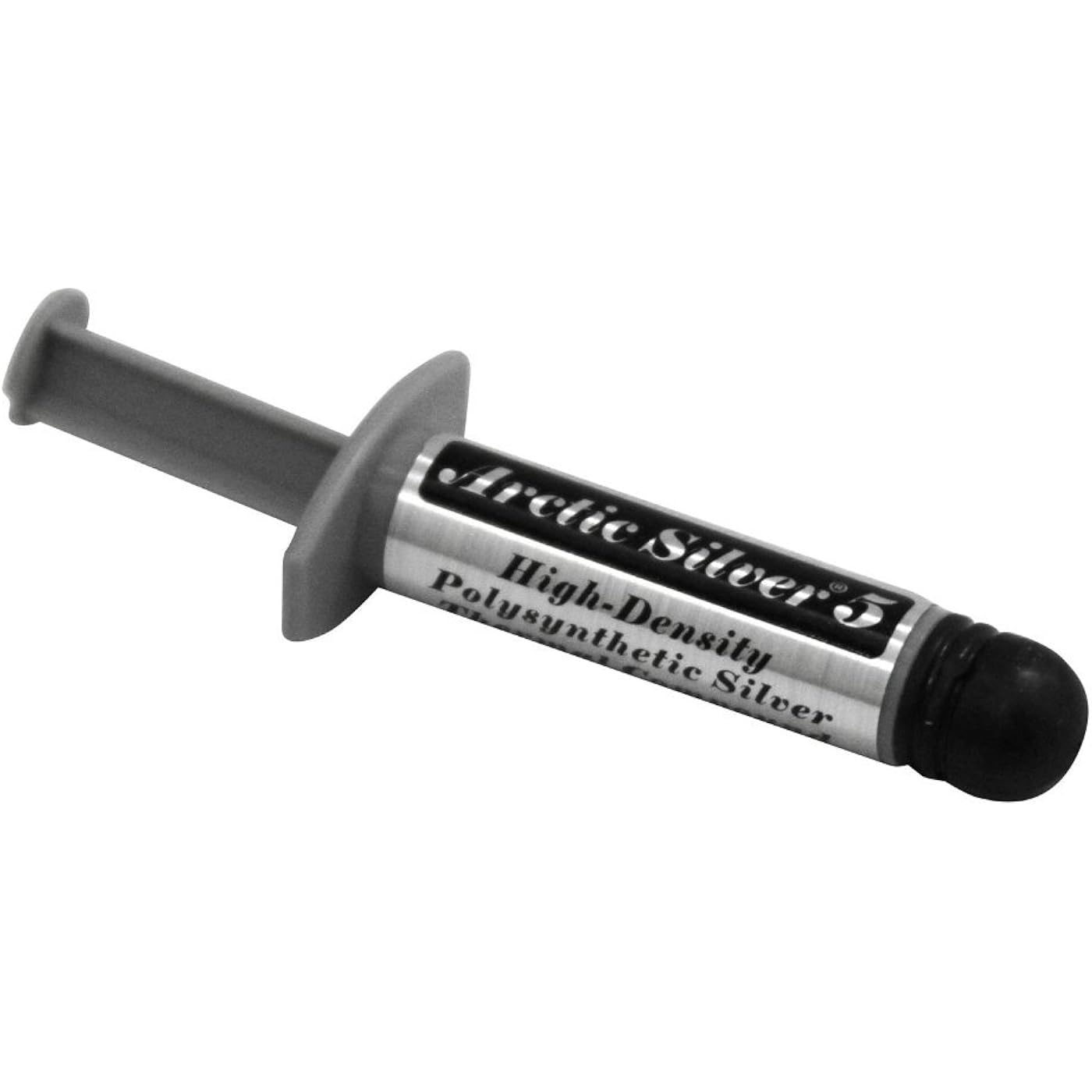
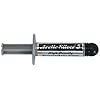
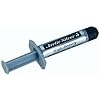
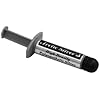
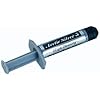
Arctic Silver 5 AS5-3.5G Thermal Paste,Black, Grey

  • Based on 21,998 reviews
Condition: New
Checking for the best price...
$12.51 Why this price?
Labor Day Deal · 37% off was $19.99

Buy Now, Pay Later


As low as $3 / mo
  • – 4-month term
  • – No impact on credit to apply
  • – Instant approval decision
  • – Secure and straightforward checkout

Ready to go? Add this product to your cart and select a plan during checkout.

Payment plans are offered through our trusted finance partners Klarna, Affirm, Afterpay, Zip, Apple Pay, and Google Pay. No-credit-needed leasing options through Acima may also be available at checkout.

Learn more about financing & leasing here.

Free shipping on this product

30-day refund/replacement

To qualify for a full refund, items must be returned in their original, unused condition. If an item is returned in a used, damaged, or materially different state, you may be granted a partial refund.

To initiate a return, please visit our Returns Center.

View our full returns policy here.


Availability: Only 3 left in stock, order soon!
Fulfilled by LEDSupply

Arrives Tuesday, Sep 15
Order within 14 hours and 24 minutes
Available payment plans shown during checkout

Protection Plan Protect Your Purchase
Checking for protection plans...

Features

  • Thermally enhanced ceramic particles
  • 3 unique shapes and sizes of pure silver particles
  • Ensures best physical contact between the heatsink and CPU core
  • Will not separate, run, migrate or bleed
  • 3.5g
  • 99.9% pure micronized silver
  • Will not separate, run, migrate or bleed
  • Thermal conductance: >350 000W/m2 degreesC (0.001 inch layer)
  • Easy to apply and remove

Description

The Arctic Silver 5 High-Density Polysynthetic Silver Thermal Compound Enhances The Compound'S Performance And Long-Term Stability. Arctic Silver 5 Uses Three Unique Shapes And Sizes Of Pure Silver Particles To Maximize Particle-To-Particle Contact Area And Thermal Transfer. Arctic Silver 5 Will Not Separate, Run, Migrate Or Bleed.

Brand: Arctic Silver


Cooler Heatsink Material: Aluminum


Product Dimensions: 5"L x 1"W x 7"H


Cooler Heatsink Compatibility: Universal


Item Weight: 3.5 g


Brand Name: Arctic Silver


Unit Count: 1 Count


Manufacturer: Arctic Silver


Number of Packs: 1


UPC: 642008439903 800953173550 979980001317 840556003052 739197116170 801579489704 012304363170 794057451358 083219900101 798804167585 833054999194 832199001014 683728187231


Number of Items: 1


Global Trade Identification Number: 03, 14, 11


Item Highlight: NBR Material, 12mm Inner Diameter, 2mm Thickness, Spare Gasket


Included Components: Arctic Silver Compound


Item Part Number: AS5-3.5G


Item Type Name: Arctic Silver


Model: AS5-3.5G


Part Number: AS5-3.5G


Item Dimensions L x W x H: 5"L x 1"W x 7"H


Item Weight: 3.5 g


Cooler Heatsink Compatibility: Universal


CPU Socket: [ANY_COMMONLY_USED_CPU_SOCKET]


Cooler Heatsink Material: Aluminum


Frequently asked questions

If you place your order now, the estimated arrival date for this product is: Tuesday, Sep 15

Yes, absolutely! You may return this product for a full refund within 30 days of receiving it.

To initiate a return, please visit our Returns Center.

View our full returns policy here.
  • Klarna Financing
  • Affirm Pay in 4
  • Affirm Financing
  • Afterpay Financing
  • Zip Pay in 4
  • Financing through Apple Pay
  • Financing through Google Pay
Leasing options through Acima may also be available during checkout.

Learn more about financing & leasing here.

Top Amazon Reviews


  • Its my go to thermal paste for the last 20+ years
Ive tried other thermal pastes but this seems to be the best IMO. Ive went 4-5 years before reapplying it because I noticed my CPU temps were getting a little higher. Transfers heat well, spreads well, and cleans up pretty easy with ISO alcohol and it spreads like peanut butter. My only gripe is the tubes are small so you'll only get a couple uses from it. Works well on my GPU's too ... show more
Reviewed in the United States on February 27, 2026 by James

  • Review of Arctic Silver 5 AS5-3.5G Thermal Paste
I recently had a stretch of bad luck with a CPU I had built. The system was a dream right up until the heavy video card sagged the PCI slot bracket right out of the board and caused catastrophic damage to the CPU and motherboard. I attempted to replace the mother board via RMA with the vendor but received boards that were Dead on Arrival for other reasons. After receiving defective replacement 4 boards, I opted to buy from another company and received a working board and am once again happily geeking out with my rebuilt PC. While going through the repeat RMA processes, the CPU and the cooling block needed to have fresh thermal paste reapplied each time. This was simply due to the length of time sending and receiving items was taking. I picked up Arctic Silver 5 AS5-3.5G Thermal Paste off of Amazon and was very pleased with my purchase. Here is why: The delivery was fast and the product was undamaged. The size of the product is such that it can be reapplied several times too without exhausting the container quickly. The product was very thick but it spread well across surface of the chip and block. It had a tackiness / stickiness to it that made it hold the cooling block and the CPU together very well. Temps on the system read very good which is a combination of things such as the cooling unit, the air flow, demand on the system and of course the paste... I have no doubt this paste is doing it job well in keeping things cool. I have bought this paste serval times now and will continue to do so as we build and rebuild systems for the nerdy members of my family. I'd recommend the product to anyone looking to build a PC be it for a business or as a home system. The economy of the item is great. You get several applications and the cost is fantastically low. Finally, buying this item through amazon, as with many other item, makes repeat purchases and returns easy to do. ... show more
Reviewed in the United States on September 22, 2016 by KEG-EPG

  • Experienced long time PC builder, this is my favorite!
I've been building PC's for a local computer shop, (everything from high end, water cooled gaming rigs, budget builds, cheap email boxes, linux rigs, servers, parts bin rigs, and everything in between,) myself, (usually nicely spec'd budget gaming rigs and home media servers,) and family, (modest "future proofed" and parts bin builds,) for about a decade. I've used a lot of different thermal pastes, including the pads that come on stock coolers, pastes that come with aftermarket coolers, glues, ceramics, copper, silver, some weird white stuff, lots! The Arctic Silver 5 has, in my experience, consistently lowered temps and helped to get the most out of any cooler I've purchased for myself, someone else, or a clean out of an older machine. I'm really impressed by the features AS5 has up it's sleeve. Pros: -It's performant. Even on chips that I've uncovered from "custom builds" from others where the CPU heat spreader is scratched, or a stock cooler has a poor finish, AS5 seems to improve performance ALWAYS. Even if it's one degree, or keeps the temp down an extra minute or so on a failing part, it works very, very well. -It cleans up very easily, even after being caked on for years. (A bit of isopropyl alcohol goes a long way!) -It keeps a long time. I've found tubes of AS5 in tool sleeves that I've lost for a year or two, and had no issue using the AS5 in the tube. Most other included thermal paste/greases I've used will harden or get gummy. Cons: -It seems to not be available locally. If you need to run out to a local supply shop I've usually only found other products, so I make sure to have some on hand. -It's the same price per tube as much bigger tubes of others. I still think that due to how well it performs, it's worth buying more often. Bottom line: -If you're installing a new CPU, cooler, building a new PC, have overheating issues, are cleaning out an older machine, give AS5 a shot. It's a very good performing product, and for a few bucks, it's often the saving grace that can restore PC/hardware performance. ... show more
Reviewed in the United States on January 25, 2016 by Jazzles

  • I use it on every computer repair and new build
I have tried other Thermal Interface Materials (TIM) and I went back to Artic Silver 5 thermal compound. It is simply the best and I have gotten the best results with it for many years. The product is ideal for CPUs, Northbridge, Southbridge and GPU components that are heat sinked. I have used it on desktop computers, laptops, servers, and Xbox 360's. When using the product a little dab will do the trick. If you use too much it will squeeze out from under the heat sink and make a big mess. The proper amount is about 1 ½ to 2 times the size of a grain of rice. If you look on the internet there are several guides on how to use the product including photos. Sometimes on a large CPU I spread the compound in a very thin and even layer with and old credit card like tool. On one rough heat sink assembly I had to work a drop of the compound into the surface with a credit card and this filled in the micro abrasions in the surface and improved the temperature drop by 4 degrees C. The key is that you want a thin and even layer of the compound on the entire top surface of the CPU so that all the micro flaws in the surfaces of the CPU and the heat sink are filled with the silver in the product to provide maximum thermal conductance of heat away from the CPU and into the heat sink assembly. Do not use to much compound, people tend to use too much or not enough and the science is to do it just right! Before you apply the compound clean all the surfaces and make sure they have no oil, finger prints, or dust on them. Make sure you have removed the old thermal compound from the surfaces. Some old compounds get rock hard and can be difficult to clean. I have used Goo Gone and it is by far the best cleaning solution I have ever used. Don't use too much and clean only the CPU and heat sink. Then wipe all surfaces dry and wipe again with an alcohol swab and a Q tip if necessary to clean up the old compound. Then give it a final wipe with ¼ of a coffee filter as they are fiber free paper and you should have a clean surface. These surfaces must be absolutely clean and even the oil from a fingerprint that you can't see can cause a problem. Mount your heat sink and I like the aftermarket heat sink fan assemblies or water cooled blocks as they install with screws and you can make sure that the heat sink is firm and tight with the CPU. The factory supplied heat sinks with push pins bother me as I have seen many people swear they are tight and they are not. You will not get ideal cooling unless you do a professional job of installing these key components and you may damage your CPU. The Artic Silver 5 compound has an aging time of around 200 hours and the temperature will improve by about 2 to 5 degrees after the aging process is done. To properly age the compound you should use your computer until it heats up (about one or two hours) and then shut it down and let it cool off and use it again. Do this multiple times. This heat and cool procedure sets the compound up properly and improves the thermal interface. Good luck and have fun! ... show more
Reviewed in the United States on December 14, 2011 by JJCEO

  • Good Standard
Arctic Silver 5 is a medium priced thermal compound that works fairly well & is easy to apply. It used to be king-of-the-hill, but there are a couple of other brands that provide better thermal conduction. The best is using solder, but that is a difficult & permanent solution. The next best is thermal adhesive (which is easier to apply, but also permanent) or liquid metal type (which can be difficult to spread, can be corrosive to some metals, can be difficult to remove, and are usually electrically conductive), then there are products like GC-2 which are easier to spread and are not permanent or electrically conductive/corrosive but are still fairly expensive. Then there is Arctic Silver 5, which is still fairly good at heat transfer, very easy to spread, non permanent and non-electrically conductive at a fair price. If you don't need the extra 5 degrees C cooling capability of the expensive high-end thermal compounds, then AS5 might be a good choice for you. If you are new to using thermal compound, I recommend applying a small drop about the size of a large grain of rice (you will need less than you think) in the center of the processor's heat spreader, place the heat sink squarely on top of the heat spreader and clamp down. I like to give the heat sink a slight twist back & forth once or twice to help spread the compound a bit thinner. You want the compound to be as thin as possible while still covering the entire contact area between the processor & heat sink. By using a small drop of compound at the center of the processor & allowing it to spread when pressed against the heat sinc, this will essentially prevent any air bubbles from forming between the 2. ... show more
Reviewed in the United States on March 29, 2014 by LongRange

  • DRAMATIC improvement over OEM thermal compound!
I'm pretty much a "noob" and hobbyist when it comes to tinkering with computer hardware ... I stumbled into it after replacing a few laptops ... I had these old laptops sitting around, and started futzing around with them, just to see if I could figure out how to take them apart and get them running nice again ... to have a few working spares that I could then use as notebooks, multi-media players, etc. ... basically backups to use in situations where I don't want to have to upgrade old software/peripherals, or risk damage to my newer, "main" laptop. Anyway, my second laptop ever was a Compaq Presario 700 series, with an AMD Mobile Duron processor (I know ... Stone Age, right?). My kids used it for awhile after me, and they basically thrashed it. It needed a new hard drive, keypad, AC jack ... fortunately, I was able to find all the parts I needed online, cheap enough to justify the repair effort. The heat transfer plate on the AMD processor is pretty small, not even half a postage stamp, and it's mated with a fairly large, plate-type heat sink assembly that spreads the heat across the plate, and discharges it from a fan attached to the assembly at the left side of the laptop. Back when I was using the Compaq more frequently, I recall that it ran pretty warm most of the time, and I remember that the fan was on a lot when programs were running, at 2 or 3 speeds, e.g., low, medium, high. Well, the repairs required that I strip the whole thing down to the motherboard, and ... gasp ... remove the heatsink. Knowing that I would have to put new thermal compound between the CPU and heatsink when I re-assembled it, I poked around the 'net and saw all the good reviews on Arctic Silver 5, and ordered a tube. I carefully cleaned all the old compound off the CPU and heatsink (it took awhile to soften up and remove all the old compound, using isopropyl alcohol and cotton swabs ... be patient ... it's worth it), "tinned" the clean heatsink surface with the faintest smudge of Arctic Silver (this helps to fill in microscopic pits and valleys on the mating surface), and then applied a thin, even layer of Arctic Silver over the whole heat transfer plate on the CPU, re-secured the heat sink to the CPU, and then finished the rest of the re-assembly. When I first started running some music and DVD's (they put a continuous load of about 50-60% on this particular CPU), I was waiting for the fan to start blowing, as it always did before. To my surprise, it didn't. It took so long, in fact, for the fan to come on at all, that I started to think I might have broken it, or forgot to re-connect it when I put the thing back together. This is certainly no scientific or exact "before and after" measurement, but I'll be darned if the heat sink on this laptop isn't working better now than it EVER did before, even when the computer was new. It's not even getting hot enough to make the fan go on "high" when I'm playing a DVD on the laptop. The only way I can explain it is that the new thermal compound is doing that much better a job of getting the heat off the CPU and into the heatsink than whatever compound the OEM used. This stuff is brilliant. I totally agree with all the rave reviews ... if you properly clean all the old compound off your CPU and heatsink, and carefully follow the instructions for applying this stuff, you WILL get substantially better results from your computer's "stock" cooling system, unless of course your OEM also used Artic Silver! ... show more
Reviewed in the United States on August 27, 2011 by Mark R. Wietstock

  • Good
Does the job.
Reviewed in the United States on July 4, 2026 by David Fox

  • Works like a charm
I can only compare to the thermal compound that comes with the Cooler Master 212 Hyper. Use Belkin Anti-Static Wrist Band with Adjustable Grounding for static protection. Apply grain size dot on processor and used inside of zip-lock plastic bag to smooth out to cover processor evenly, apply more depending on spread. It's better the start out with less then add as needed. End of story. First I have an Ivy league MOB and processor (Asrock Z77, Intel i7 3770) so your temps may very. I also have the Storm Enforcer case with a top fan. I downloaded Core Temp from alpcu(dot)com so I could see my 4 cores on my system tray (bottom of screen). Before switch my CPU had 27,30,30,34-37C running mediaplayer radio, surfing the web, and editing with Photoshop. Yes idle doesn't tell you anything. Switched to Arctic Silver. Dropped 5C, was running at 25-27,28-30,26-29,28-30. While rewriting this review I've kept Adobe Flash with a lot of symbels and animation on repeat, and running Media player radio with speakers at half volume. Numbers are Core 0 24-39, Max 48 Min 24 Core 1 38-42, Max 51 Min 25 Core 2 38-44, Max 50 Min 24 Core 3 37-50 Max 48 Min 27. Since I didn't run flash constantly on in my last test can't compare accurately. Yes I suck at statistics, but passed the class. Load on CPU Core 0 15%-20% Core 1 41% Core 2 16% Core 3 19% I still stay under 50C/122F and still have 60C between temps and TjMax. My hand is warmer than the air blowing out of my computer. My animated Santa that use to fly across the screen has slowed down but not crawling. I still am only using the i7 for a GPU and haven't gotten a graphics card yet. Flash has been on for about 30 min. Turned it off and my temps went back to 27,29,28,30 in 30 seconds. Still have on my radio. Opening the door to the Storm Enforcer drops temps an additional 1 degree. I would recommend this product. My set up: AsRock Z77 Extreme4 MOB Intel Core i7-3770 Quad-Core Processor 3.4 GHz 4 Core LGA 1155 - BX80637I73770 16GB G.Skill DDR3 PC3-12800 1600MHz Ares Series Low Profile (9-9-9) Quad Channel kit Cooler Master Computer Case Cooling R4-LUS-07AR-GP (Red) Cooler Master Hyper 212 Plus 120mm Sleeve CPU Cooler, RR-B10-212P-G1 Corsair Professional Series Gold 750-Watt 80 Plus Gold Certified High-Performance Power Supply - CMPSU-750AX Western Digital Caviar Black 1 TB SATA III 7200 RPM 64 MB Cache Internal Desktop Hard Drive Bulk/OEM - WD1002FAEX Asus 24xDVD-RW Serial ATA Internal OEM Drive DRW-24B1ST (Black) Rosewill RDCR-11003 74-in-1 USB3.0 3.5" Internal Card Reader w/USB Port Cooler Master Storm Enforcer USB 3.0 Mid Tower ATX Case with Window and Black Interior (SGC-1000-KWN1) ... show more
Reviewed in the United States on August 3, 2012 by Sabastian78

Can't find a product?

Find it on Amazon first, then paste the link below.
Checking for best price...