Search  for anything...

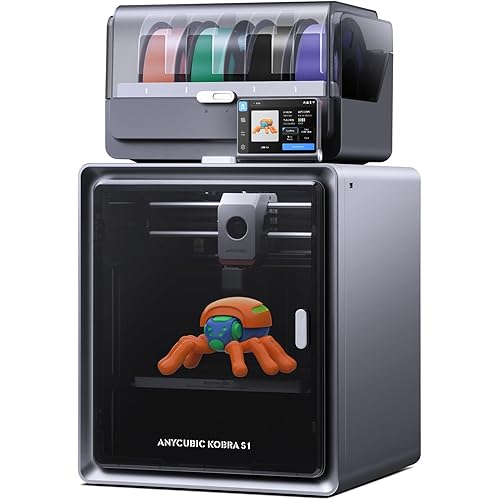
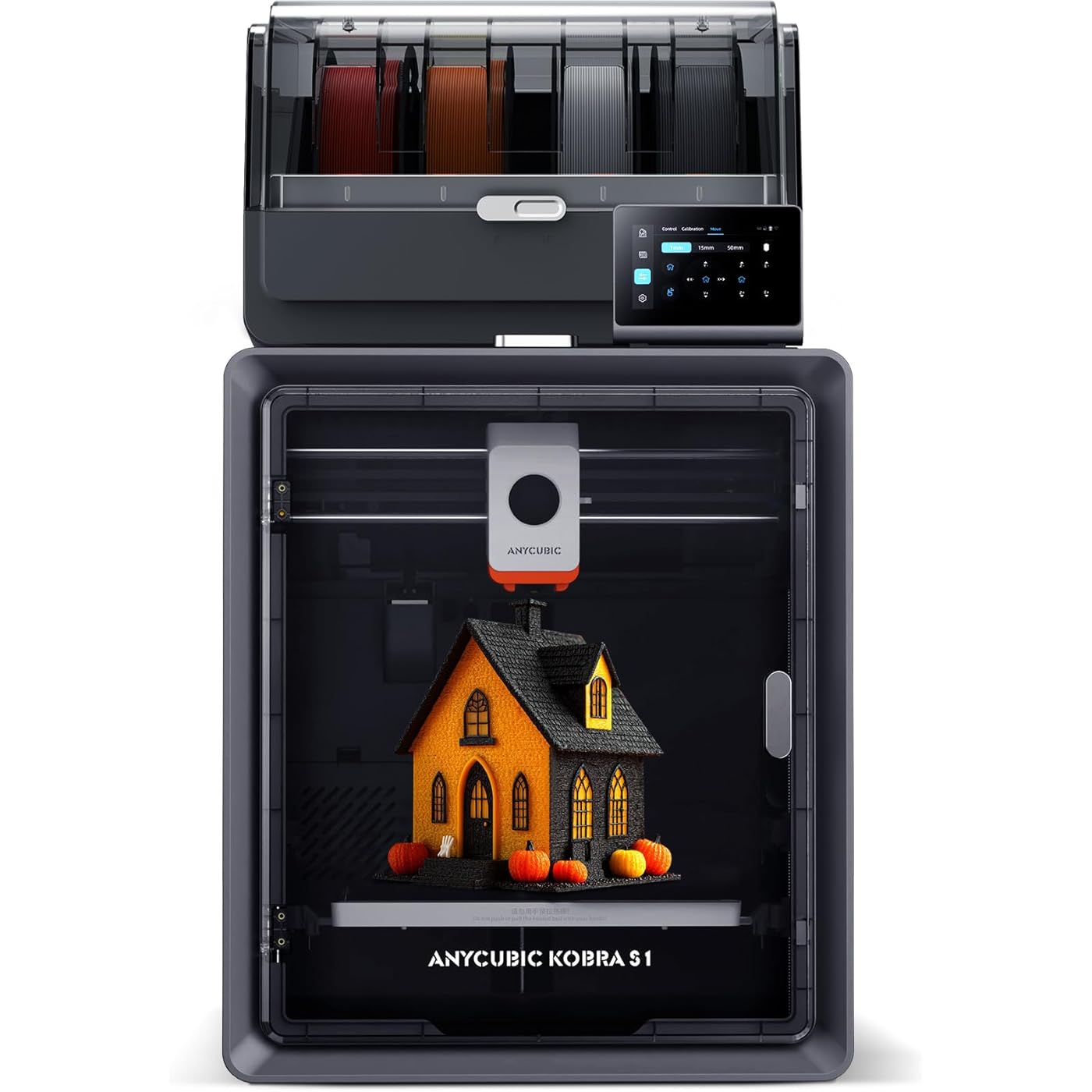
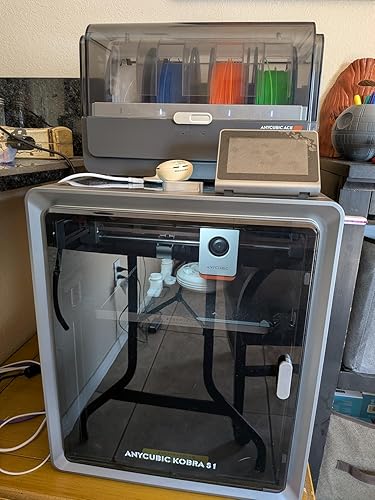
Anycubic Kobra S1 Combo Multi-Color 3D Printer, Fast 600mm/s Printing Auto Leveling with Auto Calibration Anycubic App One-Click Printing 250 x250x250mm Build Size
  • Based on 152 reviews
Condition: New
Checking for the best price...
$499.99 Why this price?
Save $26.99 was $526.98

Buy Now, Pay Later


As low as / mo
  • – Up to 36-month term if approved
  • – No impact on credit to apply
  • – Instant approval decision
  • – Secure and straightforward checkout

Ready to go? Add this product to your cart and select a plan during checkout.

Payment plans are offered through our trusted finance partners Klarna, Affirm, Afterpay, Apple Pay, and PayTomorrow. No-credit-needed leasing options through Acima may also be available at checkout.

Learn more about financing & leasing here.

Free shipping on this product

30-day refund / replacement

To qualify for a full refund, items must be returned in their original, unused condition. If an item is returned in a used, damaged, or materially different state, you may be granted a partial refund.

To initiate a return, please visit our Returns Center.

View our full returns policy here.


Availability: Only 10 left in stock, order soon!
Fulfilled by Amazon

Arrives Friday, May 1
Order within 16 hours and 23 minutes
Available payment plans shown during checkout

Protection Plan Protect Your Purchase
Checking for protection plans...

Features

  • Vibrant Multi-Color PrintingWith 4-color printing, Anycubic ACE PRO delivers stunningly vibrant and vivid prints. When two Anycubic Ace Pros are combined, you can then unleash eight-color printing to bring you even more unimaginable possibilities
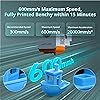
  • Unrivalled Printing SpeedPrinting at an astonishing Max 600mm/s and 20,000 mm/s2 acceleration, Anycubic Kobra S1 Combo 3D Printer effortlessly delivers superior accuracy and detail so you can print up to 12 times faster than regular FDM printers
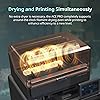
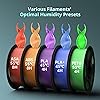
  • Efficient Filament DryingDual PTC heating module + 360 hot air circulation drying technology ensures even heating of the filaments, keeping the them in optimal printing condition at all times to create the perfect model
  • Superior Printing PrecisionAnycubic Kobra OS ensures consistently smooth and natural surfaces with flow compensation feature. With reduced virtual waste and minimized material overflow, precision is at its best
  • Convenient App Remote ControlStart your print process anytime, anywhere with just one click using your remote devices with the Anycubic App. Multi-plate document parsing is also supported for intricate designs

Brand: ANYCUBIC


Material: Metal


Color: Black


Product Dimensions: 20"D x 20"W x 25"H


Item Weight: 18 Kilograms


Product Dimensions: 8 x 8 x 8 inches


Item Weight: 39.6 pounds


Item model number: Anycubic Kobra S1 Combo


Date First Available: December 17, 2024


Manufacturer: ANYCUBIC


Frequently asked questions

If you place your order now, the estimated arrival date for this product is: Friday, May 1

Yes, absolutely! You may return this product for a full refund within 30 days of receiving it.

To initiate a return, please visit our Returns Center.

View our full returns policy here.

  • Klarna Financing
  • Affirm Pay in 4
  • Affirm Financing
  • Afterpay Financing
  • PayTomorrow Financing
  • Financing through Apple Pay
Leasing options through Acima may also be available during checkout.

Learn more about financing & leasing here.

Top Amazon Reviews

  • Amazing printer. They seem to have fixed any issues that were there.
UPDATE: Spoke with support. They have made several upgrades that seem to have fixed the issues I was having. For example the plastic tabs in the sensors on both the ACE and the extruder that were giving me most of the problems have been replaced with metal ones. The hot end has also had some upgrades. The new one has no PTFE tube in it which was causing clogs. I ordered a new unit and have not had a single issue with the new unit in about a month. I have only had 2 failed prints and both were due to the filament being tangled which is not the machines fault. If you get a new unit it should run about perfect. If you are having any issues contact Anycubic support. They will help make it better. OLD REVIEW: (When it prints it is amazing. I had to return mint because in nearly 4 weeks of ownership 1 1/2 of those weeks were down for maintenence. Replaced extruder, replaced parts in the ace (sensors for 1 and 2) heater failure, clogging errors. I must have had the extruder apart a dozen times. If they fix the extruder and ace problems this machine would be amazing. Maybe I received a problematic unit. Prints that it did were fantastic.) ... show more
Reviewed in the United States on August 22, 2025 by astainless

  • Errors, errors, errors
Worked great for a week and then started throwing errors left and right. Issues started once I tried to do a print that would finish a spool off and transfer to another spool of PLA. Printer kept throwing errors like abnormal extrusion and system errors. I followed the wiki on how to properly clean the nozzle. That didn’t fix it. I followed the wiki on a more extensive cleaning. That fixed it the extruder errors. I made sure the cables were all connected and it started to print like normal again. I did a test print and had no issues. Started a longer print and it kept giving a system error 10414 or something like that. Telling me to reboot. I did this twice. Resumed printing. The second time, the printer just stopped in the middle of printing. No noise no error the screen still showed the print stuff but nothing worked on the panel. The light had even turned off on the printer and the fans had completely turned off. I turned the printer off for a third time. I resumed the print and it must’ve forgot the level it was on because it started dragging across the print in a bumping motion I immediately canceled the print. Ran a full calibration, following a test print. Getting 10414 again. Going to follow the wiki guide for solving this to check on firmware updates and cables again. Definitely annoying to run into these issues within one week of purchase. Also, the Ace feeder. One of the ports on it has a weird thing where if the filament sometimes comes out through a seam in the plastic back into the compartment the spools are in, instead of funneling into the Teflon tube. I’ve basically given up on that port because it keeps causing errors in the prints every time I’ve tried to use that port. For the first week it was great. I was super impressed and happy with it. The print quality was great. I was only using ports 1 and 2 on the ace and had full spools to start with. The larger chamber size was awesome because I could make bigger prints. The ace feeder was great because i didn’t have to manually change a single spool like my other printer. But having to spend 4 hours to rebuild the enter print head section and the constant errors is really turning me off. Was contemplating getting a second one before this happened. Kind of happy I didn’t right now. If I can resolve these issues I’ll update my review but for now I wouldn’t recommend. Updated 12-12-25: Struggled with the product over thanksgiving. Getting constant errors and resuming prints started on the wrong level. I followed a few additional guides on trying to fix this. Eventually the product worked again without an issues for about a week. Out of nowhere it’s getting constant errors every print again. Printing the same object using the same brand filament. I wish I refunded this when I had the chance. It’s been a nightmare coming back from work with projects that got to 5% and went to error. Tons of wasted filament. Would never recommend. ... show more
Reviewed in the United States on November 22, 2025 by Joshua Zvirzdys

  • Kobra S1 just gets better
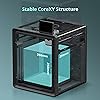
Pretty awesome device. I have a Flashforge AD5X which works amazing. The Anycubic is just better in every way. Build quality is much better with a full enclosure right out of the box that matches the sturdiness of a minifridge. The ACE filament system is very solid and well priced as part of the combo package. Out of the box, easy to set up and fire up within 30 minutes for a new user. Loading filaments in the Ace pro can be a bit tricky if the feed is not straight however you will manage through it after a few attempts. Filament dryer is an absolute game changer for PETG filaments. This ACE pro alone is worth the printer in the combo. Screen is awesome and easy to use. Bed leveling has not failed and worked right through every print. Dont ever print without leveling first!!!!! So far about 300hrs in and no clogs or issues. I have cleaned off some of the rails to ensure that debris and dust dont cause any issues. Quality is much better than other printers however not as fast. On average about 3 minutes slower per print per hour relative to FF AD5x. Both are my daily machines however AKS1 serves as my PETG setup for now. Best part about it is that it was a better financial choice than most others at the same pricepoint. Update 12-13-2025 Bought one more and convinced 3 others to buy the same. No issues 500 hours in of printing. Some maintenance as recommended but that's all ... show more
Reviewed in the United States on November 10, 2025 by joan151

  • A good printer and a great bargain
I found this printer to be a bargain and highly functional. Glad I purchased this. It is nearly plug and play. Parts printed in color look great. Slicer has the best components of all the other slicers on the market. Only minor complaint is that it does not have an openweb server built in but Rinkhals can be installed. The ACE2 seems to have the same problem as with others using cardboard reels. No problem with plastic reels. Noise level is good -the ACE unit adds quite a bit of noise in drying mode. No problems with print speed or accuracy but filament changes are rather slow. ... show more
Reviewed in the United States on February 25, 2026 by Patchy

  • Great beginner printer
I'll never buy a Bambu Lab again. Easy to troubleshoot. Printer throws an error and will take you right to the Wiki, WITH a video. You can fix a problem right away without having to fill out a work ticket and without 3D printer or CAD experience.
Reviewed in the United States on March 28, 2026 by Chimentos Mementos

Can't find a product?

Find it on Amazon first, then paste the link below.
Checking for best price...