Search  for anything...

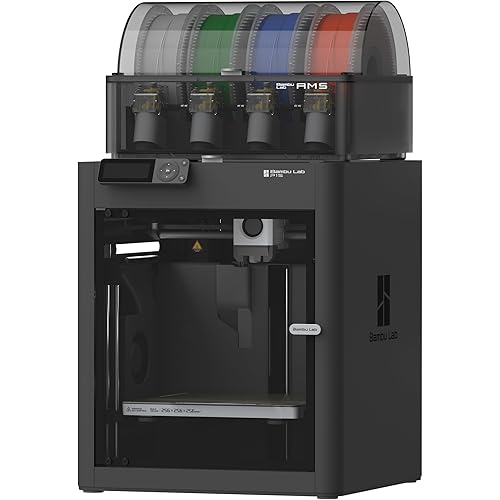
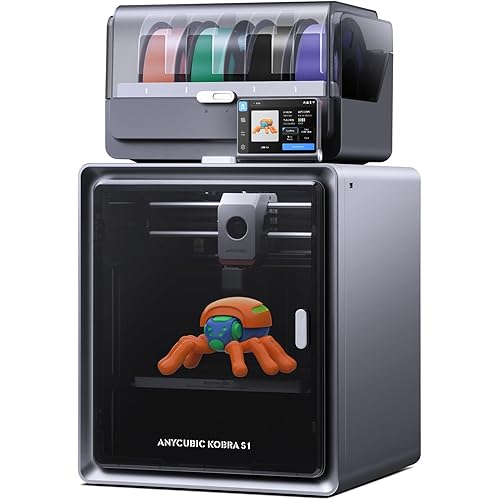
Anycubic Kobra 3 Combo 3D Printer, Multi-Color 3D Printer 4 Colors, Max 600mm/s Print Speed with ACE Pro Sealed Storage Keep Filament Dry, Print Smooth Ideal for All Skill Levels 9.8"x9.8"x10.2"

  • Based on 202 reviews
Condition: New
Checking for inventory...

Notify me when this product is back in stock

$359.99 Why this price?
Save $424.49 was $784.48

Buy Now, Pay Later


As low as / mo
  • – Up to 36-month term if approved
  • – No impact on credit to apply
  • – Instant approval decision
  • – Secure and straightforward checkout

Payment plans are offered through our trusted finance partners Klarna, Affirm, Afterpay, Apple Pay, and PayTomorrow. No-credit-needed leasing options through Acima may also be available at checkout.

Learn more about financing & leasing here.

Free shipping on this product

FREE 30-day refund/replacement

To qualify for a full refund, items must be returned in their original, unused condition. If an item is returned in a used, damaged, or materially different state, you may be granted a partial refund.

To initiate a return, please visit our Returns Center.

View our full returns policy here.


Availability: Unavailable
Fulfilled by Amazon
Available payment plans shown during checkout

Features

  • Multi-Color PrintingAnycubic Kobra 3 3D Printer with ANYCUBIC ACE PRO enables printing in up to 4 colors, and it will soon be possible to print up to 8 colors with the Anycubic Color Engine Hub launching in the third quarter of 2024, giving you the freedom to create personalized designs.
  • Intelligent DesignANYCUBIC ACE PRO features a sealed storage design integrates key features that include Nozzle Clog Detection, Automatic Filament Refill, Drying and RFID Sync function, ensuring an efficient, convenient, and successful printing experience.
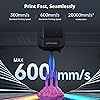
  • High-Speed PrintingAnycubic Kobra 3 Combo 3D Printer features a high print speed of up to 600mm/s with 20000mm/s2 acceleration, which is 12 times faster than regular FDM 3D printers. Printing with Anycubic's high-speed 3D printer PLA filament delivers superior print results.
  • Vibration CompensationBuilt with Accelerometer G-Sensors, Anycubic Kobra 3 Combo intelligently detects vibration frequencies and adjusts motion control, preventing ringing issues, ensuring smooth and high-quality prints.
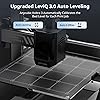
  • Powerful and EasyEasy to operate and assemble, Anycubic Kobra 3 Combo 3D Printer is great combo of power and convenience. With unparalleled features like Pre-Installed, auto-leveling, Dynamic Structure and more, it lets you dive into the world of 3D printing with ease.

Brand: ANYCUBIC


Material: Metal


Color: black


Product Dimensions: 17.8"D x 19.8"W x 19"H


Item Weight: 9.2 Kilograms


Product Dimensions: 17.8 x 19.8 x 19 inches


Item Weight: 20.2 pounds


Item model number: Anycubic Kobra 3 Combo


Date First Available: March 27, 2024


Manufacturer: ANYCUBIC


Frequently asked questions

This product is currently out of stock. Please check back later for shipping info.

Yes, absolutely! You may return this product for a full refund within 30 days of receiving it.

To initiate a return, please visit our Returns Center.

View our full returns policy here.

  • Klarna Financing
  • Affirm Pay in 4
  • Affirm Financing
  • Afterpay Financing
  • PayTomorrow Financing
  • Financing through Apple Pay
Leasing options through Acima may also be available during checkout.

Learn more about financing & leasing here.

Top Amazon Reviews


  • A great way to get started with multi-color 3D printing - Kobra 3 combo pack
I've been doing single color 3D printing just over 2 years now, and mostly with Creality printers (filament and resin). And until I started printing with my Kobra 3 in 4 colors I had no idea the possibilities available to me in multi-color printing. The Kobra 3 comes mostly assembled. If you get the combo pack with the Ace Pro, that's what gives you multi-color printing capabilities and that's what I have. Setup is easy. Attach the 2 control cables, attach the print head unit (all-in-one), attach the Ace Pro control cable to the printer and Ace pro, and then run the filament tubes from the Ace Pro to the multi-input print hub adapter. And FYI, you can print and 8 port adapter and add a second Ace pro to print in up to 8 colors!! Plug in and power on the Ace pro, then plug in and power on the printer. Go through the quick setup and the printer will run through a series of steps to level the bed and do some resonance vibration test. It takes about 10 to 15 minutes to complete. Once the setup is done, if you have a wi-fi network at home, you can print directly from the Anycubic slicer, from the app, or via a g-code file. Beware that the slicer is specific for this printer so use the software on the USB drive or go to the Anycubic site and look under software for the Kobra 3. You are looking for the Anycubic Slicer Next (version 1.31 at the time of this writing). If you hunt around you can find many multi-color models, you will need to .3mf file for multi-color slicing. You can load any color filament into any of the 4 slots, and either in the slicer or the app, or from the screen of the printer, map the color to the specific filament port. The printer itself prints fast and so far I've not had a failed print, even on my first attempt. Depending on how many colors and how many layers have color changes, you will probably spend more time doing filament changes then doing actual printing. I just printed a Viper model that had some really unnecessary colors for infill and other things that filament waste was quite high. But the model turned out great so not really going to complain too much. And the Ace pro is also a filament dryer, so if you print in a high humidity location, the Ace Pro will help keep your filament dry. One of the other nice features is that you can track the print status from the slicer or from the app. If you add a camera, you can monitor for print fails while away and remotely pause or stop the print. The touch screen is one of the nicest I have used and the options are quite intuitive. If you are used to the Orca slicer, its controls are easy to navigate, but if you are porting from the Creality slicer or Cura, it will take a little bit to get the hang of the interface and controls. One final note, if you are doing a multi-color print, I recommend using filaments with similar print properties like bed and nozzle temp. While the printer does heat and cool pretty quick, its easier if you can just stick to one print temp for all your filaments (which can be set individually if needed). I recommend printing a filament poop diverter (yep, that's what its called) and a filament poop/waste bin, but the waste bin can really be anything that can sit next to printer to catch the color change filament extrusions that get shot away from the printer. I'd been looking to try multi-color 3D printing for a few months, and I'm glad I took the plunge with the Kobra 3 and the Ace Pro. I'm already considering printing an 8 port filament hub and adding a second Ace pro. And the color details you can get in those hard to reach places make multi-color 3D printing an awesome choice! ... show more
Reviewed in the United States on December 5, 2024 by James Houghton

  • Serious reliability and warranty concerns with the ACE
The media could not be loaded. I purchased the Anycubic Kobra 3 along with the ACE and initially had a positive experience. Print quality was good and setup was straightforward. Unfortunately, after a relatively short period of normal use, the ACE failed completely. What makes this especially disappointing is the warranty coverage. The ACE is one of the most frequently used components of the printer—arguably second only to the extruder—yet it carries a 3-month warranty despite costing over $200. This is far below what I would consider reasonable for a critical, high-use component at this price point. I contacted Anycubic customer support, as I’ve had helpful experiences with them in the past. This time, however, the only solution offered was to purchase another ACE at full price. There was no repair option, extended warranty consideration, or goodwill support despite the nature of the failure. Given the short warranty and the fact that the part already failed once, I don’t see how buying another unit makes sense. For comparison, I’ve owned printers and components from Creality and Elegoo for over a year without encountering failures like this, and their warranty coverage and post-purchase support have been significantly better in my experience. This is unfortunate because I genuinely liked Anycubic and wanted to continue using their products. However, between the early failure, extremely limited warranty on an essential component, and the lack of meaningful support, I’ve lost confidence in the long-term reliability of this system. Buyers should carefully consider the ongoing replacement cost and warranty limitations before purchasing. ... show more
Reviewed in the United States on December 16, 2025 by Triathlete Triathlete

  • Disappointing so far (Updated)
I have now done well over 400 prints with the replacement printer and have not had many issues at all. I have had an issue with another hotend but I replaced it and have had no issues since. I have enjoyed it so much that I have gotten into printer more and more things and started making masks and bigger items. I am looking to get a bigger printer, and I am considering going with the Kobra 3 Max Combo because I have been so happy with this printer since the initial issues that I had. Between the customer service and the quality of the replacement printer it may push me over the edge to choose them for the larger printer. I have worked with customer service and have corrected the issues. They have replaced the printer, and I was able to keep all of the parts that they sent me to try and repair the old printer. I have printed 10 different prints, and they have all came out great. I will update as I print more designs. I bought this during the Amazon Days and have had nothing but issues with the printer. I had to work at getting it dialed in and finally I had it working and making good prints for a few days. One day I started a print and went to work. My daughter told me when I got home that it made a loud noise. When I looked the entire hot end had slammed into the print bed and broke in half. I got ahold of Anycubic and they sent me a replacement hot end. Of course, they were out so it took over 2 weeks to receive the part. I got it up and running again and it was printing fine. I had just printed two prints and was happy with them. Then I noticed that there was a firmware update. I did the firmware update and then Right after that I got an error that stated that there was an issue with the cable going to from the print head to the motherboard. After putting in a ticket with Anycubic again they sent me another cable. It took almost 2 weeks again and when I finally got the cable, I changed it out and still got the error. I contacted them again and said that this didn't fix it, and they suggested that I roll back the firmware and this should fix it. I have tried to roll back the firmware and all that happens is that the error just stays there on the screen. I am waiting for another response as we speak. I may update this if there is a solution. ... show more
Reviewed in the United States on September 6, 2024 by Djallison

Can't find a product?

Find it on Amazon first, then paste the link below.
Checking for inventory...