Search  for anything...

Amazon Basics UPS Battery Backup & Surge Protector 800VA/450W, 12 Outlets, Standby Uninterruptible Power Supply, for Power Outage Protection, Compact, Black

  • Based on 9,847 reviews
Condition: New
Checking for the best price...
$87.96 Why this price?
Save $122.03 was $209.99

Buy Now, Pay Later


As low as $14.66 / mo
  • – 6-month term
  • – No impact on credit to apply
  • – Instant approval decision
  • – Secure and straightforward checkout

Ready to go? Add this product to your cart and select a plan during checkout.

Payment plans are offered through our trusted finance partners Klarna, Affirm, Afterpay, Apple Pay, and PayTomorrow. No-credit-needed leasing options through Acima may also be available at checkout.

Learn more about financing & leasing here.

Selected Option

Free shipping on this product

FREE 30-day refund/replacement

To qualify for a full refund, items must be returned in their original, unused condition. If an item is returned in a used, damaged, or materially different state, you may be granted a partial refund.

To initiate a return, please visit our Returns Center.

View our full returns policy here.


Availability: In Stock.
Fulfilled by Amazon

Arrives Saturday, Jun 20
Order within 4 hours and 58 minutes
Available payment plans shown during checkout

Protection Plan Protect Your Purchase
Checking for protection plans...

Size: Standby


Style: 12 Outlet (800VA)


Features

  • Standby uninterruptible power supply (UPS) with 800VA / 450W battery backup; ideal for home networks, IoT devices, and home entertainment devices. Runtime varies based on power consumption of connected devices. At half load (400VA/225W), the UPS provides approximately 12 minutes of backup power, while at full load (800VA/450W), it provides approximately 2 minutes of backup power
  • 12 outlets total (NEMA 5-15R), consisting of 6 surge-protected outlets and 6 surge-protected/battery-backup outlets
  • Protects electronic devices during a power surge; provides reliable power, keeping devices powered during short outages and powered for long enough to shut down properly during extended outages
  • Small compact size integrates easily into any home or office environment; 5-foot cord with NEMA 5-15P right angle and 45-degree offset plug (120V - 50Hz / 60Hz)
  • Note: Power management software is available for download in the "Product guides and documents" section of this page
  • Note: Please check the total device power consumption when applying battery backup outlet; for optimal system performance, keep the load below 80% of the unit's rated capacity

Description

An Amazon Brand. From the Manufacturer Amazon Basics

Battery Cell Composition: Lead Acid


Product Dimensions: 7"D x 12.2"W x 3.14"H


Voltage: 120 Volts


Color: Black


Product Dimensions: 12.2 x 7 x 3.14 inches


Item Weight: 9.4 pounds


Date First Available: June 19, 2018


Frequently asked questions

If you place your order now, the estimated arrival date for this product is: Saturday, Jun 20

Yes, absolutely! You may return this product for a full refund within 30 days of receiving it.

To initiate a return, please visit our Returns Center.

View our full returns policy here.

  • Klarna Financing
  • Affirm Pay in 4
  • Affirm Financing
  • Afterpay Financing
  • PayTomorrow Financing
  • Financing through Apple Pay
Leasing options through Acima may also be available during checkout.

Learn more about financing & leasing here.

Top Amazon Reviews


  • Communicates well with QNAP TS-230 NAS file server
Size: Standby Style: 12 Outlet (800VA)
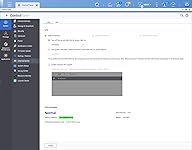
I just received this UPS, so I can't comment on battery life. I got the 800VA/450W, 12 Outlets. It uses a 12V 9Ah battery that is very common and inexpensive, so when the original battery dies, it should be easy to find a replacement. I love that it has so many outlets, 6 with battery backup and 6 with only surge protection. I have many electronics connected, and this avoids using additional power strips. The main purpose of buying this UPS was to protect my QNAP TS-230 NAS during power outage. This is an entry level two bays file server. I wasn't sure if it would support communication with UPS backup battery. The QNAP manual for this model does not mention anything about connecting to UPS. I received the UPS and charged it overnight before connecting anything to it. It came with a USB A to B cable. The QNAP TS-230 has 3 USB ports: one is USB 2.0 speed and two are USB 3.0 speed. The USB 3.0 are designed for external drives to expand the capacity of the file server, so I figured I should connect the USB cable from the UPS to the USB 2.0 port on the back of QNAP. I turned the UPS on, waited a few seconds for it to come online and plugged the QNAP to one of the battery backup outlets. Next I turned on the QNAP. It takes about 5 minutes to boot. When I heard the second beep that indicates it's ready, I logged in into the QNAP from my computer. After a few seconds, a window appeared that an external device (CPS ABST800) was detected. I clicked on "View external storage settings" and it brought me to Control Panel>External Device>UPS. Here it showed the UPS manufacturer (CPS), the model (ABST800), the battery capacity and the estimated protection time. On this screen you can configure what the QNAP should do in case of power outage. I set it to turn off the NAS after 3 minutes of power outage. Next tested the setup: I unplugged the UPS from the wall. It started beeping every few seconds to indicate that it's running on battery. After 3 minutes on battery power, the NAS started an orderly shutdown process. After a few minutes, it shutdown completely. Perfect! As someone else mentioned, this UPS is manufactured by CyberPower, which is ubiquitous. This is an advantage in my opinion, because more clients are likely to support it than a smaller brand. For anyone that owns a QNAP NAS and is debating whether this UPS will work with it, it probably will. ... show more
Reviewed in the United States on December 4, 2025 by 21TechShopper 21TechShopper

  • Perfect Budget UPS For My Needs
Size: Standby Style: 8 Outlet (600VA)
I bought his almost 5 years ago and it is just now showing low battery capacity. I am ordering the same product again to replace the old one. This ran nonstop without noise, looked classy, and was easy to use. It has kept my server and internet running without fail through all of our power outages. I highly recommend this product. ... show more
Reviewed in the United States on January 27, 2026 by The Kehns

  • Good product, exceeds my requirements and that is good security
Size: Line Interactive Style: 10 Outlet (1500VA)
I have had this in use for about a month, and no problems whatsoever. I expected none, so that is satisfying. I strongly recommend using a UPS. This one was to replace an older one that I overloaded and ruined some equipment. I expect better results with this more robust UPS. I have had good results with Amazon Basics items in the past, and this seems to be of excellent quality. ... show more
Reviewed in the United States on January 21, 2026 by Duane

  • Battery dies within 30 days - Very common for this product
Size: Standby Style: 6 Outlet (400VA)
I never gave a 1 before, bt this product quite simply has a long history of failure. I researched it on ChatGPT, Claude & Gemini. The battery fails within a month & then it is rendered useless. Do not buy this product. Spend the money to buy a proper UPS: If your Amazon Basics UPS Battery Backup & Surge Protector (400VA/255W) isn’t holding power when the electricity goes out, it means the unit isn’t supplying backup power as it should. There are several possible reasons — some simple to fix, and others that indicate a hardware limitation or failure. Here are the most common causes and what you can check: ✅ 1. Battery Is Dead or Bad The most frequent cause of a UPS not holding power is a worn-out or failed internal battery. Why this happens UPS batteries are sealed lead-acid (SLA) and wear out over time (usually 3–5 years). If the UPS was stored discharged for a long time, the battery may be permanently damaged. Even new units can have a defective battery. What to check Press the power/test button — does it beep or indicate battery status? Some models flash an error code if the battery is bad. If available, check the battery replacement indicator. Solution: Replace the UPS battery (if the model allows it). For this Amazon Basics unit, replacement batteries are typically inexpensive and the case can open to swap the battery. ✅ 2. UPS Was Never Fully Charged If the UPS wasn’t charged long enough before use: It may not have stored enough energy. New units usually need several hours of charge before first use. Solution: Plug it in and let it charge overnight (8–12 hours), then test again. ✅ 3. Load Too High for the UPS Capacity A 400VA/255W UPS is relatively low power — it can handle: A small desktop computer A router/modem A few peripherals … but not high-power devices like: Large monitors Gaming PCs Laser printers Space heaters If the connected load exceeds 255W, the UPS may instantly go into overload protection and drop power. Solution: Reduce the load: Unplug everything except a single device. Test if it still fails. ✅ 4. UPS Is Old or Stored Without Power If the UPS wasn’t used for a long time: The internal battery sulfates and can’t hold charge. Some UPS units lock out battery use after long idle periods. Solution: Recharge it fully and test battery with reduced load — if still no backup time, the battery likely needs replacement. ✅ 5. The Unit Is Defective Sometimes UPS units have internal failures: Faulty battery charger circuit Bad connection between battery and electronics Internal fuse blown Signs of this: No lights or beeps on battery test UPS immediately shuts off when unplugged Strange behavior like rapid blinking Solution: If under warranty, contact Amazon for a return/replacement. ❌ 6. Surge Only Outlets vs. Battery Backup Outlets Some UPS units have two types of outlets: Battery Backup + Surge Protection Surge Protection Only If you plugged devices into the surge-only outlets, they won’t receive backup power when the power fails. Check: On the unit label, make sure your devices are plugged into the battery backup outlets, not the surge-only ones. Quick Troubleshooting Checklist ✔ Make sure device is plugged into the battery-backup outlets ✔ Let it charge for 8–12 hours ✔ Disconnect excess load — try just one device ✔ Press power/test button for status indication ✔ If still not working → likely battery replacement needed When to Replace the Battery Typical UPS batteries (sealed lead-acid) need replacement every 3–5 years. For this Amazon Basics model, replacing the battery is usually possible — the battery inside is a standard size and can be swapped. If you want, tell me: 🔹 What devices are plugged into the UPS 🔹 How old the UPS is 🔹 What the UPS lights/indicators show when the power fails …and I can help you diagnose the problem more precisely. ... show more
Reviewed in the United States on January 25, 2026 by Bart Peluso

Can't find a product?

Find it on Amazon first, then paste the link below.
Checking for best price...