Search  for anything...

aikeec Black 2-Key OSU Hot Swap Game Keyboards USB Wired RGB Mechanical Keypad,Autonomous Programming Macro with Software Switches

  • Based on 21 reviews
Condition: New
Checking for the best price...

Buy Now, Pay Later


As low as $4 / mo
  • – 4-month term
  • – No impact on credit to apply
  • – Instant approval decision
  • – Secure and straightforward checkout

Ready to go? Add this product to your cart and select a plan during checkout.

Payment plans are offered through our trusted finance partners Klarna, Affirm, Afterpay, Zip, Apple Pay, and Google Pay. No-credit-needed leasing options through Acima may also be available at checkout.

Learn more about financing & leasing here.

Selected Option

Free shipping on this product

FREE 30-day refund/replacement

To qualify for a full refund, items must be returned in their original, unused condition. If an item is returned in a used, damaged, or materially different state, you may be granted a partial refund.

To initiate a return, please visit our Returns Center.

View our full returns policy here.


Availability: In Stock.
Fulfilled by Amazon

Arrives Wednesday, Aug 5
Order within 10 hours and 48 minutes
Available payment plans shown during checkout

Protection Plan Protect Your Purchase
Checking for protection plans...

Size: 2 Key


Features

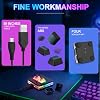
  • Fine workmanship and perfect style, Upgrade Cherry Shaft & RGB LED, more gaming experience, and cool feeling.Note:The switch may come loose during transport, just plug it back in. However, the Cherry switch doesn't support hot-swapping, so the mini doesn't support hot-swapping.
  • USB interface, HID standard keyboard, plug and play without driver
  • Each button can be set to a different function mode without affecting each other
  • If you need to go to the Mac setting, please set it in Windows first, then you can go to the Mac to use it
  • Software installation package: dl.sayobot.cn/setting.zip. If the code execution cannot process because MSVCP140.dll was not found: Please install the runtime dl.sayobot.cn/vcx86.exe

Brand: aikeec


Compatible Devices: Laptop, PC


Connectivity Technology: Mini USB


Keyboard Description: Compact Mechanical Gaming


Recommended Uses For Product: Gaming


Special Feature: Backlit, Programmable Keys


Color: black


Material: Plastic


Included Components: 1.5m Data Cable


Theme: Rainbow


Compatible Devices: Laptop, PC


Connectivity Technology: Mini USB


Additional Features: Backlit, Programmable Keys


Power Source: USB Powered


Switch Type: Mechanical


Keyboard Layout: QWERTY


Hand Orientation: Ambidextrous


Mechanical Keyboard Switch Model: Cherry MX Red


Minimum Required Operating System Version: Windows 7


Compatible Operating System Family: Android, Linux, Windows


Number of Keys: 2


Color: black


Theme: Rainbow


Brand: aikeec


Keyboard Description: Compact Mechanical Gaming


Antenna Location: Gaming


Built-In Media: 1.5m Data Cable


Unit Count: 1 Count


Manufacturer: aikeec


Warranty Description: half year warranty


Enclosure Material: Plastic


Frequently asked questions

If you place your order now, the estimated arrival date for this product is: Wednesday, Aug 5

Yes, absolutely! You may return this product for a full refund within 30 days of receiving it.

To initiate a return, please visit our Returns Center.

View our full returns policy here.
  • Klarna Financing
  • Affirm Pay in 4
  • Affirm Financing
  • Afterpay Financing
  • Zip Pay in 4
  • Financing through Apple Pay
  • Financing through Google Pay
Leasing options through Acima may also be available during checkout.

Learn more about financing & leasing here.

Top Amazon Reviews


  • Seguro y rápido
Size: 4 Key White
Bueno para mi hijo
Reviewed in the United States on May 24, 2026 by dinora

  • LOVE LOVE LOVE!
Size: 2 Key White
I had ordered a 2-key keyboard, and when I opened the package, a 5-key one popped out…and I couldn’t have been more grateful. When I read the included instructions and found out all the different things that it could be programmed to do, I was shouting halleluiah that they had sent the 5-key version. I originally just wanted a copy and paste button (since having a macbook and regular keyboard doesn’t always allow you to use the command + functions) and those were definitely two that I programmed onto this 5-key, but then I also saw that I could put passwords into it and I couldn’t stop smiling. You know how a lot of different sites require your password to be 10+ characters, with numbers, lowercase and capital letters, special characters, and the sacrifice of your firstborn? Well you can set this bad boy up so you press one button and BAM! Your password is typed out for you! And, the programming allows you to use no function key, F1, F2, F3, F4, and F5 as a first key, so your 5-key keyboard actually can do 30 different commands! I guarantee this isn’t anything new technologically but it is new to me, and I AM LOVING IT. It does require a windows computer in order to set it up (which is kind of a bummer if you only have a mac – and I totally agree that this needs to be fixed so it initially works with all computer accessories, as this isn’t the only product that is like that). Obviously the one key password might not be a great idea if your computer requires a higher level of security, or is in a public space where people could figure it out, but to be able to store multiple passwords that can be typed with one key? It is worth it just for that itself. You can also change the color and pattern of each key, which I definitely took advantage of. There are other things you can program this little keyboard to do, but I just stuck with the passwords and the typical copy, paste, select all, and the command function. I was able to set it right on the top right edge of my keyboard and it has been absolutely wonderful! ... show more
Reviewed in the United States on June 11, 2026 by Jaclyn Jenkins

  • Good little shortcut keypad
Size: 2 Key White
I ordered this keypad because I liked the idea of having programmable buttons for shortcuts and macros. The hardware itself feels solid, the Cherry switches have a nice feel, and the RGB lighting is a nice touch if you like that style. Once everything is programmed it works well. It’s unobtrusive with its small size but it’s weighty enough to not move around on its own. I like that the settings are stored on the keypad so I don’t have to keep a dedicated program running on my computer for it to work. The biggest drawback is getting everything set up. The listing makes it sound like all of the features are quick and easy to configure, but that wasn’t my experience. I had to spend some time figuring out how to navigate the website before I could find what I needed. The programming isn’t difficult once you have it, but getting to that point takes more effort than the listing implies. Overall, I think this is a solid programmable keypad with a lot of useful features, especially for the low price. Just don’t expect to plug it in and have everything configured in a few minutes. ... show more
Reviewed in the United States on July 5, 2026 by PatrickOrTreat

  • Nice Macro Keyboard but some serious drawbacks
Size: 2 Key White
I'm going to start this review by mentioning I'm a tech guy and a programmer by trade. The idea of a keyboard extension with dedicated keys- especially with led lights capable of notifications- has been on my mind for years. But my general takeaway is usually that I can't seem to get any of these devices to help with my specific workflow. I've tried the stream deck, macros, all sorts of things, and here we are trying a simple 2 key keyboard with simple RGB notify ability. So how does it stack up and where does it fall short? Well, first of all the biggest drawback that I can see is that the configuration requires you to load a website: sayodevice.com. That's not the end of the world, but it does introduce what I consider to be some interesting security risks and of course a real risk that the service shuts down and you're stuck with hardware that doesn't work. There are some downloads available for this device and what looks to be a developer sdk or driver of some sort. But the documentation is basically completely missing, and it's been difficult for me to muddle through and get much of anything out of it. There's a github for it but so far I can't really make heads or tails of it. Documentation 404's on it. The main web interface does have some basics- choose colors, color mode, etc, and some basic macro setups for key presses. (Think Ctrl-C, or Ctrl-V type macros). Yeah, those are nice but it severely limits the real potential of having a product like this in my opinion. I really wanted to use this for custom purposes and after hours of trying I just couldn't figure it out. The keyboard itself is pretty nice quality. It's small but heavy so it's not moving around my desk. The mechanical buttons have a satisfying click when you press them down. It's a nice little device. I just wish there was more promise of longevity and customizability. ... show more
Reviewed in the United States on April 24, 2026 by Customer

  • Compact macro keypad with nice RGB lighting
Size: 2 Key White
This little macro keypad turned out to be very convenient for everyday use. What I liked most is that the keys can be programmed for custom shortcuts, which is useful for editing, gaming, or quick commands on a computer. Setup was fairly simple, and the device was recognized without issues. The keys feel comfortable to press and are not overly loud. The RGB lighting looks clean and adds a fun touch to the desk setup, especially in the evening. The keypad itself is lightweight and compact, so it doesn’t take up much space. The included cable is also long and flexible, which made connecting it to a laptop more convenient. I’m removing one star only because the software setup took a little longer than I expected at first. After configuring it, though, everything worked reliably. Overall, it’s a nice and useful accessory for anyone who likes customizing their workspace ... show more
Reviewed in the United States on May 25, 2026 by MintMermaid

  • Responsive Little Macro Keypad for Simple Shortcuts
Size: 2 Key
This 2-key mechanical macro keypad is a compact and useful option for gaming shortcuts, OSU-style inputs, media controls, push-to-talk, or repetitive workflow commands. The small footprint makes it easy to place next to a full keyboard without taking up much desk space, and the wired USB connection keeps input response consistent. The hot-swap design is a nice feature because the switches can be changed without replacing the whole keypad. The RGB lighting adds a fun touch, especially for a gaming desk setup, and the overall build feels straightforward and practical for such a small accessory. The programmable macro function is the main reason to get it, since the two keys can be assigned to frequently used actions. Software setup may take a little experimenting depending on the system, but once configured, it works well as a dedicated shortcut pad. Overall, this is a handy little mechanical keypad for gamers, streamers, editors, or anyone who wants a couple of physical macro buttons within easy reach ... show more
Reviewed in the United States on May 28, 2026 by Mike Mu

  • Not hot swap
Size: 5 Key
You can't hot swap the switches.
Reviewed in the United States on June 8, 2026 by M

  • Perfect Little Keypad for Gamers
Size: 2 Key White
This aikeec OSU Hot Swap Game Keypad is quite handy for streamlining my gaming sessions. The build quality is top-notch, with fine workmanship and a sleek black design that looks cool on my desk. And let's talk about those RGB LEDs! They truly enhance the whole gaming vibe. While the Cherry switch doesn't support hot-swapping, the keys work flawlessly once plugged in and programmed via the software. Speaking of which, the ability to set different functions for each button is a game-changer for swift access to my macros. Just remember, if you're on a Mac, it's a good idea to set it up on Windows first. This keypad is especially perfect for those who love customizing key functions and adding more efficiency to their gaming setup. If you're looking to boost your gaming experience, this little device might just become your favorite gadget. ... show more
Reviewed in the United States on May 14, 2026 by Chicago Matt

Can't find a product?

Find it on Amazon first, then paste the link below.
Checking for best price...