Search  for anything...

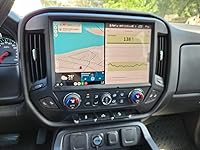
2K Screen 8G+128G Car Stereo Radio for Chevy Silverado and GMC Sierra 2014-2018: 13.1 Inches Touch Screen with Wireless CarPlay Android Auto Bluetooth 5GWiFi Android13 (Support upgrade to Bose system)

  • Based on 38 reviews
Condition: New
Checking for the best price...
$559.99 Why this price?
Save $70.00 was $629.99

Buy Now, Pay Later


As low as / mo
  • – Up to 36-month term if approved
  • – No impact on credit
  • – Instant approval decision
  • – Secure and straightforward checkout

Ready to go? Add this product to your cart and select a plan during checkout.

Payment plans are offered through our trusted finance partners Klarna, Affirm, Afterpay, Apple Pay, and PayTomorrow. No-credit-needed leasing options through Acima may also be available at checkout.

Learn more about financing & leasing here.

Free shipping on this product

FREE refund/replacement until Jan 31, 2026

To qualify for a full refund, items must be returned in their original, unused condition. If an item is returned in a used, damaged, or materially different state, you may be granted a partial refund.

To initiate a return, please visit our Returns Center.

View our full returns policy here.


Availability: In Stock.
Fulfilled by Amazon

Arrives Thursday, Mar 19
Order within 19 hours and 39 minutes
Available payment plans shown during checkout

Protection Plan Protect Your Purchase
Checking for protection plans...

Features

  • Compatibility and Customer Service Tailor-made for Chevy Silverado and for GMC Sierra vehicles from 2014 to 2018, this car radio is equipped with a complete suite of accessories to facilitate a straightforward installation. If you have any inquiries or require technical assistance during installation, our customer service team is at your disposal.
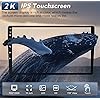
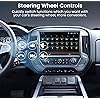
  • High-Resolution Display and Steering Wheel ControlsOur car radio's 2K resolution touchscreen, delivering a high-definition interface with lifelike colors and sharp imagery. The inclusion of Steering Wheel Control functionality provides an added layer of convenience, allowing drivers to effortlessly manage audio playback, volume, and other controls without diverting their attention from the road, enhancing both comfort and safety.
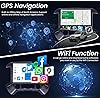
  • 5G WiFi and GPS Navigation Stay connected with our car radio's 5G WiFi capability, which offers significantly faster download speeds compared to traditional WiFi. This feature enables quick access to a plethora of apps, including popular music streaming services and navigation tools. The built-in GPS system is designed to provide reliable guidance, supporting both online and offline map access, ensuring that you are always on the right path.
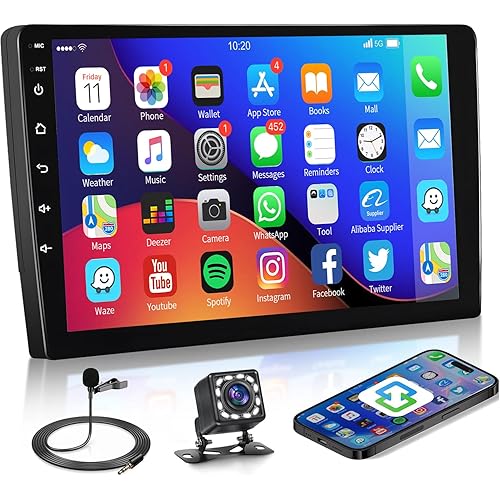
  • CarPlay Android Auto and 1080P Camera Our car radio is designed to work harmoniously with your smartphone, offering both wireless and wired connections for CarPlay and Android Auto. This integration allows you to access your phone's features, such as calls, messages, music, and navigation, directly from your car radio's interface. The inclusion of a 1080P high-definition backup camera further enhances safety.
  • Robust Audio Features with Bluetooth and FM Radio Enjoy a rich and stable audio experience with our car radio's latest Bluetooth module, which ensures a strong and consistent connection for hands-free calling and wireless music streaming. The FM radio feature offers a diverse range of radio stations, catering to a wide array of musical tastes and interests.
  • High-Performance 8G+128G Configuration Power through your tasks with our car radio's robust 8G RAM and 12-core CPU, designed to deliver a smooth and responsive performance, whether you're navigating complex routes, streaming high-quality media, or running multiple apps simultaneously. The generous 128G of internal storage provides ample space for storing your favorite apps, music libraries, and video collections.

Brand: Jingelsye


Vehicle Service Type: Truck


Screen Size: 13.1 Inches


Special Feature: 1920x2000 resolution, 8+128G(12 core), Built-In Bluetooth, Built-In Wi-Fi


Connectivity Technology: Bluetooth, USB


Map Type: Road


Included Components: Car Radio*1, Power Cable*1, Canbus*1, GPS Module*1, RCA Cable*1, USB Cable*2, Crowbar*1, Reversing Control Cable*1, Backup Camera*1, MIC*1 See more


Audio Output Mode: Stereo


Mounting Type: Dashboard Mount


Operating System: Android, iOS


Package Dimensions ‏ : ‎ 18.86 x 15.04 x 6.02 inches; 7.76 Pounds


Date First Available ‏ : ‎ June 6, 2024


Manufacturer ‏ : ‎ Jingelsye


Customer Reviews: 3.7 3.7 out of 5 stars (38)


Item Weight: ‎7.74 pounds


Package Dimensions: ‎18.86 x 15.04 x 6.02 inches


Display Size: ‎13.1 Inches


Voice command: ‎Touchscreen


Date First Available: June 6, 2024


Frequently asked questions

If you place your order now, the estimated arrival date for this product is: Thursday, Mar 19

Yes, absolutely! You may return this product for a full refund within 30 days of receiving it.

To initiate a return, please visit our Returns Center.

View our full returns policy here.

  • Klarna Financing
  • Affirm Pay in 4
  • Affirm Financing
  • Afterpay Financing
  • PayTomorrow Financing
  • Financing through Apple Pay
Leasing options through Acima may also be available during checkout.

Learn more about financing & leasing here.

Top Amazon Reviews

  • Excellent Android-based Radio
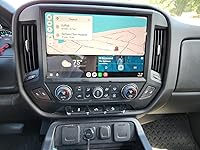
After seeing the T-Rex large screen radios I wanted to get something bigger in my Silverado. I had the stock 8" screen system with Bose. I considered several different radios but budget was always a constraint. I decided against the 14" or larger screens because of their price (~$1,000) and because they replace the stock A/C controls with non-stock looking buttons on the side instead of bottom.This radio was the right combination of larger and stock looking. The screen fills the space between the 2 A/C vents and keeps the stock A/C unit and seat heater controls. This unit has 12 cores with 8 GB /128 GB and the screen resolution is fantastic. As I said I have a Bose system so a I had to buy and install fiber optic adapter box. The installation went pretty well because I watched several videos from other installs of android radios similar to mine before even buying the radio. The instructions that with the radio are actually for a different but similar model. Having watched many videos helped translation issues or gaps. The fiber optic adapter box has a new harness that replaces the "big" harness that comes with the radio so you have second set of directions to contend with as well. Customer Service was helpful with issues that came up but because I bought the fiber optic box from another company on Amazon problem solving sometimes involved both companies. The biggest difference between these Android units and the stock is the User Interface. The Android can do a lot more than the stock radio but the user interface on the stock is much smoother initially. The interfaces that came with the radio (this version had 6-7 different options for the interface style) were ok but I finally settled on using Vivid Launcher which I got from the Google Playstore. There are a few different styles in the Playstore and I recommend checking them out. Getting the settings right too awhile since I was pretty used to how I did things with the stock radio. The customer service has been pretty dang good. Given the number of settings and lack of documentation for those settings the customer service needed to be good otherwise I would have sent this thing back in a heartbeat. I have enjoyed the trial and error and search through the settings doing problem solving. They did have to send me updates due to an issue with getting the Android Auto working wirelessly but the got it to me within 12 hours of notifying them of the issue. The time change between the USA and China was the primary delay. A couple of items of note: 1. If you have a Bose system with Onstar you will not be able to use a sim card with this system. The sim car cable plugs into the same port that the ONSTAR RCA cable/AUX cable harness plugs into so it is a choice of what you want. I have not tried the sim card because I have/pay for ONSTAR. 2. If you have a Bose system with Onstar you will hear a continuosly quiet thumping sound if the truck is not on and there is a low volume on the radio. If you set the volume to 0 there is no thumping but if you have it between 1-4 you will hear it. Again if your engine is running you cannot hear it. Based on my testing if ONSTAR RCA cables are not plugged in then the thumping does not happen. This is something that will require some time to get the system setup because their are so many settings/options, which is part of what you get/want with an Android system. The wireless Android Auto did not work initially but after customer service set me update file that was rectified. What I have found is that since this radio is Android based and can use most of the Android Auto capable apps (the few there are) that I don't typically bother with using Android Auto. The large storage component allows me to save all of my music files on the radio itself. ... show more
Reviewed in the United States on August 29, 2024 by UofAZCats UofAZCats

  • It's a great radio, everyone that see it wants one.
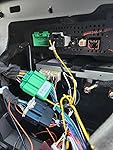
After repairing a flaky factory 8" screen by installing a new digitizer, GM discontinued map updates on my factory information system. I live a area that I am not familiar with. I needed my maps with actuate maps. So I started looking. When I found this system, it looked very good with 12 cores, 8 gig of Ram, and 128 gig of Rom. I read the reviews, There were only 2 at that time one great review and one bad review. I decided that the bad review was from someone that the installation was over there head and I rejected it. That left me with a stellar review from a very satisfied customer. So I decided this is the one for me. It had the best specs of any on Amazon. So let me set the record straight, I'm 76 years old and the installation of this radio would require twisting into places, well this old body didn't like it. All the information you need to make the connections is there, not in a format that most of us Americans think are good and clear. But every thing you need is there. I made many emails to tech support, only to be politely shown that the information was there, in the instructions that were forwarded to me. I was able to maintain all of the original USB ports on my truck, I discovered that the 3 USB ports under the radio are controlled by one USB hub fed from the HMI, and the 2 USB ports, the Aux/in and the SD card reader in the console are controlled by a second USB hub, also fed by a separate cable on the HMI. The HMI is behind and above the top glove box. I installed a 12vdc powered USB hub and fed it with the 4 pin USB output from the new radio. Then took each of the two HMI USB output and connect to 2 of the new USB hubs outputs. I powdered the hub from one of the 12vdc outlets under the radio. I used the dash hole from the 12vdc plug I used for the hub power to install a dash mounted USB port for the 6 pin USB output of the new radio. I wanted to have a sim card for data, so that the traffic feature of the maps app would work when there was no phone in the truck. There was not a Sim cable in the cables supplied from the supplier. I found a RCA cable online the included the Sim Cable. I checked with tech support to see if this cable would work and they said yes so I ordered and installed. When putting the radio back into the dash I found it very difficult due to the amount of wiring that needed to be stuffed into the hole with the radio. I decided to that I needed to remove the DVD player, it wasn't going to be used in the new system anyway and it would give me more space for wire. I checked with tech support they said OK. When I turned on the unit I had no sound on the OnStar system. Did some more research and found that there is a serial buss that runs through all oh the devices in the Chevy info system. Taking out the DVD had opened the serial buss. After some more research I found a adapter that would plug into the old DVD cable behind the radio and complete the serial buss circuit, providing sound to the OnStar system. I want say at this point that I have the system working and it has worked great now for 10 months, Every question I asked, through email to tech support was answered to my satisfaction, most times the turn around time on a answer was 12 hours or less. Not bad considering the supplier was in China. All answers were in clear English and completely understandable. I use Android Auto when I drive. I have listened to Audio books while using Android Auto, all worked together seamlessly. I have recently started using a CGM Freestyle libre glucose sensor and I am able to monitor my Glucose on the truck screen while using Android Auto and listening to a book using the Split screen feature of the system. I love it will enjoy it for years. John English ... show more
Reviewed in the United States on September 1, 2025 by John English John English

  • Buyer Beware! Faulty product and business
I would give it no stars if I could! Bought it and installed it for it not to work! Then returned it and the denied the return! So they got the product back and kept our money! Don’t buy from this vendor!!!!
Reviewed in the United States on August 21, 2025 by Angela B.

  • Not to happy with the volume level bit still a good unit
The media could not be loaded. Love it and I added a stereo system to it and I’m really impressed not to impressed about the volume level but besides that I’m ok
Reviewed in the United States on August 28, 2025 by The Weston’s

  • It’s a okay radio could be much better
Radio I okay won’t hook up properly to the steering wheel buttons and doesn’t work properly with the microphone in the truck also had to buy a wire harness that was 200 just to make your speakers work
Reviewed in the United States on November 4, 2025 by Theodor Grecki

  • Works ok
Finally had to remove this unit as call audio quality lacked, sometimes steering wheel controls worked. Couldn't figure out why, but normally worked better if seat belt was clicked before inserting key and starting. But sometimes quickly editing and renetering vehicle caused them to not work. No way to adjust factory options in radio either. The bose adapter did seem to work well. I've had this for almost a year. ... show more
Reviewed in the United States on August 26, 2025 by EB

  • Beautiful display
It was not very easy to install as there were no instructions that were clear and the video install link did not work. Found out that if you have the Bose system you need to contact the company after purchase for them to send the adapter for a Bose system IT IS NOT INCLUDED. But thankfully the customer service for this product communicates well and quickly for any and I mean any issues with getting it set up. The sound is fantastic, the display is just beautiful, and there is settings to adjust just about anything so it’s nice to be able to customize everything. Very easy to use once you start messing with the settings. ... show more
Reviewed in the United States on December 20, 2024 by Stacy C. Stacy C.

Can't find a product?

Find it on Amazon first, then paste the link below.
Checking for best price...