Search  for anything...

XPPen 6 * 4 inch Drawing Tablet with 16384 Pressure Levels IT640 Digital Graphic Art Tablet Battery-Free Stylus 60° Tilt Support OSU Drawing Pad for Beginner Compatible with Android Windows macOS

  • Based on 0 reviews
Condition: New
Checking for the best price...
$29.99 Why this price?
Save $10.00 was $39.99

Buy Now, Pay Later


As low as $7 / mo
  • – 4-month term
  • – No impact on credit to apply
  • – Instant approval decision
  • – Secure and straightforward checkout

Ready to go? Add this product to your cart and select a plan during checkout.

Payment plans are offered through our trusted finance partners Klarna, Affirm, Afterpay, Apple Pay, and PayTomorrow. No-credit-needed leasing options through Acima may also be available at checkout.

Learn more about financing & leasing here.

Selected Option

Free shipping on this product

FREE 30-day refund/replacement

To qualify for a full refund, items must be returned in their original, unused condition. If an item is returned in a used, damaged, or materially different state, you may be granted a partial refund.

To initiate a return, please visit our Returns Center.

View our full returns policy here.


Availability: In Stock.
Fulfilled by Amazon

Arrives Saturday, Jul 18
Order within 9 hours and 57 minutes
Available payment plans shown during checkout

Protection Plan Protect Your Purchase
Checking for protection plans...

Model: IT 640


Features

  • Professional 16K Pressure Pen with 60 Tilt: Draw with confidence using the advanced, battery-free stylus. Featuring 16384 levels of pressure sensitivity and 60 tilt support, the xppen 6*4 inch drawing tablet captures every nuance of your technique for incredibly natural lines, shading, and brush effects
  • Compact, Portable & Ready for Android: Your portable studio. The slim, lightweight graphic drawing tablet that fits easily in your bag. With the included OTG adapter, connect directly to your Android phone to sketch, edit photos, or annotate documents anytime, anywhere
  • Game-Ready Performance for OSU: Feel the rhythm like never before. The IT640 drawing tablet for PC is optimized for OSU, offering ultra-low latency and pinpoint accuracy. Experience game-ready performance that translates your swift taps and strokes into flawless in-game action
  • 8 Customizable Soft Keys for Faster Workflow: Speed up your process. The 8 fully programmable shortcut keys put your most-used tools (brush, eraser, undo, etc.) right at your fingertips. Customize once for your favorite software like Photoshop or Clip Studio Paint and work faster, without breaking your creative flow
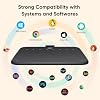
  • Universal Compatibility: Plug and play across all your devices. It works seamlessly with Windows 7 (or later), Mac OS 10.12 (or later), Android 10.0 (or later), Chrome OS 88 (or later), and Harmony OS 2 (or later). Perfect for artists, students, remote workers, and gamers who use multiple platforms
  • Please Note: This is not a standalone drawing tablet, it needs to connect with a computer to use

Brand: XP-Pen


Connectivity Technology: USB


Pressure Sensitivity: 16384 Levels


Operating System: Android 10.0 (or later), Chrome OS 88 (or later), Harmony OS 2 (or later), and Linux, Mac OS 10.12 (or later), Windows 7 (or later) See more


Special Feature: 16384 Stylus, 60° Tilt Support, Extra-Slim, Shortcut Key


Brand: XP-Pen


Model Name: IT 640


Built-In Media: Nib Extractor, Replacement Nib, Stylus, USB-C Cable, USB-C OTG Adapter


Target Audience: Student, Teacher


Model Number: IT 640


Manufacturer: XP-PEN


Warranty Description: 1 Year Warranty


Unit Count: 1.0 Count


Connectivity Technology: USB


Pressure Sensitivity: 16384 Levels


Operating System: Android 10.0 (or later), Chrome OS 88 (or later), Harmony OS 2 (or later), and Linux, Mac OS 10.12 (or later), Windows 7 (or later)


Additional Features: 16384 Stylus, 60° Tilt Support, Extra-Slim, Shortcut Key


Specific Uses For Product: E-Signature, Editing, Gaming


Compatible Devices: Desktop, Laptop, Smartphone


Screen Size: 6 Inches


Active Surface Area: 6.4 x 4 inches


Frequently asked questions

If you place your order now, the estimated arrival date for this product is: Saturday, Jul 18

Yes, absolutely! You may return this product for a full refund within 30 days of receiving it.

To initiate a return, please visit our Returns Center.

View our full returns policy here.

  • Klarna Financing
  • Affirm Pay in 4
  • Affirm Financing
  • Afterpay Financing
  • PayTomorrow Financing
  • Financing through Apple Pay
Leasing options through Acima may also be available during checkout.

Learn more about financing & leasing here.

Top Amazon Reviews


  • Great option for beginners and pros! Great option for beginners and pros!
Model: G640
Works great! One of my favorite things about this tablet is the size. it’s small enough to fit comfortably in my workspace, which is a huge plus, especially for screenless tablets. The pressure sensitivity works really well, but just a heads up. you do need to download the driver first or it won’t function properly. The instructions make it easy though, so it’s a quick fix. I also like the surface texture. It’s not overly smooth or slippery, which gives it a bit of grip and makes drawing feel more natural and controlled. Bonus points for the warranty. it seems to come with about a year of coverage from xppen, which is always nice for peace of mind. Overall, a solid tablet that’s easy to use and fits well into a smaller setup. ... show more
Reviewed in the United States on April 9, 2026 Reviewed in the United States on April 9, 2026 by Keno!!

  • Easy to Use and Great for Beginners
Model: G640
I bought the XP-Pen StarG640 drawing tablet as a beginner-friendly option, and it’s been really easy to use. Setup was quick, and it worked right away with my computer without any issues. The tablet size is perfect for drawing and editing without taking up too much desk space. The pen feels smooth and responsive, and I like that it’s battery-free, so there’s no charging or interruptions. Pressure sensitivity works well for sketching and line work. It’s great for drawing, digital art, photo editing, or even taking notes. For the price, it feels solid and reliable, especially if you’re just getting into digital drawing. Overall, a great starter tablet that does exactly what you need it to do. ... show more
Reviewed in the United States on February 10, 2026 by Ervey Gonzalez

  • It's alright, gets the job done It's alright, gets the job done
Model: G640
I got this as a temporary replacement for my Surface Pro (5th Gen) as its having phantom touches and I'll probably need to replace the screen. The StarG640 is kinda smaller than I expected but that's just on me for not understanding the measurements I guess but the USB-C port came slightly bent and when I plug it in It leans to the right, which is a slight problem as my PC is to my right so it's just halfway sticking out (Kinda scared it'll break or cause smthin to bend that isn't supposed to). The overall feel is pretty alright, I rlly like the grips at the bottom of the tablet, don't rlly like the pen. I just wish the pen has a little more weight to it, it just feels like cheap plastic but that might just be me as I'm pretty heavy handed but if the lightweight feel is for you it's honestly perfect. Given the budget and size it would be perfect for beginners, I started off with a $70 wacom intuos about 3-4 yrs ago and it was great, the weight and size felt amazing but this would have honestly been better since that $70 was rlly an investment for a 14/15 yr old in a low income household and $70 is kind of a lot of money to just put away in a closet when you think about switching to a display or if you don't think digital art is for you try it. All in all, it get's the job done and is great for the price, the only real complaint I have is the cable being bent and the cursor has a kind of slight lateness to it, it might need to be calibrated. ... show more
Reviewed in the United States on January 3, 2023 Reviewed in the United States on January 3, 2023 by Souls

  • good tablet for digital illustration/painting. perfect size for travel!
Model: IT 640
Came in perfect condition and well-packaged. I really love this tablet. I feel like its the perfect size: not to large, not to small. The drawing performance was excellent and its very responsive, yet my hand doesnt trigger any artifacts like with a previous drawing tablet i owned (palm rejection is vitally important when drawing). I really love the pen hoop at the side since it makes sure i dont lose the stylus. I use it with Krita and Clip Studio Paint and found that it was so easy to use, it was easy to make my illustrations. Of course, I installed the driver it comes with first (and I heavily reccomend people do that, since it makes your lines more stable and makes sure your palm is rejected well). Overall, a great drawing tablet. ... show more
Reviewed in the United States on April 13, 2026 by Giselle Rose

  • Improve Your Online Teaching Life and Look Like You Know What You're Doing
Model: G640
I ordered this drawing tablet almost a month ago and the tracking information suddenly ended 5 days after I made the purchase, yet the new arrival date kept getting extended. Finally, after 23 days had gone by with no tablet, I was told to contact the seller. (If you need to contact the seller, be sure to contact them by clicking through your order so your message is automatically tied to your invoice.) XP-Pen customer service set up a replacement delivery, which arrived 2 days after I first contacted them. Apparently, I was one of the lucky few whose package got lost in transit, but they resolved this issue quickly. Moving on to the product itself. At first (with my tech savvy confidence), I just thought that I could simply download the drivers from their XP-Pen.com website and install everything as I normally do. No luck--I got signs of life, but I couldn't make accurate marks and the tablet wasn't exactly responding to the stylus as it should. I completely started over by uninstalling the drivers, and actually reading their directions for installing on an iMac with Catalina 10.15 OS. (Wow--what a difference following the directions makes! I think that I was just impatient after waiting for this thing for almost a month. :P ) Once I correctly reinstalled the drivers and went through their set-up steps, everything worked perfectly! This is great for annotating, screen casting, drawing in various apps, and more, which I have yet to discover. It's comfortable to use, whether you're right or left handed. You can configure how you want to orient your tablet in your settings. It's responsive, and this Star G640 model weighs in at a very teacher budget friendly price. I was waffling between purchasing this model or making the stretch for a higher end one that has a larger active space. The Star G640's 6" x 4" drawing area has been sufficient for working with elementary-age students. I've never owned a drawing tablet before, so this was an affordable way to try this out. So far, I am very pleased with this purchase. I just wish that it had arrived 3 weeks earlier, because it could have saved me from additional online teaching headaches! ... show more
Reviewed in the United States on May 28, 2020 by Sherissa

  • Obnoxious learning curve
Model: G640
The positives: This was easy to plug right into my laptop, open my favorite art program and start drawing immediately. The negatives: The user manual included explains nothing about what the buttons on the pen do. Had to discover that through trial and error. Even then, the pen and pad have a horribly obnoxious learning curve. Getting used to using a digital pen after drawing on paper for my whole life is a nightmare in and of itself, but the tapping sensitivity is a project too. Sometimes if I tap a millisecond too late, the pen REFUSES to draw and I have to lift the pen, click elsewhere on screen with my mouse to make the little menu that popped up go away, and start again. Sometimes I can draw while pressing a button and other times I can't at all. It's horrendously unpredictable. I know that eventually with trial and error I will have this thing figured out, but over the past week since I started testing this thing out I haven't. My feeling has always been that if something has a learning curve, in other words I cannot take it out of the box and use it right away with zero roadblocks, then it is not designed well. ... show more
Reviewed in the United States on March 1, 2026 by Alexandra Nofi

  • I highly recommend this item
Model: G640
Drawing performance was really great, the texture was a lot like pencil on paper, I have an old HP it just plugs right in and works effortlessly, the customizability was really simple to set, screen was well lite. Unfortunately its does everything but what I’m looking for. But it was fun to play with. ... show more
Reviewed in the United States on April 2, 2026 by Theresa Stimson

  • it sure is one of the tablets i've ever used it sure is one of the tablets i've ever used
Model: G640
ignore how greasy my tablet looks omg i think it's just really easy to get dirty but the all black pen is the one that comes with this tablet, but the silver/black one is my deco pro pen. okay so!!!! i'm an xp pen user til the day i die hehe i'm so loyal. i used to use the deco pro mw and small, but then the ports cracked in both of them which made them basically unusable. then in the middle of my sleep deprived delirium, i decided that i'd get a baby xp pen tablet as a temporary replacement. i hopped on amazon, found the star g640, and bought it on a whim. it arrived on the same day bc i'm a ✨ prime user ✨ so i started using it immediately after i woke up. it's very small, and i have it connected to my laptop. it's okay if you wanna draw in bed, but if you're at a table, the tablet's corners are a bit sharp (?) so it might scratch your forearm rubbing against it. it's also extremely light so if you have it laying on your body then it won't put a lot of pressure yay. also the tablet doesn't have buttons at all unlike deco pro, but the pen does have the typical left/right click buttons. speaking of the pen... here is the make or break: the pen is REALLY uncomfortable?? maybe it's bc i've grown so used to the rubber on the deco pro pens, but this pen really reminds me of the wacom intuos pen but significantly cheaper (which i guess is what you'd imagine for a $40 drawing tablet but that doesn't mean i can't be disappointed LOL). and for some reason, the strokes feel slower and less precise? maybe that's my own skill issue but it seriously felt super wrong and i was beginning to get kinda exhausted from drawing. i was contemplating returning the tablet altogether and rushing to get another deco pro, but then i had the idea to try and use my deco pro pen on it and IT WORKED????? 💃💃 so now it actually doesn't physically hurt me to use!!!!!! which is good bc i REALLY didn't wanna get another tablet LMFAOOOO. if it weren't for the pen compatibility, i would honestly have given this either three or even two stars, but i'd say it bumped it back up to a four. which technically is not this product by itself, i just got really lucky i've already used xp pen, and i appreciate the fact that you can cross over the pens between different xp tablets, so it can have the extra star <3 tl;dr the tablet is okay, the work space is small but reasonably so. if you aren't a beginner then you'll recognize how awful this pen feels to hold. if you're buying from xp pen then just get a deco pro i'm so serious 😭😭 but this tablet really is as much as it's worth and i'd definitely recommend it for BEGINNER artists, especially kids. ... show more
Reviewed in the United States on April 5, 2025 Reviewed in the United States on April 5, 2025 by Pana

Can't find a product?

Find it on Amazon first, then paste the link below.
Checking for best price...