




Mcbazel XIM Matrix Multi-Input Adapter Converter for Xbox Series X/S, PS5, Xbox One, PS4, PC | Requires App Setup & Wired Ethernet for PS5 | Not Plug-and-Play





Buy Now, Pay Later
- – 6-month term
- – No impact on credit to apply
- – Instant approval decision
- – Secure and straightforward checkout
Ready to go? Add this product to your cart and select a plan during checkout.
Payment plans are offered through our trusted finance partners Klarna, Affirm, Afterpay, Zip, Apple Pay, and Google Pay. No-credit-needed leasing options through Acima may also be available at checkout.
Learn more about financing & leasing here.
FREE 30-day refund/replacement
To qualify for a full refund, items must be returned in their original, unused condition. If an item is returned in a used, damaged, or materially different state, you may be granted a partial refund.
To initiate a return, please visit our Returns Center.
View our full returns policy here.


Features
- Precision and Flexibility: XIM MATRIX features XIM's proprietary Smart Translator precision aim system and Smart Actions a built-in input automation engine configured via the XIM Manager App.Scenarios: Auto Fire, Recoil Control, Radial Menus, Weapon Loadouts, Looting, Custom WASD Supported Input Devices: Mice, keyboards, gyro controllers, Xbox/PS/Switch controllers (wired & wireless Bluetooth), and XIM NEXUS. Unlike mice and keyboards, gamepads vary in capability. So only one connected gamepad will be active at a time. NOTE: Smart Actions is XIM's built-in automation system only. NOT support third-party scripting tools or external script file imports (e.g., Cronus Zen, ReWASD scripts).
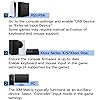
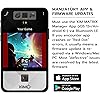
- Mandatory Setup Complete ALL Steps Before Gaming: Step 1 Firmware Update FIRST (Even new devices may be out of date): Connect XIM MATRIX to PC/Mac and update at xim.tech/downloads. Requires Windows 10/11 x64 or macOS 13+. Step 2 Download XIM Manager App (Required for all configuration): iOS 17+ / Android 9+ / Windows 10/11 x64. Bluetooth LE required. Download from Google Play, App Store, or xim.tech/downloads. Do NOT pair via your phone's Bluetooth settings pair through the App only. Step 3 PS5 Users: Enable Remote Play on PS5. Connect both PS5 and XIM MATRIX via wired Ethernet. Register your PSN account in the XIM Manager App. PS4: set Communication Method to Use USB Cable.
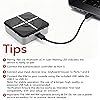
- Troubleshooting Quick Reference: 1.No LED / Won't Power On: Update firmware first at xim.tech/downloads. Check USB cable and port. 2.App Won't Connect: Enable Bluetooth LE (NOT standard Bluetooth). Use iOS 17+/Android 9+/Win10/11 x64. Do NOT use your phone's Bluetooth settings pair only through XIM Manager App. 3.Xbox/PS4 Controller Not Detected: Use genuine first-party controllers only. Third-party is not supported. 4.Mouse Disconnecting: a wireless receiver in Port 1 can interfere with XIM's Bluetooth antenna move it away with a USB extension, or use Port 2. 5.LED Status: Cyan flashing= ready to pair | Cyan-green flashing= connected to App | Yellow= saving | White pulsing= communicating
- Wired Device Support (USB Ports 1 & 2 left and right sides): Mice and Keyboards Xbox Elite, Series, and One controllers (including licensed third-party wired) PlayStation DualSense, DualShock 4 & 3, and Move Navigation controllers Switch Pro controllers XInput and DirectInput-compatible controllers XIM NEXUS controllers Gyro Aim Support (wired): PlayStation DualSense, DualShock 4, Switch Pro, JoyCon IMPORTANT: Xbox licensed third-party WIRED controllers ARE supported, but only ONE at a time. PlayStation and Nintendo genuine first-party only. USB Port 3 (back): Authentication port for Xbox and PS4 console use. USB Port C (back): Connects XIM MATRIX to your console or PC.
- Wireless Device Support (Bluetooth-enabled): Xbox controllers with Bluetooth PlayStation DualSense, DualShock 4 & 3 Switch Pro controllers Switch JoyCons. XIM NEXUS Gyro Aim Support (wireless): PlayStation DualSense, DualShock 4, Switch Pro, JoyCon. Note: When gaming with a wireless mouse, additional setup may be required. See guide.xim.tech/Troubleshooting-Mice OUTPUT MODES: Xbox Controller (Xbox, PC) needs an Xbox controller for authentication. DualSense (PS5) uses Remote Play over LAN, or USB with a third-party P5General. DualShock 4 (PS4, PC) needs a DualShock 4 v2. XInput (PC) needs nothing extra. MOUSE AND KEYBOARD output (PC, Xbox, PS5) needs NO authentication controller.
- PROFESSIONAL GRADE NOT PLUG-AND-PLAY: 1. Mandatory Firmware Update FIRST: Connect to PC/Mac and update at xim.tech/downloads. Requires Windows 10/11 x64 or macOS 13+. Even new devices may need updating. 2. App Configuration Required: XIM Manager App needed (iOS 17+ / Android 9+ / Windows 10/11 x64 with Bluetooth LE). Download from xim.tech/downloads. Do NOT pair via system Bluetooth settings. 3. PS5 Specifics: Requires wired Ethernet connection for both PS5 and XIM MATRIX, PS Remote Play enabled, and PSN account registration in the App. Beta builds are optional the public release always works, and older firmware can be reinstalled from xim.tech/downloads.
- 4. Power Requirements: High-power RGB peripherals may cause disconnects. Disable RGB or use a powered USB hub. 5. Technical Resources: All guides at guide.xim.tech. If not comfortable with technical setup, this product may not be right for you. 6. BAN RISK NOTICE: Use of input adapters may violate the Terms of Service of some game publishers and could result in account restrictions. Please check your game's ToS before use. 7. Required game settings at xim.tech/settings: if aiming with a mouse, set in-game sensitivity to MAXIMUM and leave the rest at default. 8. If firmware won't update: reboot, change USB port and cable, or disable extra antivirus.
- WARNING LIGHTS YOUR XIM IS USUALLY NOT BROKEN: RED AND YELLOW BLINKING = POWER FAULT: a connected USB device drew too much power, so XIM shut its ports down to protect itself:1. Fully charge any rechargeable device first; 2. keyboards with heavy LED lighting can also trigger this. RAPID PURPLE = timing errors check for loose USB connections, faulty cables or hubs. REPEATED YELLOW = lost the authentication controller in Port 3. RED/GREEN/BLUE AT STARTUP = corrupted Config run the firmware tool from xim.tech/downloads and press Factory Reset. Full guide at guide.xim.tech. Important: NEVER pay for a Config. Free Configs at configs.xim.tech.
Description
I used the XIM Matrix for the first time, but I can't connect to the Manager application. What should I do? 1.The XIM MATRIX and XIM MATRIX Manager must be the same version. 2.Make sure that Bluetooth permission is enabled on the device you are using with the Manager app. (Some PCs may need to purchase a separate Bluetooth receiver.) I want to update the XIM Matrix firmware, but my PC can't recognize it. What should I do? If you are having trouble upgrading the firmware on your PC, try the following troubleshooting steps: 1.Restart your PC. 2.Try a different USB port on your PC. 3.Try a different USB cable. 4.Boot in safe mode. 5.Try a different PC. The beta app is full and I cannot install it. Beta builds are optional - the public release always works. iOS beta slots are capped by Apple and fill up quickly, and XIM cannot remove testers. Use the public release, or run Manager on Android or a PC. It will not connect to my PS5. What should I check? Connect your PS5 via LAN, Disable any PIN on your PSN account, disable auto-login, confirm Settings/Network shows Wired, and fully restart your PS5. XIM and PS5 do not have to share a router, but it is recommended. Is there a subscription or any paid feature? No. XIM is completely free to use - no in-app purchases, no subscriptions, no paid unlocks. Firmware, app updates, new game support, Config Cloud and technical support are all free, permanently. Why am I experiencing input lag or disconnects on my PS5? For PS5 gaming, XIM Matrix utilizes the Remote Play protocol. For the best experience, a wired Ethernet connection is mandatory for both your console and the XIM Matrix. Using Wi-Fi can lead to latency and reliability issues. My XIM is flashing red. Is it broken? Usually not. Red and yellow blinking is a power fault: a connected USB device drew too much power and XIM shut its ports down to protect itself. Fully charge rechargeable devices and avoid LED-heavy keyboards. Will this get my account banned? XIM Matrix is designed to mimic controller inputs. However, we recommend checking your specific game's community guidelines. We provide the tool; how you configure Smart Actions is up to the user's discretion. My Razer/high-end mouse isn't working properly. Is the adapter broken? High-performance mice with bright RGB lighting consume significant power.If the XIM Matrix doesn't receive enough power from the console port,it may disconnect.We recommend turning off the mouse RGB or using an external powered USB hub for stability. Why does the XIM Matrix Manager App crash or disconnect whenever my phone screen turns off? This is not a hardware defect. It is a common behavior of smartphone operating systems (both Android and iOS) called "Battery Optimization" or "Power Saving Mode." Is XIM MATRIX compatible with third-party scripts? Does it support Cronus Zen scripts? No. XIM MATRIX is NOT compatible with Cronus Zen, ReWASD, or any third-party scripting tools.XIM MATRIX uses its own built-in Smart Actions system for input automation, configured entirely through the XIM Manager App. Someone is selling me a Config. Is that official? No. Config sellers are not affiliated with XIM, and some use the XIM name to look official. You never need to pay for a Config. Hundreds of free community Configs are at configs.xim.tech. Why won't the XIM Manager App connect to my XIM MATRIX? Common solutions for App connection issues: 1. Ensure Bluetooth LE is enabled on your phone/PC (standard Bluetooth is not sufficient) 2. Confirm your device OS: iOS 13+, Android 6+, or Windows 10 x64+ required Why won't the XIM Manager App connect to my XIM MATRIX? 3. Update the XIM Manager App to the latest version 4. Restart both the app and the XIM MATRIX device 5. Look for the cyan flashing LED on XIM MATRIX — this indicates it is ready to pair For detailed steps, visit guide.xim.tech The app will not connect over Bluetooth.Why? Bluetooth LE is required and pairing must happen inside the app, not your phone's Bluetooth settings. Press the button on XIM to pair. On a desktop PC using onboard Bluetooth, connect the external antenna. Beginners please note: XIM MATRIX is not a simple plug-and-play converter, you need to learn certain configuration knowledge to operate the product. There are certain standards for setting up and using XIM MATRIX, so please read the instruction video on the product page carefully before use. (There is too much content, so only a part of it is listed, so please refer to the official website.) Beginners please note: XIM MATRIX is not a simple plug-and-play converter, you need to learn certain configuration knowledge to operate the product. There are certain standards for setting up and using XIM MATRIX, so please read the instruction video on the product page carefully before use. (There is too much content, so only a part of it is listed, so please refer to the official website.) Beginners please note: XIM MATRIX is not a simple plug-and-play converter, you need to learn certain configuration knowledge to operate the product. There are certain standards for setting up and using XIM MATRIX, so please read the instruction video on the product page carefully before use. (There is too much content, so only a part of it is listed, so please refer to the official website.) Beginners please note: XIM MATRIX is not a simple plug-and-play converter, you need to learn certain configuration knowledge to operate the product. There are certain standards for setting up and using XIM MATRIX, so please read the instruction video on the product page carefully before use. (There is too much content, so only a part of it is listed, so please refer to the official website.) Beginners please note: XIM MATRIX is not a simple plug-and-play converter, you need to learn certain configuration knowledge to operate the product. There are certain standards for setting up and using XIM MATRIX, so please read the instruction video on the product page carefully before use. (There is too much content, so only a part of it is listed, so please refer to the official website.)
Compatible Devices: Playstation 5, Xbox One, Xbox Series S, Xbox Series X
Controller Type: Keyboard
Connectivity Technology: USB
Additional Features: Wireless
Button Quantity: 1
Hardware Platform: PC
Power Source: Battery Powered
Compatible Video Game Console Models: Microsoft Xbox One, Microsoft Xbox One S, Microsoft Xbox One X, Microsoft Xbox SERIES S, Microsoft Xbox SERIES X, Sony PlayStation 4, Sony PlayStation 5
Item Weight: 0.1 kg
Package Quantity: 1
Item Dimensions: 4.53 x 4.25 x 1.34 inches
Color: Black
Brand Name: Mcbazel
Model Name: XIM MATRIX
Warranty Description: 1 year
Manufacturer: XIM
Included Components: Converter
Model Number: MX-010269
Unit Count: 1 Count
Manufacturer Part Number: uni-010269
Frequently asked questions
To initiate a return, please visit our Returns Center.
View our full returns policy here.
- Klarna Financing
- Affirm Pay in 4
- Affirm Financing
- Afterpay Financing
- Zip Pay in 4
- Financing through Apple Pay
- Financing through Google Pay
Learn more about financing & leasing here.
Similar Products


Elgato Stream Deck MK.2 Studio Controller, 15 Macro Keys


Rebuff Reality Trackstrap Plus Vive Ultimate Tracker Straps



Top Amazon Reviews
