Search  for anything...

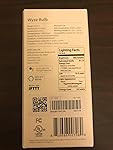
Wyze Labs WLPA19 Smart Wyze Bulb, 1-Pack, White

  • Based on 7,299 reviews
Condition: New
Checking for inventory...

Notify me when this product is back in stock

Buy Now, Pay Later


As low as $2 / mo
  • – 4-month term
  • – No impact on credit
  • – Instant approval decision
  • – Secure and straightforward checkout

Payment plans are offered through our trusted finance partners Klarna, Affirm, Afterpay, Apple Pay, and PayTomorrow. No-credit-needed leasing options through Acima may also be available at checkout.

Learn more about financing & leasing here.

Selected Option

Free shipping on this product

This item is eligible for return within 30 days of receipt

To qualify for a full refund, items must be returned in their original, unused condition. If an item is returned in a used, damaged, or materially different state, you may be granted a partial refund.

To initiate a return, please visit our Returns Center.

View our full returns policy here.


Availability: Unavailable
Fulfilled by Amazon
Available payment plans shown during checkout

Size: 1 Pack


Color: White


Features

  • Set any mood with Wyze Bulbs tunable white color temperature. Use warm white (2700k) to relax in the evening and daylight (6500k) to wake up with morning coffee.
  • 9.5-watt LED bulb (60-watt equivalent) produces up to 800 lumens and can be dimmed using voice control or the Wyze App (do not use with dimmer switches)
  • No Hub Required. Wyze Bulb connects directly to your 2.4GHz WiFi network (does not support 5GHz Wi-Fi) and the free Wyze app for a quick and easy setup
  • Automate your lights with Wyze Sense (sold separately): Wyze Senses contact and motion sensors allow you to control your lights based on motion or opening/closing of a door so theyre on when you need them and off when you dont. You can also integrate with IFTTT to link Wyze Bulbs to the rest of your smart home devices.
  • Make it look like someones home: Vacation mode turns lights on/off on a variable schedule while youre away.
  • Set Schedules: Set your Wyze Bulbs to turn on and off on a custom schedule so you never come home to a dark house.
  • Group Control: Add multiple bulbs to a group and control them all simultaneously or use Shortcuts to control all your Wyze devices at the same time.
  • Gentle On/Off: Wyze Bulbs fade on and off making it easier on your eyes
  • Works with Alexa and the Google Assistant: Ask Alexa or the Google Assistant to turn your lights on and off, dim the lights, or tune the color-temperature to the right level.

Description

Size:1 Pack | Color:White Wyze Bulb is a 9.5 watt (800 lumen) smart LED bulb that connects directly to a 2.4GHz WiFi network (no hub required) and offers dimming you can turn off your lights and turn on your Wyze Cams (sold separately) with a single tap or schedule. With IFTTT support, you can use Wyze Bulbs with your existing smart home devices for an integrated experience.


Manufacturer: ‎Wyze Labs, Inc.


Part Number: ‎WLPA19


Item Weight: ‎1.49 pounds


Package Dimensions: ‎5.12 x 2.52 x 2.44 inches


Country of Origin: ‎China


Item model number: ‎WLPA19


Size: ‎1 Pack


Color: ‎White


Style: ‎Bulb


Material: ‎Aluminum


Pattern: ‎Light Bulb


Shape: ‎A19


Voltage: ‎110 Volts


Wattage: ‎9.5 watts


Item Package Quantity: ‎1


Luminous Flux: ‎800 Lumen


Included Components: ‎Bulb


Batteries Required?: ‎No


Warranty Description: ‎1 year manufacturer.


Date First Available: May 3, 2019


Frequently asked questions

This product is currently out of stock. Please check back later for shipping info.

Yes, absolutely! You may return this product for a full refund within 30 days of receiving it.

To initiate a return, please visit our Returns Center.

View our full returns policy here.

  • Klarna Financing
  • Affirm Pay in 4
  • Affirm Financing
  • Afterpay Financing
  • PayTomorrow Financing
  • Financing through Apple Pay
Leasing options through Acima may also be available during checkout.

Learn more about financing & leasing here.

Top Amazon Reviews


  • The best smart bulb you can get at this price point.
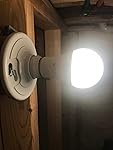
The media could not be loaded. This is my very in-depth review for: Wyze Labs WLPA19 LED Smart Home Light Bulb (1 Pack) If you prefer a quicker summary, go straight to the summary section. Background I have a few Wyze cams I bought a bit over a year. I liked them so much that when the Wyze bulb came out I wanted to try it right away. I have other smart bulbs, but I decided that if I liked these I would swap the two I have for these. Spoiler Alert, I liked them. I am installing 9 total bulbs throughout my house, 7 in my partially finished basement (though currently under construction to be finished), and 2 to replace my current smart bulbs of a different brand. So far, I have installed the ones in my basement. I don’t think I should have any other problems installing the other two this weekend but if I do I will update the review. To obtain the nine I will need, I opted for buying two 4packs and a single as this was the most cost-efficient way without overspending. Unboxing The presentation is neat and simple. A single bagged bulb that is held in place by a cardboard base. A quick-start guide comes with it, which points you in the right direction, but I find it to be lacking depth. This 9.5-watt LED bulb is equivalent in luminosity to a 60-watt incandescent light bulb. It looks and feels like many other smart light bulbs, other than perhaps being a bit heavier, but not too much. The color temperature of the light from this bulb go from very warm (2700K) to very cool (6500K). The guide directs you to download and install the brains of the operation, the Wyze app. I cannot attest to how good the App is for android devices, but it works well with my iPhone. The app itself is very intuitive. No hub is needed for them to work. If you do have a hub, they can also be integrated with other home automation devices through IFTTT (If This Then That). You can share accesses with the app, but I have found that is easier and efficient to just have one account shared across multiple devices when possible. Installation: The Wyze app does a really good job guiding you through the installation process; it was straight forward. In a nutshell, you screw the bulb into a bulb socket, you add them in the wyze app as a new device, get the bulbs to enter setup mode, and then you connect them to the Wi-Fi. A few pointers on the installation: When screwing the bulb to a socket ensure you know which switch controls the socket you are installing them on. You can install them all on a specific socket and move them after they are connected to the system. To start with the installation process, click on the three dots on the top right of the screen. From the menu that pops up, click on “Add a product” then click on “Wyze bulb”. From there, getting the light bulb to setup mode is a matter of flicking the light switch off then on three times as prompted by the app. The bulbs only work with a 2.4GHz WiFi network. If you are connected to 5GHz network change to a 2.4 GHz if you want to avoid some frustration. Once you enter the bulbs into setup mode the app will open your WiFi settings for you to select the bulb connection. This will allow the app to connect to the bulb. The screen will go to a countdown while the bulb and app attempt the connection. Setting them up for daily use: There are several ways to trigger the lights. They can be manually activated with the Wyze App. The bulbs can also use other Wyze devices to serve as inputs. They can be setup to use other non-Wyze smart devices as inputs to integrate all your devices through IFTTT. You can use the Google assistant or Alexa for voice control. The reason for using smart bulbs depends on the individual. My main reason for them is that I want to use them with voice control and I want to make it appear there is someone in the house when I go on vacation. Thus, most of my lights I have them setup to me turn on and off with voice controls. I have light bulb groups and different color temperatures for different reasons (Cleaning vs Hanging out). I also have all of them on timers in case I forget to give the “good night” command to Alexa. I don’t have the Wyze sense but I do have several Wyze cams which I use as sensor inputs. One of those is currently aiming through my backyard door to switch on a group of lights if it “sees” a person, not movement. I also tried the vacation mode for a while to see if it will meet my needs and it is flawless. It is not turning the lights on, every 15 seconds. It mimics, as possible, real patterns. It will turn on a light for a bit, shut down, wait a while, go back at it. Problems encountered: I had a few hiccups when connecting a few of them to my Wi-Fi on the first try. In four of the seven that I have installed to this point, the connection timed out when trying to connect. For those four, after it timed out, it gave me the option to retry. I tried again, and they connected right away (I showed this on the video). When interacting with other devices through IFTTT, they took somewhere between 1 and 5 seconds to react thus, I don’t really see IFTTT as an option I would use. I understand that IFTTT is inherently slow, but just a heads up I guess. Additionally, when ordering a group of lights to turn on and off in rapid succession, one or two of the lights in the group could fail to execute the command, regardless of doing so with the app or voice command. ********** Summary: What I liked about these bulbs is that: - They have a very wide range of white temperatures from 2700K to 6500K. - They are very economical compared to other bulbs in their class (about 12$ for the 1pack vs 15-20 for their leading competitors) - They integrate very well with other Wyze devices, which are also very economical. - The integration with Alexa is also seamless. - The installation process was easy and intuitive. - Vacation mode works really well. What I disliked about them: - Waiting for the bulbs to connect only to see them fail in four of seven tries was a bit too much. They did connect right away after re-trying but maybe they could have made a wider connection window if this was going to be an issue… - A group of bulbs having some of them not turning on or off successfully after a series of commands in rapid succession, although understandable, is also bothersome. Other thoughts: These are very impressive units, that work well for anyone getting their feet wet in the home automation pit. They will get the job done but they are not free of faults. They are good if planning to integrate with other Wyze devices or Alexa. Integrating them to other smart devices through IFTTT is to slow for my taste. That being said, at this price point they are the best available and although they are not perfect, to me they are well deserving of a five-star rating. If my review helped you in any way, please let me know by clicking the "helpful" button below. Any questions you may have, feel free to ask… Thank you! ... show more
Reviewed in the United States on August 14, 2019 by Vlad

  • Amazing little $12 gadget!
I ordered one of these to try, and after it came I immediately ordered another. I have one in our bedroom lamp and one in an overhead light in another room. These bulbs come on quickly, are bright, and can be adjusted to several shades of white light such as soft white, daylight, etc. The light intensity/brightness can be set to different levels, too, if you need a dimmer light. I especially like the vacation mode, which turns each bulb on and off at random times just as if you were home and using it--no need for a special plug or a timer. Or you can control them remotely from anywhere using the Wyze or Alexa phone apps. These simply go into a regular light bulb socket just as an ordinary light bulb would. No hub or anything else is needed except your usual wifi and the Wyze app. I also use them with Alexa, which can turn them on and off, change the colors, etc., and they can be added to Alexa routines as well. I'm amazed such a handy little light can be had for under $12, and doesn't require buying anything else to make it work. Set up is easy if you follow the directions. I also have one little Wyze indoor camera, which works great especially for a $26 device. I'll probably order a couple of Wyze smart plugs, too, when they become available, for controlling my Christmas tree lights. I've had these bulbs a couple of weeks, so I can't comment on how long they last, but they've worked perfectly so far. ... show more
Reviewed in the United States on September 30, 2019 by a viewer

  • Easy to install. Don’t mind the haters.
I’m not sure about the tome frame of all these other negative reviews but, as of Aug 30 2019, my bulbs have worked flawlessly as standalone and with Alexa. Alexa will turn on/off, change brightness, and change color. I’ve set up shortcuts in the Wyze app and that works flawlessly. So I’m not sure why the negative reviews are there. Most likely user error. I’ll be buying more very soon. ... show more
Reviewed in the United States on August 31, 2019 by John Ryan Bussell

  • Sorry Wyze, this one is a fail.
Bought it to use on my front porch light. My wifi router is about 8 feet away from the light with only a window separating them. It took about 10 tries to get this thing to pair and be recognized by the Wyze app. When pairing, it creates its own ad-hoc wifi network and you're supposed to connect your phone to that network so you can configure the bulb. Well, most of the time my phone would not see the bulb's wifi network. Kept getting Unable to Authenticate errors. I've never had as many problems trying to pair a smart device. I had to use another lamp inside to get it to pair. Once I got it paired and controllable through the app, I set up a schedule for it to turn on and off. Most of the time it would not turn on as scheduled. Other times it would turn on for about 1 second then turn off again. Sometimes if I turned it off, it would turn itself on at random for no reason. I would turn it off from the app then 5 minutes later it would turn itself on. This happened over and over and over. Other times I'd turn it on through the app and after a few minutes it would turn off on its own for no reason. Other times it would suddenly show offline in the app. When it was online I would check the wifi signal strength and it would show as being full-strength. Bottom line, absolutely nothing about this bulb worked right. It was almost impossible to pair and place on my wifi, it wouldn't turn on or off as scheduled, it would turn on and off at random, it would go offline at random...basically, an epic fail. Very disappointing considering I have several Wyze cameras and was hoping to add more Wyze products since I already have a small Wyze ecosystem. Returned it. ... show more
Reviewed in the United States on May 10, 2021 by MiamiGuitarMan

Can't find a product?

Find it on Amazon first, then paste the link below.
Checking for inventory...