Search  for anything...

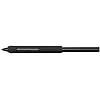
Wacom Pro Pen 3, Digital Pen, Customizable Grip & Weight, Tilt Support, Black

  • Based on 0 reviews
Condition: New
Checking for the best price...
$122.99 Why this price?
Save $6.95 was $129.94

Buy Now, Pay Later


As low as $20.50 / mo
  • – 6-month term
  • – No impact on credit to apply
  • – Instant approval decision
  • – Secure and straightforward checkout

Ready to go? Add this product to your cart and select a plan during checkout.

Payment plans are offered through our trusted finance partners Klarna, Affirm, Afterpay, Apple Pay, and PayTomorrow. No-credit-needed leasing options through Acima may also be available at checkout.

Learn more about financing & leasing here.

Free shipping on this product

FREE 30-day refund/replacement

To qualify for a full refund, items must be returned in their original, unused condition. If an item is returned in a used, damaged, or materially different state, you may be granted a partial refund.

To initiate a return, please visit our Returns Center.

View our full returns policy here.


Availability: In Stock.
Fulfilled by Amazon

Arrives May 21 – May 23
Order within 4 hours and 12 minutes
Available payment plans shown during checkout

Protection Plan Protect Your Purchase
Checking for protection plans...

Features

  • 8,192 levels of pressure sensitivity, 3 side switches
  • State of the Art Pen Technology: 3rd generation Wacom Pen technology
  • Perfect Custom Fit: Customizations for weight balance, different grips or no-side-switch included
  • Tilt recognition: Improved tilt 60 degrees
  • Super Responsive: The Pro Pen 3 senses every nuance and every change, so even the lightest of touches will appear on the screen

Description

From the inside out, Wacom Pro Pen 3 can be configured to your favorite feel. With customizable weight, grip thickness, pen buttons and center of balance, find the configuration that suits your style. This tailor-made approach to design delivers an unforgettable creative experience.

Brand: Wacom


Connectivity Technology: EMR


Pressure Sensitivity: 8192 Levels


Operating System: Windows, macOS


Special Feature: Pen


Brand: Wacom


Model Name: Pro Pen 3


Built-In Media: Balance weight, Pro Pen 3, shortside switch insert with or without buttons, straight and flare grip, 5 standard nibs and 5 felt nibs, and nibinsertion plus removal tool, tall side switch insert with buttons or without buttons


Target Audience: Teacher


Model Number: ACP50000DZ


Manufacturer: Wacom Technology Corporation


UPC: 753218985002


Mfr Part Number: ACP50000DZ


Warranty Description: 1 year manufacturer


External Testing Certification: Não aplicável


Unit Count: 1.0 Count


Item Type Name: Stylus


Connectivity Technology: EMR


Pressure Sensitivity: 8192 Levels


Operating System: Windows, macOS


Additional Features: Pen


Specific Uses For Product: Drawing


Compatible Devices: Wacom Cintiq Pro 27 (DTH271), Wacom Cintiq Pro 22 (DTH227), Wacom Cintiq Pro 17 (DTH172)


Native Resolution: 8192 levels


Screen Size: 3.0


Item Weight: 0.02 Pounds


Color: Black


Frequently asked questions

If you place your order now, the estimated arrival date for this product is: May 21 – May 23

Yes, absolutely! You may return this product for a full refund within 30 days of receiving it.

To initiate a return, please visit our Returns Center.

View our full returns policy here.

  • Klarna Financing
  • Affirm Pay in 4
  • Affirm Financing
  • Afterpay Financing
  • PayTomorrow Financing
  • Financing through Apple Pay
Leasing options through Acima may also be available during checkout.

Learn more about financing & leasing here.

Top Amazon Reviews


  • Wacom Pen 3!!
Great pen!! I bought it just to get the pen weight. Wacom won't sell them individually.
Reviewed in the United States on August 16, 2025 by M. M.

  • Best styuls ever- but fragile buttons- broken many of them now.
EDIT (5-7-25) -- on yet another new pen I bought- another button broke. I see this product isn't even sold anymore here on amazon, at least not at time of writing this. This is my 3rd pen. Hopefully I am more careful on supergluing this time so I don't need to buy a 4th... EDIT (8-31-24) -- not even a month later--- broke another button. Super glue'd to keep this zombie pen alive again. extremely fragile button panels are just miserable. All 3 buttons have been SUPER GLUE'd into place now. I can never take this button panel off now, but at least it should finally be durable. Good thing I don't like the rubber grips, so I have no need to change it. EDIT (8-9-24) -- BROKE YET ANOTHER BUTTON!! Super glue worked last time- and seems to do the trick this time too. Just put a dab of glue on the pen switch rocker on the pen (the hole the button pops into)- yes this means you can't replace the button cover, I know... But it's the best you can do without wacom STILL not offering replacement side button panels. It's crazy how fragile the buttons are on these button panels. Tiny little support, it's no wonder they break so easily. EDIT (11-??-23) -- broke another button again! This time I'll try just super glue to fix it. ORIGINAL REVIEW- Yes the pro pen 3 is amazing to use. It really is the best wacom pen ever. The lack of an eraser is unfortunate but not direly so- I like using the 3rd button for erasing more, I just wish more apps supported it properly. The wider tilt angle is nice, on apps that actually use it. The lighter thinner design is a huge win, not sure why anyone likes those fat rubber grips. I LOVE this pen. Been using for almost a year now- the 27 pro was life changing in general and this pen is a must have to me. I gave this 1 star only to wake wacom up... Either make extra more durable button panels we can buy- or make a pro-pen 4 that has sturdier button panels. The biggest con is the fragility of the buttons. They are able to break off very easily if you drop the pen onto something hard, or just randomly pop off after enough use (how it happened this last time!). The older pens were far sturdier. They do not sell replacement buttons for this pen either. At least not here on amazon (not on wacom site either!). Soo I chucked out 100 bucks to get a new pen. Isn't that great? I used the other button panels in the meantime but those are really meant to be used with the rubber grip (and I always hated the fat rubber grips these pens used to come with). Yeah... Instead of all the weights and optional stuff I'll never use, I just wish it came with a few more of the 10cent pieces of plastic button panels. Nothing pro about the build quality on these button panels, and they give you everything you need except that 1 thing that is MOST LIKELY TO BREAK! Stupid things like this, I just don't get it... Does nobody over there in the wacom offices not have this issue? Impossible... If you live on a cintiq 27 as I do- there's no way it doesn't happen at least every 6 months. 1 star until you wacom folks address this. Offer replacement button panels! ... show more
Reviewed in the United States on December 2, 2023 by Mike

  • It only works with brand new 27" Cintiq
Pen is great, weight, style and customizable options are great as well as the price. Yet, it does not work with anything but the latest 27" Cintiqs. So be careful before you purchase.
Reviewed in the United States on March 3, 2024 by Emir

  • Great, Expensive and Fragile
Great stylus, nib and pen fractured after falling onto my kitchen floor just a couple of feet. I've had multiple Pro Pen 2's that have survived much worse. This is a very fragile, expensive pen so handle with extreme caution. Also, wish it was thicker. The Pro Pen 2 feels so much more comfortable to use. Good on Wacom for making the new Intuos tablets backwards compatible with older pens. I'll buy again one day, but it won't be for a while. ... show more
Reviewed in the United States on May 5, 2026 by Scott D Peters

  • Works
Does the job on latest cintiq
Reviewed in the United States on February 19, 2025 by Brad Myers

  • Great pen-but…
Hard to find replacement parts-If you use the pen everyday like I do- the plastic parts will start breaking-need to buy the pen over again in a few months for a 10 cent part. Costumer service is not great on helping.
Reviewed in the United States on November 29, 2024 by J.L.Shelly

  • Doesn't work with the Intuos Pro
Doesn't work with the Intuos Pro
Reviewed in the United States on July 2, 2024 by Ariel

  • Great Wacom Pen... top loosens a bit more than I like!
OK, this Pro Pen 3 is also used on the "new" Wacom Intuos Pro (2025) tablets. I have a Medium (PTK-670) and Small, and The pen is the same one as for the cintiq (asked Wacom Cust Service). I have one Chihuahua who is fascinated with Wacom graphic pens, she chews the point and the plastic buttons. I have gone through many. So when I ordered the New tablet I had to find extra pens just in case. So, this pen works on the New Intuos Pro (2025) tablets, but won't work on my previous Intuos Tablets or any other for that matter. Also all the pens Staedtler, Lamay, Mitshubishi all are not the 8K pressure but the 4K pressure so I chose not to buy those until they get into the higher numbers. Now the pen. It fits with the rubber sheath you can put on it in the holder just fine, but if you don't use that, the pen will flop around. What I also am finding is the pen gets loose as you use it and I have to keep tightening it every now and then. At first my Pro Pen 2 did not work on the new tablet, but it does now. So if you prefer the Pro Pen 2 to this version for the new Intuos Pro (2025) tablets, I have found it works. I have better bluetooth connectivity with the new tablet than my previous tablet. Overall the pen works well, but for me, I actually prefer the Pro Pen 2. It lasts without buttons breaking unless the Chihuahua gets to it. My yorkies have no interest. In any event, as for this pen it is good value for the money, great drawing ability, is easy to use, and you can have it slim or thicker with or without the grip sheath. It would be a preference. You can easily adjust the balance of the pen which no other provides. So, for now, I like it, sort of. But I do have to admit we get used to something and new items sometimes takes a bit to get used to. As for the Intuos Pro 2025 tablet, it is superb. thin, easy to use, lots of ways to customize with the dials etc. Worth the purchase. Wacom rocked it out of the park on this one, The Pro Pen 3, is also good. I just most likely need to use it more than I have. Have been using Wacom tablets for 30 years now, and would hate to be without them. They work so well using any adobe product and for anything you might need a stylus for. I gave it 4 stars because I found it annoyiung to have to keep tightening the top of the pen because it loosens with use. Otherwise it performs like it is intended. Worth every penny. ... show more
Reviewed in the United States on June 4, 2025 by Fantaisie D.

Can't find a product?

Find it on Amazon first, then paste the link below.
Checking for best price...