


Search  for anything...

Elgato Stream Deck XL – Advanced Studio Controller, 32 macro keys, trigger actions in apps and software like OBS, Twitch, ​YouTube and more, works with Mac and PC

  • Based on 8,095 reviews
Condition: New
Checking for the best price...
$199.99 Why this price?
Holiday Deal · 20% off was $249.95

Buy Now, Pay Later


As low as $33.33 / mo
  • – 6-month term
  • – No impact on credit
  • – Instant approval decision
  • – Secure and straightforward checkout

Ready to go? Add this product to your cart and select a plan during checkout.

Payment plans are offered through our trusted finance partners Klarna, Affirm, Afterpay, Apple Pay, and PayTomorrow. No-credit-needed leasing options through Acima may also be available at checkout.

Learn more about financing & leasing here.

Free shipping on this product
This item's return window has been extended for the holiday season: FREE refund/replacement until Jan 31, 2026

To qualify for a full refund, items must be returned in their original, unused condition. If an item is returned in a used, damaged, or materially different state, you may be granted a partial refund.

To initiate a return, please visit our Returns Center.

View our full returns policy here.


Availability: Only 10 left in stock, order soon!
Fulfilled by Amazon

Arrives Wednesday, Dec 17
Order within 15 hours and 25 minutes
Available payment plans shown during checkout

Protection Plan Protect Your Purchase
Checking for protection plans...

Features

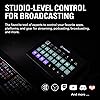
  • Advanced Live Production: easily control your favorite tools and platforms.
  • 32 Customizable LCD Keys: instantly trigger unlimited actions with a tap.
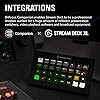
  • Powerful Integrations: Elgato 4KCU, OBS, Twitch, YouTube, Twitter, Discord, Spotify, Philips Hue, vMix, VoiceMod, and more.
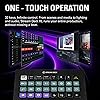
  • One-Touch Operation: change scenes, launch media, switch cameras, tweak lighting, adjust audio, post tweets anything.
  • Visual Feedback: know that your command has been executed.

Description

"Elgato Stream Deck XL boasts 32 customizable LCD keys for advanced live production control. Tap to instantly trigger unlimited actions in popular apps like OBS Studio, XSplit, Streamlabs, Twitch and YouTube. Plus download new integrations and develop your own thanks to Stream Deck SDK. Technical Specifications Dimensions: 182 x 112 x 34 mm / 7.17 x 4.41 x 1.34 in. Weight without stand: 410 g | 14.46 oz Keys: 32 x customizable LCD keys Interface: USB 3.0 System Requirements macOS 10.15 or newer / Windows 10 (64-bit)"

Brand: Elgato


Compatible Devices: Windows 10, macOS 10.13


Connectivity Technology: USB


Keyboard Description: USB


Recommended Uses For Product: Gaming, Office


Special Feature: 32 customizable LCD keys


Color: 32 Keys


Style: 32 Keys


Product Dimensions: 7.17"L x 1.34"W x 4.41"H


Material: Plastic


Product Dimensions: 1.34 x 7.17 x 4.41 inches


Item Weight: 14.5 ounces


Item model number: 10GAT9901


Batteries: Lithium Ion batteries required.


Date First Available: May 25, 2019


Manufacturer: Elgato


Language: English


Frequently asked questions

If you place your order now, the estimated arrival date for this product is: Wednesday, Dec 17

Yes, absolutely! You may return this product for a full refund within 30 days of receiving it.

To initiate a return, please visit our Returns Center.

View our full returns policy here.

  • Klarna Financing
  • Affirm Pay in 4
  • Affirm Financing
  • Afterpay Financing
  • PayTomorrow Financing
  • Financing through Apple Pay
Leasing options through Acima may also be available during checkout.

Learn more about financing & leasing here.

Top Amazon Reviews


  • Insanely Powerful Tool for More Than Just Streaming
Size: 32 Keys
I first used the Stream Deck XL in a mega church and was blown away by how powerful it is. It goes way beyond streaming — you can download custom profiles straight from the Elgato store, or integrate with Bitfocus Companion like I did for my podcast setup. I use it to control OBS and my Obsbot cameras, and I even started using the native Office profiles for productivity. There’s a huge library of plug-ins and profiles, and you can create your own custom menus. Whether you're producing podcasts, running presentations, or controlling multiple devices, this thing is a beast. ... show more
Reviewed in the United States on October 5, 2025 by HSTV HSTV

  • High quality
Size: 32 Keys
Pricey but a very good quality item. The customizability, design app, and functionality is second to none. It's very straight forward and a joy to use.
Reviewed in the United States on September 2, 2025 by Michael

  • Amazing and must have for streaming
Size: 32 Keys
Easy to setup and use! Great and easy to use the buttons are changing and can customize it super fun and practical for podcast or streaming!
Reviewed in the United States on July 21, 2025 by Paul Arys

  • Perfect for literally everything, NOT just streaming!
Size: 32 Keys
I can't even begin to tell you just how much I use this in my day-to-day. Well, actually I can, this is a review, it's kind of the point. But most people see "STREAM" deck and think "oh, this is for streaming". No, my mistaken friend, this is a multitool that is only limited to your imagination. Got a wireless keyboard? That's cool. What happens when it runs out of battery and you need to charge it? Make a folder on the Stream Deck specifically for shortcuts like Ctrl +, Ctrl X, Shift, Alt Tab, and more, and you've got all your non-typing needs met through it. Need some control in your life? This has plugins available through the program's built-in library for things like light control. As an example, I use Govee lights. From my Stream Deck, I can control which lights are on, what their brightness is, what their color is, and more! I also do game development on the side. Having to type out "\n<\n[3]>" to insert the name of the third character into text can get a little annoying every time you need to say their name. So I've got a system text button that types out fourteen different character names with a press of a button (the button in question has their face on them, too, did I mention image button customization?), as well as thirteen color codes to change the text's color mid-sentence. Of course, you can also use this to LAUNCH programs as well. If you're like me and you have hundreds of programs and you don't have your desktop icons turned on, going into your folders or scrolling through your program bar can be a hassle. Add buttons for it! You can even set up folders to hold game series (KH or FF anyone?), a folder for emulators, you can even put in Steam games. Forget the games for a bit, literally every single "exe" file can be executed with a single press of a button. And of course, lastly, YES I use mine for streaming too. Switching between scenes, opening up a dynamic text file to change the weekly shout-out, turning on/off my microphone, instant clips, alerts, chat commands...heck, I even have three clocks on here to show me the times of other viewers' time zones so I can stream a game THEY like when they're actually awake. And the multi-action tool allows me to create a button that does five or six different things in a row, which is perfect for if you need to put your streams into a lockdown for something serious. All in all, I haven't found a single thing this Stream deck CAN'T do. And if there IS something, the additional add-on plugins easily fix that. 10/10 would recommend for any streamer, but also any computer user to make life so much simpler and easier. ... show more
Reviewed in the United States on August 13, 2023 by The Bowtie Artist

  • Works a multi program hot button bar for the whole computer.
Size: 32 Keys
Does the job, works for more than streaming, flexible customization, software does not feel invasive. The XL model is slightly more than what I need but it leave me room to grow. If you want to save money the normal sized stream deck should be fine for most people. The XL model just makes it so you don't have to make a bunch of subfolders to swap what the buttons do all the time. While advertised for streaming it serves well as a hotbar for the entire computer. The software does not bully you into doing things that make you refund the item instantly like having to set up a personal account with the company. I don't know why there are complaints about the buttons but they seem responsive and good enough for me. Just make sure you press them and not tap them. ... show more
Reviewed in the United States on July 12, 2025 by David

  • Quality Piece of Equipment
Size: 32 Keys
I myself am a cinematographer and editor (Blah blah blah cameras and movies and stuff) and I purchased this Stream Deck (XL) to improve my productivity while I do my editing. This beats any Macro keyboard or custom keybind kind of thing you could get out there. You can label the LCD buttons with text in the program, as well as put a background image (You can upload your own, or there is an open plugin hub where you can get other people's custom stuff) to each key. The keyboard usually links to most of my software and I can use the macro buttons, but if it doesn't, I can set it to press a custom keybind (it also has Function keys as an option all the way from F1 - F24) to do specific tasks like saving a file. PLUGINS Plugins are usually tailored to specific programs. I have a plugin for DaVinci Resolve Studio, VoiceMod, StreamLabs OBS, and a couple of the other things I like to tinker with. The keyboard can have more than one saved layout. I have twenty something versions of the board (Some for sound effects for discord, some for editing and working). There are different plugins for different things. Some plugins are just so you can have more pictures to use on your keys, some plugins are made to work with commonly used software like VoiceMod. So far, There is NOT a plugin made yet to work with Discord, but like I said before, you can always set custom keybinds to toggle mute, push to talk, deafen, and even share screen. FUNCTION The Stream Deck functions in a similar fashion to your PC. If your PC is off, so is your Deck. If your PC is on sleep, so is your Deck. It applies for pretty much anything. LCD keys are bright and combat my extremely heavy studio lighting. I have no trouble seeing each button clearly. HARDWARE This is sturdy in build (It looks cheap in the picture but it is quite heavy and rugged) and works nicely on the desk. The USB to USB-C cord is a thick braided cable, and will last a very long time if handled appropriately. The back end of the stand is detachable so you can lay the Stream Deck flat. There is traction pads both on the back of the tablet and on the bottom of the stand to stick on your desk nicely. You WILL have to rout the wire through the stand which is a hassle for me personally because of my horrendous lack of cable management, but ultimately It's worth the money. SOFTWARE The software is easy to install but can be hard to navigate to new users. YouTube is a reliable resource for tutorials if you've never used a Stream Deck, and If I'm right, I think El Gato has their own set of tutorials, but I may be wrong so take that with a grain of salt. It is easy to learn, and fun to mess with. CONCLUSION Great product. Design is outstanding, and it's mostly user friendly. I would recommend using this only for a PC or a Mac, as I don't think this would be beneficial on other devices. My user experience has been great, and I would recommend this to any editor, gamer, or PC enthusiast as an investment in your capabilities while you work / play. ... show more
Reviewed in the United States on March 17, 2022 by K. Potts

Can't find a product?

Find it on Amazon first, then paste the link below.
Checking for best price...

