Search  for anything...

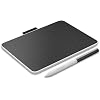
Wacom One Small, Bluetooth Graphic Drawing Tablet with Pen + Software | Battery-free pen, works with Mac, Windows & Chromebook. Ideal for creative beginners, office work & students

  • Based on 207 reviews
Condition: New
Checking for the best price...

Buy Now, Pay Later


As low as $16.66 / mo
  • – 6-month term
  • – No impact on credit to apply
  • – Instant approval decision
  • – Secure and straightforward checkout

Ready to go? Add this product to your cart and select a plan during checkout.

Payment plans are offered through our trusted finance partners Klarna, Affirm, Afterpay, Zip, Apple Pay, and Google Pay. No-credit-needed leasing options through Acima may also be available at checkout.

Learn more about financing & leasing here.

Selected Option

Free shipping on this product

FREE 30-day refund/replacement

To qualify for a full refund, items must be returned in their original, unused condition. If an item is returned in a used, damaged, or materially different state, you may be granted a partial refund.

To initiate a return, please visit our Returns Center.

View our full returns policy here.


Availability: In Stock.
Fulfilled by Amazon

Arrives Thursday, Sep 3
Order within 20 hours and 6 minutes
Available payment plans shown during checkout

Protection Plan Protect Your Purchase
Checking for protection plans...

Size: Small


Features

  • Entry-Level Tablet: Drawing tablet dimensions are 7.4" x 5.55" x 0.31" with a 6.0" x 3.7" active area; pen-on-paper feeling for digital pen starters, drawing, editing photos, or visual communication
  • Precision Pen Performance: Included Wacom One Pen features natural tilt recognition, virtually lag-free tracking, 4096 levels of pressure sensitivity, and 2 customizable switches
  • Optimal Efficiency: Shortcut buttons on the pen can be customized for your favorite keyboard shortcuts like undo or copy/paste, helping you stay immersed in your art
  • Multiple Compatibility: Connect to Windows PC, Mac, Chromebook, and Android smartphones and tablets via USB-C (some devices require 2nd USB-A adapters)
  • Includes: Small Wacom One graphic design tablet, battery-free Wacom One Pen, power adapter, USB-C cable and quick start guide

Description

The Wacom One drawing tablet helps the digital arts beginner or visual thinker illustrate, edit images, or design with a natural feel of pen and drawing paper while providing advanced digital capabilities. Whether you're sketching, painting, creating animations, or communicating your ideas, this small (7.4" x 5.55" x 0.31") Bluetooth drawing pad helps bring your artistic visions to life. Featuring a thin and light design, this creative pen tablet is perfect for anyone with creative dreams but limited desk space. Built-in Bluetooth allows you to enjoy the convenience of wireless connection to your computer - or connect the digital drawing tablet to your computer with the included USB-C cable. Our drawing pad works with Windows PC, macOS, Chromebook, and Android devices, and comes with the battery-free Wacom One pen. With 4,096 levels of pressure, the cordless One pen can be customized to your liking with 2 programmable buttons, has no parallax, and virtually no lag for a smoother workflow. Our pen's Electro Magnetic Resonance (EMR) tech draws power from your tablet, meaning you never need to charge it. The computer design pad is a great option for students and aspiring artists seeking an entry-level drawing tablet with stylus type pen. Level up your digital art skills by creating comics, manga, concept art, illustrations, fashion design, photography, video editing, motion graphics, and more.

Brand: Wacom


Connectivity Technology: Bluetooth, USB


Pressure Sensitivity: 2048 levels


Operating System: Windows, macOS, Chrome OS


Special Feature: Durable


Brand: Wacom


Model Name: Wacom One Small Tablet


Built-In Media: Digital Pen, USB Cable


Target Audience: Student, Teacher


Model Number: CTC4110WLW0A


Number of Items: 1


Manufacturer: Wacom Technology Corporation


UPC: 753218984470


Unit Count: 1 Count


Number of Packs: 1


External Testing Certification: Não aplicável


Mfr Part Number: CTC4110WLW0A


Warranty Description: 1 year manufacturer


Connectivity Technology: Bluetooth, USB


Pressure Sensitivity: 2048 levels


Operating System: Windows, macOS, Chrome OS


Additional Features: Durable


Specific Uses For Product: Animation, Drawing, Online Education


Compatible Devices: Desktop, Laptop, Smartphone


Display Type: LCD


Native Resolution: 1920 x 1080 pixels


Item Weight: 7.2 ounces


Item Dimensions L x W: 7.4"L x 5.6"W


Active Surface Area: 6 x 3.7 inches


Color: White


Frequently asked questions

If you place your order now, the estimated arrival date for this product is: Thursday, Sep 3

Yes, absolutely! You may return this product for a full refund within 30 days of receiving it.

To initiate a return, please visit our Returns Center.

View our full returns policy here.

  • Klarna Financing
  • Affirm Pay in 4
  • Affirm Financing
  • Afterpay Financing
  • Zip Pay in 4
  • Financing through Apple Pay
  • Financing through Google Pay
Leasing options through Acima may also be available during checkout.

Learn more about financing & leasing here.

Top Amazon Reviews


  • awesome screen for adobe illustrator especially for the price compared to other wacom's
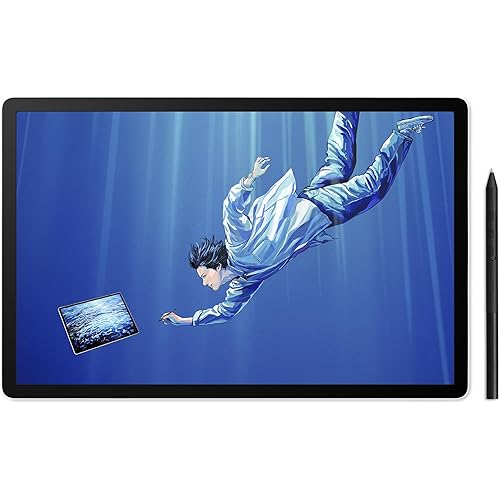
Size: 14" Display
This drawing screen is perfect for adobe illustrator on my imac. I love that this is now using just one plug (C) to hookup to the mac, so it is easy to set up. don't forget to download, install, and restart the wacom software though because it doesn't work if you don't restart. It works great and seems to have more controls than my old wacom pro 13". The drawing screen as a whole with the bezel is the same size as the 13", but the screen is bigger with a smaller bezel. Anyway, it works great and you won't regret choosing this one if all you need is a quality wacom that works for drawing in Adobe connected to an imac for a good price compared to the higher priced wacoms, especially if you have a 13" from the early 2010's already that you want to upgrade as I did. ... show more
Reviewed in the United States on May 14, 2026 by kmiranda27

  • Good beginner tablet if your computer supports DP alt mode
Size: 14" Display
This is my first art tablet, so I'm not very familiar with what to expect so keep that in mind. Firstly, I find the size of the tablet to be quite comfortable, and easy to store. It's also quite easy to connect if your computer supports DP alt mode. However, my main laptop does not natively support DP alt mode, and I had to buy a 50 dollar adapter for it to work, which should be kept in mind as that adds a lot of cable management to consider. It plugs and plays just fine on my iMac, however. For the price of the tablet, I do wish the pen was a bit easier to use as I find it a bit flimsy and lightweight. It does detect sensitivity quite well once the settings are adjusted, and I've been using this tablet with GIMP as an art program. The color display is also a bit nice, though I do need to calibrate it to fit the display of my monitor at times. Overall, it's a good beginner's tablet and I will get plenty of use out of it as I develop my skills and confidence in digital art further, though dealing with all of the extra cables and adapters is a bit annoying at times. ... show more
Reviewed in the United States on August 2, 2026 by Sonny

  • As simple and as easy as it gets to connect an inexpensive drawing tablet to your computer.
Size: 14" Display
Had purchased a Wacom One 13.3 on Wacom's eBay page as a refurb. What that ad didn't explain is that it was an even older model that the current 13.3 on their site and came with a ridiculous octopus cable that had to be plugged into a USB port, HDMI port, a separate AC/DC power supply, and finally the unit itself. Returned that and paid the extra for a new One 14 model that has one, simple USB-C cable. One. Goes from the tablet to a USB-C port on the back of our M4 Pro mini. Done. Before you commit to a purchase, make absolutely certain at least one port on your computer supports DisplayPort Alternate Mode and Power Delivery. Otherwise, this tablet will not be recognized. ... show more
Reviewed in the United States on September 29, 2025 by K. Lang

  • Don’t Waste Your Money on This Lemon
Size: Medium
Bought this Wacom One (DTC133) thinking it’d be great for digital notes at work, but what a massive disappointment. It worked fine for about a week—smooth pressure, no issues—then bam, ghost strokes everywhere, registering input when the pen’s not even touching the screen. Tried everything: updated drivers (latest 6.4.11-1), swapped nibs, cleaned the channel, toggled Windows Ink, adjusted pressure curves, even firmware updates. Nothing fixed this glitchy mess. This thing’s unreliable as a sailor on Saturday morning right out of the box. Wacom’s support is a joke, and their “fixes” are just busywork. If you’re looking for a pen tablet that doesn’t fail after a few days, skip this overpriced garbage and go with something else. Sending mine back for a refund—stick to a mouse or real paper if you value your sanity. Total waste of time and cash. ... show more
Reviewed in the United States on October 6, 2025 by Joe Rumberger

  • Beware: you might need to buy a converter kit that isn’t included.
Size: 14" Display
WHEN the tablet is working, it’s a decently affordable option for a tablet. BUT don’t expect the display quality or ergonomics of a Cintiq and be ready to pay the Troll Toll of buying a Wacom converter kit. I finally got it set up now that I’ve bought an entirely different (and not cheap) product to get it running. It’s fine. Is it the same display as a Cintiq? No. It’s dull and sort of awkward but it works and it’s a fraction of the price. It’s a great starting point for an artist that wants a personal setup but can’t afford the big leagues right now. The pen feels cheap. It’s just nothing like the weight and feel of the Cintiq pens. Apple pens have a certain quality and density to them that makes them feel more natural in the hand. These have no ergonomic grip or shape and have an awkwardly light and plasticy feel. I’m still trying to shop around for a grip that makes it feel more substantial. Setup? A nightmare. The worst. Awful. It didn’t work on the first day. Customer service was very kind and immediately knew the issue (no complaints about the support line, they’re lovely, shoutout to them). Unfortunately the issue was that I needed to buy a Wacom converter kit. Why? I don’t know. I have a USB-C on my computer that plugs into the USB-C on the tablet, but for some reason that doesn’t work. I was somehow supposed to know that actually that USB-C from the tablet needs THREE wires branching from it - one for power, one for display and one for god knows what. It’s unclear how I was supposed to know if my particular USB-C port would be compatible, or if any USB-C port even would be without the adaptor. Don’t buy the stand (sold separately) from Wacom! There’s much, MUCH cheaper stands on Amazon that work fine. The tablet isn’t bad. It’s okay. It’s functional. I think it’s a good option if you need a setup that gets you drawing and practicing on a tablet. I personally wanted this instead of an iPad because I work in Windows everywhere else and sometimes that becomes a headache with file storage/transfer from the iPad to your main Windows setup. But be warned, the list price isn’t the price of having a working tablet. The price is this PLUS a converter. (And a stand but you already knew that.) Coming from someone who learned on a MobileStudio Pro and Cintiqs… god. Huge difference in quality. I miss my art school supplies. And the fact that the pro styluses don’t work on lower models is such a money grab by Wacom. There’s no reason for that to be the case. ... show more
Reviewed in the United States on April 14, 2026 by Squid

  • Great tablet for use during Zoom meetings for sketches and annotation to convey ideas better.
Size: Small
I am not an artist, and I use this pad for quick sketches during Zoom meetings and on-screen annotations. This tablet is the perfect size, sitting on my desk for quick sketches or highlights during a Zoom meeting. I also use it for quick diagrams or sketches, which come out more naturally than trying to do the same with a mouse. I work in the software and infrastructure engineering field, so I purchased this device to help me with sketching and sharing ideas during my Zoom calls. Sure, you can use a mouse to annotate or draw, but it comes out looking like something written by my left foot. The drawing tablet allows for a high level of precision in pen control, and I can literally sketch out ideas, plans, and diagrams right while talking with my team on Zoom. The size of this tablet is perfect for my needs. It's not too large and fits nicely on my desk next to my keyboard. The EMR pen used with the tablet frequently works with other E-Ink and EMR-type devices, so depending on the e-ink tablet you are using, you can just use the same pen to scribble on the pad. This worked fine for me when I was using Amazon Scribe; however, after switching, the ceramic nib of the Supernote Manta does not work well with this pad. Regardless, I have the native stylus sitting nearby, so I can just grab that and go. I am using this device with an older Apple MacBook Pro M1, and it has been working flawlessly through the many operating system upgrades (which I cannot say the same for my older HP laser printer). Ultimately, it's a great device that meets my needs. ... show more
Reviewed in the United States on November 30, 2025 by AP

  • Amazing Tablet
Size: Small
I bought this for the game called OSU and it’s work amazingly! Your able to change the mapping setting on the Wacom application, It being wireless makes my desk look clean too. I highly recommend it!
Reviewed in the United States on July 13, 2026 by Alberto Talavera

  • Over priced
Size: 14" Display
Over priced. So so instructions. Requires additional adapter to power and connect to laptops. 3 cables.... One for plug in power and 2 for laptop. To many cables
Reviewed in the United States on July 28, 2026 by junkbluz

Can't find a product?

Find it on Amazon first, then paste the link below.
Checking for best price...