⚡️Cyber Monday deals are live! View Deals
Search  for anything...

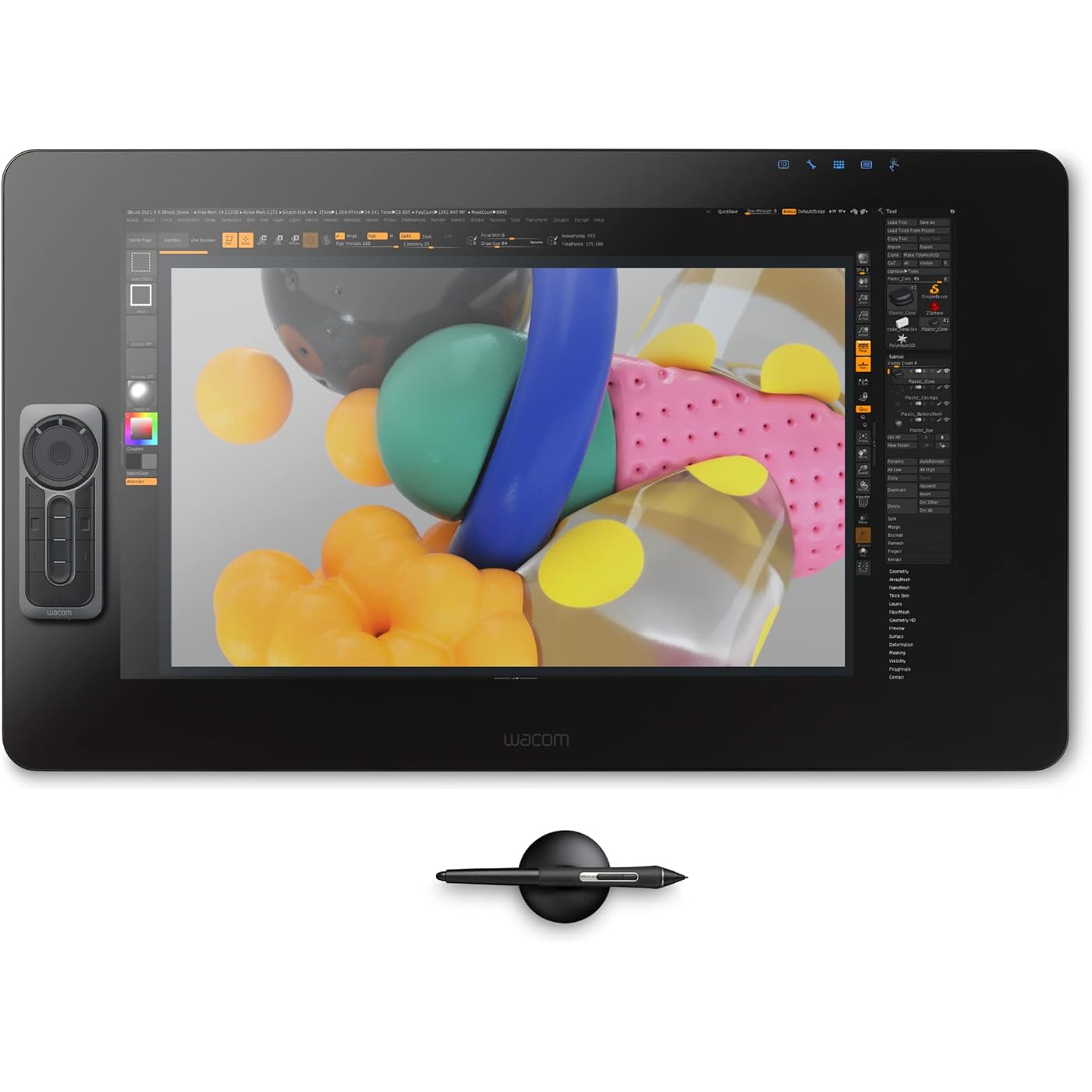
Wacom Cintiq Pro 24 Creative Pen and Touch Display – 4K graphic drawing monitor with 8192 pen pressure and 99% Adobe RGB (DTH2420K0), Black
  • Based on 157 reviews
Condition: New
Checking for the best price...
$2,699.95 Why this price?

Buy Now, Pay Later


As low as / mo
  • – Up to 36-month term if approved
  • – No impact on credit
  • – Instant approval decision
  • – Secure and straightforward checkout

Ready to go? Add this product to your cart and select a plan during checkout.

Payment plans are offered through our trusted finance partners Klarna, Affirm, Afterpay, Apple Pay, and PayTomorrow. No-credit-needed leasing options through Acima may also be available at checkout.

Learn more about financing & leasing here.

Selected Option

Free shipping on this product

30-day refund/replacement

To qualify for a full refund, items must be returned in their original, unused condition. If an item is returned in a used, damaged, or materially different state, you may be granted a partial refund.

To initiate a return, please visit our Returns Center.

View our full returns policy here.


Availability: Only 3 left in stock, order soon!
Fulfilled by BeachAudio

Arrives Tuesday, Dec 9
Order within 17 hours and 41 minutes
Available payment plans shown during checkout

Protection Plan Protect Your Purchase
Checking for protection plans...

Style: 24 inch touch


Pattern Name: Monitor


Features

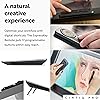
  • Stunning 23.6" touchscreen display with 4K resolution so you can see every detail of your creation in pinpoint accuracy
  • True-to-life color with 99% Adobe RGB & 97% sRGB color performance and 1.07 billion colors (10 bits color)
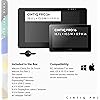
  • Includes a Wacom Pro Pen 2 with tilt recognition & 8,192 levels of pressure sensitivity. Optical bonding eliminates parallax, mimicking the precision & feel of pen and paper
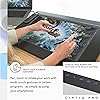
  • Multi-touch gestures, an on-screen keypad, radial menus and the included ExpressKey Remote for one-touch shortcuts
  • Register your Cintiq Pro & receive 3-month trials of Capture One, Toon Boom Harmony & Storyboard Pro, MASV, and a 6-month trial to Clip Studio Paint EX; offer available for customers located in the Americas

Description

Wacom Cintiq Pro 24 Pen & Touch is an advanced creative pen display, featuring stunning 4K screen with world class color performance and virtually no parallax. Combined with Wacom Pro Pen 2, Wacom Cintiq Pro pen displays offer an experience designed to enhance every creative breakthrough. Technology IPS UHD high brightness panel. Power Supply Input 100 to 240 VAC, 50/60HZ

Brand: Wacom


Connectivity Technology: DisplayPort, HDMI, USB


Pressure Sensitivity: 8192 Levels


Operating System: Windows


Special Feature: Multi-Touch Screen


Standing screen display size: ‎23.6 Inches


Screen Resolution: ‎3840x2160


Max Screen Resolution: ‎1920 x 1080 Pixels


Graphics Coprocessor: ‎ADOBE RGB/CIE 1976


Average Battery Life (in hours): ‎1 days


Brand: ‎Wacom


Series: ‎Cintiq Pro


Item model number: ‎DTH2420K0


Operating System: ‎Windows


Item Weight: ‎15.87 pounds


Product Dimensions: ‎26.65 x 15.5 x 0.1 inches


Item Dimensions LxWxH: ‎26.65 x 15.5 x 0.1 inches


Color: ‎Black


Rear Webcam Resolution: ‎4 Pixels


Batteries: ‎1 Lithium Ion batteries required. (included)


Manufacturer: ‎Wacom Technology Corporation


Is Discontinued By Manufacturer: ‎No


Date First Available: ‎August 15, 2018


Frequently asked questions

If you place your order now, the estimated arrival date for this product is: Tuesday, Dec 9

Yes, absolutely! You may return this product for a full refund within 30 days of receiving it.

To initiate a return, please visit our Returns Center.

View our full returns policy here.

  • Klarna Financing
  • Affirm Pay in 4
  • Affirm Financing
  • Afterpay Financing
  • PayTomorrow Financing
  • Financing through Apple Pay
Leasing options through Acima may also be available during checkout.

Learn more about financing & leasing here.

Top Amazon Reviews


  • Upgrade from my previous Wacom Cintiq
I love the more horizontal framework. There are more bells and whistles than I can count but it's not too complicated for my simple drawing use. I love the smooth lines I can draw on it. My older Cintiq 21UX was getting long in the tooth. It wasn't as responsive any more. The catalyst for replacing it was I needed to upgrade my Mac and the newer operating system wouldn't support the older driver for my previous Cintiq. I'm still having issues with the touch screen. I've got a glove to keep the heel of my drawing hand from registering a touch but it doesn't always work. I haven't found a way to turn down the sensitivity of the touch. For now I've turned off the touch feature. In hindsight I wouldn't have paid the extra $500 for the touch capability. I'm not giving up though. I think I'll be able to manage it as time goes by. ... show more
Reviewed in the United States on January 15, 2019 by Ron Wheeler

  • Expensive but worth it!
Love this tablet. I’m so glad I finally was able to make the jump and purchase it. After reading several reviews, I was worried about the pain rejection. It definitely could be better, but I just bought some drawing gloves and they solved my issue right away. The portable express key remote is fantastic for programming my own hotkeys per program, and charges fast. The screen is beautiful, and I got the flex arm so I can move it around freely. Definitely worth the buy. Art is so much more fun now!! ... show more
Reviewed in the United States on March 1, 2021 by Amazon Customer

  • An Amazing Tablet
I've wanted this item for some time now, and it was definitely worth the wait! It truly is a digital artist's dream. There has been some little learning curve, as there is with all new tech. Set up and use with my computer has been flawless. The only issues I've had with it are the touch surface occasionally picks up on my hand impressions, and the touch rotation function is either not very intuitive, or I need to practice much more. Overall, extremely impressed! ... show more
Reviewed in the United States on August 7, 2021 by Bill

  • Wonderful Drawing Experience
I do background layout/design and painting for the animation industry. I have used Wacom products since 2003 (starting with their drawing tablets), but this is the best one yet. The 24" display really let's me see details clearly, and the pen response is wonderful. I love drawing and painting on this device. For some reason, I did have trouble registering the device (Setup Wizard kept skipping the registration phase and the Wacom site would not accept the SN#), but Wacom tech support was very responsive and helpful in resolving this issue. ... show more
Reviewed in the United States on September 5, 2019 by tcstarnes

  • For that price, it certainly should be a drawing luxury!
Oh boy, if you're willing to spend your life savings, this massive thing will suck all that money right up!!! I just saved up enough money to burn on this. Transitioning from a Wacom Intuos Art drawing tablet, this is my first time owning a Wacom pen display tablet and it doesn't disappoint so far. I'm a freelance artist and I've been using this for a week and half and it is such a luxury to draw on with the matte glass display. The device itself looks sleek and huge and it should for that outstanding price range. However, with all expensive things comes with disadvantages. Pros: -Display: That premium 4k display that Wacom keeps boasting about is such a pleasure to look at. The brilliant colors are great to look at compared to the screen on my 2015 MacBook Pro which looks a little washed out. With the matte screen, dust easily comes off with the included microfiber cleaning cloth. -Pro Pen 2: I look at YouTube videos comparing Pro Pen and Pro Pen 2 and honestly they appear to perform the same in pressure sensitivity levels. But the pen itself performs outstandingly well with 8,192 pressure levels and glides smoothly on the screen. The greatest thing is that the pen is battery less so no charging required. Comparing the nibs of Pro Pen 2 with the pen that came with the Intuos, I barely have to change the nib. With the Intuos pen, I often find myself changing it every 2 weeks. Perhaps, maybe I press too hard? Anyway, thumbs up for Pro Pen 2! Oh, and make sure to calibrate your pen first in Wacom's desktop center before using it. Express Key Remote: Yes, they include the remote with the 24"/32" models. However, since it works on usb wireless technology, it'll require the RF dongle. I ran into a snag with this when I first pulled the remote out of the box. I kept searching for the dongle but to no avail until I opened the back compartment of the Cintiq. It turns out Wacom already installs the RF usb dongle into the Cintiq pro, at least with my model. I don't know if they do it with all models. I'm using the remote quite more for shortcuts than my keyboard which I like. Multi-Touch: This sort of goes both ways. This feature is great to have when zooming in to look at your artwork and scrolling through pages, however the palm rejection is left to be desired. Cons: Here's where things start to get awry Multi-Touch: It's good to have but palm rejection is terrible. You'll need to turn the feature off when drawing. I had an issue when I left the touch feature on and when I started drawing, my lines started to squiggle out of control. Also, zooming and dragging windows is a bit lagging. Wacom's multi-touch gestures are not great so for me its guess and play. That is what I think they charge more for this model is because of the touch feature. For those who like having touch feature, beware of these issues. For those who hate it, this model is not with the $2,499. Get the non-touch model! Drivers: Ok, this can get a little funky for those who are new like me to Wacom tablets. I see on YouTube that Wacom Drivers are not so intuitive and hard to navigate. I agree on difficulty in navigating Wacom's Desktop Center and it is sooo hard to just figuring out how to create shortcuts on the remote, and setting up my pen. I often had to watch YouTube videos for instruction references. It just takes time to getting used to. Pricing: Holy Cow, is it expensive!!! This model is not worth it if you're not a fan of the multi-touch. Just get the non-touch model and save another $1,000 at least of right now. Accessories: This will put a hole in your wallet if you want to go the extra length and buy the new Cintiq Ergo stand and the Cintiq Pro Engine (PC Module). The PC Module I can understand that it could be expensive because you're paying for an actual computer. But for an additional $500 for the Ergo Stand, I rather look for a compatible stand at a more affordable price. Overall, this is a fantastic ultimate drawing tool for artists and I can't wait to start drawing background scenes and manga on this. Originally, I was going to go for the Huion KAMVAS GT-221 Pro 21.5 inch HD Pen Display but I found that although its a good 21" display, it still has HD res. Meaning with a bigger display, the amount of pixels contained in HD is stretched out to fit the screen but at a cost that the screen is more blurry and not as sharp. Also I heard that the Huion tablets has the same issue of squiggly lines like the older Cintiq models. Otherwise, I give this four stars and definitely recommend it to those who are serious in digital drawing. ... show more
Reviewed in the United States on September 6, 2018 by Brian Y. Brian Y.

  • Don’t skimp on the stand!
Great upgrade from Cintiq 16. It is big and heavy. Buy one of the WACOM stands and save yourself the headache of a wobbly drawing experience. I use a Stream Deck XL and the Wacom remote so the touchscreen isn’t a dealbreaker for me but has been convenient in some scenarios.
Reviewed in the United States on July 26, 2021 by Chubbs

  • Be aware of Custom process
This product exceed my expectation , the 5 star review from other may sum up my opinion. I just want to share this with fellow artist who lived in Indonesia, that the custom process was took about 10days. I had to make phone call every day to ups custom agent( prefer DHL) until it was cleared.
Reviewed in the United States on January 30, 2020 by Rsi_Damaryo Rsi_Damaryo

Can't find a product?

Find it on Amazon first, then paste the link below.
Checking for best price...