Search  for anything...

VEIKK Drawing Tablet with Screen VK1200V2 11.6 inch Full-Laminated Drawing Monitor with 6 Shortcut Keys and 8192 Levels Battery Free Stylus Pen, for PC/Mac/Linux/Windows(120% sRGB)

  • Based on 360 reviews
Condition: New
Checking for the best price...
$139.99 Why this price?
Save $300.00 was $439.99

Buy Now, Pay Later


As low as $23.33 / mo
  • – 6-month term
  • – No impact on credit to apply
  • – Instant approval decision
  • – Secure and straightforward checkout

Ready to go? Add this product to your cart and select a plan during checkout.

Payment plans are offered through our trusted finance partners Klarna, Affirm, Afterpay, Apple Pay, and PayTomorrow. No-credit-needed leasing options through Acima may also be available at checkout.

Learn more about financing & leasing here.

Selected Option

Free shipping on this product

FREE 30-day refund/replacement

To qualify for a full refund, items must be returned in their original, unused condition. If an item is returned in a used, damaged, or materially different state, you may be granted a partial refund.

To initiate a return, please visit our Returns Center.

View our full returns policy here.


Availability: In Stock.
Fulfilled by Amazon

Arrives Sunday, Mar 29
Order within 11 hours and 45 minutes
Available payment plans shown during checkout

Protection Plan Protect Your Purchase
Checking for protection plans...

Size: 11.6 inch


Style: 6 Shortcut Keys


Features

  • VK1200V2 drawing monitor must be connected to a computer to work.Full-Laminated IPS HD Screen:This drawing monitor is equipped with 1920x1080 high-definition 120% sRGB color gamut screen,provide vivid images and bright colors.Full laminated screen combining the glass and screen seamlessly.This ensures the accuracy of the cursor position and the lowest parallax
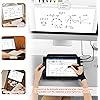
  • System Software and Industry:The VK1200V2 pen display support Linux,Win11/10/8/7,Mac OS 10.12 or later, compatible with most drawing softwares such as PS, SAI, AI, Autodesk SketchBook, Corel Painter, Comic Studio, Zbrush, and Maya etc,as well as online education, and remote office softwares
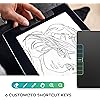
  • Efficiently&Portable:Feathers 6 shortcut keys and a working area of 11.6 inch, making your working comfort and efficiently.The back shell is designed with an all-metal design, which is fashionable and provides a non-slip, wear-resistant surface. Weight only 1.78 pounds, lightweight and portable
  • 8192 Levels Battery-free Pen:The VK1200V2 drawing monitor is equipped with P05 Battery-free pen,very comfort to use,it supports 60 tilt,no delay & no need to charge
  • Installation Tips :The drawing monitor must be connected to a computer to use. VEIKK offers a one-year of hardware service and all free driver updates. You will get professional suggestion if you meet any problem for all VEIKK drawing tablets.We are always here for our customers

Brand: VEIKK


Connectivity Technology: HDMI, USB


Pressure Sensitivity: 8192 Levels


Operating System: Windows 7 or later,Mac OS 10.12 or later,Linux


Special Feature: 60° Tilt Support, Programmable Press Key


Product Dimensions: 0.01 x 1.65 x 0.01 inches


Item Weight: 1.78 pounds


Item model number: VK1200


Date First Available: June 30, 2021


Manufacturer: VEIKK


Frequently asked questions

If you place your order now, the estimated arrival date for this product is: Sunday, Mar 29

Yes, absolutely! You may return this product for a full refund within 30 days of receiving it.

To initiate a return, please visit our Returns Center.

View our full returns policy here.

  • Klarna Financing
  • Affirm Pay in 4
  • Affirm Financing
  • Afterpay Financing
  • PayTomorrow Financing
  • Financing through Apple Pay
Leasing options through Acima may also be available during checkout.

Learn more about financing & leasing here.

Top Amazon Reviews


  • Perfect starter tablet
Size: 11.6 inch Style: 6 Shortcut Keys
My husband got this Wacom tablet for our 12-year-old daughter, and it’s been a huge hit. She’s always loved drawing, and this has been the perfect way for her to start exploring digital art. She uses it with Medibang Paint Pro on a desktop computer, and everything works seamlessly. Setup was easy—just installed the driver from the Wacom site and plugged it in via USB. The pen doesn’t need batteries, which is great, and it feels natural in her hand. The drawing area is just the right size—not too big, not too small—and very responsive to pressure. We also picked up a stand and a drawing glove to make her setup more comfortable. The stand gives her a better angle for drawing sometimes, and the glove helps her hand glide more smoothly across the tablet. She’s been sketching nonstop since she got it. It’s been amazing to watch her creativity grow with the new tools. Highly recommend this if you have a budding artist in your life—it’s a great value and a wonderful way to support their passion. ... show more
Reviewed in the United States on June 12, 2025 by Cea L.

  • Good to use and amazing drawing tablet
Size: 11.6 inch Style: 6 Shortcut Keys
It has great pressure sensitivity the size is amazing, it's great quality, the draw ability is awesome and really easy to use.
Reviewed in the United States on September 21, 2025 by Ely

  • Pretty Good
Size: 11.6 inch Style: 6 Shortcut Keys
It is definitely worth the amount paid. I have had issue trying to get the screen to display on my pc but it works wonders in connecting to my laptop so not too much wrong with it!
Reviewed in the United States on August 4, 2025 by Li

  • You need a computer when using this , for the most part.
Size: 11.6 inch Style: 6 Shortcut Keys
It was for my niece The only thing I didn't understand is that you had to plug it in to a computer or some device like that.
Reviewed in the United States on June 20, 2025 by I need my payments by mail trying to make a payment on the phone trying to speak to anybody about my account I don't understand them they don't speak very well and some of them are very rude

  • You’re starting to animation
Size: 11.6 inch Style: 6 Shortcut Keys
As a military member started a new company I love animation I love drawing for the star great product
Reviewed in the United States on May 27, 2025 by george carlton

  • Having issues after 3 months.
Size: 11.6 inch Style: with Stand
I bought this back in July, and I'm starting to have issues while drawing, the cursor is jumping around, making a bunch of lines both horizontally and vertically. I really like this product, it's been working fine but now I am having issues, and I really this to work well, it's my only real way of drawing and I can't tell what is causing the issues. ... show more
Reviewed in the United States on November 18, 2025 by Jordynn Francisco

  • What I've always wanted
Size: 11.6 inch Style: 6 Shortcut Keys
I'm not a professional artist, but I've always wanted something like this. Investing in pro level stuff was always outnof reach for me, so this was a great purchase for me. It does what I need it to do.
Reviewed in the United States on May 13, 2024 by Amazon Customer

  • Lots of issues since opening this up
Size: 11.6 inch Style: 6 Shortcut Keys
This product worked as intended for about 12 hours after I opened it up and plugged it in for the first time... I was very much looking forward to this, as this is my first display tablet, and when everything works as intended, it's a great device! But that happens very scarcely. First issue I ran into was with the display cord: this may well have just been a faulty cord, but it works for about an hour and a half or so and then starts to cut off and needs to be wriggled around for the display to start working again. Put up with this for a few months, and just ran into the other issue tonight. Second issue: Pen pressure stopped working a few days ago while I was drawing. I figured it would fix itself when I used it next (like, you know, every other tablet does with a few exceptions.) It did not- pressure was still gone. I restarted my PC to see if that would help since I couldn't find the driver process in task manager to reset it(if it was there & i didn't see it then that's on me! but i couldn't find it.) and it stopped being picked up as a tablet altogether. I unplugged it and restarted again, still no dice. Uninstalled & reinstalled the drivers, nothing. Absolutely nothing on their website about this issue(which seems to be common with these products?!). Also all of their CS is done through their subreddit? I just think this is kind of crazy. I'll update this if anything happens & I can get these issues figured out, but I think I am just going to save up for a display tab from another manufacturer & sell this one... The low price point should have been the red flag. ... show more
Reviewed in the United States on June 23, 2024 by Flynn Anderson

Can't find a product?

Find it on Amazon first, then paste the link below.
Checking for best price...