

Search  for anything...

TECKNET Laptop Cooling Pad - 12"-15.6" Laptops Cooler, Powerful Cooler and Ultra Quiet for Gaming Laptops Pad, 2 Wind Speed Adjustable, USB A & C Powered Cooler Stand with Laptop Fan LED (Blue)

  • Based on 9,946 reviews
Condition: New
Checking for the best price...
$21.99 Why this price?
Save $158.00 was $179.99

Buy Now, Pay Later


As low as $5 / mo
  • – 4-month term
  • – No impact on credit to apply
  • – Instant approval decision
  • – Secure and straightforward checkout

Ready to go? Add this product to your cart and select a plan during checkout.

Payment plans are offered through our trusted finance partners Klarna, Affirm, Afterpay, Apple Pay, and PayTomorrow. No-credit-needed leasing options through Acima may also be available at checkout.

Learn more about financing & leasing here.

Selected Option

Free shipping on this product

FREE 30-day refund/replacement

To qualify for a full refund, items must be returned in their original, unused condition. If an item is returned in a used, damaged, or materially different state, you may be granted a partial refund.

To initiate a return, please visit our Returns Center.

View our full returns policy here.


Availability: In Stock.
Fulfilled by Amazon

Arrives Tuesday, Jul 14
Order within 21 hours and 36 minutes
Available payment plans shown during checkout

Protection Plan Protect Your Purchase
Checking for protection plans...

Color: Blue


Features

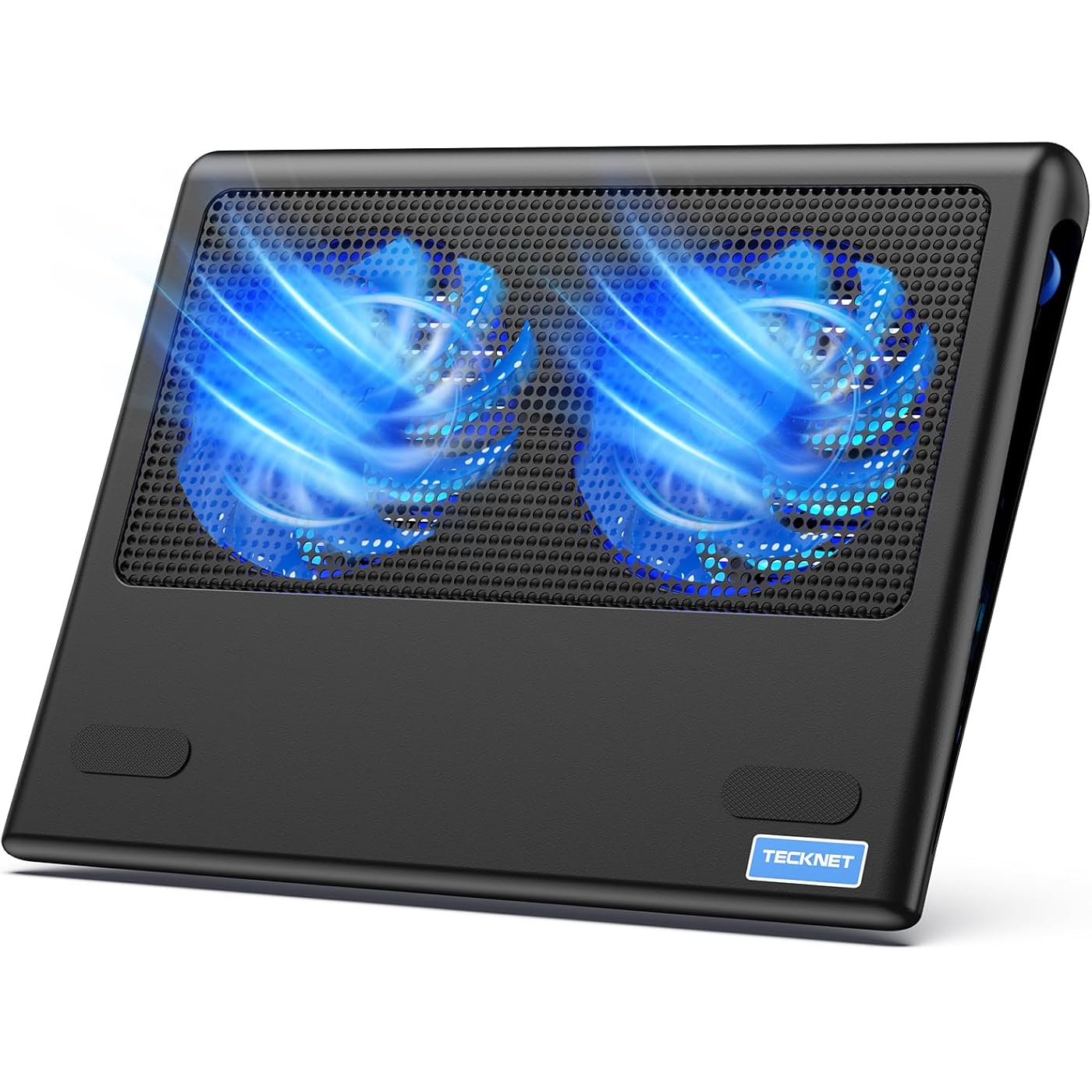
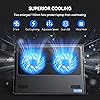
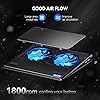
  • Targeted Cooling Design:Feel like the airflow directly above the fans isnt as strong as expected? Dont worry simply move your hand between the two fans and youll notice a surprisingly cool. The TECKNET cooling pad for laptop features two large fans paired with an internal channel design. This cleverly draws air from the sides and bottom, directing a concentrated, cool flow right to the center of your laptop CPU gets hottest for efficient, targeted cooling.It's a great gift as a work or gaming computer cooling pad
  • Freely adjustable fan speed: Whether you need efficient cooling while gaming or a quiet working environment while keeping your laptop cool, the TECKNET laptop cooling pad has you covered. This laptop cooler features two 110mm adjustable powerful fans and a metal mesh cover; a side switch lets you freely adjust laptop fan speed from 0 to maximum. The lowest speed is sufficient for daily use with minimal noise, while the maximum effectively prevents heat buildup during intense gaming for an ultra-smooth experience
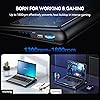
  • Ultra Portable Laptop Fan: Are laptop cooling pads bulky, prone to scratching your computer, and difficult to carry? Choosing the laptop cooler can help you effectively avoid these problems. This laptop cooler has a smooth surface, is thin, portable, and lightweight, allowing you to easily carry it in your laptop bag without damaging your computer, enabling you to game or work anytime, anywhere. This laptop cooling stand can be placed on a desk, on your lap, or even on your bed, making it suitable for use anywhere at home
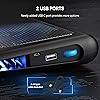
  • USB C & A Dual Ports: Tecknet laptop cooling pad for lap is equipped with two common USB ports, the USB-C port is designed for MacBooks, while the USB-A port is compatible with most laptops (Only included A-A connection cable). While using the laptop fan to cool the laptop, the other port on the cooling pad for laptop can also power low-current devices such as mobile phones, smartwatches, and small fans, improving comfort during gaming or studying.The cooling pad for laptop is ideal for students, office workers, and gamers
  • Ergonomic Design:The laptop cooling stand allows you to work comfortably in bed, turning work into a relaxing experience!This laptop cooling pad has a flat base, allowing it to rest comfortably on your lap, effectively isolating the heat between your computer and your legs or knee, so you can freely use the laptop cooling pad for lap to cool your laptop even in bed or on the sofa. The ergonomic design of this laptop pad provides a comfortable user experience, even during prolonged use, preventing fatigue
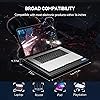
  • Wide Application:This laptop fan is compatible with various laptop sizes, such as 12/13/14/15/15.6/16 inches, including models from Apple (MacBook Pro, MacBook Air), HP, Alienware, Dell, Lenovo, and ASUS, making it an excellent choice as a Macbook cooler. Laptop fan cooling pad provides optimal airflow to help keep your device(notebook, or tablet cool quickly and avoids overheating during a long period of use.The laptop cooling pad for lap allows you to maintain high efficiency at work or focus on games throughout the day

Color: Blue


Brand: TECKNET


Material: Metal, Plastic


Item Weight: 798 Grams


Product Dimensions: 14.17"L x 11.02"W x 1.77"H


Brand: TECKNET


Manufacturer: TECKNET


Number of Fans: 2


Global Trade Identification Number: 98


Model Number: FBA_49498


Mfr Part Number: FBA_49498


Unit Count: 1.0 Count


Warranty Description: 1


Color: Blue


Enclosure Material: Metal, Plastic


Cooling Method: Air


Item Weight: 798 Grams


Item Dimensions L x W x H: 14.17"L x 11.02"W x 1.77"H


Frequently asked questions

If you place your order now, the estimated arrival date for this product is: Tuesday, Jul 14

Yes, absolutely! You may return this product for a full refund within 30 days of receiving it.

To initiate a return, please visit our Returns Center.

View our full returns policy here.

  • Klarna Financing
  • Affirm Pay in 4
  • Affirm Financing
  • Afterpay Financing
  • PayTomorrow Financing
  • Financing through Apple Pay
Leasing options through Acima may also be available during checkout.

Learn more about financing & leasing here.

Top Amazon Reviews


  • Does the job, good for home or office.
Color: Blue
It does the job, cools down your laptop, looks good, is lightweight, and can be powered via USB Type-C to Type-C, Type-A to Type-C, and Type-A to Type-A cables. The plastic casing isn’t so sturdy, so it’s suitable for home or office use, but not so much for heavy-duty use; however, if you do use it that way, be careful not to hit the corners too hard, as they can crack easily. Although minor damage to the plastic frame doesn’t affect the fans’ operation, they are protected by a metal mesh on top. You can’t turn on/off the lights and the fans separately, the intensity of the lights is proportional to the speed of the fans, which it’s adjustable. It works, I don’t need more, I’m happy with it. ... show more
Reviewed in the United States on May 23, 2026 by Carlos Torres Luna

  • Great budget-friendly upgrade
Color: Blue
I like this one Sooooo much better than my last one! This one has a smooth bottom (instead of a hard plastic waffle pattern) so I can rest it comfortably on my legs. Its quiet and effective, too. It keeps my laptop cool, and came woth a cord that was plenty long enough. You can also adjust the fan strength. Its like my sleek, shiney new toy. ... show more
Reviewed in the United States on May 5, 2026 by Dee62383

  • Not entirely quiet as it states, but it works.
Color: Blue
Does the job of helping my Gigabyte Aero 14 cool itself a bit. When browsing the web, chatting, watching youtube videos it seems to know between 3 to 9 degrees Celsius (All temps are in Celsius) and while gaming I think I saw around a 3 to 5 degree difference. Not too bad. Under heavy load however, I would say it's a 2 to 4 degree difference. All in all it does the job. I chose this cooler specifically because of the price, position of the fans and the size as the Aero 14 is... you guessed it, a 14" laptop. Some good things: The USB cable it comes with seems cheap but good enough. I don't think it will fall apart for a while under normal use. The rubber feet on the bottom seems sturdy and the top strip of rubber near the front (Narrow part) that gives the laptop feet something to grip. For being so cheap I like that a power switch was included. A lot of the cheapo pads just power on when plugged in. Finally the fan blade design seems efficient, but I'm not an expert at fan blade design. I am a PC air cooling NERD however. I also like the design overall. It also came well packaged. Onto the bad. When I opened it, it smelled like a electronics factory. It was a bit odd. The whole thing does seem very cheaply made but constructed well enough. But the biggest dissapointment was the fans. While they do move an acceptable amount of air, they have a buuuururrrrrrrrrrrr sound to them that is audible. They are louder than the laptop's built in fans when they are at low. This was a major bummer for me. I really wanted to give it 3.5 stars. Bottom line, I like it overall. I would have gladly paid a little more for some higher quality fans that are truly "quiet". As I said before. I chose this cooling pad partially on price. But mainly on fan position and size. This was the only one that I found that I thought would do the best job of cooling my laptop and was the right size for it. It will get the job done and while the fans are not exactly quiet in my opinion, they are not an annoying high pitched noise. Just a electric kind of whuuuuuuurrrrrrrrrr. Hard to spell. Hope this review is helpful. Cheers. ... show more
Reviewed in the United States on January 19, 2018 by Kiteless

  • Great cooling pad!
Color: Blue
I've had this for 2 years now and haven't had any issues, keeps my gaming laptop cool and also works as a stand when i'm doing casual things. Feels good like it won't break because it's pathetic unless you play Frisbee with it. I lost the original cable it came with but it works great with other high charging speed USB cables, fans look good but a bit bright but it's fine because I always keep the lights dim when on my laptop at night. It's not very thin so some people won't like lugging around but sacrifices must be made, it's not like i'm carrying my backpack/luggage around all day ... show more
Reviewed in the United States on April 21, 2026 by Manny

  • power switch is nice
Color: Blue
I purchased this mainly because it has an on/off switch. I have a couple friends that *think* they burned up a USB port in their laptops by powering cooling pads. NOT any particular brand, just that they think the port was never intended to deliver constant power to such a device. I elected to utilize an old wall charger and purchase an long cable to power the pad from a wall outlet. It works great, and I need not worry about my laptop. (This may simply be an unfounded concern on my part but I would rather not take the chance. Note this would be a function of amperage, not voltage since the voltage on a USB port is standard. Milli-amp output may vary.) Something of note, between the time I purchased mine, and I recommended this to a friend, the design has changed. In mine, there are two USB ports and the power switch centered in the back. The one my friend got has one USB and the on/off switch on the right side near the back. Hers is already giving her trouble due to cable strain. (Off the left would have been better for her. In my case, coming off the middle back, I used some tape to create strain relief right away and it has been fine. Both hers and mine are the blue LED version and the pics reflects the new USB/switch location on the side. The red LED version still shows the rear USB/switch location. Fan noise is minimal and for my needs, it does a great job of keeping things cool. I am not a gamer so I cannot speak to heavy gaming use. The LED is not annoying as I thought it might be. You really don't see it when in use and I find it helpful to know it is on or off. It is stiff enough that I don't really get flexing, so no worries there. This cooler is serving duty with a small HP Spectre computer with a best of everything build. It used to get to warm for my comfort and this works as I hoped. If you are going to use this with a wall outlet, I might suggest some kind of strain relief for the cable right away. I'm using tape. Otherwise, pulling on the plug will eventually result in a failure as noted with the one my friend has. If TEKNET is reading this, a couple small holes in either end of the back to put a small Ty-Rap through would really be a nice addition. (To address the strain relief I mention.) Also, a power cable protruding off the back seems more practical for sitting on someones lap than a cord protruding off the side IMHO. ... show more
Reviewed in the United States on June 19, 2023 by J. H.

  • Quiet, cooling and portable
Color: Blue
The TECKNET N5 cooling pad is 11” deep x 14” wide. There are two LED lighted 110mm fans with a power switch that controls both lights (2 tiny LED lights under each fan) and fans (they cannot be controlled separately.) To indicate when the power and fans are on, there is a blue LED light in the back beside the red, rocker power switch. It is quite bright and might bug your friends if you work facing one another on a desk. The TECKNET cooling pad also comes with a welcome guide that has a welcome, specifications, features, contents, configurations, ergonomics, safety and the 18-month warranty. TECKNET includes a card that specifies you can claim a 6 month warranty extension for a total 2-year free warranty if you register! It comes with a USB to USB cable and there are two USB 2.0 ports on the back next to the power switch, one which you must use to power the fans via USB from your laptop of other USB power source. That leaves one open USB for other uses. The second USB port will charge my phone (iPhone 5s) but not open the phone to transfer photos or connect to iTunes as I can with a direct cable. However, my flash drive DOES open and I can open and transfer files. The base of my laptop while on the pad sits about 1.75” (to a maximum of 2” inches if sitting higher up on the pad) high in the back and about 0.9” high in front giving it a slight upward slope (which I like). The slope is actually a very natural angle for me. The fans a very quiet when switched on. Just a swishing noise. The fans pull air from the side and below and push air to the laptop bottom. It has actually been very hot here and the fans have kept the normally warm underside of the computer cool to the touch. But the real test of a cooling pad is the effect on the cores. Here are RealTemp reports for temps (in °C) in 2 sensors uncooled and cooled at two working levels 10% work uncooled 50 47 10% work fans on 45 43 90% work uncooled 62 61 100% work fans on 57 55 These were taken on a 15.6” Acer ASPIRE 5733 with Intel Pentium P6100 that has been “amped up” a little. As an aside, I also just took the whole laptop apart a while back and cleaned out the mass of dust that was in the fan and vents! It was overheating so badly that it would shut down. Once I cleaned it out, that stopped. As you can see, it is cooling the laptop about 5°C +/-. I work on a standup podium desk or seated and the cooling pad is very stable and sturdy. The laptop is also very stable on the cooling pad. I have to actually pick up the laptop to reposition it on the cooling pad. I also have to pick up the cooling pad to reposition it on the desk. The cooling pad has rubberized feet on all four corners on the bottom that keep it from sliding around and raise it to allow airflow. On top it has a single long rubber bar to keep the laptop in place. Also on the bottom are open slats to allow airflow. I have used the cooling pad and laptop on my lap and it works well. It is far better than putting a bare computer on your lap! Previously, I used the Targus Laptop Chill Mat 17”. It died after two hot years of use, but had only a 1-year warranty. It also cost almost twice as much. The Targus also had two fans where the air was pulled in and up toward the laptop but it lacked an extra USB port to make up for the one used up. The Targus had no LED lights, a slightly steeper tilt and a neoprene covering. The neoprine is the only difference I note when I have the laptop in my lap and I have bare legs, however, I almost always raise it up on a pillow to be at the right height for me, so that is moot. It does not appear to put much of a drain on the computer...it says 0.41A current and 2.05W input. I have not noticed a dramatic reduction in laptop battery time while unplugged and using the TECKNET cooling pad. I am happier to have the extra USB on the TECKNET, as I seem to always be using all the ports on my computer. Further, the lesser slope of the TECKNET cooling pad feels more natural and less straining on my wrist and I am happy about that. Plus, the 2-year warranty is better! As a note, the fans on both units seem underpowered (reported as 1200 RPM and 38.5 CFM), though both offered similar cooling. However, this may be a USB power consideration, and you can see that they do provide some cooling. I was initially worried about the LED on the TECKNET, but I find, even in low light, that I don’t notice it while I work. Further, as you can barely hear the fans, it acts as a reminder when the fans are still on! I am happy with the TECKNET cooling pad and will report back throughout its life! ... show more
Reviewed in the United States on April 12, 2018 by Dan

  • serves the primary purpose of cooling.. not much else
Color: Blue
The cooling pad is light. I like that. Comes built-in with 2 fans that light up blue LEDs (nice touch). It also comes up with fan speed roller on the right-hand side near where the USB plugs in. This gives you a mental satisfaction that you are in control of the how fast the fans can run. Higher the speed, the more noise, that's just law of physics even if you didn't have fan blades!! So, in my opinion the device serves its purpose which is to cool your laptop! Here is where it can be improved: the USB-C port is useless. Doesn't provide enough power to the devices plugged-in to it, at least not any modern devices. Laptop was plugged-in the wall charger, then this cooling pad plugged-in to USB port of the laptop to power the cooling pad, but still not enough power out the usb-c to charge single iphone over usb-c (iPhone 15 pro max). So, if you plan on using this USB-C port to plug-in your USB-C Hub(s), please look for some other options. Cable management is non-existent. I think given the amount of space it has on the sides; company can certainly figure out how to hide cables (at least the USB cable that powers the device itself which comes with cooling pad) while in use and after its use. Also, the usb cable that comes with package is usb-a to usb-a. Most modern laptops still do carry at least one of them, however, usb-a is on its way to extinction. The company should at least provide usb-a to usb-c (the usb-c end can go into laptop to power the cooling pad) The fan itself are blue in color (not just the LED). Nice flare! But there is also blue LED (1 under each fan) which you can't change the colors. Just stays blue. So may be in future enhancements, company can opt-in for users to be able to change the led colors or get a support from nzxt to be able to manage color themes of the light on cooling pad. Price. Well, everything is expensive these days. However, USB-C connectivity to justify the price is pointless if it can't even be used for charging a phone let alone anything else plugged in it. However, compare to other cooling pads out there, price was still a bit cheaper, but I think for simple cooling needs, current price isn't really justified imho. ... show more
Reviewed in the United States on October 18, 2023 by ravip005

  • Worth the money, good cooler if you actually want to put your laptop on your lap!
Color: Blue
First time shopping for a laptop cooler i bought 3 of them, only 1 of them i could actually put on my lap and be comfortable doing it, this is the one that was the best for what i ordered. Note it will also work on a desk and does tilt laptop up a little for ergo Does it keep it cool? Yes, i have a Samsung PRO which does have vents on the bottom so this really works well, i suppose if your laptop had a side fan it would not work as good, but nothing would unless it was attached to the actual side where your fan is, but it would keep your lap cool to where your laptop would not heat it up and overheat itself without the airflow Is it loud? Not really, i can defiantly hear it but its not that loud since usually the TV is on while i am browsing or have music playing. Does it break? Yes, i will be straight forward mine broke, but i used it from March 2018 to Jan 2021 and it still works, but the bottom had a few cracks on it, mostly from me stepping on it so not really the laptops coolers fault, but on the sides will break if you apply enough pressure. 3 years of good service and fans still quiet i would say very much worth it for the price Comes with a USB to USB cord to plug directly into your laptop, could possibly be used on other electronics that have a USB port nearby ... show more
Reviewed in the United States on January 7, 2021 by Matthew Greidanus

Can't find a product?

Find it on Amazon first, then paste the link below.
Checking for best price...