Search  for anything...
TCL

TCL Note A1 NXTPAPER Paper Tablet, Digital Notebook with Pen & Flip Case, 11.5” 2.2K 120Hz Paper-Like Display, 8GB+256GB, AI Tools, 8000mAh Battery, Android 15, Tablet for Work, Study & Creativity

  • Based on 0 reviews
Condition: New
Checking for the best price...
$599.99 Why this price?

Buy Now, Pay Later


As low as / mo
  • – Up to 36-month term if approved
  • – No impact on credit to apply
  • – Instant approval decision
  • – Secure and straightforward checkout

Ready to go? Add this product to your cart and select a plan during checkout.

Payment plans are offered through our trusted finance partners Klarna, Affirm, Afterpay, Apple Pay, and PayTomorrow. No-credit-needed leasing options through Acima may also be available at checkout.

Learn more about financing & leasing here.

Free shipping on this product

FREE 30-day refund/replacement

To qualify for a full refund, items must be returned in their original, unused condition. If an item is returned in a used, damaged, or materially different state, you may be granted a partial refund.

To initiate a return, please visit our Returns Center.

View our full returns policy here.


Availability: In Stock.
Fulfilled by Amazon

Arrives Sunday, Jul 5
Order within 2 hours and 52 minutes
Available payment plans shown during checkout

Protection Plan Protect Your Purchase
Checking for protection plans...

Features

  • NOTEPlease update the tablet (v8.0.1WAX) and stylus after setup to ensure optimal performance and latest features
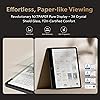
  • Paper-Like Display Experience: Powered by NXTPAPER PURE display technology, the TCL Note A1 NXTPAPER is a paper tablet designed to replicate the feel of real paper. Featuring AG/AR/AF 3A Crystal Shield Glass, it delivers ultra-low 0.1% reflectivity, 98% light transmittance, and strong anti-fingerprint protection. TUV-certified eye care helps reduce fatigue during extended reading and writing
  • AI Tools Built Around Your Workflow: The TCL Note A1 NXTPAPER goes beyond a tablet with built-in AI tools that simplify work. Handwritten notes and recordings are converted into editable text, content is organized with AI-powered summaries and formatting, and built-in rewriting and translation help polish writing. Inspiration Space enables one-tap idea capture with automatic categorizationkeeping thoughts accessible and easy to revisit
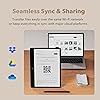
  • A Powerful Assistant for Meetings and Collaboration: Equipped with an 8-microphone array, the TCL Note A1 NXTPAPER digital notebook with pen delivers 360 audio capture with intelligent noise reduction and directional sound pickup, ensuring clear and reliable recording for meetings, lectures, and discussions. It supports cloud sync, local network sharing, and multiple file formatsmaking cross-device collaboration and content sharing effortless
  • Large, Smooth Screen Built for Focus: Designed to deliver a modern digital notebook experience, the TCL Note A1 NXTPAPER combines an 11.5-inch 2.2K screen with a book-style 3:2 ratio to match the size and layout of real documents. With a 120Hz refresh rate, page turns, scrolling, and handwriting remain fluid and stabledelivering effortless focus with no flicker or ghosting
  • True Color, Real Detail: Unlike traditional monochrome devices, the TCL Note A1 NXTPAPER stands out among premium electronics tablets by supporting 16.7 million colors and 83% sRGB color gamut coverage. It ensures accurate color reproduction while remaining eye-friendlyideal for textbooks, academic charts, reports, and creative content where color accuracy matters
  • Ample Storage and All-Day Battery Life: Equipped with 8GB RAM and 256GB storage, the TCL Note A1 NXTPAPER Android tablet easily accommodates large volumes of documents, books, and notes, supporting long-term learning and professional use. The 8000mAh battery, paired with 33W fast charging, is designed to last through a full day of meetings, study, and creative work, helping reduce battery anxiety
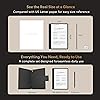
  • Ultra-Slim Metal Design Made for Mobility: Built as a premium digital notepad, the TCL Note A1 NXTPAPER features an ultra-slim 0.22-inch metal unibody that balances durability and portability. Weighing just 1.1 lb, its easy to carry anywhere. The included magnetic Flip Case supports auto wake-up, stable stand positioning, and everyday protectionideal for mobile productivity on the go

Brand: TCL


Model Name: TCL Note A1 NXTPAPER


Memory Storage Capacity: 256 GB


Screen Size: 11.5 Inches


Display Resolution Maximum: 2200 x 1440 Pixels


Brand: TCL


Model Name: TCL Note A1 NXTPAPER


Built-In Media: Flip Case Woven Bag + Polishing Cloth + QSG + PSI, T-Pen Pro Stylus with Extra Tips, TCL Note A1 NXTPAPER Tablet, USB Type-C Cable


Warranty Description: 1 Year Manufacturer


Model Number: TCL Note A1


Specific Uses For Product: Educational, Professional, Creative


UPC: 889063536356


Manufacturer: TCL Communication Ltd.


Size: 11.5”


Unit Count: 1.0 Count


Battery Average Life: 10 Hours


Battery Capacity: 8000 Milliamp Hours


Battery Cell Type: Lithium Polymer


Battery Power: 8000 Milliamp Hours


Lithium-Battery Energy Content: 30.5 Watt Hours


Processor Brand: MediaTek


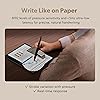
Other Special Features of the Product: 11.5” 2.2K, 120Hz, Slim Metal Design, 8-Mic 360° Voice Recording, 8192-Level Pressure T-Pen Pro, AI Notes Handwriting & Voice to Text, Paper-Like NXTPAPER PURE Display


Operating System: Android 15


Item Dimensions L x W x Thickness: 10.24"L x 7.74"W x 0.22"Th


Human-Interface Input: OCR, Touchscreen with Stylus Support


Graphics Description: Integrated


Compatible Devices: Flip Case Woven Bag, T-Pen Pro Stylus with Extra Tips, USB-C Accessories (depending on model and drivers)


Operating System Family: Android


Screen Size: 11.5 Inches


Display Resolution Maximum: 2200 x 1440 Pixels


Display Type: LCD


Native Resolution: 2200x1440


Aspect Ratio: 32


Display Refresh Rate in Hertz: 120


Memory Storage Capacity: 256 GB


RAM Memory Installed: 8 GB


RAM Size: 8 GB


Hard-Drive Size: 256 GB


Hardware Interface: USB Type C


Wireless Technology: Bluetooth, Wi-Fi


Wireless Compability: 802.11ax


Frequently asked questions

If you place your order now, the estimated arrival date for this product is: Sunday, Jul 5

Yes, absolutely! You may return this product for a full refund within 30 days of receiving it.

To initiate a return, please visit our Returns Center.

View our full returns policy here.

  • Klarna Financing
  • Affirm Pay in 4
  • Affirm Financing
  • Afterpay Financing
  • PayTomorrow Financing
  • Financing through Apple Pay
Leasing options through Acima may also be available during checkout.

Learn more about financing & leasing here.

Top Amazon Reviews


  • A good affordable table for reading etc.
Overall, this is a good, affordable (lowend) Android tablet, with some extra nice features. This is NOT a highend tablet like iPad Air, nor is it an e-ink e-Reader like Kindle Scribe, both of which are way more expensive than this. The intended users of this device: those who want to read a lot, but are not very sensitive to the front light vs back light things (like those who can use their computer for hours), prefer a lower price, like to have a device that can do more than just reading, and occasionally take a handwritten note or scratch. Compared with a 10" e-ink device like Kindle Scribe: + Much faster, no matter how fast your e-ink device is. Better color. Cheaper. Open ecosystem (not limited to Kobo or Kindle). Can do everything a tablet can besides reading. - Back light may irritate people who cannot stare at devices like computer screens or TV, one charge only lasts for 1 day or 2, instead of several weeks, no native integrated features when taking notes (like with Kindle Scribe you can put a hand written note in the middle of a book.), the Note feature is limited (like no auto sync with Google Doc). Compare with other tables: + Affordable. The screen is much less reflective, so that I can read in bright env with no problem at all. (But I heard a matte screen protector may give you similar results. I have never used that, though.) The stylus can be attached with a magnet and has buttons, pressing which can change the pen mode to eraser. - CPU not powerful (but I do not feel anything, as I do not play very graphical, fast-changing games), the speakers are not good, sounding like a small plastic radio. My 5-year-old Lenovo P11 (same price range) sounds like a Bose when compared with this tablet. The volume control button is just one - one side up and one side down. I would prefer 2 separate buttons. The case came with it has a place for the stylus, which is good, but the footprint of it is quite big when holding this device standing, not convenient (like when I watch Youtube on it when cooking.). ... show more
Reviewed in the United States on February 23, 2026 by Jay

  • GOAT for text based usage.
I bought this to replace an old Samsung Tab 6 Lite and it’s perfect for my usage case: reading ebooks, writing with a pen on a word processor, note taking and annotating ebooks and PDF files. For a predominantly text based user, it’s a fantastic machine, easy on the eyes and budget. You can use the TCL Pen or any universal disc stylus (less precise but still converts to text correctly, the converter is very good). The huge screen is terrific with lots of space to write in while viewing a good chunk of text at the same time. For multimedia consumption, I have an iPad for that. So in summary, as a sole tablet, I wouldn’t have bought this but as a complementary tablet whose primary purpose is for text and reading, it’s the best. ... show more
Reviewed in the United States on July 15, 2025 by E. Lind

  • Great Value and Excellent Experience Great Value and Excellent Experience
Size: 11.5”
Fast delivery and premium packaging. The tablet is lightweight, comes with a stylus, and fits perfectly in my handbag. Writing and drawing feel very smooth with no noticeable lag, and the paper-like display is comfortable to use. I was also able to connect it with my phone and computer for easy file transfer. The affordable price first attracted me, but the performance, portability, and features made me love it. I already own a TCL TV and continue to be impressed by the value TCL offers. I've already recommended it to several colleagues. Very happy with this purchase! ... show more
Reviewed in the United States on June 2, 2026 Reviewed in the United States on June 2, 2026 by Teresa

  • NXTPAPER 14 is great but NXTPAPER 11 Plus may be better
I purchased this tablet excited for its NXTPAPER display technology, with smart eye comfort offering a paper-like experience thanks to its anti-glare display, blue light filtering and DC dimming, which helps reduce eye strain during extended use. I like that there is a physical button that allows you to switch between 3 modes. Regular mode, which is the most crisp and vibrant of the three modes. Good for streaming videos. Ink paper mode, which I like a lot for reading. And there’s a Color Paper mode, which softens the color combined with the matte finish gives it an interesting look for digital art and comic books if you are into that. Sound is pretty good. The case does not magnetically close. And there are currently no other case option available to purchase at this time. I did not test the pen, so I cannot comment on that. It’s not the fastest tablet. But this a entry-level to mid-range tablet, It is not expected to compete with an iPad. The refresh rate is only 60Hz. If you want 120Hz you will need to purchase the 14 Pro, which I don’t believe is available in the US. But for what I use it for, not having 120Hz is not too noticeable. This tablet is using the older NXTPAPER display technology 3.0. It is not using their latest 4.0., which is an unfortunately big miss on TCL. I primarily purchased the tablet for reading articles, books, music sheets, web surfing and occasional YouTube videos. The matte finish NXTPAPER display technology, with smart eye comfort is great on my eyes. This feature alone is a game changer. However, I find this tablet to be a little too big, heavy and uncomfortable in the hand. It weighs 757 Grams. The iPad Pro 13” M4 weighs 582 Grams for comparison. I think the nxtpaper 11 plus with NXTPAPER 4.0 display may be a better fit for me. Pros: NXTPAPER display technology, with smart eye comfort Anti-Glare display is very good 3 modes: Normal mode, Ink Paper mode and Color Paper mode Good sound Cons: A little too big 14.3” Heavy at 1.67 pounds (757 Grams) Only 60Hz refresh rate Not using the latest NXTPAPER display technology 4.0. ... show more
Reviewed in the United States on September 2, 2025 by D1

  • Large colorful crisp display, sounds great too. Nice surface texture to use the pen on as well.
Now, this is not a small tablet so be sure you're wanting one like this. That said, it's been really enjoyable for media consumption as well as being able to read a book and if you set it for a split in the middle (2 columns) and use in landscape mode, is practically perfect for reading with. This isn't the tablet if you want e-ink battery duration though. This is a really good LCD with options to reduce color intensity drastically or completely at the press of a button. I don't always want to mess with my tv remote to watch something when I'm in my room but, prop this up in it's stand and tap my way quickly to what I want to see and it's very enjoyable. With four speakers that have very nice quality sound.. I mean don't expect bass boom, it's a tablet not a boombox. But, good rich sound, then yes. The large capacity battery does keep me from having to charge it all the time which has been a nice change since it lasts quite a while. ... show more
Reviewed in the United States on August 26, 2025 by Myrddin R Emrys

  • Excellent app and battery, but held back by frustrating pen sensitivity Excellent app and battery, but held back by frustrating pen sensitivity
Size: 11.5”
I would love to give a higher review but this is my personal experience after spending 24 hours with it. Pro: the writing note app is well made. It is fast and reliable when I need to export or import pdf files. The screen feel nice and responsible. Battery life is overall great. Con: the bad part is the writing itself. I feel like the pressure the pen have on the screen is not strong enough. You will need to push the pen a bit harder to make it register the stroke completely. If you dont, most most beginning parts of the strokes will not register and the words will be cut off. It leaves an unsatisfied writing experience overall. You can see in the picture that the top of the x and the plus sign is usually shorter than the bottom if you write fast and not push the pen down. The letter a in "capacity" is missing the top. Similar thing happens to the letter g in "testing" and "writing". ... show more
Reviewed in the United States on June 2, 2026 Reviewed in the United States on June 2, 2026 by Duy ha

  • It's Good!
It's a great tablet, especially for the price. I mostly use it to read my ttrpg pdf collection. It's comfortable on my eyes and the screen is large enough that I don't need to scroll around to view a page.
Reviewed in the United States on June 1, 2026 by Jesse

  • Loving my NxtPaper 11 Gen 2 Loving my NxtPaper 11 Gen 2
I keep graph ruled notebooks for different work / personal areas i.e. phone systems, server configurations & maintenance, desktop support, hobbies, volunteer work , etc.. I also am a long time samsung user and tried various tablets but always found the stylus lacking. Recently I knew I needed a better methodology for documenting activities at work and at home. After a look at e-ink and other tablets I decided on the nxtpaper 11 gen 2. With the camera I can take annotate pics and with the android platform the play store allows me to install some of my favorite tools. One problem I noticed was the built in "notes" app, the handwriting to text feature was a little buggy and didn't allow for subcategories (i.e. WORK -> Voip Project, WORK ->Desktops -> Windows 11). I downloaded and tested various note taking apps and found "Starnote" did all that I needed and a one time purchase at that, no subscription fees. I didn't waste any time in purchasing the app for around 6.00 USD. This one tablet will save me the burden of keeping track of various notebooks and will force me to organize my notes, something I admittedly don't do very well. Thank you TCL! ... show more
Reviewed in the United States on April 16, 2026 Reviewed in the United States on April 16, 2026 by amazon buyer

Can't find a product?

Find it on Amazon first, then paste the link below.
Checking for best price...