Search  for anything...

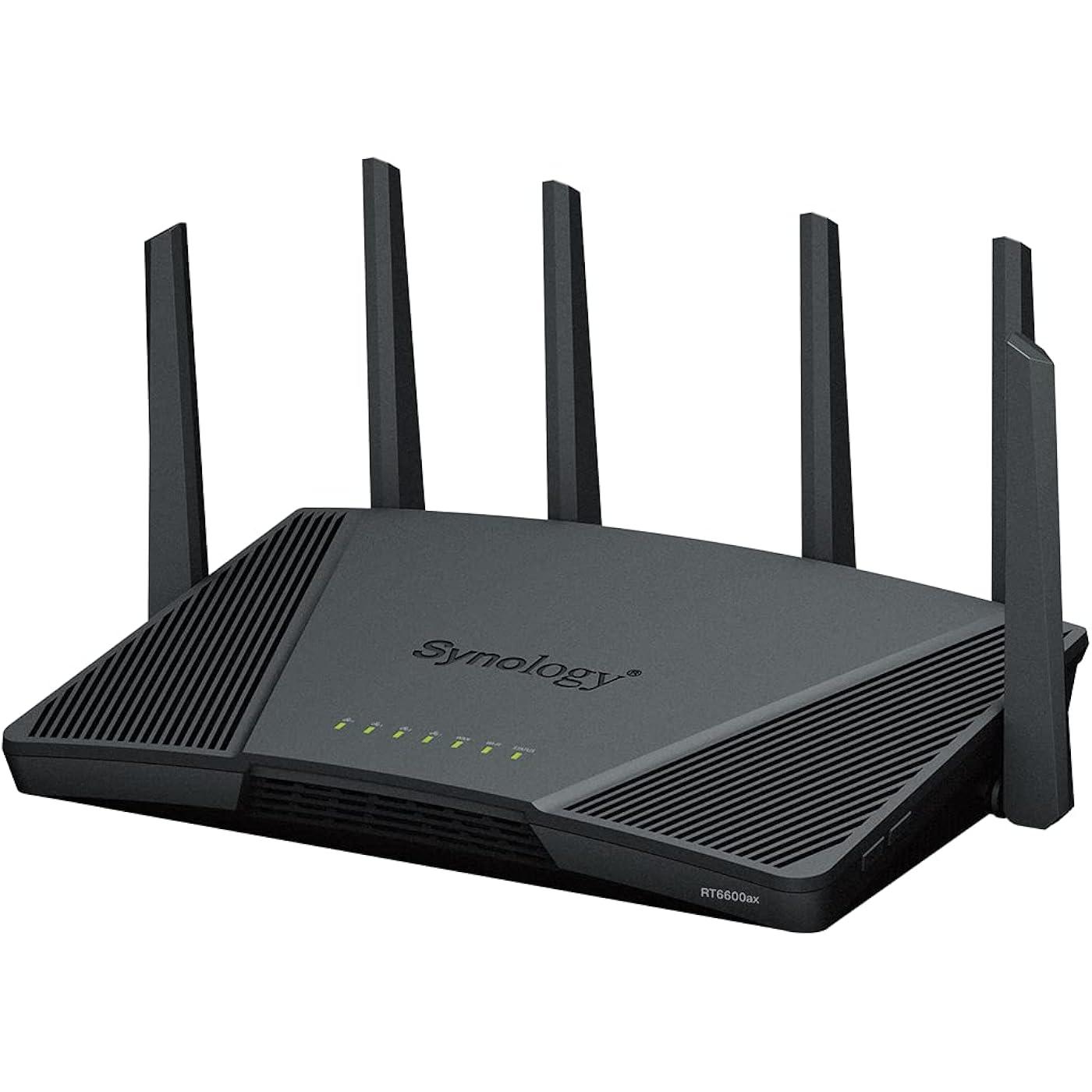
Synology RT6600ax - Tri-Band 4x4 160MHz Wi-Fi router, 2.5Gbps Ethernet, VLAN segmentation, Multiple SSIDs, parental controls, Threat Prevention, VPN (US Version)
  • Based on 395 reviews
Condition: New
Checking for the best price...
$329.99 Why this price?

Buy Now, Pay Later


As low as / mo
  • – Up to 36-month term if approved
  • – No impact on credit to apply
  • – Instant approval decision
  • – Secure and straightforward checkout

Ready to go? Add this product to your cart and select a plan during checkout.

Payment plans are offered through our trusted finance partners Klarna, Affirm, Afterpay, Apple Pay, and PayTomorrow. No-credit-needed leasing options through Acima may also be available at checkout.

Learn more about financing & leasing here.

Selected Option

Free shipping on this product

FREE 30-day refund/replacement

To qualify for a full refund, items must be returned in their original, unused condition. If an item is returned in a used, damaged, or materially different state, you may be granted a partial refund.

To initiate a return, please visit our Returns Center.

View our full returns policy here.


Availability: Only 10 left in stock, order soon!
Fulfilled by Amazon

Arrives Wednesday, Jun 10
Order within 3 hours and 30 minutes
Available payment plans shown during checkout

Protection Plan Protect Your Purchase
Checking for protection plans...

Style: RT6600ax


Pattern Name: Wi-Fi router


Features

  • Expanded 5.9 GHz spectrum support enables additional high-speed 80 and 160 MHz channels
  • 2.5GbE port enables support for the fastest ISPs and can optionally be configured as a LAN port
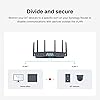
  • Create and define up to 5 separate networks to segregate and contain vulnerable devices
  • Parental controls, web filtering, traffic control, and threat prevention put you in control over your network
  • Comprehensive VPN server solution with remote desktop and site-to-site tunneling provides flexible and secure remote connectivity

Description

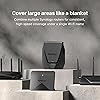
Built around the new Wi-Fi 6 standard, the RT6600ax tri-band router can deliver up to 6.6 Gbps in combined wireless throughput. The three radios work in tandem with the configurable 2.5GbE WAN/LAN port to ensure the maximum connection speed for each device. Powered by our constantly evolving Synology Router Manager operating system, the RT6600ax is designed to make securing and managing your network simple.

Brand: Synology


Model Name: RT6600ax (US)


Special Feature: Supercharged Performance Expanded 5.9 GHz spectrum support enables additional high-speed 80 and 160 MHz channels See more


Frequency Band Class: Tri-Band


Wireless Communication Standard: 802.11a, 802.11ac, 802.11ax, 802.11n


Compatible Devices: Laptop, Gaming Console, Smartphone


Recommended Uses For Product: Home


Included Components: RT6600ax main unit, AC power adapter, RJ-45 LAN cable, Quick Installation Guide


Connectivity Technology: Wi-Fi


Color: Clear


Other Special Features of the Product: Supercharged Performance Expanded 5.9 GHz spectrum support enables additional high-speed 80 and 160 MHz channels


Frequency Band Class: Tri-Band


Wireless Compability: 802.11a, 802.11ac, 802.11ax, 802.11n


Compatible Devices: Laptop, Gaming Console, Smartphone


Antenna Location: Home


Connectivity Technology: Wi-Fi


Antenna Type: Internal


Operating System: Synology Router Manager


Security Protocol: WPA/WPA2-Personal, WPA/WPA2-Enterprise, WPA2/WPA3-Personal, WPA3-Personal/Enterprise, Wi-Fi Enhanced Open (OWE), Wi-Fi Protected Setup (WPS) 2.0


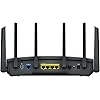
Number of Ports: 5


Control Method: Remote


Data Transfer Rate: 1 Gigabits Per Second


LAN Port Bandwidth: Gigabit Ethernet


Maximum Upstream Data Transfer Rate: 2500 Megabits Per Second


RAM Memory Installed: 1 GB


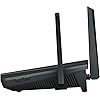
Number of Antennas: 6


Smart Home Compatibility: Smart Home Compatible


Router Firewall Security Level: Advanced


Wi-Fi Generation: Wi-Fi 6


Has Internet Connectivity: Yes


Router Network Type: tri-band


Is Modem Compatible: No


Connectivity Protocol: Ethernet, Wi-Fi


Coverage: Wide coverage area


Controller Type: Remote Control


Frequency: 2.4 GHz


Brand: Synology


Model Name: RT6600ax (US)


Built-In Media: RT6600ax main unit, AC power adapter, RJ-45 LAN cable, Quick Installation Guide


Model Number: RT6600ax (US)


UPC: 846504004935


Manufacturer: Synology


Mfr Part Number: RT6600AX


Item Type Name: Tri-band Wi-Fi Router


Unit Count: 1.0 Count


Warranty Description: 2 Year


Item Weight: 4.1 Pounds


Item Dimensions L x W x H: 14.25"L x 10"W x 4"H


Color: Clear


Has Security Updates: Yes


Frequently asked questions

If you place your order now, the estimated arrival date for this product is: Wednesday, Jun 10

Yes, absolutely! You may return this product for a full refund within 30 days of receiving it.

To initiate a return, please visit our Returns Center.

View our full returns policy here.

  • Klarna Financing
  • Affirm Pay in 4
  • Affirm Financing
  • Afterpay Financing
  • PayTomorrow Financing
  • Financing through Apple Pay
Leasing options through Acima may also be available during checkout.

Learn more about financing & leasing here.

Top Amazon Reviews


  • Best in class prosumer router
Size: 169.5 cubic inches
This router is an upgrade from a Netgear Orbi AX4200 RBK753. That router is about 2x the cost, though it is a 1+2 satellite mesh system. I am a fairly advanced user who was looking for three things - 1. good speed and coverage, 2. parental controls, and 3. IoT lan separation support. The Netgear mesh system satisfied criterion 1, but was hopeless at (2) and (3). Parental controls are a subscription with Netgear and is pretty basic. There is also limited support for multiple networks and VLANs. And worst of all, the Netgear router interface was incredibly sluggish and frequently, the iOS app would not be able to find the router despite being on the same network. Before settling on the Synology RT6600ax, I also evaluated the Ubiquiti Dream Machine, which is also highly rated by the community. The problem with the DMP is the complexity of setup and overhead is much higher. You do need to setup the Wifi 6 access points separately and the UI is a lot more complex. It wasn't too difficult, but can be overwhelming for the average home user. The Synology RT6600ax is as simple and as complex as you want it to be. It is reasonably priced for a Triband Wifi 6 router. The coverage and speed are great. But where Synology really shines above the rest of the competition is in the software. The SRM software (v1.3.1 at the moment of writing) is incredibly intuitive to use and the router itself is very responsive. The parental controls are the best of any router I have tested, bar none, and completely free (this saves you at least $50/year alone in subscription fees on some competing systems). You can do the simple route of just specifying "Child" accounts and clicking a few options, or you can go down to fine-grained control of allowing only certain websites at certain times (very useful if you want to allow only, say a particular homework website during certain hours). Setting up separate SSIDs and VLANs for your IoT devices (I hope you are doing this!) requires just a few clicks. Most of the time was spent reconfiguring the many IoT devices to connect to the new SSID. Firewall setup is also as simple as it can be. The above are just some of the features that matter most to me personally. But there are other features that can be transformative to other home users. For those of you without a Network Attached Storage (NAS), this router comes with a USB port that you can connect an external storage and turn it into a simple networked file storage. It is not a complete replacement for a proper NAS (and Synology makes some of the best of those as well), but for those who do not have complicated needs, it is a great starting option. Finally, for those of you with sizable homes, two or more of these can be connected into a mesh system as needed. To summarize, this is the best router I have found for the prosumer. If you want to take a step up from the simple plug-and-go routers (or worse, the ISP-provided garbage) of the world, this router is a major step up. I have Synology NAS and now this router. I have every confidence they will continue to improve the already great software and add new capabilities to it. ... show more
Reviewed in the United States on February 3, 2023 by shyuep

  • This router can do it all!
Size: 169.5 cubic inches
I am an experienced IT Infrastructure professional, and this is by far the best set of features and ease of use I've come across in a home router including units that cost much more. This unit could easily handle a small business/retail office as well. There's not much you can't do with this, and you don't have to spend hours getting it set up. Took me about 30 min including the VPN server and Threat protection. I won't deep dive into the features as there many videos out there for that but the VPN server, Threat protection and parental control (best implementation of this I have seen) features are all superb and all included for no extra cost. The VPN server includes 40 free client licenses on this router which is an amazing deal and there are Apple and Android apps available. This is the best way to access your network remotely for cameras, NAS and such. Do not open up access for those things through your firewall or you're asking for trouble. VPN is the way. The VPN even supports 2 factor authentication for added security. Here are some minor complaints: 1) I received a used unit at first. I had to factory reset it to be able to set this up. This was Amazon's fault and they resolved it to my satisfaction. 2) Only 1 USB port. There should be 2 since you'll need 1 for storage if you use Threat Protection. 3) Only 1 2.5Gb Ethernet LAN port. There should be 1 for the WAN port and 1 or more for LAN. 4) Only 4 LAN ports. There should be more ideally, although external switches are pretty cheap these days. 5) It did not do a good job of selecting the 5Ghz channels. There were much better unused/less used channels available that I had to manually set. Get yourself a good Wifi analyzer app for your phone so you can avoid the same channels all your neighbors are using. This should be done with any Wifi router and is a good investment of time unless you live in the boonies. I mostly have 5Ghz channels all to myself now. 6) Would have liked to see wifi 6E in this. Not a huge deal since 6E is not any faster than 6 (2.4gb max speed with 160 mhz channels). 6E gets you access to the 6Ghz spectrum which would only help if 2.4 and 5Ghz are really congested (apartment building, city, etc.) Otherwise, don't waste your money and wait for Wifi 7 which will really speed things up with 320Mhz channels. 7) They tout the 5.9Ghz spectrum support in Wifi 6. There are very few devices out there that support this. This would only be useful if you are meshing multiple of the newer Synology routers and used it for wireless backhaul which is why I suspect they support it. ... show more
Reviewed in the United States on February 12, 2023 by JohnR

  • Great device, good range, wonderful features
Size: 169.5 cubic inches
Love my synology. Has great features, easy to access, control, and maintain. Highly recommend the app. Range extends to entire house and then some.
Reviewed in the United States on April 22, 2026 by Adrec DeRue

  • Nothing but a headache.
Size: 169.5 cubic inches
**UPDATE** December 27, 2023 It is now almost the end of 2023 and I am still having nothing but issues and headaches with this mesh router. All support is doing is having me do the same troubleshooting steps over and over again and then saying it is going to the developers to make a fix/change. Nothing is actually changing though with the product. It is still dropping connections randomly even when standing within a few feet of the router. The speeds are mediocre at best too. Consider the high price of this stuff you would think that it would work better and have better support. At this point I don't even think that I can recommend the NAS that I have from Synology due to the poor support. To me this signals a company that doesn't support their products well when there is an issue. Too bad it was so expensive because I am stuck with it. I bought this to replace my Orbi Router that was getting a bit old. I already have a Synology NAS and I love it. The product has a great user interface (if you own their NAS you will be familiar with it) that is easy to use even if the multiple windows and menus take a bit to get used to. There is a lot that this device can actually do for you. My issue with it is that the wireless signal is constantly dropping. The 2.4 Ghz network on this is just fine but the 5Ghz network (also used for the mesh connection) is horrible. Constant disconnects from the wireless network on my tablets, phones, and computers. I even had it disconnect from wireless while I was standing two feet away from the router. I have been working with their tech support (seem pretty helpful in their desire to help but it is a slow process) which has been a little frustrating because it is a slow process. We have even swapped to a different router to see if it was a hardware issue and it has made no difference. I am still working with them to try to figure out the issue. Having worked in technology for over 15 years I have to say that this is the worst experience I have ever had with any router. I can highly recommend their NAS devices but there is no way that I would ever recommend anybody get one of their routers. Even if I was given this for free I would still not be able to recommend it. It has been a headache and time sink. Please just go with another company and save yourself the frustration. ... show more
Reviewed in the United States on October 10, 2023 by David P.

  • This thing works better than all other routers I bought This thing works better than all other routers I bought
Size: 169.5 cubic inches
This router is a beast!! it not only blocks out malicious attempts to your router with threat prevention it even comes with dos protection features as well and has daily updates to threat protection. It has great connectivity over both 2.4Gz and 5Gz frequencies. Only thing I can say is when you setup this router make sure to check the boxes for admin and guest account to not allow the guest or admin to have access to change your main admin password or else people will try and hack that password and otherwise lock you out of your router until you reset it again. Thankfully you can save backups for both the router and the packages you install to the router like threat prevention, safe access and more. All that and you pair this thing with a good DNS server like Zero.dns0.eu dns1: 193.110.81.9 / dns2: 185.253.5.9 and you'll be set. Performance is everything you want it to be. Range is great too never a single drop in signal so far and fast internet downloads on a gigabit internet connection. Super easy to setup as well just go to 192.168.1.1:8000/ and then setup the router to what you want. Even comes with built in vlan options to segregate devices. I absolutely love this thing so much I might just buy a second one for my xbox gaming it's that good. ... show more
Reviewed in the United States on July 18, 2024 Reviewed in the United States on July 18, 2024 by shiloh pichette

  • Amazing Router, searched high and low to find this Amazing Router, searched high and low to find this
Size: 169.5 cubic inches
I purchased the 6600AX. Wow what a cool router. I had purchased and returned SO many routers after having a G***** N*** Mesh System that was hacked (still sourcing the compromised IoT device but presumably from a Chrome plugin), compromising my security cameras and smart home and getting a virus on my MacBook. So far this is one of the best backend UI, Mobile App, ease of setup, and powerful range of any router I've tried these past few months. I've even considered getting firewall hardware devices combined with routers... However with this, I just need one device, no mesh or additional access points, and the coverage is mind blowing compared to what I've tried. This routers login is more like a PC, you can add and delete apps. The setup was a breeze and the complexity is however you make it. My favorite part about this router is that I can add segmented networks. I have specific wifi for cameras, for IoT, for browsing, VPN, and work. You can specify how each network operates. AND each network runs on both 5ghz and 2.5ghz. I can add a Guest Network as well but haven't needed it. I had also purchased (and returned) another 6E router that was $350. The range did not reach my entire condo. Although only 1400 sq ft, almost every router on the market I tried needed another hub or WAP access point to get through a bedroom, bathroom, and living room wall. The RT6600AX is located in the farthest corner and reaches everywhere in my home. Although you can add either a 560 or 2200AC to the 6600AX to expand coverage, but I have not needed it with this one. A+++. The Synology RM (router manager program running the backend) is one of the most frequently updated brands on the market I believe. That was another big selling point for me. I feel like that is what makes devices safer and easier to manage. I also never review, but hoping that someone else frustrated finding a router who puts security at the top of their list, may find this helpful. ... show more
Reviewed in the United States on June 27, 2023 Reviewed in the United States on June 27, 2023 by H Z

  • Synology RT6600ax is a Nice Router
Size: 169.5 cubic inches
I have setup this found the Synology setup menu to be similar to the Synoloy Nas. Coming from an Asus Router it will present a learning curve. Don't expect to set this up in a couple of hours if you are new to Synology routers. The menus and the help files need study to understand. Once implemented I have found my network has become more responsive and the security features work. If you want to create separate wifi networks, this router will accommodate this. It has three radios and The wifi signal strength is very good. I have it in the basement at one end of the house and the signal strength is very good at the opposite end of the house. One thing I do not like is there is no way to export your network client list to any type of file. The best you can do is take a screen shot of it, and use OCR software to convert it into text. Another thing is for some changes to its configuration it requires nearly ten minutes to restart. Because of these issues it loses one star. Still four stars. ... show more
Reviewed in the United States on December 11, 2024 by Will

  • Great for my main house router.
Size: 169.5 cubic inches
It arrived with the latest 1.3 firmware version which is incompatable with my existing Synology2600 router, and my 3 Synology 2200 mesh routers, all of which were at a 1.2 version firmware. I intend to reuse the 3 2200's in the wired mesh configuration, and downgrade my existing 2600 router to being a wired wifi access point in my garage. After struggling to figure out how to upgrade the 2200's to make them talk to the new 6600 unit, I finally figured out how. If there is documentation on this, I never found it. After checking a dozen or so YouTube experts, I took the 2200 units one at a time, did a hard reset, (pressing the tiny rear switch with a paper clip for > 10 seconds), left them to boot back up to the single blue LED, and then wired them to an open LAN port on the new 6600. Took a while to see them pop up in the Wifi screen on the 6600 routers software. After a while, the option to upgrade them appeared. Clicked on that and it completed pretty quickly. Relocated the newly minted ver 1.3 2200 mesh throughout my house and connected them with my cat5e cables. Did this 3 times and all was well. They were previously meshed by radio link but this time I hard wired them, set to AUTO connection in the software so they can fall back to a wifi radio connection if neccessary. Still have to do this with the 2600 unit, but the cat6e cable has yet to be run to the garage, so, no big rush. Aside from this, the only other issue I've run into was when I tried to use the single USB-A port to run an external drive. I wanted to do this because its required to make use of the optional Threat Protection software. Synology has a small list of acceptable drives. I tried a cheap 32G thumbdrive and a Samsung 850 EVO 500G SSD. Neither of these is on Synology's list, and both of them repeatably failed by appearing to connect and disconnect, causing the Threat Protection software to fail. So, back to Amazon to find something on their accepable list. Got a ADATA HD710 Pro, 2.5" External drive. An actual spinning disk. Seems like going backwards in time, but it is working. Software loaded and runs OK, and I still have an additional 1.4G of usable space. I did select the option to allow the disk to hibernate when not in use. After all that, the setup is working amazingly well. The wifi signal strength app on my phone just maxes out anywhere in the house. ... show more
Reviewed in the United States on October 4, 2023 by Kindle Customer

Can't find a product?

Find it on Amazon first, then paste the link below.
Checking for best price...