




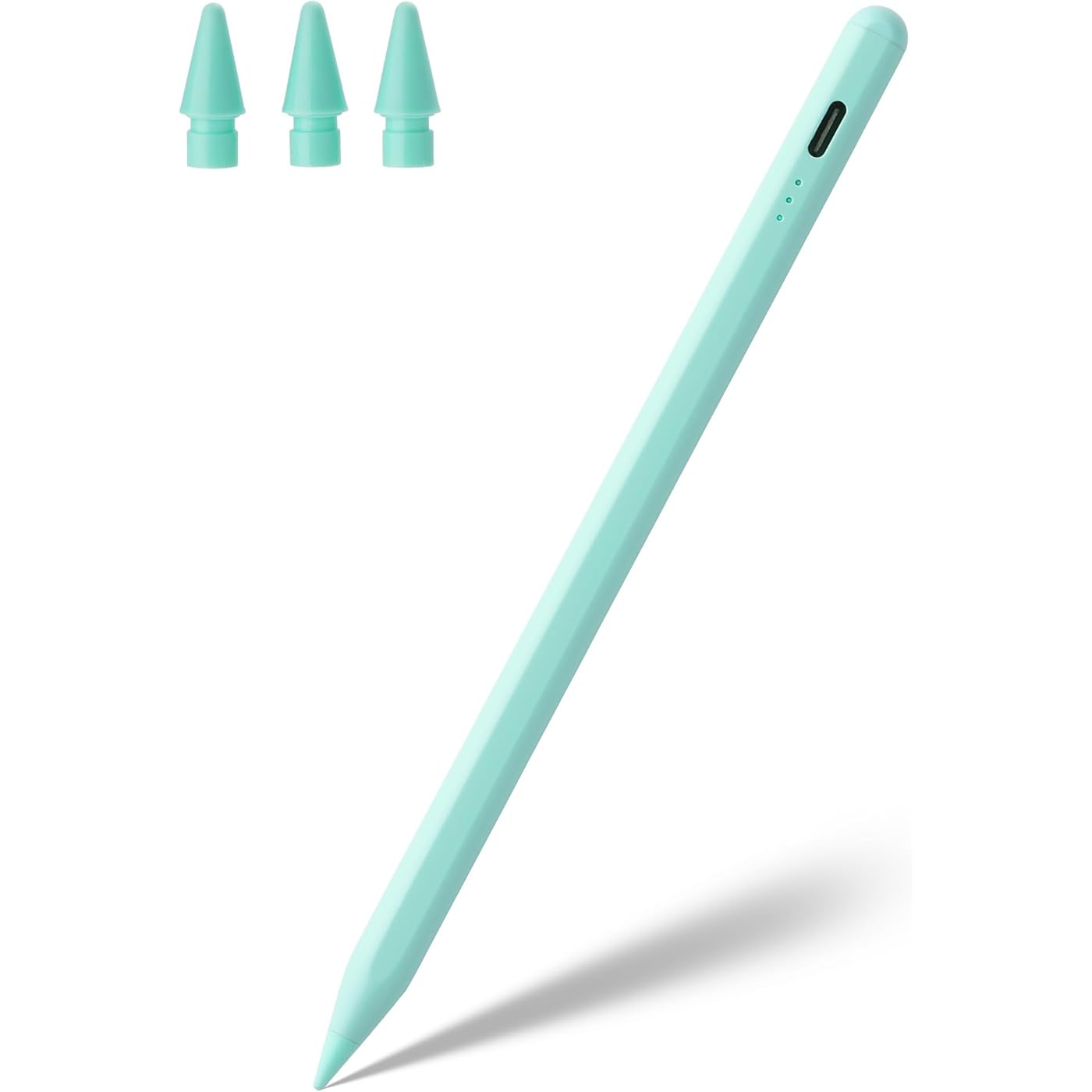
Stylus Pen for iPad A16 11th 10th 9th 8th 7th 6th Generation, iPad Pro 12.9 11 13 inch M4, iPad Air M3 M2 5th 4th 3rd Gen, iPad Mini A17 Pro 7 6 5, for Apple Pencil Pro 1st 2nd Gen Alternative (Green)




Buy Now, Pay Later
- – 4-month term
- – No impact on credit to apply
- – Instant approval decision
- – Secure and straightforward checkout
Ready to go? Add this product to your cart and select a plan during checkout.
Payment plans are offered through our trusted finance partners Klarna, Affirm, Afterpay, Zip, Apple Pay, and Google Pay. No-credit-needed leasing options through Acima may also be available at checkout.
Learn more about financing & leasing here.
Selected Option
FREE 30-day refund/replacement
To qualify for a full refund, items must be returned in their original, unused condition. If an item is returned in a used, damaged, or materially different state, you may be granted a partial refund.
To initiate a return, please visit our Returns Center.
View our full returns policy here.
Recently Viewed


At a glance
- Condition
- New
- Color
- Green
- Dimensions
- 6.57 x 0.35 x 0.34 in
- Weight
- 14.3 g
- Material
- Aluminum
- Number of Batteries
- 1 9V batteries required. (included)
- Charging Time
- 0.5 hours
- Warranty
- 1 year
- Works with
- iPad (A16) 11th 10th 9th 8th 7th 6th Gen, iPad Air M3 M2 5th 4th 3rd Gen, iPad Pro 11-inch M4 4th 3rd 2nd 1st Gen, iPad Pro 13-inch M4, 12.9-inch 6th 5th 4th 3rd Gen, iPad mini A17 Pro 7th 6th 5th Gen
Features 4
- Palm Rejection Design: The ipencil (lapiz) comes with palm rejection technology, allowing you to comfortably rest your hand on the screen while writing or drawing without worrying about accidental touch, making writing and drawing more natural, just like on paper. Equipped with 3 replaceable tips, it's easy to remove and install
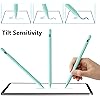
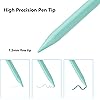
- Tilt Sensitivity & High Precision: The tilt-sensing technology allows you to draw lines of different thicknesses on the screen based on the angle of the pencil, making drawing and writing more free and easy, perfect for writing, sketching, doodling, painting, marking documents and note-taking on the iPad. The 1.5mm fine tip can handle more precise instructions without delay, lag and skip, just like a conventional pencil. Note: The stylus doesn't support pressure sensitivity
- Double-Click Switch & Magnetically Adsorption: Just double-click the top of the pen to turn on/ off the stylus and start using it. No need to connect Bluetooth & APP. The magnetic design allows it to be attached to the side of the iPad, making it easy to use and carry. Please turn off the "Only Draw with Apple Pencil" on the iPad before use
- Fast Charging & Long Battery Life: Built-in rechargeable battery, fully charged in 30 minutes, and then can be used for about 8-9 hours. Idle for 5 minutes will automatically shut down to save power. With 3 LED indicators to display remaining battery life and charging progress. If the stylus doesn't work after turning on, please turn off Bluetooth on the iPad or go to Settings > Bluetooth > Apple Pencil > i > Forget this device
Description
If the stylus doesn't work after turning on, please follow these steps below, please turn off Bluetooth on the iPad: Settings > Bluetooth > Turn off Bluetooth or disconnect the Bluetooth connection between your iPad and Apple Pencil: Settings> Bluetooth> Apple Pencil> tap i> Forget this device. If your stylus lags or jumpers, please check whether the nib is tightened enough or reinstall a new nib How to Check Your iPad Model 1: Setting > General > About > Model Name 2: Check the model number starting with "A" on the back of your iPad Specifications: Size: 167 x 8.9 x 8.6 mm Weight: 14.3 g Material: Aluminum Packaging Content 1* Stylus 3* Fine Point POM Tips 1* Type C Charging Cable 1* User Manual We provide 12 months of after-sales service and lifetime technical support.
Specs 17
| Color | Green |
|---|---|
| Brand | Waiktyne |
| Material | Aluminum |
| Number of Batteries | 1 9V batteries required. (included) |
| Item Weight | 14.3 g |
| Item dimensions L x W x H | 6.57 x 0.35 x 0.34 inches |
| Charging Time | 0.5 hours |
| Battery Description | Lithium-Ion Polymer |
| Item Diameter | 0.35 inches |
| Number of Packs | 1 |
| UPC | 744713181730 |
| Unit Count | 1 Count |
| Manufacturer | Waiktyne |
| Enclosure Material | Aluminum |
| Minimum Required Operating System Version | iPadOS 16 |
| Compatible Tablet Computer Models | Apple iPad (10th generation), Apple iPad (6th generation), Apple iPad (7th generation), Apple iPad (8th generation), Apple iPad (9th generation), Apple iPad 11th Generation, Apple iPad Air (3rd generation), Apple iPad Air (4th generation), Apple iPad Air (5th generation), Apple iPad Air 11-Inch (M3), Apple iPad Air 11-inch (M2), Apple iPad Air 13-Inch (M2), Apple iPad Air 13-Inch (M3), Apple iPad Pro 11-Inch (M4), Apple iPad Pro 11-inch (1st generation), Apple iPad Pro 11-inch (2nd generation), Apple iPad Pro 11-inch (3rd generation), Apple iPad Pro 11-inch (4th generation), Apple iPad Pro 12.9-inch (3rd generation), Apple iPad Pro 12.9-inch (4th generation), Apple iPad Pro 12.9-inch (5th generation), Apple iPad Pro 12.9-inch (6th generation), Apple iPad Pro 13-Inch (M4), Apple iPad mini 5, Apple iPad mini 6, iPad mini (A17 Pro) |
| Item Dimensions | 6.57 x 0.35 x 0.34 inches |
No specs match.
Frequently asked questions
To initiate a return, please visit our Returns Center.
View our full returns policy here.
- Klarna Financing
- Affirm Pay in 4
- Affirm Financing
- Afterpay Financing
- Zip Pay in 4
- Financing through Apple Pay
- Financing through Google Pay
Learn more about financing & leasing here.
Similar Products




Top Amazon Reviews
