Search  for anything...

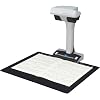
ScanSnap SV600 Overhead Book and Document Scanner, Black

  • Based on 179 reviews
Condition: New
Checking for the best price...
$639.99 Why this price?
Save $117.50 was $757.49

Buy Now, Pay Later


As low as / mo
  • – Up to 36-month term if approved
  • – No impact on credit to apply
  • – Instant approval decision
  • – Secure and straightforward checkout

Ready to go? Add this product to your cart and select a plan during checkout.

Payment plans are offered through our trusted finance partners Klarna, Affirm, Afterpay, Zip, Apple Pay, and Google Pay. No-credit-needed leasing options through Acima may also be available at checkout.

Learn more about financing & leasing here.

Free shipping on this product

FREE 30-day refund/replacement

To qualify for a full refund, items must be returned in their original, unused condition. If an item is returned in a used, damaged, or materially different state, you may be granted a partial refund.

To initiate a return, please visit our Returns Center.

View our full returns policy here.


Availability: Only 10 left in stock, order soon!
Fulfilled by Amazon

Arrives Tuesday, Oct 27
Order within 22 hours and 49 minutes
Available payment plans shown during checkout

Protection Plan Protect Your Purchase
Checking for protection plans...

Features

  • Easily scan newspapers, magazines, documents or books directly without cutting or damaging them
  • Multi Document Detection function enables you to scan multiple business cards, photos, newspaper clippings or other documents in one scan, automatically cropping and rotating the scanned images
  • Auto Book Correction that automatically flattens and corrects the curve distortion
  • Fingers captured during the scanning can be removed by using the Point Retouch function
  • Page Turning Detection automatically begins scanning when a page is turned; Time Mode allows you to set a fixed time interval so that the SV600 can scan in real time with you

Description

The ScanSnap SV600 is an overhead style contactless scanner that provides a new perspective on document scanning. Unlike the typical scanner, you can easily scan newspapers, magazines, books or documents of up to 30mm thick directly with the overhead LED, without cutting or damaging them. You can scan a document larger than A4 size by simply positioning it on the A3 scan mat and pressing the scan button. Because there is no need to cut documents or feed each document through the rollers, your important and delicate documents such as valuable books, hand-painted pictures and photos can be scanned without getting damaged. The Multi Document Detection function enables you to scan multiple business cards, photos, newspaper clippings or other documents in one scan, automatically cropping and rotating the scanned images. (Up to 10 documents can be scanned at one time.) Combining high quality CCD optics and advanced LED illumination, the scanner produces a steady image of the whole document, minimizing the unevenness or blurriness even when scanning from a distance. The ScanSnap SV600 is your ultimate partner to scan books or magazines efficiently, providing various useful functions specially designed for book scanning.

Scanner Type: Document, Photo


Brand: ScanSnap


Model Name: SV600


Connectivity Technology: USB


Product Dimensions: 6.14"D x 15.08"W x 8.27"H


Resolution: 1200


Item Weight: 6.6 pounds


Wattage: 20 watts


Standard Sheet Capacity: 1


Optical Sensor Technology: CCD


Scanner Type: Document, Photo


Connection Type: USB


Resolution: 1200


Wattage: 20 watts


Standard Sheet Capacity: 1


Optical Sensor Technology: CCD


Light Source Type: LED


Media Type: Paper, Photo


Item Dimensions D x W x H: 6.14"D x 15.08"W x 8.27"H


Item Weight: 6.6 pounds


Minimum System Requirements: Windows11 / Windows10 (32bit/64bit), Intel, or Intel-compatible processors, macOS Monterey 12 or later


Brand: ScanSnap


Model Name: SV600


UPC: 097564308802


Unit Count: 1 Count


Global Trade Identification Number: 02


Built-In Media: Ac Adapter, Background pad setup DVDROM, 2 x Extenders software and drivers CD, Document scanner scansnap sv600, AC Cable, USB Cable


Item Type Name: Scanner ScanSnap SV600


Manufacturer: PFU Limited


Warranty Description: 1 Year Depot


Frequently asked questions

If you place your order now, the estimated arrival date for this product is: Tuesday, Oct 27

Yes, absolutely! You may return this product for a full refund within 30 days of receiving it.

To initiate a return, please visit our Returns Center.

View our full returns policy here.

  • Klarna Financing
  • Affirm Pay in 4
  • Affirm Financing
  • Afterpay Financing
  • Zip Pay in 4
  • Financing through Apple Pay
  • Financing through Google Pay
Leasing options through Acima may also be available during checkout.

Learn more about financing & leasing here.

Top Amazon Reviews


  • Amazing product worth the money
This is a really incredible tool. I am a hobbyist genealogist, but I had this recommended to me by a pro genealogist and it’s amazing. I love the book feature it has and the was of scanning without feeding or opening a scanning bed cover. This is awesome!
Reviewed in the United States on June 3, 2026 by Bookmom

  • Fujitsu SV600 Overhead Book Scanner
I like the Fujitsu Overhead scanner for large magazines and book scans. The scanner works well for quick scans but needs improvements in the software as others have suggested. The quality of the scans varies and requires some manipulation of the pages to get quality scans. I use a plexiglas sheet to hold down book pages when clarity is important. Anyone who uses this Overhead scanner will need Adobe Acrobat DC to make corrections. I believe Adobe Acrobat DC now comes with the Fujitsu Overhead scanner for one year of use; thereafter it cost $180.00 per year. Using your fingertips to hold down the pages of a book while scanning is not a good method because the software included with the scanner can only remove fingertips from scans one page at a time. ... show more
Reviewed in the United States on August 6, 2020 by Thomas Allen

  • Fantastic for my specific use case
I am using this scanner for something it was probably not targeted for, scanning graded comics and trading cards encapsulated in plastic holders. The CCD optics is the same technology as older flatbed scanners that provide a clear scan despite the reflective cases. Modern flatbed scanners provide blurry images. This is expensive but perfect for my needs to catalog my collection and list for resale. Easy to use and works with latest version of MacOS. I went with this over the no name Chinese versions being sold on Amazon. Quality build and believe it will last a long time. ... show more
Reviewed in the United States on July 21, 2022 by JT

  • Good book scanner
Works as expected and fast delivery. It was well packaged and worked seamlessly with my other ScanSnap.
Reviewed in the United States on June 4, 2026 by DeeD.

  • Deeply Frustrating Software
I agree 100% with William Roberts, the software for this product is trash. If you're only going to scan a few pages then it won't be too much of a problem, whoever if you want to scan and edit an entire book of 300 pages then you're in for a miserable time. I originally bought this because I thought it would be fast and easy to copy my books but holys***. I only managed to do a book of about 300 pages and that was only because I did about 100 pages at a time. I wasn't able to do 300 pages all at once, while possible it is frustrating. You'd probably have to pay me to do another book. It is a daunting task. If all you had to do was scan the book then it wouldn't be bad at all, but then you have to edit because the software is very bad. Out of 300 pages only about 5 pages looked good. All the remaining pages had to be edited. And everything William said is accurate, you can't save your work and turn off your computer. I learned this the hard way. If you're in the middle of editing a 300 page book you better make sure your computer doesn't decide to turn off and update and it better not run out of battery and turn off, otherwise all your work is gone and you'll need to scan the entire book again and edit it. So those 6 hours you just spent scanning and editing are gone. You now to spend an entire day doing the work again. For someone that works 8-10 hours a day and then gets home to try and digitize a book a process that takes so much time and is very boring that ultimately ends in futility is deeply agonizing, makes you start to question why we're living. I later found out that there are additional softwares that can be added, one of them has a save option which allows you to edit the pages you scan: BUT WAIT! While there is the image of adjusting the page just like in the original software it is a lie. You cannot adjust the page, you can only take away things like fingers and other imperfections, but if the page is not like you want then you won't be able to fix it. So you spent 3 or so hours scanning a book because you thought you could save and work on it later, but all was for naught, LMAO. The creator of the software is no sociopath he is the devil himself. I'll be giving this 1 star until the makers of this expensive machine actually make a competent software. ... show more
Reviewed in the United States on July 25, 2020 by Amazon Customer

  • I love this thing
I am in the process of digitizing everything that I can. I have a scan snap document scanner and it works great but obviously it would not work for books or other bulky items and was not great for photos. Since I really liked the way Scan Snap works I purchased the Scan Snap SV600. I love it. It was just as easy to set up as the document scanner and is just as easy to operate. After watching a You Tube video I did purchase a clear acrylic sheet from the hardware store to hold the books down (no more fingertips in the scan) The scans are clear, the software works great and I am very happy with the purchase. ... show more
Reviewed in the United States on January 22, 2019 by B. Anderson

  • Great Scanner, but cannot change password
great scanner, but lacks click to change password to update software. I cant remember my password to get updates. Need to install this option, otherwise, I'd give it a 5 star.
Reviewed in the United States on December 18, 2025 by Proud Chinese American

  • Great Images
Excellent scanning and images - a must have for large scale stuff you cant place in a traditonal scanner or flatbed
Reviewed in the United States on June 11, 2025 by MARTIN LEVY

Can't find a product?

Find it on Amazon first, then paste the link below.
Checking for best price...