Search  for anything...

SAMSUNG 85" Class Neo QLED 4K QN90B Series Mini LED Quantum HDR 32x, Dolby Atmos,Object Tracking Sound+,Anti-Glare,Ultra Viewing Angle,Smart TV,Bluetooth with Alexa Built-In(QN85QN90BAFXZA,2022 Model)

  • Based on 1,202 reviews
Condition: New
Checking for the best price...
$3,297.99 Why this price?
Save $1,200.00 was $4,497.99

Buy Now, Pay Later


As low as / mo
  • – Up to 36-month term if approved
  • – No impact on credit to apply
  • – Instant approval decision
  • – Secure and straightforward checkout

Ready to go? Add this product to your cart and select a plan during checkout.

Payment plans are offered through our trusted finance partners Klarna, Affirm, Afterpay, Apple Pay, and PayTomorrow. No-credit-needed leasing options through Acima may also be available at checkout.

Learn more about financing & leasing here.

Selected Option

Free shipping on this product

30-day refund/replacement

To qualify for a full refund, items must be returned in their original, unused condition. If an item is returned in a used, damaged, or materially different state, you may be granted a partial refund.

To initiate a return, please visit our Returns Center.

View our full returns policy here.


Availability: Only 1 left in stock, order soon!
Fulfilled by Electronic Express

Arrives Jun 6 – Jun 9
Order within 16 hours and 46 minutes
Available payment plans shown during checkout

Protection Plan Protect Your Purchase
Checking for protection plans...

Size: 85-Inch


Style: TV Only


Features

  • QUANTUM MATRIX WITH MINI LEDs: Brilliant details shine even in daylight; Powered by a huge grid of Samsungs ultra precise Quantum Mini LEDs, it takes exact control of the individual zones of light in your picture for breathtaking color and contrast
  • QUANTUM HDR 32X: Every detail bursts to life with realistic contrast and brilliance; With HDR 32X and its wide range of vivid shades of color, youll discover all the nuances in the latest movies and shows made for High Dynamic Range
  • NEO QUANTUM PROCESSOR WITH 4K UPSCALING: See all you enjoy upscaled to spectacular 4K resolution; The Neo Quantum Processor 4K uses AI based deep learning to analyze your content and optimize it to full 4K
  • ANTI-GLARE WITH ULTRA VIEWING ANGLE: Youve got the best view from every seat. Designed to reduce glare and deliver brilliant color across your screen, Ultra Viewing Angle makes sure youve got amazing picture quality, from virtually anywhere in the room
  • DOLBY ATMOS & OBJECT TRACKING SOUND+: Experience realistic 3D sound that puts you in the middle of the action with OTS+; From strategically placed speakers behind the screen, youll hear the getaway car drive from one side to the other, and feel the fighter jet fly overhead; Plus with Dolby Atmos built-in, hear the rain from above and the explosion from beyond
  • SMART CALIBRATION: Enjoy your screen the way the director intendedin just a couple of clicks; With Smart Calibration, you have professional-quality screen calibration at your fingertips; Simply enhance your screen right from your smartphone in only 7 to 12 minutes
  • EYE COMFORT MODE: Staring at your TV, Set your sights on a more soothing screen with Comfort Mode; With sunrise and sunset times built in, it intelligently adapts your display and reduces blue light to help keep your eyes more comfortable

Description

Dive into our most brilliantly intense 4K experience, powered by Quantum Matrix Technology. By using precision Mini LEDs to create a wide range of color and contrast, rich details are revealed. Marvel at all that emerges from your darkest and brightest scenes thanks to 14-bit processing for deep blacks and over a billion shades of color. From daytime sports to movie night, your picture amazes in any light with AI-processing that expertly upscales content to 4K and refines your Smart Hub and sound. Bask in a billion shades of brilliant color with 100% Color Volume. Together, Quantum Dot and Mini LEDs bring you a fine picture by transforming light into lifelike color that always stays true. That means even as the scene gets brighter, the details stay bold. Surround yourself with the sound of your TV and soundbar working in harmony. With Q-Symphony, your TV speakers and Q-Series soundbar operate as one. Together, they can optimize all the channels to bring you a masterfully orchestrated audio experience. So powerful, this rich theater sound fills the room to instantly immerse you in another world. Beautiful from all angles, this TV was made to blend into any room of your home. Sleek and ultra-slim, the Neo Slim Design complements your living room, bedroom or any other space. Like a piece of art, the modern silhouette with its elegant, rounded back panel might also be your perfect centerpiece. . Galaxy S21 phone required for use. QLED televisions can produce 100% Color Volume in the DCI-P3 color space, the format for most cinema screens and HDR movies for television. Q-Symphony is available only with compatible soundbar. Check for Q-Symphony compatibility on soundbar product specifications.

Screen Size: 85 Inches


Brand: Samsung


Display Technology: QLED


Resolution: 4K


Refresh Rate: 120 Hz


Special Feature: Screen Mirroring


Included Components: Power Cable, Remote Control, User Manual


Connectivity Technology: USB


Aspect Ratio: 169


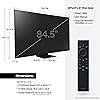
Product Dimensions: 1.1"D x 74.5"W x 45.1"H


Display Technology: QLED


Resolution: 4K


Refresh Rate: 120 Hz


Aspect Ratio: 169


Contrast Ratio: High


Screen Finish: Flat


HDR Format Supported: HDR10, HDR10+, HLG


Motion Enhancement Technology: Motion Xcelerator Turbo+


Picture Quality Enhancement Technology: Quantum HDR 32X


Display Language Options: English, French, Spanish


Display Backlight Setting: full_array_local_dimming


Display Backlight Technology: Mini-LED


Display Refresh Rate in Hertz: 120


Screen Size: 85 Inches


Item Dimensions D x W x H: 1.1"D x 74.5"W x 45.1"H


Item Weight: 125 Pounds


Display Size Class: 85 Inches


Size: 85-Inch


Audio Output Mode: Surround


Speaker Description: Advanced sound features with Dolby Atmos and Object Tracking Sound technology; 4.2.2 channel configuration


Speaker Maximum Output Power: 60 Watts


Number of Audio Channels: 4.2.2


Integrated Surround Sound Format: Dolby Atmos, Surround Sound


Voltage: 120 Volts


Wattage: 360 watts


Power Consumption: 670 Watts


Line Voltage: 100-240 VAC 50-60 Hz


Annual Energy Consumption: 244 Kilowatt Hours


Additional Features: Screen Mirroring


Parental Control Technology: V-Chip


Smart Home Compatibility: Smart Home Compatible


Operating System: Tizen


Control Method: Remote, Voice


Remote Control Technology: Standard


Brand: Samsung


Built-In Media: Power Cable, Remote Control, User Manual


Model Name: AMZSAMQN85QN90BAOB9


Model Year: 2022


Model Number: QN85QN90BAFXZA


Warranty Description: 1 Year Manufacturer


Model Series: QN90B


Remote Required Battery Quantity: 2


Specific Uses For Product: home entertainment, gaming, watching sports, action movies


Manufacturer: Samsung Electronics


UPC: 887276615301


Mfr Part Number: QN85QN90BAFXZA


Item Type Name: Television


Item Width: 74.5 Inches


Connectivity Technology: USB


Internet Applications: Apple TV+, Samsung TV Plus, Netflix, YouTube, Prime Video, Disney+, Hulu, Xbox, Nvidia GeForce NOW, ESPN and Max


Audio Input: HDMI


Signal Format: HDMI, USB


Total Number of HDMI Ports: 4


Hardware Interface: Bluetooth, Ethernet, HDMI


Wireless Technology: Bluetooth, Wi-Fi


Screen Mirroring Technology: Google Cast


Bluetooth Version: 5.2


Connector Type: HDMI, USB


Total Audio Out Ports: 6


Total USB 2.0 Ports: 2


Total USB 3.0 Ports: 2


Total Usb Ports: 2


Content Sharing Direction: Mobile to TV, TV to Mobile


Number of Component Outputs: 4


Mounting Type: Seat


VESA Mount Standard: 600 x 400 mm


Color: Titan Black


Warranty Type: Limited


Compatible Devices: Gaming Console, Headphone, Laptop, Smartphone, Speaker, Tablet


Tuner Type: ATSC


Video Encoding: H.264, H.265 (HEVC)


Frequently asked questions

If you place your order now, the estimated arrival date for this product is: Jun 6 – Jun 9

Yes, absolutely! You may return this product for a full refund within 30 days of receiving it.

To initiate a return, please visit our Returns Center.

View our full returns policy here.

  • Klarna Financing
  • Affirm Pay in 4
  • Affirm Financing
  • Afterpay Financing
  • PayTomorrow Financing
  • Financing through Apple Pay
Leasing options through Acima may also be available during checkout.

Learn more about financing & leasing here.

Top Amazon Reviews


  • Bright extreme detail in UHD and 1080i input sources
Size: 55-Inch Style: TV Only
I've been using a Sony Bravia for years (1080p/i) standard hi-def as a display, also using a Yamaha RX-V371 Audio Video receiver, which I loved and it served me faithfully since 2017...a refurbished unit I bought on faith for just 135$, along with a full set of Polk surrounds and I'm not sure who made the woofer. I decided to upgrade to Ultra High Def and so I began by replacing the heart of the system, the AVR, with a Yamaha RX-V4A. I had no desire to add more speakers to my setup for Dolby Atmos sound, so the RX-V4A fit my requirements just fine. I had such a good and reliable experience with the RX-V371 that I knew I wanted another Yamaha. Then I began to search for a TV. It came down to OLED vs QLED, plus, it had to fit on my TV table. So many sets have legs out at the ends of the screen that they would not fit and were automatically disregarded. Two things made me want to buy the QLED over the OLED: burn-in, and the brightness of the screen. High Dynamic Resolution uses brightness as one of its features, and I wanted a good HDR experience, plus the ratings on Consumer Reports had this in the recommended category. The smaller width base would also fit on my TV table with no problems. HDR10, HLG, and HDR10+ but no Dolby Vision! I did more reading and decided that since all TVs will have HDR10, this would be OK. I had a 4K Firestick already, and bought a Roku 4K unit and a Panasonic UHD blu ray player, along with Planet Earth II. Another fun fact was that Amazon Prime originals are almost all coded with HDR10+. Using calibration settings also supplied on the Consumer Reports site, the picture is simply spectacular. I am very pleased with this unit. The only problem I do have is that the HDMI-CEC will not turn on the TV from any peripheral devices. It will turn off, it will control volume from all controllers, but it will not turn on! Still working on that one and it is not that big of a deal. All my peripherals are connected to the AVR so I have only one 2.1 HDMI cable going out from the AVR arc port to the ARC port on the TV. I'm not bound to the Samsung confusion from their smart TV offerings because of this and usually press the power button on the RX-V4A and the TV button on my Tivo remote to get things going. I rarely use the Samsung remote and leave it solar-panel side up under a lamp in the room. In time I will experiment with the Samsung smart TV offerings and being a Tennis fan I have already found the T2 channel on the Samsung TV Plus. I still have a lot to learn about this TV but so far so good. I don't have any buyer's remorse. 1080/i programming just looks great, too, and UHD or not, the picture is so much better because the blacks are really black so everything looks better. ... show more
Reviewed in the United States on February 24, 2023 by B. Murphy

  • Well worth it
Size: 50-inch Style: TV Only
I had Sony 900F for about 5 years now so wanted to upgrade was going back and forth with 95b oled and this one. I mainly going to use this tv for games and PC monitor. Though I know OLED is overall better picture, having that small chance of burn in why I chose qn90B "50", it didn't disappoint. The picture is outstanding very crystal clear, the colors pop perfectly. Huge upgrade from my old tv. Being able to play games now due to HDMI 2.1 at 1440p n VRR 120hz so freaking nice. Playing games on my PS5 HZFW, HPL, GoW, Dead Island 2, many other games who allow 1440P VRR+HDR such a better gaming experience. No screen tearing, no stutter, constant frames with no drops even getting 120fps steady on some. Holding down the play/pause button on the controller brings up gaming mode settings which is nice cause gives you fps detector, vrr on/off HDR, and basic settings if you need be. Truly magnificent tv for gaming. Only negative is wish the sharpness was little better when gaming even at max still too soft. I do wish it was easier to switch inputs manually. You have to go to the home screen than select the input, instead of having a button on the controller to select the input. Negative about this tv atleast to me it's nip picky but I wish the inputs were on the left side, not right side just feels odd to me. Also wish having atleast some inputs down the side not all on the back. The sound is okay, Dolby Atmos with amplify on not very loud to me. I have to turn it to almost 20, to hear anything. Where my old tv could have at 2 still hear something. Overall for tv If your going to use it to play games it's definitely worth the purchase. ... show more
Reviewed in the United States on May 4, 2023 by Lee A. Carter

  • Great for Gaming (and everything else you'd want from a smart TV)
Size: 75-Inch Style: TV Only
Bought the 75-inch QN90B. At first I doubted myself whether it was wise to spend the extra money to get this while there are so many cheaper big TV options out there, but the gaming mode made me a believer. What I like: - Game Mode Besides PS4/PS5, I mostly use this for PC gaming. With the Game Mode feature, the picture quality and responsiveness is great for 2560x1440 at 120Hz. Haven't tested higher resolution for PC as I don't like to my PC to run too hot. - Q-Symphony I bought the Samsung HW-Q910B, and Samsung has this Q-Symphony feature to output sound from TV + soundbar, for better Atmos effect. - UI I find it intuitive enough, and it has a shortcut to access Game Mode features on the remote (long press the play/pause button) - streaming with Samsung TV Plus Has most of the channels I want and for free, so you can skip Roku. Comes with popular streaming platform apps pre-installed, with shortcut buttons to access those directly on the remote. - solar-panel remote charges itself, what's not to love Features I haven't used, but I'd probably find useful - Samsung Gaming Hub Samsung's own built-in gaming streaming platform where you can pair a Bluetooth controller to play games directly from the TV. It connects to gaming streaming services like Xbox, Nvidia GeForce NOW, Amazon Luna. Haven't used this yet so can't review their performances. - USB ports 2 USB ports for connecting keyboard/mouse and harddrive What I don't like - HDMI ports I know it's pretty standard for TVs to have only 4 HDMI ports, but needing one to connect the soundbar for with HDMI eARC, it's leaving me with only 3 HDMI ports to connect to all the other devices, which means I have to disconnect/reconnect some of them. - Unplug power to reset One time power went out, and the TV wasn't getting the internet connect from WiFi. Besides having to reset the WiFi router itself, I found no other way to reset but to unplug the power on the TV itself to force it to get an IP from the router. Even "Forgetting" the WiFi didn't work. Other suggested reviews to read: if you need more details on image quality, read the reviews (e.g. Great TV but if you have any defect you're going to need two units on hand to prove to Samsung) about brightness, blooming, black crush, etc. Tip: get a silicon protective case for your remote, the ones specifically designed for Samsung remotes with the opening for the solar panel on the back. ... show more
Reviewed in the United States on October 11, 2023 by Don W.

  • Great TV, but it loses a star because the UI is TERRIBLE
I bought this TV to replace a 2016 model Samsung TV that I loved. This one is superior in picture quality in almost every way - super bright, very sharp, etc. That being said, I have some issues with it that make me dissatisfied enough to knock off a star. I use this TV for multiple purposes. We have a cable box but almost never use it, we pretty much stream everything. In addition to streaming, I also use it for gaming on a PS4 and PS5, and as a monitor for my media PC. I would say I mostly use the PC for streaming rather than the apps on the TV, more on that below. Here are the things I don't like about it: - The UI is trash. Straight up hot garbage. My last Samsung TV had an excellent, snappy menu. The menu on this TV is busy, limited in terms of customization, has ads on it that I can't get rid of, and has a whole separate menu for gaming systems. It doesn't allow adding gaming systems to the quick access on the main menu screen (or at least I haven't been able to get it to do this) which means in order to switch inputs to the gaming consoles, I need to do a bunch of navigating with the remote. It's frustrating. - The settings are a nightmare. A lot of the "expert settings" for picture are grayed out and not accessible even if you turn off all of the preset options. This drives me insane. I also want to be able to set different picture settings for the various inputs, and this TV doesn't want to let me do that. - The screen is very bright, so this is a good TV if you have it in a room with a lot of light. However, despite the marketing for this TV saying that it has very precise light and dark areas, it's not as precise as it could be. If you're like me and spent your 20s destroying your hearing in loud bars with punk bands playing 5 feet from your face, and now need subtitles in order to understand wtf people are saying, you'll notice that the subtitles are absurdly bright, and the light from the subtitles makes the screen around them too bright. This is a very distracting annoyance. It's only bothersome if I use the streaming apps on the TV, so I mostly stream content through desktop apps on my media PC. - This is nitpicking, but I hate the stand. It has a single stand in the middle, which doesn't distribute the weight as well as having legs on each side of the TV. I have a 65" and this thing is super heavy. My TV stand is rated for up to a 65" and this TV is heavy enough that the thick wooden top of the stand is bowing in the middle from the weight of it. So, yeah. It's fine. It's a TV. It does what it's supposed to despite some UI frustrations and the subtitle issue. My plan is to deal with this TV for a couple years, then probably upgrade to an OLED. I'm usually a fan of Samsung products, but I'm going to wait until they make some changes to the UI to upgrade, and will likely go test drive a new TV at a big box store so I can see the functionality before I commit. ... show more
Reviewed in the United States on October 1, 2022 by Laurie V.

  • Hard to Beat Hard to Beat
Size: 75-Inch Style: TV Only
I purchased this TV to replace my 10 year old 55” LG LM7600 LCD TV. One month in and I am still impressed with the Samsung QN90B. While no TV is perfect in every area, this TV gets a lot of things right and has not disappointed or made me feel like I settled. I have a fairly bright room with three windows. The anti glare isn’t perfect but it does a reasonably good job with the reflections and the TV is bright enough to overcome most glare. The picture is big, bright and sharp. From an average user perspective, blooming isn’t noticeable during casual viewing. I mostly only notice it during the credits with white text on a black screen. People who like to get deep into the weeds will compare it to a OLED but I don’t see that as a fair comparison between two different types of screens with each having it’s strong points. The speakers in this TV will not win any awards, but they are not bad. If you compare them to a sound bar then you will be disappointed but they are adequate and at least as good as other TV’s in this price class. The Tizen OS is not great. It is not setup to provide a satisfying user experience but rather it is designed to generate AD revenue for Samsung. Fortunately, you can set the TV to Autorun the last app when the TV is turned on. I use the Apple TV 4k so whenever I turn on the TV it goes straight to my Apple TV instead of the Tizen interface. As far as settings go, once you become familiar with the menus it is fairly simple to find and change settings. Autorun Setup Menu > Settings > All Settings > General & Privacy > Start Screen Option > Autorun Smart Hub - Enabling Autorun Smart Hub automatically launches Smart Hub when the TV is turned on. Navigate to this option to enable or disable the feature - If Autorun Last App is set to on, the last used app is automatically run when you turn on the TV. You can turn this function on or off. Summary I would highly recommend this TV to anyone who is in the market for a big bright TV with excellent image quality. I don’t watch live TV or sports but content from Netflix, HBOMAX, Apple TV+ and Prime Video is excellent on this TV. ... show more
Reviewed in the United States on November 27, 2022 Reviewed in the United States on November 27, 2022 by Jacopo Peterman

  • Decent 4K picture, but lots of improvements needed
Size: 55-Inch Style: TV Only
This is my 3rd 4k tv. The 4k picture on the others (Sony) was way too dark. Why I bought a second Sony, I have no idea. Did my research on brightness and nits and got to this Samsung. The brightness for 4k is more than adequate, although sometimes the whites seem too bright. In order to get a good picture, you have to turn off their ambient light control. That's absolutely the first thing you should do. If you don't, you're not going to be impressed with the picture. Several negatives: The remote is horrible. It's tiny. No backlighting. Have to turn on the lights and look carefully for what you want to hit. Not a lot of buttons either. Trying to do anything on the remote is an ordeal. The interface needs much improvement. Most of what I watch on tv is with my satellite service. Once you hit the Home button on the remote, you may never get back to your regular TV programming. They seem to be discouraging me from watching my satellite programming, as though they want me to use their Samsung Plus service or whatever it’s called. There’s no easy way to get back to my regular tv programming. There should be a button for that on the remote. A couple of times, I’ve just turned off the TV and started over again. Very difficult (if not impossible) trying to connect devices to this. They have their app called "Easy Connection,” which you install on your PC. Easy Connection has been anything but easy. It's a huge headache. I kinda knew it was going to be a problem when they required an unusually complicated password as though world peace were hanging in the balance. Who would waste time trying to hack into a tv? And even if they did, what are they going to get when they don't have any passwords for finances or things that matter? I knew for sure the "Easy Connection" experience was going to be bad when they couldn’t even express in plain English what their password requirements are. By trial and error, I eventually figured out what they were trying to say. But that only got the app up and running. That all took about an hour. I still haven’t been able to get the tv to recognize the PC. There is NO displayport connection on the back. Four HDMI ports. The video card in my PC is an Nvidia 3070 with only one HDMI port. The other three are, of course, DisplayPort, which is what you would normally want if you're trying to do good 4K. This 4K tv doesn't even have one Displayport connection. So I need to order a Displayport/HDMI adapter. Hope I get an adapter that works. Because I've spent three hours today trying to connect my PC to this tv with their “Easy Connection” app,” it gets1 star. ... show more
Reviewed in the United States on December 27, 2022 by Blind Faith 99

  • Great TV but if you have any defect you're going to need two on hand to prove it to Samsung
Great TV but if you have any defect you're going to need two units on hand to prove to Samsung that the device is indeed defective. I have a panel with a defective backlight and if I didn't have two models of the QN90B I wouldn't be able to prove to the technician that my backlight doesn't function properly. A lot of you will be looking at reviews from youtubers hoping that will be the picture quality that you receive but I can tell you my backlight is totally broken and technicians/ Samsung tech support were telling me that the unit is fine. It's only because I have a fully working Q90B with proper functioning backlight and took a bunch of video evidence between the two that I was able to demonstrate my defective unit. Either Samsung knows very little about how their TV's are supposed to function or they are actively trying to force defective units on customers. The Samsung QN90B has less black crush than the Samsung QN90A which means it doesn't use its brightness to destroy shadows and dark areas of a scene with high brightness levels causing things to look washed out. on the other hand the Samsung QN90A was better at controlling its bloom. It's kind of the tradeoff you make when selecting between these two TV's but I think the more controlled black crush on the Samsung QN90B is better for practical use since it's going to control the contrast and color better. My use case for the Samsung QN90B has ben primarily for a PC monitor and for streaming movies. I connected this TV to both a GTX 1080 and a RTX 3080. the samsung connects and recognizes VRR g-sync 4K 120FPS instantly with no failed handshakes in the month that i've used it. it's not G sync approved but it is very compatible with it VRR. Local dimming is not disabled when VRR is active this needed to be mentioned because a lot of other TV's I looked at do this. I did need to play around with the settings quite a bit too get a picture that was acceptable and had limited blooming for PC usage however so be prepared to calibrate for a while if PC monitor is going to be one of your intended use cases. this TV's brightness is primarily controlled through the combination of contrast and gamma and the backlight setting. Which might be a little weird to get used to if you're coming from a TV previously that just had a simple brightness setting This TV supports automatically entering and leaving game mode on the fly when connected to a console. The picture algorithm completely different depending on what source you're connected to even telling the TV that it was connected to a PC versus a console had an effect on the algorithm that it uses so make sure you correctly label the input. input lag is around 5.9m on 120 fps and 10m at 60 fps. Streaming and watching movies was much simpler to set up and it's accurate to say that you can get set up with the TV looking relatively good in about 5 minutes. I originally got this TV to have something that was relatively close to an OLED imitation and side by side with gaming mode turned off without heavily scrutinizing the display for blooming it would be difficult to tell the difference. One of the main advantages to owning a Samsung QN90B is just how bright the TV can get it can overpower the sunlight from even the brightest living rooms which is the main downside that a lot of OLED's have they will look dull and drab unless you are viewing them in a very dark room. Overall it's a pretty good TV depending on what you're upgrading from. Try to remember when purchasing TV's it's all about compromises and tradeoffs and just pick a few aspects that are important to your use case because every TV Q-LED or O-LED will fail in some areas be it brightness or detailed black levels. The engineers when making a TV need to juggle all sorts of variables things can go wrong that you wouldn't necessarily expect. I purchased a 2018 P series Vizio that had an absolutely phenomenal picture however it would fail handshakes and reboot two or three times a day in a 12 hour period. Simple TV functionality is not a guarantee in the current market. My Samsung QN90B can be instantly powered up and powered down and never fails handshakes even with all the additional technology in it :) ... show more
Reviewed in the United States on June 23, 2022 by No idea

  • The best all around
Size: 85-Inch Style: TV Only
If you’ve read reviews all over the net about this tv and compared it to others (like I did) you may be torn between a few contenders. Well, after months of debating I finally went ahead with the Qn90b- and I must say, I have no regrets. The brightness is almost blinding. This is a HUGE point on this tv- it makes the picture amazing. The blacks are beautiful. The colors all pop. It’s like an Oled only much much brighter and watchable in any environment. Sound is fairly impressive for a tv with such a thin format. I really enjoy the ease of the Samsung software also- very quick switching between apps. To adress the couple of downfalls- As far as the bad comments on the remote that I’ve read- I really enjoy the simplicity of it. Having roku tv and fire stick remotes it’s somewhat of a cross between both, and was very easy to get used to. The one thing that I will agree with is the prismatic reflection. I have a lamp on one of my coffee tables that I had to move- as the reflection from the lamp (when on) at night is noticeable in dark scenes. It’s not a big deal at all- but it is there. Don’t shine a light directly at it and it’s not a big deal lol. The tv is viewable almost flawlessly at any angle because of the layer that causes that to happen- and I’d gladly keep it the way it is (and move my lamp) than to loose that angle clarity. Overall very happy with the quality and the purchase ... show more
Reviewed in the United States on June 26, 2023 by Pickledegg

Can't find a product?

Find it on Amazon first, then paste the link below.
Checking for best price...