Search  for anything...

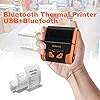
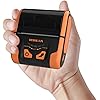
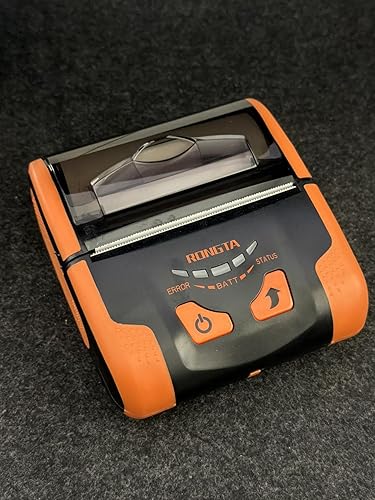
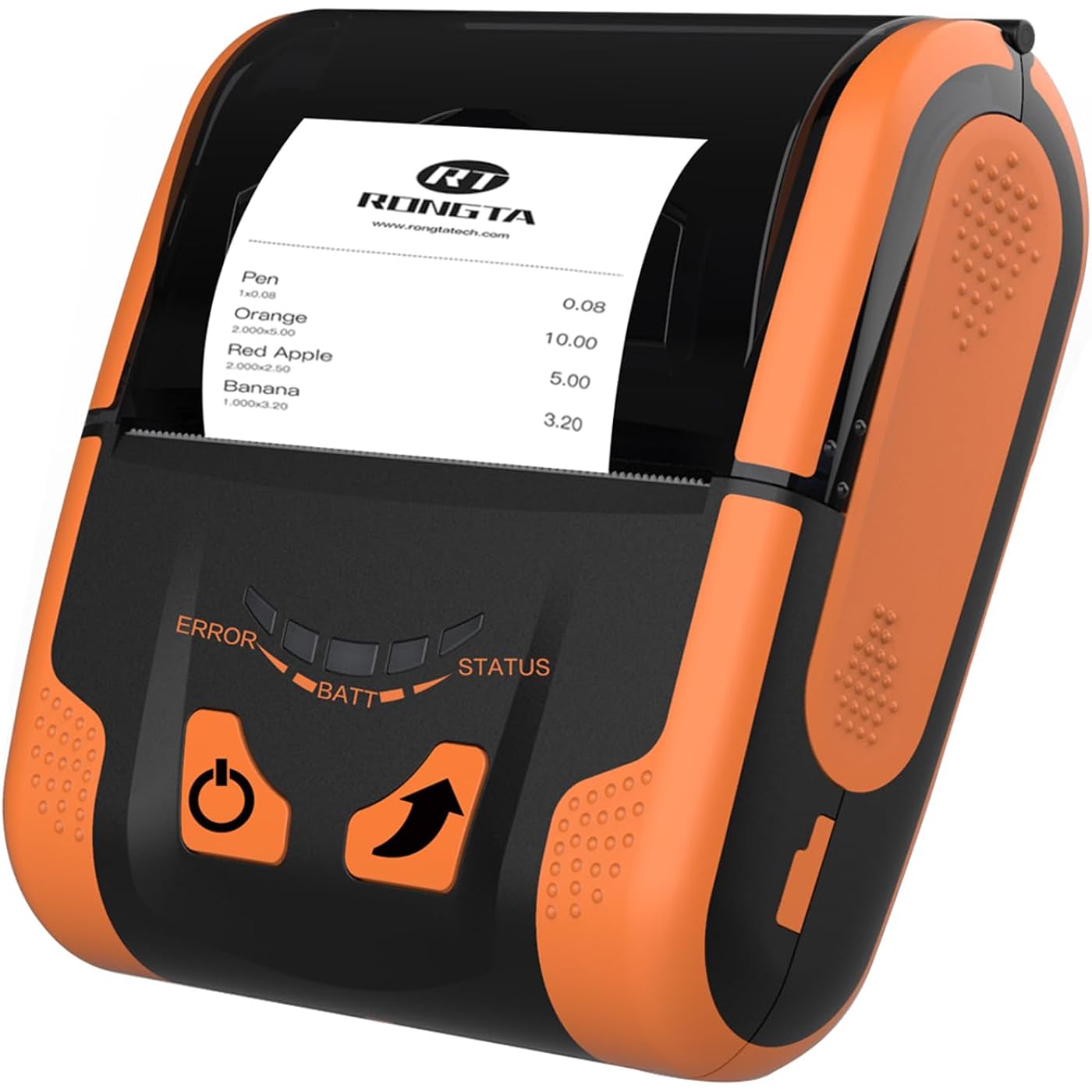
Rongta Portable 80mm POS Printer, Mobile Thermal Receipts Printer, USB&Bluetooth Connection, Compatible with Android Phone, Do Not Square/Ipad/Computer/Android Tablet(RPP300)
  • Based on 105 reviews
Condition: New
Checking for the best price...
$69.98 Why this price?
Save $10.00 was $79.98

Buy Now, Pay Later


As low as $11.66 / mo
  • – 6-month term
  • – No impact on credit to apply
  • – Instant approval decision
  • – Secure and straightforward checkout

Ready to go? Add this product to your cart and select a plan during checkout.

Payment plans are offered through our trusted finance partners Klarna, Affirm, Afterpay, Apple Pay, and PayTomorrow. No-credit-needed leasing options through Acima may also be available at checkout.

Learn more about financing & leasing here.

Free shipping on this product

FREE 30-day refund/replacement

To qualify for a full refund, items must be returned in their original, unused condition. If an item is returned in a used, damaged, or materially different state, you may be granted a partial refund.

To initiate a return, please visit our Returns Center.

View our full returns policy here.


Availability: In Stock.
Fulfilled by Amazon

Arrives Wednesday, Apr 29
Order within 13 hours and 44 minutes
Available payment plans shown during checkout

Protection Plan Protect Your Purchase
Checking for protection plans...

Features

  • Please download "RTPrinter System" app in google play/App Store, connect the app to the phone. BLUETOOTH+USB. Please contact us if you have question with the printer use, we will provide tech support
  • How to set Font Size: Long press the power button in the power-on state, When you hear two beeps, release the power button, and the font is in the maximum size; Hear Three beeps, release the power button, the font is medium size; Hear Four beeps, release the power button, the font is small size
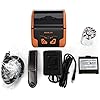
  • Please review the user guide in the CD before use, connect with laptops by computer, the CD include the driver. Tell us if you have question with the printer connect and use, we will solve for you. Exclusive power indication light, know the power anytime, anywhere, so that you can charge in time
  • DO NOT Computer/Android tablet, DO NOT (Square, ipad, chrome book, uber eats app, google tablets, clover pos)
  • Notice: POS Softwares Supported-- Loyverse(Retail/Clothing/logo print), iREAP(Retail/Inventory), CasierStock(Shopping/Inventory Management), Kyte(Mobile Sales), Pozool(Restaurant/Coffee Shop), Cashsale POS(Restaurant), ExpressExpense (Express billing receipt)
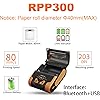
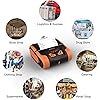
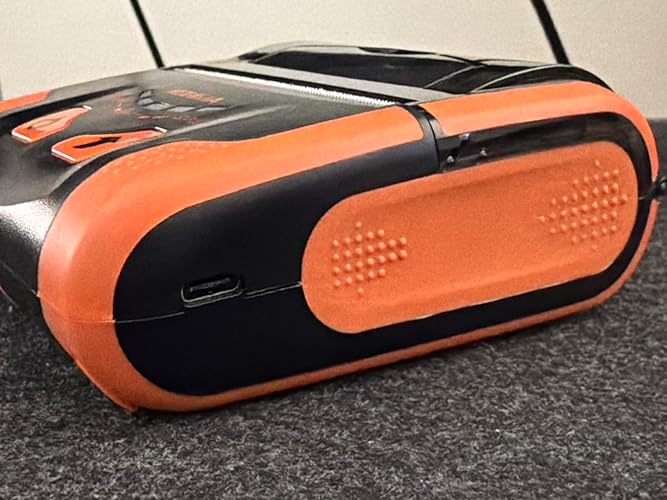
  • Support 80mm width thermal receipt paper (compatible with 58mm width), 40mm(MAX), 203 dpi. Mini size, non-slip design, suitable for mobile printing needs in bookstore, restaurants, warehouses, etc. Tell us if you have any question about use

Brand: Rongta


Connectivity Technology: Bluetooth, USB


Printing Technology: Portable Receipt Printer


Special Feature: Portable


Color: orange


Model Name: RPP300


Printer Output: Monochrome


Maximum Print Speed (Color): 60 ppm


Max Printspeed Monochrome: 60 ppm


Item Weight: 335 Grams


Printer Type: Portable Receipt Printer


Other Special Features of the Product: Portable


Printer Output Type: Monochrome


Item Weight: 335 Grams


Item Dimensions D x W x H: 4.45"D x 4.06"W x 1.77"H


Controller Type: Android, IOS, Windows


Print media: Labels


Scanner Type: Portable


Maximum Copy Speed Black and White: 67 ppm


Display Type: LCD


Compatible Devices: Smartphones, Tablets


Warranty Type: limited warranty


Maximum Copies Per Run: High


Ink Color: Orange


Resolution: 203dpi


Additional Printer Functions: Print Only


Control Method: App


Number of Drivers: 2


Number of Licenses: 1


Number of Trays: 1


Processor Count: 1


Maximum print Resolution Color: 203 dpi


Maximum Print Resolution Black and White: 203 dpi


Power Consumption: 14.8 Watts


Wattage: 14.8 watts


Dual-sided printing: Yes


Duplex: Automatic


Brand: Rongta


Model Name: RPP300


Model Number: RPP300


Model Series: RPP


UPC: 008853710244


Item Type Name: Portable receipt printer


Manufacturer: Rongta


Warranty Description: 1 year


Color Pages per Minute: 60 ppm


B&W Pages per Minute: 60 ppm


Maximum Media Size: 80mm


Maximum Sheet Capacity: 50


Paper Size: 80 millimeters


Output sheet capacity: 50


Color: orange


Color Depth: 1 bpp


Printer Connectivity Type: Bluetooth, USB


Hardware Interface: USB


Total USB 2.0 Ports: 1


Total Usb Ports: 1


Maximum Copy Resolution Color: 203 dpi


Maximum Copy Resolution Black and White: 203dpi


Frequently asked questions

If you place your order now, the estimated arrival date for this product is: Wednesday, Apr 29

Yes, absolutely! You may return this product for a full refund within 30 days of receiving it.

To initiate a return, please visit our Returns Center.

View our full returns policy here.

  • Klarna Financing
  • Affirm Pay in 4
  • Affirm Financing
  • Afterpay Financing
  • PayTomorrow Financing
  • Financing through Apple Pay
Leasing options through Acima may also be available during checkout.

Learn more about financing & leasing here.

Top Amazon Reviews


  • Greatest value in mobile printers!
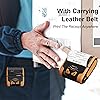
We use this printer at a small business to print our order slips. The printer has worked exceedingly well so far after about eight weeks of constant use. The customer support from Rongta has been exceptional, and we are pleasantly surprised at how helpful they are. Here are our thoughts about the RPP300 printer: Pros: 1. The unit comes with driver software and with an SDK for custom programming. They also provide demo software so you can get up to speed quickly to write your own apps for this printer. The only problem was a minor one. Android Studio would give warnings about the Chinese characters in the demo code comments. It's easy enough to delete the comments containing Chinese characters and the warnings will disappear. 2. The printer is small and lightweight. It comes with a convenient belt hook and you hardly even notice that the printer is there hanging from your belt. 3. The print speed is very fast, so you can take care of customers quickly. 4. The battery seems to last for many days before recharging is required. The battery pack is replaceable, so you can keep a spare battery already charged. 5. The customer service is the most responsive we have ever known. We have bought several Epson printers in the past, but Epson's support is not nearly as responsive. We will choose Rongta printers first over Epson now. 6. The price of this printer is surprisingly reasonable, and it seems to be an excellent value. 7. The printer can charge through the USB connector, so you can connect a power bank to the printer in case someone forgets to charge the printer. (This happened to us already.) 8. Our customers are pleased at having a new electronic system. We had been using pre-printed books of order slips, but the Rongta RPP300 has helped us cut costs. Those pre-printed books were expensive, so the Rongta RPP300 helps us save 75% over the price of those books. The savings pay for the printer in just a few months. Cons: 1. The only trouble for us is that the maximum paper roll diameter is 40 mm, and the yellow paper we use is not available in small rolls. However, the small roll capacity allows the printer to be a small size so that it does not get in the way when wearing the printer on a belt loop. 2. Once in a great while there will be some radio interference in the communication and one or two unintended spurious characters will print. This, however, is an unavoidable problem with wireless communication when interference is present. (We have many motors and industrial machines operating near the printer.) So far we have printed many thousands of order slips, and we are very, very pleased. Kudos to you for your excellent product, Rongta! ... show more
Reviewed in the United States on April 19, 2017 by tech-tok

  • Can't get it connected to anything
I don't know how anyone finds this easy to set up. Mine came with a cd and about 30 steps in, its going into things I do not understand. It is not a simple set up. I cannot get it working on my computer. Do not recommend at all.
Reviewed in the United States on March 1, 2026 by K Piro

  • Works really good!
When I was setting this up i had two issues. One, I had trouble printing nothing was coming out and second issue was bluetooth connection. The way i fix the first issue was i had the receipt paper turned around wrong. For the second issue I download different apps until it connected to it, I downloaded the “ Thermal printer PrinterApp by Devline Spa “ and it finally connected to ‘RPP- ###- ####’ and changed the size to 80mm and turnt out perfectly. I highly recommend this, you’ll just have to get different apps if your using mobile. ... show more
Reviewed in the United States on March 11, 2026 by Angel

  • Decent considering the price
I created an app for my delivery route to various grocery stores, printing invoices for the customer. This is great to have as it comes with a little strap to connect to a belt loop on my pants. My app creates PDF files and then I print them using this. So basically anything you can do with a PDF can be printed. It prints sharp and all that is fine. The downside: The app that comes with the printer has a lot of ways to print. I'm only familiar with the PDF so I can only speak on that. Other methods may not have this problem I'm about to discuss. When printing a PDF, what slows me down is having to find the file, open it in the printer app, yada yada...that part is kind of tedious and I hope I can find a way to shortcut this, but haven't yet. But also, when I'm printing I have to stand there and wait for it to finish printing. If I close my phone and put in my pocket, or even if I tilt my phone so it switches from portrait to landscape mode, this will disrupt the printing process and make it stop, so I'll have to start all over again. Kinda frustrating when your on the go and wanting to move quickly. All in all the printer does a fine job and I'm happy with it, you just have to be patient. And again, I want to say, if you're not using the PDF to print but a different mode I'm willing to bet you wouldn't have the issue I'm facing. I just need to see if I can find a way to use another mode. And this printer has MANY options. ... show more
Reviewed in the United States on November 8, 2024 by E. Polensky

  • Cool little printer.
I’m working on a React Native app and need printing. Of course, when it comes to programming all of the libraries you need are no longer maintained and abandoned. Seems like no one has filled this gap yet. Anyways, in the description, they mention having an SDK, but it’s worthless. Nonetheless, after countless hours of hacking away, finding other repos, etc., I found that the printer is ESC/POS compatible, so I built a module in my project to convert incoming requests to ESC/POS, and by golly it worked! I danced. This is my first ever thermal printer but I think I’ve caught some sort of weird printing bug! ... show more
Reviewed in the United States on October 16, 2024 by Steven

  • Does not work with Square
Worked well and print quality was pretty good but will not work with Square POS app.
Reviewed in the United States on April 19, 2017 by David B.

  • Muy buena calidad
Muy buen producto
Reviewed in the United States on March 26, 2026 by emmanuel abreu

  • Frustrations with Connectivity and Supplies
This printer has severe limitations regarding how you can connect and print. It cannot print directly from an Android phone. Instead, it forces you to use the company's dedicated app and print through their server, adding unnecessary steps and complexity. Furthermore, despite its reliance on Android for printing, you cannot use any device other than an Android phone to connect, which severely limits its flexibility. Be aware that the print roll is quite short, meaning you'll need to replace supplies frequently and won't be able to handle high-volume printing without interruption. ... show more
Reviewed in the United States on October 11, 2025 by Daniel H. You

Can't find a product?

Find it on Amazon first, then paste the link below.
Checking for best price...