Search  for anything...

Qwiizlab Mac mini Hub with Dual Drive Enclosure, Docking Station for Mac mini M2/M1, Mac Studio M3/M2/M1, Type-C 10Gbps, Card Readers 104MB/s, Fits M.2 SATA NVMe SSD, 2.5'' HDD SSD (Silver)

  • Based on 22 reviews
Condition: New
Checking for the best price...
$72.19 Why this price?
Labor Day Deal · 5% off was $75.98

Buy Now, Pay Later


As low as $12.03 / mo
  • – 6-month term
  • – No impact on credit to apply
  • – Instant approval decision
  • – Secure and straightforward checkout

Ready to go? Add this product to your cart and select a plan during checkout.

Payment plans are offered through our trusted finance partners Klarna, Affirm, Afterpay, Zip, Apple Pay, and Google Pay. No-credit-needed leasing options through Acima may also be available at checkout.

Learn more about financing & leasing here.

Free shipping on this product

FREE 30-day refund/replacement

To qualify for a full refund, items must be returned in their original, unused condition. If an item is returned in a used, damaged, or materially different state, you may be granted a partial refund.

To initiate a return, please visit our Returns Center.

View our full returns policy here.


Availability: In Stock.
Fulfilled by Amazon

Arrives Wednesday, Sep 9
Order within 15 hours and 21 minutes
Available payment plans shown during checkout

Protection Plan Protect Your Purchase
Checking for protection plans...

Features

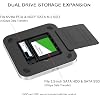
  • INTERNAL STORAGE EXPANSION - supports M.2 PCIe SATA and NVMe SSD up to 8TB, 2.5-inch SATA SSD up to 8TB and 2.5-inch SATA HDD up to 2TB to expand storage for Mac mini and Mac studio.
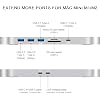
  • SUPER-SPEED DOCKING STATION - features with one 10Gbs USB Type-C port, one 10Gbps USB Type-A port, two 5Gbps USB Type-A ports and SD/microSD card readers up to 104MB/s for quick access to essential peripherals.
  • COMPACT USER-FRIENDLY DESIGN - adds it to your Mac with a slim enclosure made of aluminum alloy, user-friendly installation for M.2 PCIe SATA and NVMe SSD and 2.5-inch SATA HDD.
  • COMPREHENSIVE COMPATIBILITY - supports Mac Mini (2018 Intel, 2020 M1, 2023 M2/M2 Pro) and Mac Studio (2022 M1 Max/M1 Ultra, 2023 M2 Max/M2 Ultra, 2025 M3 Ultra/M4 Max).
  • WHAT'S IN THE BOX - includes UH25 Pro, quick start guide for users, self-adhesive sponges to ensure an optimal fit for SATA SSD/HDD installation, screws and screw driver, USB-C to USB-C cable for connecting to your Mac and USB-C to USB-A cable for connecting to external power supply.

Description

Apple M1/M2/M2 Pro M1 Max/Ultra M2 Max/Ultra Does this product include NVMe SSD? No, it does not include any SSD, you need to purchase and install SSD by yourself. Does this product support SSD with heatsink? No, there is no space to put extra heatsink inside of this product. Why SSD is not recognized by my Mac? Use the short USB-C data cable to connect this Qwiizlab hub/dock to a Thunderbolt 3, 4, or 5 port on your Mac, and confirm that your SSD has a format your Mac can read. Why SSD is disconnected from my Mac? It requires much more power supply when two or more drives/SSDs using at the same time. Try to connect USB wall charger (20W minimum) to the USB-C port on the rear of this Qwiizlab hub/dock.

Brand: Qwiizlab


Color: Silver


Hardware Interface: USB Type C


Compatible Devices: 2018 Mac mini (Intel Core), 2020 Mac mini (M1), 2023 Mac mini (M2/M2 Pro), Mac Studio (M1 Max/Ultra), Mac Studio (M2 Max/Ultra), Mac Studio (M3 Max, M4 Ultra) See more


Total USB Ports: 6


Product Dimensions: 7.75"L x 7.75"W x 0.59"H


Number of Ports: 10


Item Weight: 12.7 ounces


Number of Items: 1


Unit Count: 1 Count


Hardware Interface: USB Type C


Compatible Devices: 2018 Mac mini (Intel Core), 2020 Mac mini (M1), 2023 Mac mini (M2/M2 Pro), Mac Studio (M1 Max/Ultra), Mac Studio (M2 Max/Ultra), Mac Studio (M3 Max, M4 Ultra)


Total Usb Ports: 6


Number of Ports: 10


Minimum Required Operating System Version: Mac OS 11 Big Sur, Windows 10


Item Dimensions L x W x H: 7.75"L x 7.75"W x 0.59"H


Item Weight: 12.7 ounces


Color: Silver


Brand: Qwiizlab


Number of Items: 1


Unit Count: 1 Count


Manufacturer: Qwiizlab


Model Number: UH25 Pro (Silver)


Mfr Part Number: UH25 Pro (Silver)


Warranty Description: 1 Year Warranty


Frequently asked questions

If you place your order now, the estimated arrival date for this product is: Wednesday, Sep 9

Yes, absolutely! You may return this product for a full refund within 30 days of receiving it.

To initiate a return, please visit our Returns Center.

View our full returns policy here.

  • Klarna Financing
  • Affirm Pay in 4
  • Affirm Financing
  • Afterpay Financing
  • Zip Pay in 4
  • Financing through Apple Pay
  • Financing through Google Pay
Leasing options through Acima may also be available during checkout.

Learn more about financing & leasing here.

Top Amazon Reviews


  • Setup was quick and easy
Color: Silver
Here's a polished version of your review: > Excellent product! It works flawlessly with my Mac Studio M4. I paired it with a 2TB Samsung SSD and a 1TB 2.5-inch hard drive from my old iMac, and everything was recognized immediately. Setup was quick and easy, and the performance has been outstanding. I highly recommend it! ⭐⭐⭐⭐⭐ ... show more
Reviewed in the United States on July 5, 2026 by J.J. Murillo

  • Works well with my Mac Studio computer
Color: Silver
I bought the Quiizlab Mac Mini dock to replace a dock of a different brand that had connection problems. After a bit of trial and error, I got the Quiizlab dock to work reliably with my Mac Studio computer. At first, it too was sporadically disconnecting, even after I connected external power. However, the connection seemed to improve after I connected a different higher quality cable to the dock. It now works reliably with both installed drives (a standard SSD and an NVMe drive). And it works without external USB power being connected. I primarily use the Quiizlab dock for weekly backups of my computer's internal hard drive. The front panel USB connections (3 older style USB and one USB C style) and memory card slots are a nice convenience. There are three lights on the front panel of the dock, a blue light, a green light and a white light. The blue light stays on steady whenever the dock is connected. The green light turns on (blinking or steady) when the NVMe drive is being used. The white light blinks when the standard SSD is being used. The white light sometimes begins blinking slowly on and off as if the drive is sleeping and the drive is not being used. Sometimes it stays steady on. There is no explanation of the function of these lights in the user manual or online, as far as I can find. ... show more
Reviewed in the United States on August 8, 2026 by Lower East Sider

  • Nice Add to a Mac Mini M1
Color: Silver
I added this Mac Mini hub to my 2020 Apple Mac Mini M1. Pretty decent quality and easy to install. I easily put in a Toshiba 1 TB HHD 2.5” SATA in temporarily; I’ll wait till flash memory prices recover from insanely high prices. It runs fine on the HHD, plus 2 external SSDs and looks good. My desktop now is becoming clean and organized. ... show more
Reviewed in the United States on April 1, 2026 by Federico915

  • Love it so far!
Color: Silver
Not a bad product. looks nice, hooks up pretty fast. BEWARE!!!! the SD card goes in upside down!!!! once i figured that out, it mounted real quick!! I love it!!
Reviewed in the United States on June 20, 2026 by Brian L.

  • So far so good
Color: Silver
nice looking and works fine, seems to be fine without external power.
Reviewed in the United States on February 18, 2026 by Wolman1234

  • Easy to setup
Color: Silver
Great
Reviewed in the United States on March 9, 2026 by Okai

  • Not enough ports but amazing hard drive support
Color: Silver
If you want to run a SATA SSD externally between devices and an nvme m.2 drive all while having a few more USB ports at the cost of one c-type port, this may be the device for you. It is constructed out of metal and the hard drive enclosure is either softly magnetically closing or pressure fitted. I'm not entirely sure which of the two that is because it does hold when it's upside down, but it's really easy to take off and it doesn't have that stick most neodymium magnets have. The frame is made out of metal. The bottom is made out of a black hard plastic or something like that. It does come with one c-type cable and because it's running SATA 2.5 in style and one nvme drive it requires a C-Port input and a secondary for power. I have ordered two other brands of this style Mac Mini Hub. This one is larger than the other two. While I don't use a Mac Mini, they all work with Windows devices and Android devices. There are two caveats with this. The power is not two-way this device gobbles up all the power that you throw at it, the other device is that I got one is not powered and the second one is powered. But if you choose to power it, it sends power to your other devices. This one was a little upsetting not only due to it being larger than the modern Mac minis, but because of limited features, it's just USB ports, a card reader, and two hard drive bays. You're not going to get HDMI out or 3.5 mm headphone in or any extra C ports while using this. It also does not provide power to your devices except for on the USB area which is going to be at Max 5 volts 1 amp. So the required power is strictly for hard drive use only and not two-way. The price point on this product I fully believe as a consumer who has two other Mac Mini hubs is just too high. You're going to expect the consumer to pay more for less. I would rather get a $10 2.5 in SSD, external reader and the ugrain style Mac Mini Hub. It has HDMI out and has more USB cords still has the nvme reader the card readers and two extra USB ports. All in all it's great concept but not worthy of five stars in my opinion. ... show more
Reviewed in the United States on June 25, 2026 by T. Lasch

  • Excellent quality and a perfect fit, but also quite expensive
Color: Silver
This is a good-fitting dock and hub for newer Mac mini models, and it works as advertised. The design matches the size and shape of the Mac mini well, making it feel like a natural extension of the computer rather than just another accessory sitting next to it. The added ports are useful, especially the extra USB connections and SD/TF card readers. Having the ability to add SATA or NVMe storage in the same footprint as the Mac mini is also a convenient way to expand storage while keeping the setup clean and organized. The functionality is solid, but the biggest downside is the price. At over $70, it feels expensive for what it provides. While the combination of features is useful, the cost is a significant jump compared to simpler USB hubs or storage enclosures that can provide similar functionality separately. Overall, this is a well-designed and functional Mac mini accessory. It fits great, works well, and adds a lot of convenience, but the price makes it harder to recommend unless you specifically need the built-in storage expansion and extra ports in one package. ... show more
Reviewed in the United States on August 2, 2026 by Amazon User

Can't find a product?

Find it on Amazon first, then paste the link below.
Checking for best price...