Search  for anything...

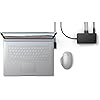
NEW Microsoft Surface Dock 2, Ethernet For Notebook

  • Based on 3,026 reviews
Condition: New
Checking for the best price...
$217.99 Why this price?
Holiday Deal · 16% off was $259.99

Buy Now, Pay Later


As low as $36.33 / mo
  • – 6-month term
  • – No impact on credit
  • – Instant approval decision
  • – Secure and straightforward checkout

Ready to go? Add this product to your cart and select a plan during checkout.

Payment plans are offered through our trusted finance partners Klarna, Affirm, Afterpay, Apple Pay, and PayTomorrow. No-credit-needed leasing options through Acima may also be available at checkout.

Learn more about financing & leasing here.

Free shipping on this product

FREE 30-day refund/replacement

To qualify for a full refund, items must be returned in their original, unused condition. If an item is returned in a used, damaged, or materially different state, you may be granted a partial refund.

To initiate a return, please visit our Returns Center.

View our full returns policy here.


Availability: In Stock.
Fulfilled by Amazon

Arrives Jan 8 – Jan 29
Order within 19 hours and 16 minutes
Available payment plans shown during checkout

Protection Plan Protect Your Purchase
Checking for protection plans...

Features

  • Instantly turn your Surface into a desktop PC with the next-gen ports in new Surface Dock 2.
  • Simply plug in the Surface Connect cable to charge your device and access external monitors, a keyboard, mouse, and more.
  • 199w power supply; longer Surface Connect cable (80 cm).
  • Supports dual 4K at 60Hz
  • 2 front-facing USB-C, 2 rear-facing USB-C (gen 2), 2 rear-facing USB-A, 3.5mm in/out audio jack, 1 gigabit Ethernet, Security lock support (Kensington compatible)

Description

Streamline the way you work and connect. New Surface Dock 2 instantly transforms your Surface into a desktop PC with all the next-gen ports you need, including USB-C®. Simply plug in the Surface Connect cable to charge your device and access external monitors, a keyboard, mouse, and more. Surface Dock 2 was built to maximize efficiency.

Brand: Microsoft


Color: Black


Hardware Interface: DisplayPort, Ethernet, USB, USB Docking Station, USB Type C


Compatible Devices: Notebook


Total USB Ports: 6


Product Dimensions: 11.4"L x 5.2"W x 3.7"H


Number of Ports: 6


Item Weight: 1.1 Pounds


Wattage: 199 watts


Global Trade Identification Number: 39


Brand: ‎Microsoft


Series: ‎Docking Station


Item model number: ‎SVS-00001


Item Weight: ‎1.13 pounds


Product Dimensions: ‎5.12 x 2.75 x 1.18 inches


Item Dimensions LxWxH: ‎5.12 x 2.75 x 1.18 inches


Color: ‎Black


Number of Processors: ‎1


Battery Type: ‎NULL


Batteries: ‎1 Lithium Ion batteries required.


Manufacturer: ‎Microsoft


Date First Available: ‎May 6, 2020


Frequently asked questions

If you place your order now, the estimated arrival date for this product is: Jan 8 – Jan 29

Yes, absolutely! You may return this product for a full refund within 30 days of receiving it.

To initiate a return, please visit our Returns Center.

View our full returns policy here.

  • Klarna Financing
  • Affirm Pay in 4
  • Affirm Financing
  • Afterpay Financing
  • PayTomorrow Financing
  • Financing through Apple Pay
Leasing options through Acima may also be available during checkout.

Learn more about financing & leasing here.

Top Amazon Reviews


  • Surface studio laptop
Works great with the surface studio laptop. I have a 5120x1440 monitor that I have a single USB-C to DisplayPort cable connected to the dock. It is able to drive that monitor in HDR without any issues. Charging is at full speed as well. It also has a gigabit Ethernet connection They provide enough usb ports for a non insane person. My desktop on the other hand uses about 15 usb ports and has a hub. I haven’t required a use case with this dock to add much and don’t really fill them all. If your laptop is your primary computer then I could see the need to buy a hub in addition to this dock Works great with the surface studio laptop. I have a 5120x1440 monitor that I have a single USB-C to DisplayPort cable connected to the dock. It is able to drive that monitor in HDR without any issues. Charging is at full speed as well. It also has a gigabit Ethernet connection or at least what my router is reporting. They provide enough usb ports for a non insane person. My desktop on the other hand uses about 15 usb ports and has a hub. I haven’t required a use case with this dock to add much and don’t really fill them all. If your laptop is your primary computer then I could see the need to buy a hub in addition to this dock. I don’t know if anything gets bottlenecked. But it seems to handle a lot of data transfer over this thin cable. Very satisfied about how slick and robust this dock is. ... show more
Reviewed in the United States on October 16, 2022 by Nick Smith

  • Use a USB-C to HDMI connection to your monitors!
I've been using a Surface Dock 2 (purchased from another retailer) with a Surface Pro X. I connected the Dock to the monitor using a VGA adapter I'd been using with an older computer. At first the new setup worked fine but after a few months the monitor began to flicker. Sometimes the monitor wouldn't display anything at all. Each time I turned the computer on I had to fiddle with the connection but eventually, fiddling no longer worked. Eventually I stopped trying and made due with just the Pro X monitor. Needless to say, I was quite frustrated. As time when y I continued to search for a solution directly with Microsoft, on the web and here on Amazon's pages. I noted that many other Dock 2 users were having similar frustrations. The monitor I was using was an older model so I bought a one. The problems continued with the new monitor. Thinking the VGA cable I was using might have been the source of the trouble, I tried a new one of those, another VGA. That didn't fix the issues either. Well, the other day I decided to take last shot with an HDMI cable, purchased here on Amazon (USB C - HDMI 6 ft Benfei) for about $10. Today I plugged it in. Immediately, the monitor worked flawlessly! I don't know if all VGA connectors fail with the Dock 2 but clearly, mine did. So my recommendation is to go the HDMI route from the start and save yourself a lot of potential grief. By the way, I've loved the Pro X itself from the beginning. ... show more
Reviewed in the United States on May 29, 2022 by Doug Near Seattle

  • Works Well with Microsoft Surface Laptop Studio
The original power charger that came with my Microsoft Surface Laptop Studio quit working, so I needed to purchase a replacement charger. It's nearly impossible to find a similar charger to the original, other than through third party options. I found out the hard way that a non-Microsoft product isn't always compatible, despite what online descriptions state. So I needed to return the replacement charger I initially purchased. Thankfully I had the original Surface Dock as a backup to use with my Microsoft Surface Laptop Studio until I received the Surface Dock 2. Like the original Surface Dock, the Surface Dock 2 works perfectly with my Laptop Studio device -- but with improved compatibility and greater power. (I always received a message about the original Surface Dock transmitting a slow charge and to use the original charger that came with my device, which was impossible.) My only real complaint is the steep cost of the Surface Dock 2 (approximately $200-$260, depending on if you can find it on sale or full price). ... show more
Reviewed in the United States on December 4, 2022 by Jennie Espy

  • Works good for Surface Go 1
TL:DR - This works for MS Surface Go, gen 1! USB C to HDMI seems to work with generic and quality USB c to HDMI devices. Everything seems to work as expected. Plug in, let it install the drivers, then go!...restart may be necessary. The dock itself has soft rubber(?) lining on the bottom to reduce sliding around. The dock connects to your surface with the proprietary magnetic plug that's around 32 inches so your laptop or tablet doesn't have to be stuck near the dock. Ethernet port works as expected. Audio port is both speaker + mic ports in one (similar to your cell phone). Two USB c video ports in the back so you add two monitors! I would recommend if you need more than a tablet or laptop. Detailed review - I wasn't sure if this would work well for my Surface Go but I took the chance. I also was concerned about the USB c to HDMI adapter because i'm not as familiar with the USB c protocols and devices. Both turned out to work fine together. I have my Surface Go 1 docked now, with both my HDMI monitor and HDMI TV connected to this dock. Setup was very easy. I just plugged everything in and let it set itself up. I did have to let it finish setting up and then disconnect and reconnect the connector. I suspect this necessity is a Windows thing, maybe a surface thing, because I had to do it with my generic hub as well. Reconnect it and it should work. The HDMI adapter that I bought worked easily out of the box. An interesting thing that I found was that my generic USB c hub (5 in 1 or 7 in 1 type) has an HDMI out and that worked too! This USB c display protocol that this dock has may already be in our USB c devices that have HDMI ports. I checked my device manager and display adapter settings and it appears that the HDMI connections are working off the surface's graphics cards and not the external video card types. The second biggest reason I wanted to get this dock was the Ethernet port that this dock has. My surface doesn't have an Ethernet port and I'm read that normal 7 in 1 hubs that have HDMI and Ethernet ports usually can't handle the data so I didn't want to spend the $ to find out later that I'm not getting the expected performance. I don't know how to tell how fast the Ethernet is working but I can watch a video over remote desktop with only a slight bit of lag on one of my HDMI connected monitors. The audio port with both mic and headphones is important nowadays because of the video conferencing that I've been doing and this port works as expected. One thing that was interesting was that windows identified the device as USB Audio or Headphones (USB) but this is not a problem. Final words, this is a dock, not a hub. Meaning, don't expect this to be portable. This is not a portable device, I think of this as a portability facilitator. It lets you be portable by putting all your device connections in one place AND adds more connectors and expands on what you can connect as well. It also has a power brick that is literally the same size as the dock. If you want portable, then you need something more like a hub, but those hubs are not a great solution for permanent setups either because you might need to power it with a USB c port AND your surface will still need its power supply if you don't want to just run on batteries. Then you might also need your audio connection... This is really how my setup was before this dock. My hub connected to my Surface's USB c. it needed power so it was plugged into a USB power adapter. This hub also didn't work every time and I constantly had to unplug it or its power until things connected. My Surface's power connector was also plugged into my Surface and I had an audio connection for my speakers. My device: Surface Go (model 1824) CPU: Intel Pentium 4415Y @ 1.6, 64 bit Ram 4 GB USB C to HDMI: Cable Matters Aluminum USB C to HDMI Adapter for Surface Pro 7 and More - Support 4K 60Hz and HDR https://www.amazon.com/dp/B07MFW2G3K ... show more
Reviewed in the United States on June 14, 2020 by P. Ng

Can't find a product?

Find it on Amazon first, then paste the link below.
Checking for best price...