



Search  for anything...

NETGEAR WiFi Extender EX6400, up to 2,100 sq ft, 1.9 Gbps

  • Based on 2,662 reviews
Condition: New
Checking for the best price...

Buy Now, Pay Later


As low as $12.21 / mo
  • – 6-month term
  • – No impact on credit to apply
  • – Instant approval decision
  • – Secure and straightforward checkout

Ready to go? Add this product to your cart and select a plan during checkout.

Payment plans are offered through our trusted finance partners Klarna, Affirm, Afterpay, Zip, Apple Pay, and Google Pay. No-credit-needed leasing options through Acima may also be available at checkout.

Learn more about financing & leasing here.

Selected Option

Free shipping on this product

FREE 30-day refund/replacement

To qualify for a full refund, items must be returned in their original, unused condition. If an item is returned in a used, damaged, or materially different state, you may be granted a partial refund.

To initiate a return, please visit our Returns Center.

View our full returns policy here.


Availability: In Stock.
Fulfilled by Amazon

Arrives Tuesday, Oct 6
Order within 9 hours and 55 minutes
Available payment plans shown during checkout

Protection Plan Protect Your Purchase
Checking for protection plans...

Size: 1.9 Gbps, 2100 sq.ft.


Features

  • DEAD ZONES, ELIMINATED: Bring WiFi 5 to the rooms your router cannot reach - bedrooms, garage, basement, and backyard - with up to 2,100 sq. ft. of added coverage across two bands with 6 streams for up to 35 devices, from any wall outlet
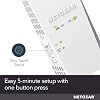
  • EASY SET UP: Use the NETGEAR Nighthawk app for guided setup, or press WPS on your router and the extender
  • STREAM AND GAME WITHOUT THE LAG: Handle demanding HD streaming and online gaming across the home, with up to 1.9 Gbps (AC1900) with FastLane technology. Real-world speeds vary depending on connected devices and internet plan
  • WIRED CONNECTION WHEN YOU NEED IT MOST: Connect a smart TV, game console, or desktop straight to the extender for a full-speed wired link through the Gigabit Ethernet port
  • WORKS WITH THE ROUTER YOU ALREADY HAVE: Connects to any router or gateway from Xfinity, Spectrum, AT&T, Cox, or Verizon and rebroadcasts its signal. It extends your router, it does not replace it, with no closed ecosystem to lock you in
  • SECURE AND READY TO GO: WPA3 security protects every connected device. FCC Certified for use in the United States

Description

The NETGEAR WiFi Range Extender is a WiFi booster for rooms your router cannot reach, adding up to 2,100 sq ft of coverage from any wall outlet. Dual Band WiFi 5 carries speeds up to 1.9 Gbps with FastLane technology and capacity for 35 devices, so HD streaming and gaming stay smooth. Smart Roaming keeps your existing WiFi name, and a Gigabit Ethernet port wires a PC, console or 4K TV. Works with any router and extends your network rather than replacing it, and sets up quickly in the Nighthawk app.

Brand: NETGEAR


Wireless Communication Standard: 802.11ac


Data Transfer Rate: 1900 megabits_per_second


Frequency Band Class: Dual-Band


Special Feature: Smart Roaming, Mesh Smart Roaming, FastLane(TM) technology


Wireless Compability: 802.11ac


Data Transfer Rate: 1900 megabits_per_second


Frequency Band Class: Dual-Band


Special Features: Smart Roaming, Mesh Smart Roaming, FastLane(TM) technology


Frequency: 2.4 GHz


Compatible Devices: Router


Frequency Bands Supported: 2.4 GHz, 5 GHz


Range: 2100 square_feet


Connector Type: RJ45


Item Weight: 10.56 ounces


Item Dimensions D x W x H: 3.82"D x 5.56"W x 6.93"H


Color: white


Brand: NETGEAR


Built-In Media: AC1900 WiFi Range Extender (EX6400), Quick start guide


Manufacturer: NETGEAR


Number of Items: 1


Unit Count: 1 Count


Item Highlight: Signal Booster for Home, Easy Set Up, 35 devices, Works with any Router, Compact Design, WiFi 5, AC1900


UPC: 606449111897


Global Trade Identification Number: 97


Model Number: EX6400-100NAS


Mfr Part Number: EX6400-100NAS


Warranty Description: 1 year warranty


Frequently asked questions

If you place your order now, the estimated arrival date for this product is: Tuesday, Oct 6

Yes, absolutely! You may return this product for a full refund within 30 days of receiving it.

To initiate a return, please visit our Returns Center.

View our full returns policy here.

  • Klarna Financing
  • Affirm Pay in 4
  • Affirm Financing
  • Afterpay Financing
  • Zip Pay in 4
  • Financing through Apple Pay
  • Financing through Google Pay
Leasing options through Acima may also be available during checkout.

Learn more about financing & leasing here.

Top Amazon Reviews


  • WORKS GREAT! Highly recommend this model
Size: 1.9 Gbps, 2100 sq.ft.
When used to help increase already existing wifi signal strength you will get a better and more stronger connection to your router. I used this to help increase the signal to my Xbox One because my games would download slow and multiplayer games would often times be laggy or more times than not have packet loss in games such as Battlefield 1. Once connected the range of my wifi signal is greatly increased and reaches far across the opposite side of my house where my router is now. My router is only a Netgear N600, nothing special so you don't need a top of the line router for this to work correctly. When setting up it was hard to connect it using the WPS button on my router but I think thanks more of me not knowing how to correctly use it. I found it much more easier to go to the website listed in the manual to set it up manually. The website displays everything for you which made a huge difference because my router has a 2.4 GHZ and 5 GHZ signal so on the website you can click to make an "extension" for both signals. When using the WPS rather than website to connect the extender to your router you have to repeat the steps to connect it because it connects each signal individually. When I tried it that way I wasn't sure if both signals were connected to the extender and when I went on the setup website it clearly showed and gave the option to connect both. For performance on the extender signals, I orginally was getting 78 mbps on my routers wifi in the room I was intending to have the extender in. On the 2.4 GHZ EXT the extender was giving me a signal of 135 mbps , huge difference! I use the 2.4 GHZ EXT for my smart phone which is more than enough signal strength. And on the 5 GHZ EXT I was getting 270 mbps which works great on my Xbox one for downloading/uploading, multiplayer, streaming. When I tested the download speed of my Xbox One on my regular network I would get between 9 - 15 mbps and upload speeds would be around 5 - 8. Now on the extender network I get between 25 - 30 mbps download speeds and 10 - 15 mbps upload speeds. So this device did exactly as it intended to do. Hope this helped anyone on the fence about purchasing this, as I was unsure myself after seeing many reviews saying how these extenders were a "waste if money". I belive those people just bought an extender that was not strong enough to support their full wifi signals or placed them too far from their router and it can't connect to it good enough. When it comes to these, spend a little extra money if you have it so they work as you expect them too, if the price is cheap so is the quality! The last note I'll make on this is I liked how on the extender itself it gives light displays to show if you need to move it closer to the router or if you need what it's extending the signal to, to be closer because the signal is too weak. Both should be green to indicate that you are in a good zone. ... show more
Reviewed in the United States on February 19, 2017 by Michael

  • Easy setup
Size: 1.9 Gbps, 2100 sq.ft.
Very easy to setup, WiFi signal is strong throughout the house
Reviewed in the United States on September 10, 2026 by Tiffany

  • Doesn't last long; "WARRANTY" a sad joke on the consumer
Size: 1.9 Gbps, 2100 sq.ft.
I'd like to first say that I've had a Netgear 802.11ac router for many years and *knock on wood* it hasn't failed me. When I needed a range extender, I thought I'd go back to them. Unfortunately, this product just doesn't last. I had it plugged into a receptacle in my basement, literally about 7' straight below my router (needed it in that location because an I-beam in the ceiling of my basement wreaked havoc on the wifi signal from the router to the basement). It worked very well... for a little while. Then it didn't. The EX6400 would, from time to time, just stop working. Mind you, this was when it was only a few months old. The only way to get it going again was to unplug it to cycle the power. Then it would work for a few days, maybe a week, until it stopped again. Now bear in mind that, although I'm no tech expert, I have certifications from Microsoft and Cisco, so I have a pretty good understanding of what I'm doing tech-wise. I knew the extender should work without having to constantly cycle the power, but sometimes you just have to pick your battles. One day, about 6 months after purchase, this extender just completely bought the farm. It wouldn't turn on; it wouldn't do anything. I knew I was well within my "one year warranty" so I contacted Netgear to get an RMA. If you've ever had to deal with Netgear, you know this is where the fun begins. You see, even though the Netgear warranty period (for defects in quality/workmanship) is "1 year," they don't want to honor that warranty until they have done troubleshooting over the phone with you. But guess what? The TECH SUPPORT included with the device is ONLY 3 months. So before they give you the RMA, they want you to PURCHASE a Tech Support SUBSCRIPTION so they can troubleshoot the device! Great business model, right? I decided I wasn't going to pay for support that should be included in the warranty period, and I told them so in no uncertain terms. I was put on hold, where I stewed for awhile, and when the agent came back I was told I had (graciously) been granted a ONE TIME tech support session to troubleshoot the STILL UNDER WARRANTY product. I felt so honored! Long story short: they couldn't get it to work, either. They gave me an RMA to return it for replacement. So I returned it to them (on my own dime, of course) and received a replacement. And... the replacement only lasted about 6 months until it, too, just completely stopped working. I'll be replacing it again, but it won't be with another Netgear product. I've learned my lesson! Netgear, first and foremost, needs to fix their horrible consumer warranty policy. If you give someone a one year warranty on your product, then the technical support to troubleshoot that product should also be ONE YEAR. That 3 month tech support business is PURE HOGWASH. ... show more
Reviewed in the United States on July 8, 2022 by feldo172

  • Did what I wanted, except...
Size: 1.9 Gbps, 2100 sq.ft.
Tech support not rated, didn't use it. I have a Netgear Nighthawk that does a great job of putting a 2.4 and 5 GHZ around the entire house. It was very dependable, no dropped wifi transmission unless the internet went out, which was very rare. That is except for one specialized video streaming box that is used to access live Japanese channels in Hawaii which doesn't seem to get the signal that an Apple TV unit right next to it does. It just could not sustain a steady streaming flow and was very problematic. After many trial workarounds, I ordered this extender which installed fairly well, though not as easily as advertised...no complaint. It immediately solved the video streaming issue, which felt like success. Except, a few days later, we started having a series of random daily drops on 5G while the 2.4 GHZ channel kept working...it was not a dropped internet signal. The only thing that had changed in the wifi spectrum was the addition of the extender. As I worked through it, the only explanation I came up with was that the Nighthawk and extender might somehow have been cancelling out each other, since the extender is working off the 5G GHZ frequency and the Nighthawk signal was generally supporting the same area where the extender was installed. I started troubleshooting via the Nighthawk app on my iPad, but the problem got worse, the 5G channel went down to less than 50 MBPS when 230 had been its norm. Although I had done a firmware update of the extender upon original installation, the Nighthawk app was showing that a firmware update was needed, so that was done and soon after that, reception went back to what it had been upon first installation, a more reliable wife transmission. I am still experiencing short (2-3 minutes) drops, but not as dramatic as they had been. Knock on wood! It can be argued that the extender is not at fault, and I can't defend that it might have been. But, it is the only thing that changed in our home wifi spectrum literally only a few days before two weeks of daily drops occurred. Bottom line: I am happy with the extender, it does what it should, but I'm not totally convinced I've totally solved the dropped signal issue yet. ... show more
Reviewed in the United States on February 8, 2020 by J. Link

  • Great once got help
Size: 1.9 Gbps, 2100 sq.ft.
Once we got it set up, it was great. Had to take two different phone calls with tech-support to get it to work correctly. The first tech didn’t help completely. The second tech was very good and thorough, and we had to do a factory reset. Once that was done, it was full speed ahead.
Reviewed in the United States on September 13, 2026 by Candy Sip

  • Easy set up with a netgear router
Size: 1.9 Gbps, 2100 sq.ft.
I’m not a techie, and I bought this because I already have a netgear router. So you just use the pairing button on both this and router (twice for both bands) and it set up on the first try. I also used AI to verify step by step how to get this setup. Lastly, I had to reselect the WiFi network for items (Roku) where the extender was placed, as they didn’t automatically find the extender. Clear as mud? Anyway, it took about 30 minutes total as I was fairly methodical about setting this up. Overall, it works well, and we are getting great connectivity, in prior dead zones. ... show more
Reviewed in the United States on September 25, 2026 by Susan I. Anuskiewicz

  • Not very reliable
Size: 1.9 Gbps, 2100 sq.ft.
Set up was not very easy. Also, range is not very stable as it keeps on disconnecting
Reviewed in the United States on July 15, 2026 by Pankaj

  • WiFi performance issues? Try this extender before you get a new router.
Size: 1.9 Gbps, 2100 sq.ft.
I have Verizon FiOS 75/25. For some reason, after working fine for years, my iPhone 5 wifi was not performing as well at home. My ROKU was also having connection issues. I got a new Quantum Gateway router and that helped - some. What I should have done in the first place is get this awesome Netgear range extender. For various reasons, my FiOS router is on my top floor in a sitting room / office. By placing the Netgear extender on the main floor, I found that the wifi signal of the extra SSID was great on the main floor as well as in the basement, where my big HDTV and ROKU are. The streaming on my ROKU is now *flawless*. Setup could not have been easier - especially if your router has a WPS (Wifi Protected Setup) button. 1) Plug in the Netgear extender in the same room as your current wireless router. 2) After about a 2 minute bootup when the light is green, push the WPS button on the extender, then the WPS button on your router 3) The extender "talks" to router and basically learns how to act as it's "surrogate" 4) The extender will create up to two additional SSIDs (one regular one for 2.4 Ghz and one for 5 Ghz frequencies) 5) To use the new SSIDs you can use the *exact same password* as your router's SSID 6) Throughout the house pick / choose which SSID is best based on where you are, then connect It would be nice if my phone (or other wifi enabled device) was smart enough to automatically connect to the closest / best wifi signal (router or extender) but can't complain at all about performance. The lag is imperceptible. Could have saved my self some money if I simply bought this extender first instead of the Quantum Gateway router. In any case, great performance and super easy setup if you have WPS. ... show more
Reviewed in the United States on November 21, 2016 by Daddy00

Can't find a product?

Find it on Amazon first, then paste the link below.
Checking for best price...

