Search  for anything...

NETGEAR Wi-Fi Range Extender EX2700 - Coverage Up to 800 Sq Ft and 10 Devices with N300 Wireless Signal Booster & Repeater (Up to 300Mbps Speed), and Compact Wall Plug Design

  • Based on 70,707 reviews
Condition: New
Checking for the best price...
$70.88 Why this price?
Holiday Deal · 8% off was $76.98

Buy Now, Pay Later


As low as $11.81 / mo
  • – 6-month term
  • – No impact on credit
  • – Instant approval decision
  • – Secure and straightforward checkout

Ready to go? Add this product to your cart and select a plan during checkout.

Payment plans are offered through our trusted finance partners Klarna, Affirm, Afterpay, Apple Pay, and PayTomorrow. No-credit-needed leasing options through Acima may also be available at checkout.

Learn more about financing & leasing here.

Selected Option

Free shipping on this product

This item is eligible for return within 30 days of receipt

To qualify for a full refund, items must be returned in their original, unused condition. If an item is returned in a used, damaged, or materially different state, you may be granted a partial refund.

To initiate a return, please visit our Returns Center.

View our full returns policy here.


Availability: Only 1 left in stock, order soon!
Fulfilled by Best4Sale【S/N Recorded】

Arrives Dec 20 – Dec 24
Order within 18 hours and 49 minutes
Available payment plans shown during checkout

Protection Plan Protect Your Purchase
Checking for protection plans...

Style: WiFi Extender N300


Features

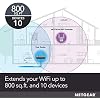
  • EXTENDED WIRELESS COVERAGE: Adds WiFi range coverage up to 800 sq ft, and connects up to 10 devices such as laptops, smartphones, speakers, IP cameras, tablets, IoT devices, and more.
  • N300 WIFI SPEED: Provides up to 300Mbps performance.
  • UNIVERSAL COMPATIBILITY: Works with any wireless router, gateway, or cable modem with WiFi.
  • WIRED ETHERNET PORT: Simply plug in game consoles, streaming players, or other nearby wired devices using the one 10/100M port for maximum speed.
  • SAFE & SECURE: Supports WEP and WPA/WPA2 wireless security protocols.
  • SIMPLE TO SETUP: Press the WPS button to connect to your router. Use the NETGEAR WiFi Analyzer app for optimal location.
  • 0
  • 0

Description

Say goodbye to Wi-Fi dead zones. Convenient, discreet and easy to install, extended Wi-Fi coverage is just an outlet away with this essentials edition extender. Boost your Wi-Fi for mobile devices and connect a wired device such as Smart TVs or game consoles. Boost your existing network range & speed, delivering Wi-Fi up to 300Mbps. External antennas provide better Wi-Fi coverage and higher speed, while the convenient wall-plug design saves space. It works with any standard Wi-Fi router & is ideal for keeping your mobile devices connected as you move throughout your home.

Brand: NETGEAR


Wireless Communication Standard: 802.11n


Data Transfer Rate: 300 Megabits Per Second


Frequency Band Class: Tri-Band


Special Feature: Access Point Mode


Wireless Type: ‎802.11n


Brand: ‎NETGEAR


Item model number: ‎EX2700-100PAS


Operating System: ‎PC; Mac


Item Weight: ‎8.1 ounces


Product Dimensions: ‎2.6 x 2.1 x 1.3 inches


Item Dimensions LxWxH: ‎2.6 x 2.1 x 1.3 inches


Color: ‎White


Voltage: ‎100240 Volts


Manufacturer: ‎Netgear


Is Discontinued By Manufacturer: ‎No


Date First Available: ‎July 5, 2014


Frequently asked questions

If you place your order now, the estimated arrival date for this product is: Dec 20 – Dec 24

Yes, absolutely! You may return this product for a full refund within 30 days of receiving it.

To initiate a return, please visit our Returns Center.

View our full returns policy here.

  • Klarna Financing
  • Affirm Pay in 4
  • Affirm Financing
  • Afterpay Financing
  • PayTomorrow Financing
  • Financing through Apple Pay
Leasing options through Acima may also be available during checkout.

Learn more about financing & leasing here.

Top Amazon Reviews


  • LOTS of Coverage!
We use these to provide SOLID coverage over the ENTIRETY of our Mountain Top Ranch (about 10 Acres on Top of the "Plateau" where our Home, Recreational Areas, and Upper Pastures are located. We also use them "Daisy-Chained Together" to cover our DEEP Valleys surrounding our Mountain. Each Extender is named "(Our SSID Name)_(Area Of Coverage)".. Example: "Our-Router_West" is the extender that covers the Western Top Part Of Our Ranch. When we "Link" or "Daisy Chain" several of these together to provide WiFi coverage down in the Valleys surrounding our Mountain, We use a format like "Our-Router_West1" ("The FIRST 'Daisy Chained' Western Netgear Extender, Connected to the MAIN Netgear Extender that covers the Western Part of the TOP of our Ranch, Which is Connected Directly to our Home's Router"), "Our-Router_West2" ("The SECOND Netgear Western Extender, which is Daisy-Chain-Connected to the FIRST Western Extender, Which is connected to the Main Western Netgear Extender, Which is connected to our Home's Router" - That's a total of THREE Netgear Extenders, Covering the Western Areas Of Our Property, Up top, and down in the Western Valley) etc. etc... You start losing 'Throughput Speed' FAST when Daisy Chaining these units together, but at least you still have "More than Decent" WiFi Coverage, even (ESPECIALLY) in areas where Cell Coverage can be spotty (Like down in our Steep Valley to our North, Where our Natural Springs run, which is a pretty sheer 600 Foot Drop in Elevation, with only a few hundred feet of Width before Climbing UPWARD again to more of our property.. Cell Coverage down there is 'WISHFUL THINKING' at best, even with a Cell Tower Company Renting some space we don't use to place a Mini-Cell-Tower on our Property, so the Cell Companies can cut STRAIGHT ACROSS this HUGE Bowl of Mountains in the Area we live in, to provide Coverage to SEVERAL State Parks, WITHOUT having to run MULTIPLE towers on the Mountains that Surround us in the distance, 360 degrees.. Imagine a "Pound Cake Bowl"... The Edges of the Bowl would be the Mountains surrounding us in the distance, and the Plateau Sticking up in the center of the Bowl, is where WE live). Our iPhones will use "WiFi" to place calls, when they can't get Cell Coverage, so it works out GREAT for us! Recently, One of our Family Members built a home on land I gave them up here, about 900 "Air Feet" away from our house (So they don't have to see/hear us, and we don't have to see/hear them).. When I bought this mountain, NO Utility Company would TOUCH IT as far as "Providing Lines this far from Their Main Lines", So I had to buy all of the Power/Cable/Water/etc lines myself, and hire Contractors to run them all up here (Buried).. I sized ALL of the Utilities to be able to support 10 homes eventually, as our Children can afford to build up here once they are at a place in life where they can work from home if they wish, Or build a "Vacation Home" up here until they CAN live up here full time... I bought HUGE spools of BIG Fiber-Optic Cable Line from 'Corning', and had contractors run it a LONG way, to the Local Cable Company's Main Lines, that Carry Cable TV/Internet between Counties (Same for Power Lines, etc). So we have a LOT more High Speed Bandwidth than I need, Even working from home... Until our Family Member who just built a home here can afford to connect to our Main Fiber Line to get Cable Internet of their own, I bought Two more of these Netgear units, and Daisy-Chained them together toward their new house, which is East of ours. I Fully expected to need THREE Extenders to run 900 "Air-Feet", But TWO of them (One set in about the middle of one of our Upper Pastures, and the Second Unit Plugged into their Enclosed Screen-Room on their Back Porch) provides them with Decently fast WiFi Internet!!! We DO live WAY OUT in the middle of nowhere, without "Other signals everywhere to shorten the range of the signals WE produce" (for many different things), so YMMV if you live in a Suburb or something, but they work FLAWLESSLY up here for us. ALL of the FIRST "Main" Netgear Extenders are placed outside our home, in a Waterproof (But "Signal Transparent") Enclosure. Those First Extenders are simply used to grab the WiFi Signal from our Main Router inside our house (Going through "THICK Stone Walls" is TOUGH for even THE BEST WiFi Router!) and then "Extend The WiFi Signal Out Across our Property"... We have Four of these, Set North/South/East/West around the outside of our home, each about 50 Feet away from our Home. I've found it's easiest just to set up each unit by going to Netgear's site when you find the extender on your device, creating a login, and then you can change ALL of your Units from a Netgear Book-Mark TO EACH UNIT (You REALLY need to have a separate Netgear Bookmark for EACH extender!). From those bookmarks, You can rename each unit, set it's signal strength, see what's connected to it, AND how good the Signal Strength is, TO AND FROM, each unit, etc. I also found that if you just connect your iPhone (or whatever you may be carrying around) to EACH unit ONCE, let your device store that information, Then choose the option on your device to "Connect Automatically To Known Networks (with better signal strength)", Then we can walk, ride the Horses or ATVs, pretty much anywhere, and our iPhones switch from Extender Unit to Extender Unit without even hesitating! Our Devices connect to the Extenders with better Signal Strength as we travel around outside Seamlessly. We never even know when the device has swapped connections from one extender to another. Normally this is where I'd say, "For the Price These Can't Be Beat'... But I've Paid MUCH MORE for WiFi Extenders that didn't perform HALF as well as these do! "And For The Price", you can scatter them everywhere over large areas. "Tech Tip": Lightly MIST the INSIDE of a clear "Cake Platter" CD/DVD Bulk Storage Dome with WHITE paint (To reflect the Sun's Heat AWAY from the Cake-Platter, and keep UV OFF the Extenders), Run an Outdoor-Rated Extension Cord through a hole in the bottom of the Cake Patter Storage Case (created when you cut the Center Spindle out of the base), Hot-Glue the Extension Cord in Place close to the bottom of the case, AND to close up the Gaps in the Bottom Hole to keep the bugs out, And you have a HIGHLY decent "Outdoor, Weather Resistant, Signal Transparent, WiFi Signal Extender Dome" I simply set up each new unit here in the house, log in to the Netgear Website, Choose which OTHER unit I want the NEW unit to connect to (either our Main Router, OR one of the Extenders out further from the house), and let the NetGear Site set it up for me (Bookmark the Netgear Site Associated with EACH INDIVIDUAL UNIT!).. Then I unplug the unit, take to where I need it, Plug it back in to Power, and it's good to go! Once we allow ALL of our Devices (iPhones, Palm-Tops, etc) to connect to each extender and save it as a "known Network", I turn OFF the "Broadcast SSID" Option, so no one else sees the (Now HUGE) WiFi Network "Publicly" (without Special Software, or a Signal Sniffer, etc).. But even if someone DID happen to somehow get onto our Property, past all of our Security Fences, and Security Systems, and find the WiFi Signal, well, that's what STRONG PASSWORDS, Encryption, And FIREWALLS are for! It can be a pain, but our Main Router is Set-Up to ONLY allow use by "Devices We Specifically Allow". "Guests" are allowed to connect to a "GUEST ACCOUNT", which puts them on a Secondary Network, so if their devices are Compromised, or have a Virus/Worm/etc, it can't propagate through to other devices on our Main Network. And if their devices contain a Keystroke logger, then whoever is reading the Logger's Output only has a Guest Password, WHICH CHANGES EVERY 10 DAYS, and Each Guest has a PERSONAL password that identifies THEM.. We do it that way so that if a Month from now, someone we don't know starts trying to hack into our network using an old Guest Password [Like: "glenn-1s-C00l-0CT"] that was used by a friend that visited recently, we know to contact THAT friend and tell them they've been compromised ("glenn-1s-C00l-0CT", LOOKS like, "Glenn-Is-Cool-Oct", But what it ACTUALLY tells US is "It was "Glenn", "First Part" [1s] "Of October")... But even then Our Router wouldn't even respond to a MAC Address that's not CURRENTLY on the "Guest List" marked as "Allowed", so even someone Spoofing his MAC Address wouldn't work, since his Guest Access was COMPLETELY deleted the day he left. Probably 10 Times More than you Wanted to know, But nowadays Security Risks are VERY REAL, VERY possible, and that's even MORE of a Concern When you have WiFi COMPLETELY Covering Tens Of Acres. These are VERY useful Items! ... show more
Reviewed in the United States on November 4, 2016 by Trip Williams

  • This Is the Way That Networking Should Be
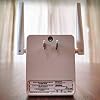
I do not consider myself an expert on home/small-office networking but I've done a lot of it and in my experience it is something of a black art... quite consistently the most mystifying and frustrating aspect of the information age. I have used a number of range extenders, bridges, etc, over the years including Belkin and various forms of dd-wrt. This is by far the best experience I've had. I bought it about 6 months ago for a project I wound up not using it for. It was inexpensive enough that I held on to it because I knew it would come in handy. As the weather (finally!) is getting nicer, the fact that our back-yard wifi coverage is poor was keeping us indoors more than we wanted, so I set it up this morning. I will spend more time writing this review than doing the setup. I followed the instructions which I think were just fine, used the WPS button (which I had previously thought of as being something for wimps) and the thing set itself right up. For those of you who expect every technological thing to be instant, it takes some patience for the thing to boot up (power light to go from amber to green) and to connect, like a minute or two. I wanted to change the SSID from myssid_EXT to something a bit prettier, but this is in no way necessary. Again following the instructions, I logged into the extender's settings page using my browser. I saw that there was a firmer update available which I installed, and I think it was a good idea because I think it was mostly a GUI update for the settings page. The GUI is now simple, intuitive, and attractive... quite unusual for networking boxes, in my experience. To pick one example, when I changed the SSID, rather than simply disconnecting me and letting me guess that I have to reconnect to the new SSID, it took me to a page explaining that, with a button to press once I had reconnected. All of this in unbroken English, again a rarity for inexpensive networking devices. So I can't promise this great for folks with less experience, but I think that it is likely. I have a New England wood-frame house built in 1900. These are often the worst for networking, I'm told. My router is on the 2nd floor at the front of the house. I put the extender in the back of the house, on the first floor, maybe feet away. Once it booted up, the "Router" light was green, indicating a strong connection. I connected to the extender from the front of the house on the 1st floor, maybe 40 feet from the extender. The speedtest.net figures through the extender were 23/26 Mbps (down/up), compared to 30/27 connecting directly to the router, which is upstairs from here, maybe 25 feet away. I did notice that the "Device" light is amber from here, not solid green so the wifi connection between my laptop and the extender is apparently not optimal but obviously the performance is good. Finally, I went to the back yard. At 50-60 feet from the extender, the speedtest results were 10/5, so there is some significant dropoff. In terms of physical design it is compact and light, but does not feel flimsy, and it fits perfectly in a two-plug socket, as pictured. I am also happy to see that this seems to be in a series with their AC range extenders, suggesting that they will be continuing to maintain the software, which I was glad to see... not always the case when the next generation of networking arrives. All in all, a great unit at a great price, I am very happy with this purchase and highly recommend it. Edit: 3 years later and still going strong! I recently repurposed it to my small office. Reset, restart, reconfigure, and it's working like a charm. I wish all equipment were this easy, reliable, and well-designed. ... show more
Reviewed in the United States on July 4, 2016 by N. Kuhn

Can't find a product?

Find it on Amazon first, then paste the link below.
Checking for best price...