Search  for anything...

NETGEAR Orbi Whole Home Tri-Band Mesh WiFi 6 System (RBK753) – Router with 2 Satellite Extenders | Coverage up to 7,500 sq. ft. and 40+ Devices | AX4200 (Up to 4.2Gbps)

  • Based on 1,875 reviews
Condition: Used - Like New
Checking for the best price...
$274.99 Why this price?
Holiday Deal · 54% off was $599.99

Buy Now, Pay Later


As low as $45.83 / mo
  • – 6-month term
  • – No impact on credit
  • – Instant approval decision
  • – Secure and straightforward checkout

Ready to go? Add this product to your cart and select a plan during checkout.

Payment plans are offered through our trusted finance partners Klarna, Affirm, Afterpay, Apple Pay, and PayTomorrow. No-credit-needed leasing options through Acima may also be available at checkout.

Learn more about financing & leasing here.

Selected Option

Free shipping on this product

This item is eligible for return within 30 days of receipt

To qualify for a full refund, items must be returned in their original, unused condition. If an item is returned in a used, damaged, or materially different state, you may be granted a partial refund.

To initiate a return, please visit our Returns Center.

View our full returns policy here.


Availability: In Stock.
Fulfilled by Da Baers

Arrives Dec 23 – Dec 25
Order within 16 hours and 56 minutes
Available payment plans shown during checkout

Protection Plan Protect Your Purchase
Checking for protection plans...

Style: WiFi 6


Size: 3-Pack


Features

  • Coverage up to 7,500 sq. ft. and 40+ devices. Extend coverage up to 2,500 sq. ft. with each additional satellite (sold separately)
  • Fast AX4200 Gigabit speed with WiFi 6 technology for uninterrupted streaming, HD video gaming, and web conferencing
  • Connects to your existing cable modem, and replaces your WiFi router. Compatible with any internet service provider up to 2Gbps including cable, satellite, fiber, and DSL
  • Plug in computers, game consoles, streaming players, and more with 3 Gigabit Ethernet ports on the router and 2 Gigabit Ethernet ports on each satellite
  • NETGEAR Armor software provides an automatic shield of security for your WiFi and connected devices for real-time protection against hackers and added privacy with VPN. 30-day trial included
  • NETGEAR routers have security features enabled out of the box with automatic firmware updates, and industry-leading safety features to help protect you and your family
  • Easily set up and manage your WiFi with the Orbi app
  • Made for use in the U.S. only

Description

Orbi RBK753 is a Tri-Band WiFi System built with the latest and fastest WiFi 6 technology to provide a powerful smart home experience with WiFi coverage and connection capacity beyond belief. Keep your WiFi connections strong, in every room, all the time with enough bandwidth for all your devices, multiple 4K/8K UHD streaming, music for your WiFi connected speakers, fast online game play, smart lights, WiFi security devices and more. Dedicated quad-stream WiFi 6 backhaul allows you to bring the Gigabit Internet speeds you’ve paid for from the corner of your house to everywhere in your house. Place the Satellites anywhere in your home to get Gigabit speeds where you want them. System includes 1 month free trial of NETGEAR Armor, advanced cyber threat protection for your home network and your connected devices. Smart Parental Controls is an easy way for parents to monitor use, pause the Internet and promote healthy habits across connected devices.

Brand: NETGEAR


Model Name: RBK753-100NAS


Special Feature: WPS


Frequency Band Class: Tri-Band


Wireless Communication Standard: 802.11ax


Compatible Devices: Laptop


Recommended Uses For Product: Gaming, Home


Included Components: One (1) 2m Ethernet cable, One (1) Orbi Router (RBR750), Quick start guide, Three (3) 12V/2.5A power adapters, Two (2) Orbi Satellites (RBS750) See more


Connectivity Technology: Ethernet, Wi-Fi


Color: White


Product Dimensions: 7.2 x 2.8 x 9.1 inches


Item Weight: 1.9 pounds


Item model number: AX4200


Date First Available: April 4, 2022


Manufacturer: Netgear


Frequently asked questions

If you place your order now, the estimated arrival date for this product is: Dec 23 – Dec 25

Yes, absolutely! You may return this product for a full refund within 30 days of receiving it.

To initiate a return, please visit our Returns Center.

View our full returns policy here.

  • Klarna Financing
  • Affirm Pay in 4
  • Affirm Financing
  • Afterpay Financing
  • PayTomorrow Financing
  • Financing through Apple Pay
Leasing options through Acima may also be available during checkout.

Learn more about financing & leasing here.

Top Amazon Reviews


  • Powerful Network Systems
Style: WiFi 7 Size: 3-Pack
The NETGEAR Orbi 770 Mesh Network System is a powerhouse built for the future—delivering blazing Wi-Fi 7 speeds, wide coverage, and effortless setup that can blanket even large homes in smooth, stable internet. It’s sleek, fast, and forward-thinking, with tri-band connectivity and 2.5 GbE ports that make it ideal for heavy streaming, gaming, or smart-home setups. But that power comes at a price—literally. At over $700, it’s an investment that makes sense only if you’ll actually use its full potential. For most homes, it’s overkill; for high-demand households, it’s a dream machine that turns lag and dead zones into distant memories. ... show more
Reviewed in the United States on November 6, 2025 by Dan

  • Good Product
Style: WiFi 7 Size: 3-Pack
Super easy setup and great coverage. So far, it seems to be quite reliable, as I have had it for about 2 months and had zero issues. I always have a strong signal anywhere in my house and even at my neighbor’s house.
Reviewed in the United States on November 11, 2025 by Stormy

  • Super performance, and easy setup
Style: WiFi 7 Size: 3-Pack
This thing is awesome - so much faster, and coverage so much larger than my previous Nighthawk. The setup was a bit overwhelming at first, but once you get started, it becomes very easy. My only complaint is that I have wifi 2.4 devices. It would have been nice to include that in the setup, but I figured it out pretty fast. ... show more
Reviewed in the United States on November 19, 2025 by Pat in Cincy

  • Effective Expansion for Improved Coverage
Style: WiFi 6 Size: 1-Pack
The NETGEAR Orbi Whole Home Tri-band Mesh Add-on Satellite (RBS750) has been an effective solution for expanding the coverage of my Orbi WiFi 6 System. While it works great and has significantly improved the WiFi signal strength in my home, I was disappointed that I had to purchase it separately to achieve the coverage I needed. The performance of the RBS750 satellite itself is impressive. It seamlessly integrates with my existing Orbi WiFi 6 System, providing a strong and reliable WiFi signal throughout my home. Furthermore, setup and installation were straightforward, thanks to the user-friendly Orbi app. I was able to quickly add the satellite to my existing network and optimize its placement for maximum coverage. However, my disappointment stems from the fact that I had to purchase the satellite separately after finding that the router alone did not provide adequate coverage for my 2,000 square foot home. Despite the router's claim to cover 2,500 square feet, I found that it fell short in certain areas of my home, leading to dead zones and unreliable connections. In conclusion, while the NETGEAR Orbi Whole Home Tri-band Mesh Add-on Satellite (RBS750) is a highly effective solution for expanding WiFi coverage, I was disappointed by the need to purchase it separately after finding that the router alone did not provide sufficient coverage. Despite this drawback, the satellite has greatly improved the WiFi experience in my home, making it a worthwhile investment for anyone seeking to enhance their Orbi WiFi system's coverage and performance. ... show more
Reviewed in the United States on February 23, 2024 by sosayspennylane

  • So Far So Good
Style: WiFi 7 Size: 3-Pack
I decided to upgrade from my modem router combo and take advantage of the xfinity 2gig speed that I have on my account. The cm3000 nighthawk modem was simple to set up with the xfinity app. I then attached the orbi 770 router and followed the instruction in the orbi app on my phone. No issue at first. Up and running, then added the 2 satellites and got them running. For some reason when I changed the login and password to the router I lost internet connection and had to do a new setup in the orbi app. Also there was a firmware update that was so slow to run. All total about an hour of my time. The good news, there were no calls to a customer support. ... show more
Reviewed in the United States on October 31, 2025 by PBV

  • Best WiFi Mesh system
Style: WiFi 7 Size: 3-Pack
Poor coverage from our previous system until we switched to NETGEAR Orbi 770 Excellent coverage in our house Easy to set up and fast download speed
Reviewed in the United States on November 24, 2025 by GHOMD

  • Might need firmware update to sync satellite to router
Style: WiFi 6 Size: 1-Pack
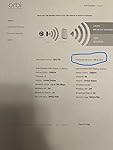
The review from GUANGRONG ZENG under "Top Reviews from Other Countries" saved me. I made the mistake of buying the Orbi router/modem (CBR750) with no satellites, thinking my apartment was so small I wouldn't need a satellite. Big mistake, the wifi signal from the router in the living room did not reach the bedrooms in the back of the apartment. So I purchased the Orbi stand-alone satellite (RBS750). The instructions for syncing the satellite to the router/modem did not work at all (plugging the satellite in to an outlet and then pushing the sync buttons on the satellite and router). I kept getting the magenta light. So I followed the instructions from GUANGRONG ZENG (who got them from another reviewer). The only change I had to make, was that I found the specific IP address of my satellite in the Orbi app after I had connected the satellite via ethernet. I then entered Admin and Password as the username and password. It then took me to the page in the first image. Next step was update the firmware. I found my router's firmware version in the orbi app under router settings. Then I kept uploading the wrong file (CBR750 instead of RBS750). Once I get the right file uploaded, the firmware updated. See the second image. Then I refreshed and saw the third image. I then refreshed the Orbi app, and instead of saying "Satellites: 0 of 1," it now said "Satellites: 1 of 1." I have copied the original review below so that people can see all of the steps. Can not syn my new satellite for 2 hours, After review and tried C&J review, my system work great now, thank you for the help, i repost his post. credit to him. anyone having this problem, follow the step and give this a shot, thank you. 5.0 out of 5 stars Advanced setup may be required. Reviewed in the United States on October 21, 2023 Verified Purchase I've had good luck with my Orbi 750 system but wanted to expand the coverage with this satellite. I spent over 2 hours trying to get this to sync with my system with no luck. This is what I ended up having to do, and I’d assume this will work for whomever runs into this issue. • Start by plugging the new satellite into the Orbi router with an Ethernet cable. Plug the new satellite into power and wait for it to boot up (usually 2 minutes). • Wait for the light on the satellite to turn blue and then turn off. • At this point open a web browser and log into the Orbis interface (192.168.1.1) enter your username and password when prompted, then select attached devices and find the IP address of the new satellite. • Once you've located the new satellites IP address open a new tab and enter the new satellites IP address into the address bar and login (Username:admin/password:password). • Once you've logged into the new satellites web interface look for the firmware version and compare it to your existing Orbi firmware. If it doesn't match you need to manually update the new satellite firmware. • Open a new tab and search RBS750 firmware. Find the firmware version that matches your current system from the Netgear support site only (not 3rd party). • Once you've located the correct firmware download it to your desktop. When it's finished downloading extract the zip file to your desktop. The firmware file will end with .chk . Now go back to the browser tab for the new satellite and select firmware/update Firmware then select browse and navigate to the unzipped folder you downloaded and select the file ending .chk and update. This process can take up to 19 minutes. • Once the satellite is finished and there is no light coming from the new satellite unplug it from your router and place where you want it and plug it back into power. • After the light on the new satellite finishes blinking it should go blue for a moment then off. If the placement is poor you may get an amber light instead of blue and magenta if it's too far from the Orbi router. • This is how I got mine to work, I hope this helps someone in the same situation. After all this it works great for me. ... show more
Reviewed in the United States on April 29, 2024 by RKGSS RKGSS

Can't find a product?

Find it on Amazon first, then paste the link below.
Checking for best price...