Search  for anything...
msi

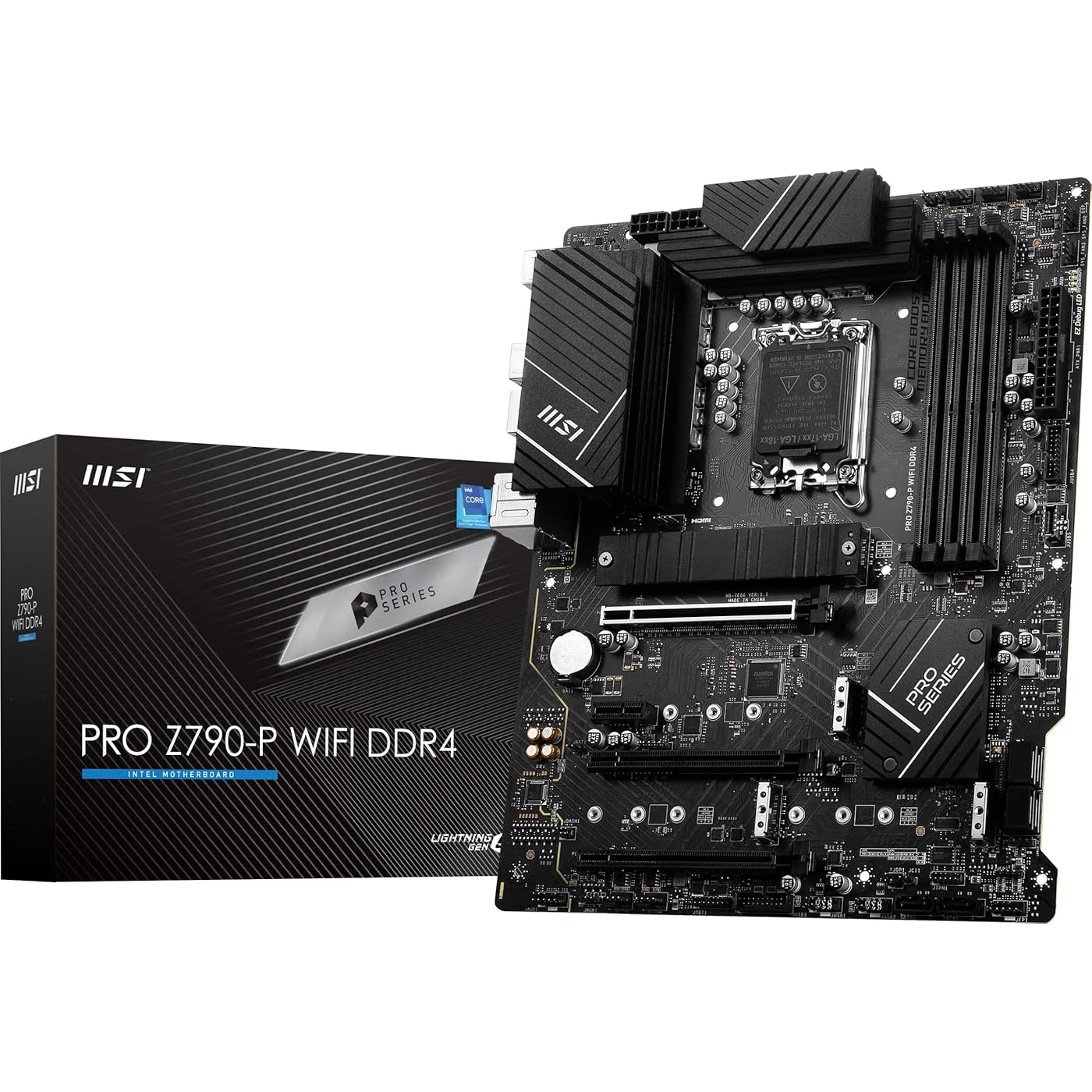
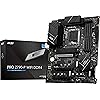
MSI PRO Z790-P WiFi DDR4 ProSeries Motherboard (Supports 12th/13th/14th Gen Intel Processors, LGA 1700, DDR4, PCIe 5.0, M.2, 2.5Gbps LAN, USB 3.2 Gen2, HDMI/DP, Wi-Fi 6E, Bluetooth 5.3, ATX)
  • Based on 1,073 reviews
Condition: New
Checking for the best price...
$326.49 Why this price?

Buy Now, Pay Later


As low as / mo
  • – Up to 36-month term if approved
  • – No impact on credit to apply
  • – Instant approval decision
  • – Secure and straightforward checkout

Ready to go? Add this product to your cart and select a plan during checkout.

Payment plans are offered through our trusted finance partners Klarna, Affirm, Afterpay, Apple Pay, and PayTomorrow. No-credit-needed leasing options through Acima may also be available at checkout.

Learn more about financing & leasing here.

Selected Option

Free shipping on this product

This item is eligible for return within 30 days of receipt

To qualify for a full refund, items must be returned in their original, unused condition. If an item is returned in a used, damaged, or materially different state, you may be granted a partial refund.

To initiate a return, please visit our Returns Center.

View our full returns policy here.


Availability: Only 1 left in stock, order soon!
Fulfilled by eletronics2015

Arrives Mar 31 – Apr 14
Order within 10 hours and 51 minutes
Available payment plans shown during checkout

Protection Plan Protect Your Purchase
Checking for protection plans...

Size: ATX


Style: PRO Z790-P WIFI DDR4


Features

  • Supports 12th/13th Gen Intel Core, Pentium Gold, and Celeron Processors
  • Supports DDR4 Memory, up to 5333+(OC) MHz
  • Enhanced Power Design: 14+1+1 DRPS with 55A DrMOS, dual 8-pin CPU power connectors, Core Boost, Memory Boost
  • Premium Thermal Solution: Extended Heatsink, MOSFET thermal pads rated for 7W/mK, additional choke thermal pads and M.2 Shield Frozr are built for high performance system and non-stop gaming experience
  • High Quality PCB: 6-layer PCB made by 2oz thickened copper and server grade level material

Description

PRO Z790-P WIFI DDR4 is designed with tons of flexible tools and convenient Wi-Fi solution with DDR4 memory version. The PRO Series is tailored to professionals from all walks of life. The lineup features impressive performance and high quality, while aiming to provide users incredible experience. Users who care about productivity and efficiency can definitely count on the MSI PRO Series to assist you with multitasking and increasing efficiency.

Brand: msi


CPU Socket: LGA 1700


Compatible Devices: Personal Computer


RAM Memory Technology: DDR4


Compatible Processors: Intel Core 14th/ 13th/ 12th Gen Processors, Intel Pentium Gold and Celeron Processors


Chipset Type: Intel Z790


Memory Clock Speed: 5333 MHz


Platform: Windows 11


Model Name: PRO


CPU Model: Pentium


Processor: ‎pentium


RAM: ‎DDR4


Memory Speed: ‎5333 MHz


Wireless Type: ‎Bluetooth


Number of USB 2.0 Ports: ‎2


Brand: ‎msi


Series: ‎PRO


Item model number: ‎Z790-P WIFI DDR4


Item Weight: ‎3.45 pounds


Product Dimensions: ‎12 x 9.6 x 2.5 inches


Item Dimensions LxWxH: ‎12 x 9.6 x 2.5 inches


Voltage: ‎1 Volts


Manufacturer: ‎MSI


Date First Available: ‎October 20, 2022


Frequently asked questions

If you place your order now, the estimated arrival date for this product is: Mar 31 – Apr 14

Yes, absolutely! You may return this product for a full refund within 30 days of receiving it.

To initiate a return, please visit our Returns Center.

View our full returns policy here.

  • Klarna Financing
  • Affirm Pay in 4
  • Affirm Financing
  • Afterpay Financing
  • PayTomorrow Financing
  • Financing through Apple Pay
Leasing options through Acima may also be available during checkout.

Learn more about financing & leasing here.

Top Amazon Reviews


  • Great board. had issue with no picture and no bios post - was simple to fix with update
Size: ATX Style: PRO Z690-A WIFI
I had an issue with install - no display and no posting to bios. After flashing the bios to the latest version, it posted fine with display and stable through stress testing. Steps below. CPU: Intel Core i5-12600KF LGA1700 600 CPU Cooler: Thermaltake TH240 ARGB All-in-One Liquid Cooling System 240mm CL-W286-PL12SW-C Motherboard: MSI PRO Z690-A WiFi ProSeries Motherboard Storage: WD_BLACK 1TB SN850 NVMe WDS100T1X0E Memory: TEAMGROUP T-Force Vulcan DDR5 Ram 32GB 5200MHz FLBD532G5200HC40CDC01 PSU: Thermaltake Toughpower PF1 850W 80+ Platinum PS-TPD-0850FNFAPU-1 GPU: 1070 - swapping to RX 6700 XT -------------------------------- This is a great DDR 5 board. Looks good, but, missing a lot of bells and whistles you don't need anyway for gaming. This is the best budget gaming motherboard to pair with DDR5 memory. I paired this with 32gb Vulcan memory for $200 less than the next mb/memory combo. Getting download speeds of 450+ (max under my service provider) in the room furthest away from my router on a different house level. When I first installed this board, I was getting no display no posting to the bios. The LED troubleshooting lights were flashing cpu then solid green on boot. I was afraid the board was DOA.I started running through troubleshooting steps. I checked the power connections, made sure my CPU was set correctly and went to one stick in dimm A2 (as outlined in manual). The kf chip does not have integrated graphics so swapped to a GPU I knew was working 1070. Still no post. I opts to flash the bios using the bios flash port. search for "MSI® HOW TO use Flash BIOS Button" Flash your bios at your own risk, but these steps worked for me. 1. using a different device, I download latest bios to usb drive (8gb+ formatted to fat 32) 2. renamed bios file to msi.rom. 3. plugged usb drive to flash bios port 4. with power off (psu hooked into CPU_pwr1 and ATX pwr1 and plugged into the outlet) 5. Hit flash bios button 6. usb drive and lights on mb flash/blink during installation (do not mess with board during this). Board will restart a few times when finished and lights will turn off. 7. Install CPU, GPU, cooling, memory if needed. Bios posted and I was able to install windows and it has passed every stress test so far. Works great and very stable/fast. If you run into issues don't give up just yet. This is a new board with new architecture. you may need to update the bios if you run into issues. At time of this review, you will not find a cheaper wifi ddr5 board through amazon. ... show more
Reviewed in the United States on August 7, 2022 by SCN

  • Very good board for price, appealing yet simplistic look, good VRM's, great BIOS & settings.
Size: ATX Style: PRO Z690-A WIFI DDR4
I bought this board for the Intel i7-12700K. I haven't owned an MSI board in over 6 years, and have always preferred and went with ASUS. Have heard good things from friends even though about MSI, and etc. I upgraded to this from the Asus Rog Strix x370-f Gaming with a Ryzen 7 1700. It was hard for me personally to install in my compact case Lian Li II case (That I chose for looks). It was hard to find a medium-budget board for the i7-1700K, this was the best I could do. Appearance had part to play in with what I was looking for, so if that is something you do not care about, then you may be able to find an even cheaper board. I hated that I was going to lose RGB on the board (I know... I know... I just REALLY like it. My entire case/loadout is RGB'ed down). Although ironically it might just work out, as it's sleek black/grey/white scheme complements the RGB from the AIO CPU cooler, RAM, GPU, and case fans. One of the big selling points for me was the x4 m.2 NVME slots, as just recently I bought 2 NVME drives for storage, and my old board only had 1 slot with 1 NVME already in it. m.2 NVME SSD's were at the time not only the same price/cheaper than SATA SSD's, but obviously better performance using x4 PCI-E lanes! All for the same, or less price! So, it's obvious which storage to go with. Glad to see board supporting more slots for them. Temperatures as of speaking (Running Firefox and a You-tube video): CPU: 38C - System: 48C - MOS: 40C - PCH: 63C (This runs hot) - CPU Socket: 40C. Overall, pretty good temperatures, running my AIO Corsair H100I RGB Platinum cooler, 3 front fans, and 1 exhaust fan. Pros: It looks pretty decent, yet simplistic. Has PCI-E 5.0! USB connector for the front! 2x USB 2.0 ports for if you are like me and need these connectors for a AIO CPU cooler and an RGB node. Full surround audio jacks, and the biggest selling point for me - X4 m.2 NVME slots! With the first slot (Near the CPU) having a heat-sink with non adhesive pad for cooling. Cons: Fewer USB ports than my previous board (Which seems to be common now with boards unless you go more expensive). The old style IO plate you have to install in the case first, with the bare ports open (I bent the network/Ethernet port IO metal into the Ethernet jack/port on installing. No SPDIF digital audio out! Just analog! (I don't understand that. I guess I can buy an adapter if ever needed). No RGB! (Haha). Shipping: I have never ordered computer pars from Amazon until now. First time ordering a motherboard from here. The motherboard was left on my front porch, in the freezing weather. Thankfully, it was not raining. If it weren't for my camera's and Alexa, it could have sat out there all day. Also not good to have a $200+ part sitting outside for anyone to take. Overall: It is up to personal preference. It is a pretty solid board for the price. I would personally suggest going with the A model with WiFi and Bluetooth built in for just $20-30 more (As of when I purchased). ... show more
Reviewed in the United States on February 25, 2022 by Jacob Jacob

  • Solid 13th Gen Mobo
Size: ATX Style: PRO Z790-P WIFI
Used this as the backbone of my 4070Ti 13700K build! Had no issues whatsoever with any I/O front connectors themselves OR the I/O shield messing with standoff heights in the Lian Li O11 Dynamic Evo (case used for the build). The manual can be found on the box via a QR code, and there is also an optical disk for flashing BIOS if you have one of those! Don't forget that ethernet connections won't work out of box until you download the necessary drivers, so I'd really recommend using the antennae that is provided! Especially if you will be sticking with a wireless connection for one reason or another. Product registration on MSI was also a breeze. I've had no stability or interference issues on my DDR5 system, and really couldn't be any happier with how well this motherboard is treating me. Stop overspending on RGB header motherboards, and stick with simple, effective, and affordable Z790 Pro! ... show more
Reviewed in the United States on May 15, 2023 by Vj

Can't find a product?

Find it on Amazon first, then paste the link below.
Checking for best price...