Search  for anything...

MAONO G3 Gaming Audio Mixer with Map Any Audio Sources for PC Streaming

Based on 71 reviews
Condition: New
Checking for the best price...
$89.99
Save $10.00 was $99.99

Buy Now, Pay Later


As low as $15.00 / mo
  • – 6-month term
  • – No impact on credit to apply
  • – Instant approval decision
  • – Secure and straightforward checkout

Ready to go? Add this product to your cart and select a plan during checkout.

Payment plans are offered through our trusted finance partners Klarna, Affirm, Afterpay, Zip, Apple Pay, and Google Pay. No-credit-needed leasing options through Acima may also be available at checkout.

Learn more about financing & leasing here.

Selected Option

Free shipping on this product

FREE 30-day refund/replacement

To qualify for a full refund, items must be returned in their original, unused condition. If an item is returned in a used, damaged, or materially different state, you may be granted a partial refund.

To initiate a return, please visit our Returns Center.

View our full returns policy here.


Availability: Only 5 left in stock, order soon!
Fulfilled by Amazon

Arrives Tuesday, Nov 3
Order within 3 hours and 56 minutes

Available payment plans shown during checkout

Protect Your Purchase

Easy claims online, fast replacements, no fees

Checking for protection plans...

At a glance

Condition
New
Material
Black
Model
G3
Power Source
Corded Electric
Frequency
48 KHz
Output Connector Type
3.5mm, USB Type-C, XLR
Audio Input
XLR
Warranty
1 year manufacturer.

Features 8

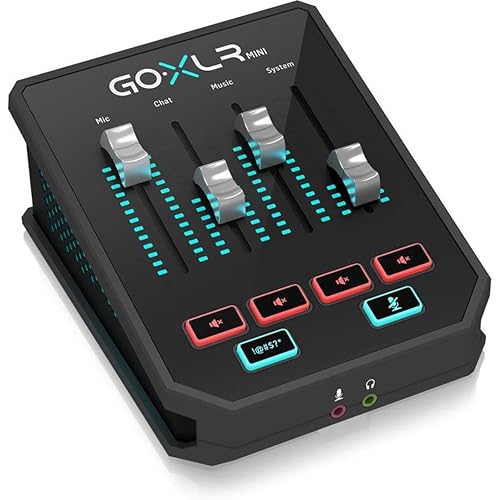
  • All-in-One PC Streaming Control: MAONO G3 is a desktop audio mixer and XLR interface designed for Windows PC gamers, streamers, and solo content creators who need faster control over voice, game sound, chat, and music in one compact setup. Four physical faders, mute keys, Arena routing, XLR input and dual USB help manage mic, game, music and chat from one desktop unit, so audio stays organized while your screen stays on the match
  • Map Any Source to 4 Faders: When you are in the middle of a match, live stream or audience interaction, fast audio adjustment matters more than deep menu diving. In MAONO Arena, assign mic, game, music, chat app, or alerts to the four faders you actually use. Letting gamers lower music, raise voice, or cut a noisy lobby without leaving the game window during live sessions
  • 3 Submixes for Different Listeners: With three submixes, you can build separate audio experiences for yourself, your audience, and your teammates. Instead of sending the same sound to everyone, you can keep full game awareness in your headphones, send commentary and balanced music to viewers, and give the squad only callouts or key game sound, with quick switching for fast stream changes
  • XLR Input for Creator Voice Upgrades: With XLR input, 48V phantom power, up to 57 dB low-noise preamp, direct monitoring and AI noise reduction support. this G3 audio mixer for streaming fits desk-based scenarios like live commentary, gaming streams, reaction content, online teaching, product walkthroughs and solo creator setups where clearer spoken audio matters.

Description

PODCASTING · GAMING · STREAMING · CONTENT CREATION Maono[ˈmɑnoʊ] stands for "VISION", is the Global Best Selling Internet Microphone Brand that products sold well in 153 countries worldwide. Maono focuses on microphones, interfaces & mixers, and other audio products for the fast-growing young generations who like podcasting, streaming, gaming, and content creation on the Internet. Ideal for Streamer & Gamer Ideal for Mobile Recording

Specs 15

Brand MAONO
Number of Channels 4
Connectivity Technology USB
Power Source Corded Electric
Frequency 48 KHz
Output Connector Type 3.5mm, USB Type-C, XLR
Audio Input XLR
Software Update Supported to Date unknown

Frequently asked questions

If you place your order now, the estimated arrival date for this product is: Tuesday, Nov 3

Yes, absolutely! You may return this product for a full refund within 30 days of receiving it.

To initiate a return, please visit our Returns Center.

View our full returns policy here.

  • Klarna Financing
  • Affirm Pay in 4
  • Affirm Financing
  • Afterpay Financing
  • Zip Pay in 4
  • Financing through Apple Pay
  • Financing through Google Pay
Leasing options through Acima may also be available during checkout.

Learn more about financing & leasing here.

Top Amazon Reviews


Dual PC and Less Clutter!
Material Type: Black
Short answer: It’s awesome! Allows you to send audio from one pc to another via two usb cables. Allows you to send mic audio to two PCs with one mic. Only 16 bit output audio to headphones. Long answer: So I have a dual pc set up and before this device I was running 3.5mm cables to and from my pcs with two mics to talk in discord and in game. Plus other miscellaneous cables and two softwares to allow them to talk to each other. The G3 allowed me to eliminate all that and just use the mixer, connect one usb to the game pc, one usb to the second pc and download the Arena software on only the second pc with a single xlr microphone. The arena software took a second to set up. There was no audio coming from my game pc at first but once I went to the maono faq website I was able to get step by step on how to set everything up. Arena software allows you to set up channels to control volume output for specific things. Like one channel for only spotify or for only your google browser which is pretty handy. The dedicated adjustable sliders and mute buttons were awesome and having a dedicated volume knob again was the cherry on top. All in all this thing is great. Only negative I found was that the output from the mixer to your headphones was only capable of 16 bit which is honestly great for regular use. But for my purposes I needed more flexibility. I ended up upgrading to the P1 version and the new pd200w mic because of this. For 100 bucks it’s probably the best thing out there if your a streamer, content creator or just want to have more control over your single set up. ... show more
Reviewed in the United States on September 24, 2026 by Kindle Customer

Its good for its software combination
Material Type: Black
It would of made my expectations if it was a stand alone device that didn't need a software, since it needed a software to use to its full potential it fell way short from its intended purpose.
Reviewed in the United States on September 19, 2026 by Steven A Maldonado

Bit of a learning curve; software is lacking in a few places.
Material Type: Black
While I'm not a streamer, I've been looking for a device like this to help me when working from home, where I'm often in zoom meetings or slack huddles, demonstrating software with audio components. The ability to control volumes of different applications with a physical slider on my desk is much better than digging through several submenus with a mouse to find the volume level I need to adjust. I really like being able to map individual applications to the physical sliders and being able to quickly turn the volume up, or mute it entirely at the press of a button. I typically use a bluetooth headset, and I found the ability to use this with the audio mixer was more limited than I expected. I could not figure out how to set it up so that it wasn't playing back my own voice into my ears, and ended up just muting mic in the software entirely. Of course, this means I can't use it with zoom meetings, because I've got to set it up get the audio from the mic directly, so they can hear me, but I can't, so is bypassing the mixer device entirely. At least, I think it is - I'm not entirely sure, and I think this could be made clearer in the software. Also, every time I connect the bluetooth headset, the MAONO software decides it should be automatically assigned to the first slider, shuffling along other slider mappings, but I have to manually select the headset as the monitor device so I can hear anything. I just want to hear the mixed output - without the mic - but it seems like this is an unusual request, because why isn't that the default behavior? I'm sure I've messed something up along the way. It's possible that this works a whole lot better with a proper MAONO microphone plugged into the device. I'm tempted to get one to try it out. The device also has four sound effect buttons, which add sounds to the mix - applause, crickets, etc. The software allows you to map these to custom audio files, but it seems that's all. I was hoping that you'd be able to bind these to arbitrary system command, eg. run a particular app, which seems like it would be so easy for it to do, but apparently not. I do like that you have a second usb-c input bringing in audio from a second PC/audio source. This is really useful. I can see this being a major plus for streamers. Overall the hardware is really nice. It just seems a little quirky from the software point of view. I fully expect that the issues are of my own creation, but the limited feedback from the software, documentation or website make it a tough time to understand where I'm going wrong. ... show more
Reviewed in the United States on October 12, 2026 by Taylor

Perfect For Content Creators!
Material Type: White
Finding a compact mixer that delivers genuine routing flexibility without introducing a constant, annoying background hiss is a common hurdle in small studio and live setups. A lot of entry-level and compact boards look great on paper with endless knobs and channels, but the moment you bring the gain up to drive a dynamic mic or capture quieter acoustic sources, the preamps dump noticeable noise right into your signal chain. This mixer sidesteps that headache completely, delivering clean audio fidelity, versatile programming options, and an impressively quiet noise floor in a practical desktop footprint. The audio performance is where it immediately proves its worth. Passing vocal mics and line-level instruments through the board yields a **clean, transparent sound** with **little to no noticeable noise floor**. Even during speech pauses or low-volume passages in a recording or stream, you aren't fighting that persistent high-frequency hiss or hum that plagues cheap analog summing circuits. The preamps have enough clean headroom to get healthy levels without getting muddy in the lower midrange or harsh and brittle on the top end, keeping voice and instruments sitting naturally in the mix. The **programming and control options** are another strong suit. Having flexible onboard processing, customizable EQ curves, and programmable settings gives you the ability to shape your sound right at the console rather than relying solely on post-processing plugins. Whether you are dialing in vocal effects, tuning output equalization for a room, or setting up tailored monitor mixes for live streaming and podcasting, the controls are responsive and straightforward. Being able to program and recall your parameters saves valuable setup time, letting you jump straight into a session without rebuilding your signal chain from scratch every time you power up. The one noticeable drawback—and an omission that anyone working with pro audio gear will feel—is the **lack of dedicated balanced XLR main outputs**. The board relies on 1/4-inch or RCA connections for its main output feeds. While 1/4-inch jacks are totally fine for short runs to desktop studio monitors or a nearby audio interface, XLR remains the universal standard when running lines across a room to powered PA speakers, stage sub-snakes, or commercial power amps. If you plan to use this for live gigs or longer cable runs, you will need to keep a pair of **1/4-inch TRS-to-XLR adapter cables or a stereo DI box** in your gig bag to ensure a secure, balanced connection and avoid picking up stray electromagnetic interference along the way. For desktop broadcasting, content creation, home studio tracking, or handling a compact sub-mix where pristine signal clarity and versatile onboard programming matter most, this board delivers excellent sonic performance. As long as you account for the output cabling on the back panel, it offers a level of audio cleanliness and control that easily outclasses most mixers in its class. ... show more
Reviewed in the United States on September 16, 2026 by Jon T.

Fabulous interface for solo creators/streamers
Material Type: Black
This is a nice piece of gear and an attractive and capable piece of hardware for content creators and live streamers. This interface is well made and feels creamy smooth with the action of the knobs, sliders and pads. Well done, Maono. This gear hinges off the functionality of the software that allows you to customize your routing and audio input levels of your source media. The software is well thought out and intuitive, and allows you to customize and switch the sources of the faders and touch pads. The pads can be geared for one shot audio, hold to play, or loops... and color change the RGB light that illuminates them. The great thing about this is it's fairly flexible and integrated with the software which is free to download. You need the software. This interface is great for that immediate hands on control of the features linked to it. There is a single XLR input that provides a sufficient preamp/booster for some of the most gain hungry mics 🎤 ... I am impressed. There are ports on the back that accomodate for outputs which offers headphones and monitors, but unfortunately are only 3.5mm TRS outputs... not a problem. This gear is quite capable, but falls just short of pro-audio/studio gear, but still it is capable with the right audio adapters if you took it to that level. All the IO ports are on the back, so there are no front facing jack's, which might be a little inconvenient, but still not a problem. This is great for any beginner streamer who wants strong capabilities right out of the gate. The price is very affordable and in my opinion a great value for what you get and what you are capable of doing. I would not say this is for podcasting, but more for content creation and solo creator and streamer. What I love about this is the ability to connect OTG to your USB-C phone and port the audio with phone calls, which is huge. The software is fairly intuitive, but keep in mind, with the realm of audio routing, the more involved you get, might yield more learning curves. This seems manageable if you spend a little time to figure things out. You will get it down. I work with podcasters and my original setup and audio configuration requires some integrations of various video conferencing apps, soundboards, phone call integrations etc, which I must say can get very confusing and easy to goof things up... while my situation is very fine tuned, it takes getting over a huge learning curve with Windows audio routing and the 3rd party software that makes that happen. If you are not going all out like that, then this solution/interface/mixer is more than likely more than capable of accommodating your needs. Well done Maono.. 👏 It's a relief knowing there are some worthy products like this on the market that delivers some good quality. ... show more
Reviewed in the United States on July 29, 2026 by Sid

MAONO keeps getting better, and this mixer is no exception!
Material Type: White
At this point, I think MAONO is slowly taking over my desk haha! 😂 I've been using their audio equipment for quite a while now, and even my older MAONO products are still working like new, so I already have a lot of confidence in the brand. The G3 is a really nice addition to their lineup. I love the four physical sliders because adjusting your microphone, game audio, music, and chat separately is so much more convenient than constantly messing around with Windows settings. The mixer has a nice compact size, the controls feel good, and the RGB lighting gives it a cool gaming look without being too much. The XLR input and dual-PC support are also great features for anyone into streaming or content creation. My only small complaint is that the Arena software has a bit of a learning curve, especially if you're new to audio routing. But once you understand how everything works, there's a lot you can do with it. For the price, I think MAONO packed a surprising amount of functionality into this little mixer. Another solid product from a brand I genuinely like! ... show more
Reviewed in the United States on October 23, 2026 by Emma

Worth the price even if I only use 80% of it
Material Type: Black
I wanted three things from one box: hands on volume control for individual apps, an XLR interface for my condenser mic, and pads to fire off sound effects. After using the G3 for over a month, it covers all three for the most part. Fader mapping is the headline, and it works well. Getting individual apps onto their own physical faders is exactly what I bought this for. The preamp gain held up for my condenser mic too, so the XLR side ticks a box. The sound pads are less consistent. I set them up and they worked, but they don't always feel like they fire reliably. That could be user error, and it's no jankier than peripherals I've used from bigger, more established brands. I wish the Arena software were more stable. It's pretty decent overall, but it randomly dropped out on me a few times. That seems to have mostly resolved itself, though it's worth knowing going in. Right out of the box, the fader knobs had a little wobble. Sure, the build is plasticky, but it's no worse than my Stream Deck. There's a lot of functionality packed in for $99.99. I'm probably using it at 80% of what it can do, and it's still worth the price for that. It's integrated into my setup and staying there, and I'll update this as I dig into the rest. ... show more
Reviewed in the United States on October 8, 2026 by Chase

A Powerful Dual-PC Streamer’s With a VERY Steep learning curve
Material Type: White
I'm a full time filmmaker and podcast producer and I have reviewed countless pieces of equipment. Over the years, I’ve routed everything from massive studio consoles to compact desktop interfaces. Audio gear for live streaming usually falls into two traps: it’s either an overpriced commercial console with a massive learning curve, or a cheap plastic box that sounds like talking through a tin can. When I brought the MAONO G3 Gaming Audio Mixer into my setup, I was curious to see if it could bridge the gap between dedicated streaming functionality and actual broadcast-quality preamps. After dialing it in across multi-PC gaming rigs and dual-host podcast workflows, here is my hands-on breakdown. Pros Impressive 57dB Gain XLR Input: Preamps on budget mixers are usually noisy and underpowered, but the G3 packs a solid 57dB low-noise gain range along with true 48V phantom power. It drives power-hungry dynamic microphones (like the Shure SM7B) surprisingly well without forcing you to buy an inline activator. Dual USB-C Ports for Dual-PC Setups: This is a massive feature for gaming streamers. Having two separate USB connections lets you route audio seamlessly between a dedicated Gaming PC and a Streaming PC (or a laptop and desktop) without ground loop hums or complex cable splitters. 4 Physical Faders & Submix Management: Having four physical faders gives you instant, tactile control over your Mic, Chat (Discord), Game, and System/Aux audio channels. The submix capability allows you to balance what you hear in your headphones versus what your audience hears on stream independently. Intuitive Windows Arena Software Control: The companion software layout makes audio routing surprisingly easy. Mapping inputs, tweaking equalizer profiles, setting up custom noise gates, and managing sound pads takes seconds once you get used to the interface. On-the-Fly Audio Tools: Dedicated hardware buttons for quick-mute, background noise cancellation, voice pitch modification, and customizable sound pads add instant production value to live streams without needing complex OBS hotkeys. Cons Plastic Desktop Build: While the tactile controls feel good, the chassis itself is lightweight plastic. It looks great on camera with its subtle RGB accents, but it doesn't quite have the heavy-duty aluminum feel of high-end studio interfaces. No ASIO Drivers for Music Production: If you plan on using this as a studio DAW interface for recording complex multitrack music projects, keep in mind it uses standard OS audio drivers rather than low-latency ASIO drivers. It's built ground-up for content creators, gamers, and podcasters rather than music producers. Slight Learning Curve for Submix Routing: While the physical layout is clean, mastering submix routing across dual PCs and the Windows Arena software takes a bit of initial trial and error to get right. Overall Verdict: Buy or Pass? Verdict: BUY If you are a streamer, gamer, or podcaster—especially one running a dual-PC setup or looking to upgrade from a standard USB microphone to XLR—the MAONO G3 Audio Mixer is an easy BUY. It packs features typically reserved for mixers double its price point—namely 57dB clean gain, 4 physical faders, submix flexibility, and dual USB connectivity. While it isn't designed for music production DAWs, for live content creation, it simplifies your audio workflow while keeping your voice sounding crisp and professional. ... show more
Reviewed in the United States on August 6, 2026 by Andy Costa Films
Checking for best price...