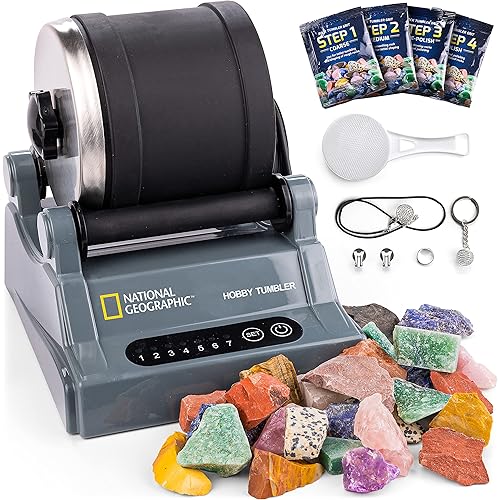
Makeblock CyberPi Project-Based Kit: Coding for Kids 8-12, STEM Programmable Robot with Scratch & Python Support, IoT Technology & Built-in WiFi Module




Buy Now, Pay Later
- – 6-month term
- – No impact on credit to apply
- – Instant approval decision
- – Secure and straightforward checkout
Ready to go? Add this product to your cart and select a plan during checkout.
Payment plans are offered through our trusted finance partners Klarna, Affirm, Afterpay, Zip, Apple Pay, and Google Pay. No-credit-needed leasing options through Acima may also be available at checkout.
Learn more about financing & leasing here.
Selected Option
FREE 30-day refund/replacement
To qualify for a full refund, items must be returned in their original, unused condition. If an item is returned in a used, damaged, or materially different state, you may be granted a partial refund.
To initiate a return, please visit our Returns Center.
View our full returns policy here.
Recently Viewed


At a glance
- Condition
- New
- Style
- Cyberpi Coding Kit
- Model
- MCP-K03-02
- Dimensions
- 3.54 x 2.56 x 1.57 in
- Material
- Plastic
- Age Range Description
- Kid
- Educational Objective
- STEM
Features 5
- All-in-One Learning The makeblock cyberpi pocket shield is a powerful programmable microcomputer with a built-in multifunction board. It guides learners step by step, starting from visual Scratch coding and progressing to Python programming, making it easy to master both beginner-friendly and advanced coding skills.
- Built-in Modules for Endless STEM Projects Packed with sensors and smart functions, this kit is ideal for programming learning and education. Explore data science, networks, and IoT with built-in WiFi & Bluetooth, light sensors, microphone, speaker, full-color LED display, 3-axis accelerometer, and gyroscope. These modules unlock unlimited creativity for engaging, hands-on projects.
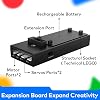
- Expansion Board: This all-in-one Engineering kit with Pocket Shield expands flipper zero capabilities and works with third-party electronic modules. It includes a rechargeable 800mAh lithium-ion battery, 2 DC motor ports, and 2 servo ports. Build your own video games, create voice-control projects, and explore IoT, gesture recognition, and more with this versatile STEM kit for hands-on programming.
- Scratch & Python Made Easy Designed for stem projects for kids ages 8-12, this CyberPi coding for kids kit works seamlessly with mBlock software to support both Scratch and Python programming. From beginner-friendly drag-and-drop to advanced text coding, it helps children learn step by step. Compatible with Windows, Mac, Linux, Chromebook, and mobile devices, making learning accessible anywhere.
- Easy-to-Follow Lessons Includes up to 37 step-by-step lessons designed for both teachers and learners. Covering everything from the basics to advanced projects, the curriculum is adaptable for different learning paces, making it suitable for most classrooms and self-learners.
Description
This stem projects for kids ages 8-12 is based on Scratch programming, which is easier for beginners to learn coding step by step. With Block-based programming, you can design video games, voice control, experience IoT, gesture recognition, and many other programming projects using the programmable robot. Engineering kit supports Scratch and Python, adapts for most creators. CyberPi allows creators to teach and learn programming quickly, from the very beginning to advanced. Comply with the trend of computer science, this coding kit provides a funny and useful foundation for kids to learn Scracth and Python programming. Including block-based programming, block-to python translation, micropython, and python 3, mBlock will simplify the interaction between hardware and the code. mBlock support Windows/Mac/Linux/Chromebook and mobile phone. We offer 37 easy-to-follow lessons and worksheets, which are friendly for teachers and learners, from basic lessons to advanced lessons, and adaptable for most learners. With the built-in modules, you can create the project you want. Work with teams, imagination and creativity will be fully expanded.
Specs 18
| Brand Name | Makeblock |
|---|---|
| Age Range Description | Kid |
| Educational Objective | STEM |
| Subject | teach children coding |
| Set Name | Makeblock CyberPi Project-Based Kit |
| Number of Items | 1 |
| Unit Count | 1 Count |
| Included Components | no |
| Item Type Name | Makeblock CyberPi Go Kit |
| Model Number | MCP-K03-02 |
| Manufacturer | Makeblock |
| Manufacturer Part Number | ESP32 |
| Manufacturer Warranty Description | one year |
| Manufacturer recommended age | 10 years and up |
| Theme | Robot |
| Material Type | Plastic |
| Size | 1 pack |
| Item Dimensions | 3.54 x 2.56 x 1.57 inches |
No specs match.
Frequently asked questions
To initiate a return, please visit our Returns Center.
View our full returns policy here.
- Klarna Financing
- Affirm Pay in 4
- Affirm Financing
- Afterpay Financing
- Zip Pay in 4
- Financing through Apple Pay
- Financing through Google Pay
Learn more about financing & leasing here.