Search  for anything...

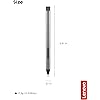
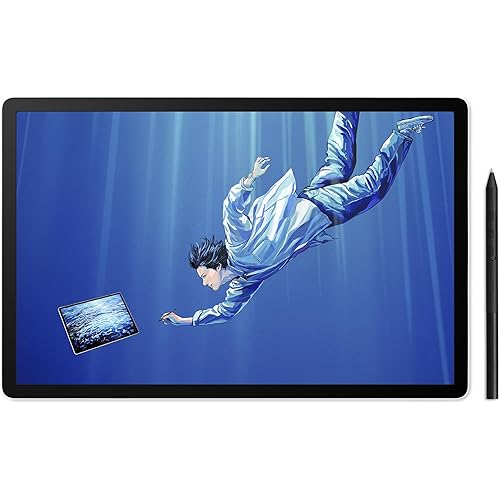
Lenovo Digital Pen 2 (Laptop) - Ultra-Tactile Response - 4,096 Levels of Pressure - Natural Feel Elastometer Pen Tip - Extended Battery Life - Silver, Grey

  • Based on 11,180 reviews
Condition: New
Checking for the best price...
$27.24 Why this price?
Holiday Deal · 32% off was $39.99

Buy Now, Pay Later


As low as $6 / mo
  • – 4-month term
  • – No impact on credit
  • – Instant approval decision
  • – Secure and straightforward checkout

Ready to go? Add this product to your cart and select a plan during checkout.

Payment plans are offered through our trusted finance partners Klarna, Affirm, Afterpay, Apple Pay, and PayTomorrow. No-credit-needed leasing options through Acima may also be available at checkout.

Learn more about financing & leasing here.

Selected Option

Free shipping on this product
This item's return window has been extended for the holiday season: FREE refund/replacement until Jan 31, 2026

To qualify for a full refund, items must be returned in their original, unused condition. If an item is returned in a used, damaged, or materially different state, you may be granted a partial refund.

To initiate a return, please visit our Returns Center.

View our full returns policy here.


Availability: Only 10 left in stock, order soon!
Fulfilled by Amazon

Arrives Saturday, Dec 27
Order within 2 hours and 36 minutes
Available payment plans shown during checkout

Protection Plan Protect Your Purchase
Checking for protection plans...

Pattern Name: Pens


Style: Digital Pen 2


Features

  • Works with Touch Screen versions of the following models: IdeaPad Flex 5 14ALC7-82R9, IdeaPad Flex 5 14IAU7-82R7 , IdeaPad Flex 5, IdeaPad Flex 5 16ALC7-82RA, IdeaPad Flex 5 16IAU7-82R8, Yoga 6 13ALC7-82UD, Yoga 7 14ARB7-82QF, Yoga 7 14IAL7-82QE, Yoga 7 14IAL7-82VD, Yoga 7 16IAH7-82UF, Yoga 7 16IAP7-82QG, Yoga 9 14IAP7-82LU, ThinkBook 13x G2 IAP-21AT
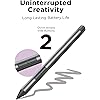
  • Make the Lenovo Digital Pen 2 work your way with two side buttons andcustomizable shortcuts, and get more done with an extended battery life that keeps you productive for twice as long.
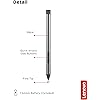
  • Sporting a sleek, frosted all-metal construction, the Lenovo Digital Pen 2 provides enduring grip and a comfortable to hold plastic pen tip that looks as great as it feels
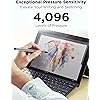
  • The Lenovo Digital Pen 2 delivers the same ultra-tactile response with 4,096 levels of pressure but creates a more natural feel with its elastomer pen tip.

Description

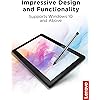
The Lenovo Digital Pen 2 improves on the design and functionality of its remarkably popular predecessor. Adding a plastic front cap for enhanced comfort, an elastomer pen tip for precision, and an extended battery offering double the run time. Taking notes, singing documents, editing photos, and sketching has never been this easy.

Color: Grey


Brand: Lenovo


Material: Plastic


Number of Batteries: 1 A batteries required. (included)


Item Weight: 17.3 Grams


Compatible Devices: Laptop


Item dimensions L x W x H: 5.51 x 0.37 x 0.37 inches


Are Batteries Included: Yes


Batteries Required?: Yes


UPC:


Brand: ‎Lenovo


Series: ‎Lenovo Digital Pen


Item model number: ‎4X81H95633


Hardware Platform: ‎laptop


Item Weight: ‎0.61 ounces


Product Dimensions: ‎5.51 x 0.37 x 0.37 inches


Item Dimensions LxWxH: ‎5.51 x 0.37 x 0.37 inches


Color: ‎Grey


Computer Memory Type: ‎DIMM


Batteries: ‎1 A batteries required. (included)


Manufacturer: ‎Lenovo


Language: ‎English


Is Discontinued By Manufacturer: ‎No


Date First Available: ‎May 18, 2022


Frequently asked questions

If you place your order now, the estimated arrival date for this product is: Saturday, Dec 27

Yes, absolutely! You may return this product for a full refund within 30 days of receiving it.

To initiate a return, please visit our Returns Center.

View our full returns policy here.

  • Klarna Financing
  • Affirm Pay in 4
  • Affirm Financing
  • Afterpay Financing
  • PayTomorrow Financing
  • Financing through Apple Pay
Leasing options through Acima may also be available during checkout.

Learn more about financing & leasing here.

Top Amazon Reviews


  • Works Great
Pattern Name: Pens Style: Digital Pen 2
Bought this for college to use on my my Lenovo Flex Idea Pad 5, and it works great. I use it to write up my notes (Inkodo software), and I have had no issues. It's a great size fits in your hand like a pencil, and it's a more lightweight pen with a sleek design. I have experienced some lag but it has been very little. ... show more
Reviewed in the United States on November 19, 2025 by Tishe

  • Works for Lenovo Yoga 7 2-in-1
Pattern Name: Pens Style: Digital Pen 2
Works perfectly with my Lenovo Yoga 7i 2-in-1. I love the weight and it worked immediately upon putting the batteries in. It has palm rejection and the buttons for erasing and right clicking work perfectly. On another note, I don't care for the Lenovo Smart Note app so if you are looking for a replacement, use Inkodo! ... show more
Reviewed in the United States on November 19, 2025 by KB

  • Works on Onexplayer X1 Pro!!!
Pattern Name: Pens Style: Digital Pen 3
Works with onexplayer x1 pro… ish. It actually works great except I find that I have to turn the pen on then reboot for it to work the best. This has to be done I think every time I shut down. Even has a limited palm rejection capability. It’s not as good as my Apple iPad but it works good enough for me to mark up PDF documents. I am not an artist so I can’t comment accurately hut in my opinion probably ok… but maybe not for real professional drawing. It is also dependent on the software you use. I tested several pdf tools and some worked fantastic and some were meh. Still waiting on my pen from onexplayer. It was lost in the mail… and they haven’t sent a replacement yet ... show more
Reviewed in the United States on October 4, 2025 by Amazon Customer

  • Great pen
Pattern Name: Pens Style: Precision Pen 2
Works on Yoga 7i laptop. Connected easily and good pressure control. I’ve been using it to draw on Krita and it hadn’t failed me. I charge it whenever it gets laggy. That’s how I know the charge is low. All around, pretty good pen.
Reviewed in the United States on November 19, 2025 by Fatima

  • Artist's stake: Wacom's pens failed so I tried this and it's great.
Pattern Name: Pens Style: Active Pen
Ok, I'll start with the pen review before diving into my frustration with Wacom. The pen is really solid, I got it for $30 and it's really nice to work with on my Lenovo Yoga 730 2-in-1. The pen has a hard, smooth tip which I prefer for working digitally, lets the pen slide nicely instead of having friction. I included work in progress pic, (fanart of Alex Ahad's Octavia) where I started, inked, colored and started shading with this pen only and I've been very happy with the performance. There's no disconnects, no weird bugs, I can easily and consistently ink with no issues. The activation force is also very low so it starts drawing when the pen touches the glass. For $30? I'm VERY happy with this pen. Biggest complaint I have is that they give you a pen stand that is honestly a headscratcher. It ..plugs into your USB port and you can slide it in the side or put it in the top. This just seems like it'd damage the USB port of anything were to bop it the right way. Maybe that's just me. It comes with 3 replacement nibs and a tool to remove them, very good. There is a second version to this pen which- I saw reviews say has a rubberized tip, so maybe that's for you but I don't like adding artificial friction to my art. It's supposed to have more pressure range but honestly 2k is more than fine for me. Though, the box for the pen claims this one can do upto 4000 levels depending on your laptop. How do you tell that? No idea. On to my frustration with wacom: I got 2 pens from wacom, a $100 pen, Bamboo Ink which was pretty good, my problem was it felt like you had to activate it by pressing it, it didn't start drawing till you felt a very slight give and it just did not feel natural or good. It made it hard to get things right. For $100? That's incredibly disappointing. The Bamboo Ink Smart Stylus was $50 and it wrote just about as good as this pen, however it took me 3 attempts to get one that wasn't defective and yes I tried it on another laptop- of a person it ALSO took 3 pens to get one that worked (also it died in 3 months so, great QC Wacom. Wacom's pens also are buggy as heck. If you rotate your display and the display changes? The Wacom pens will both require you to restart the art software OR the laptop, and neither work with Miracast (wireless display adapter). If you turn it on? It'll be a good 2 inches to the side of where you draw. Which is annoying because it's a good way to put some video or references on a TV while you work. The lenovo pen which, I believe is wacom based tech, works with miracast on and I've not had a single disconnect problem or any accuracy problems even when letting the screen rotate. I ran it through anything I could think of and I'm happily drawing away in Clip Studio Paint the entire time. Get the wacom driver from the windows store and it'll work perfectly with this pen. I didn't have to do any set up at all besides that, put the pen to glass and it was drawing. The wacom pens are going to be tossed in a drawer as back ups at best but this lenovo pen I'm happy to use as a tool for art. Hopefully this helps someone because I know how Wacom gets talked up but I've honestly switched off their stuff since I, and my friends and so on have had enough problems for their excessively expensive devices to be avoided. Uh, ending rant here. ... show more
Reviewed in the United States on July 10, 2022 by Mike G Mike G

  • So very sad
Pattern Name: Pens Style: Digital Pen 2
The media could not be loaded. I ordered my stylus directly from Lenovo because I wanted to avoid any complications with quality and compatibility. Unfortunately that wasn't the case. As soon as I opened the box I noticed that the stylus wasnt in great shape. & When I went to use it, it didn't work. Luckily I ordered a 2 pack of AAAA batteries with it and swapped out the old one. But even with the new battery, it would randomly stop working. I have to unscrew the back and jiggle the battery, then replace the back to get it to work again. The battery this pen comes with is a cheap off brand. It's very light and obviously didn't have much juice to start with. I'm disappointed by how slippery the writing experience is. I use my Lenovo in tablet mode to handwrite notes. It was like writing with an ice cube. I also have a Samsung tab6. The stylus has a fine tip that's made out of rubber or something that gives some traction while using it but is still very smooth. I expected this pen to be similar since it's more expensive. The nib of this pen is similar to cheap generic styluses. I really don't appreciate the bounce in the nib either. I'm assuming this is for the pressure sensitivity but my Samsung stylus has no problem doing the same job with a stationary nib. I'm overall just disappointed and now worry that I won't be able to have the best experience with my new Lenovo yoga laptop. I need a stylus with palm rejection that's compatible with onenote auto switching for hand writing. Will probably be returning this stylus but there's not many options for what I need /: ... show more
Reviewed in the United States on November 7, 2024 by Chelsey Chelsey

  • Love it!
Pattern Name: Pens Style: Digital Pen 2
I love it! It works perfectly for my Lenovo laptop. Not entirely sure which one I have, I just know that it’s a flip haha. My only complaint is that the tip can break off easily.
Reviewed in the United States on October 26, 2025 by Madison Madison

  • Goods
Pattern Name: Pens Style: Digital Pen 2
It is fully functional
Reviewed in the United States on November 12, 2025 by Ta-Jay

Can't find a product?

Find it on Amazon first, then paste the link below.
Checking for best price...