Search  for anything...

JSAUX Docking Station for ROG Xbox Ally X (2025)/ROG Ally X/ROG Ally/Steam Deck/Legion Go/Legion Go S, 6-in-1 Dock with HDMI 4K@120Hz, Gigabit Ethernet, USB A & USB C 3.2 Gen 1, 100W Charging - HB0609
  • Based on 586 reviews
Condition: New
Checking for the best price...
$32.99 Why this price?
Save $7.00 was $39.99

Buy Now, Pay Later


As low as $8 / mo
  • – 4-month term
  • – No impact on credit to apply
  • – Instant approval decision
  • – Secure and straightforward checkout

Ready to go? Add this product to your cart and select a plan during checkout.

Payment plans are offered through our trusted finance partners Klarna, Affirm, Afterpay, Apple Pay, and PayTomorrow. No-credit-needed leasing options through Acima may also be available at checkout.

Learn more about financing & leasing here.

Selected Option

Free shipping on this product

FREE 30-day refund/replacement

To qualify for a full refund, items must be returned in their original, unused condition. If an item is returned in a used, damaged, or materially different state, you may be granted a partial refund.

To initiate a return, please visit our Returns Center.

View our full returns policy here.


Availability: 20 left in stock
Fulfilled by Amazon

Arrives Saturday, Mar 28
Order within 13 hours and 10 minutes
Available payment plans shown during checkout

Protection Plan Protect Your Purchase
Checking for protection plans...

Color: Black


Features

  • NOTE: When the ROG Xbox Ally / ROG Xbox Ally X is connected to the dock, part of the input power is consumed by the dock itself. Using the original 65W or lower PD charger may trigger the message Not enough power to charge efficiently. This does not affect gameplay, but charging speed may be slower and overall charging time may be longer. For optimal performance, a PD 100W charger is recommended
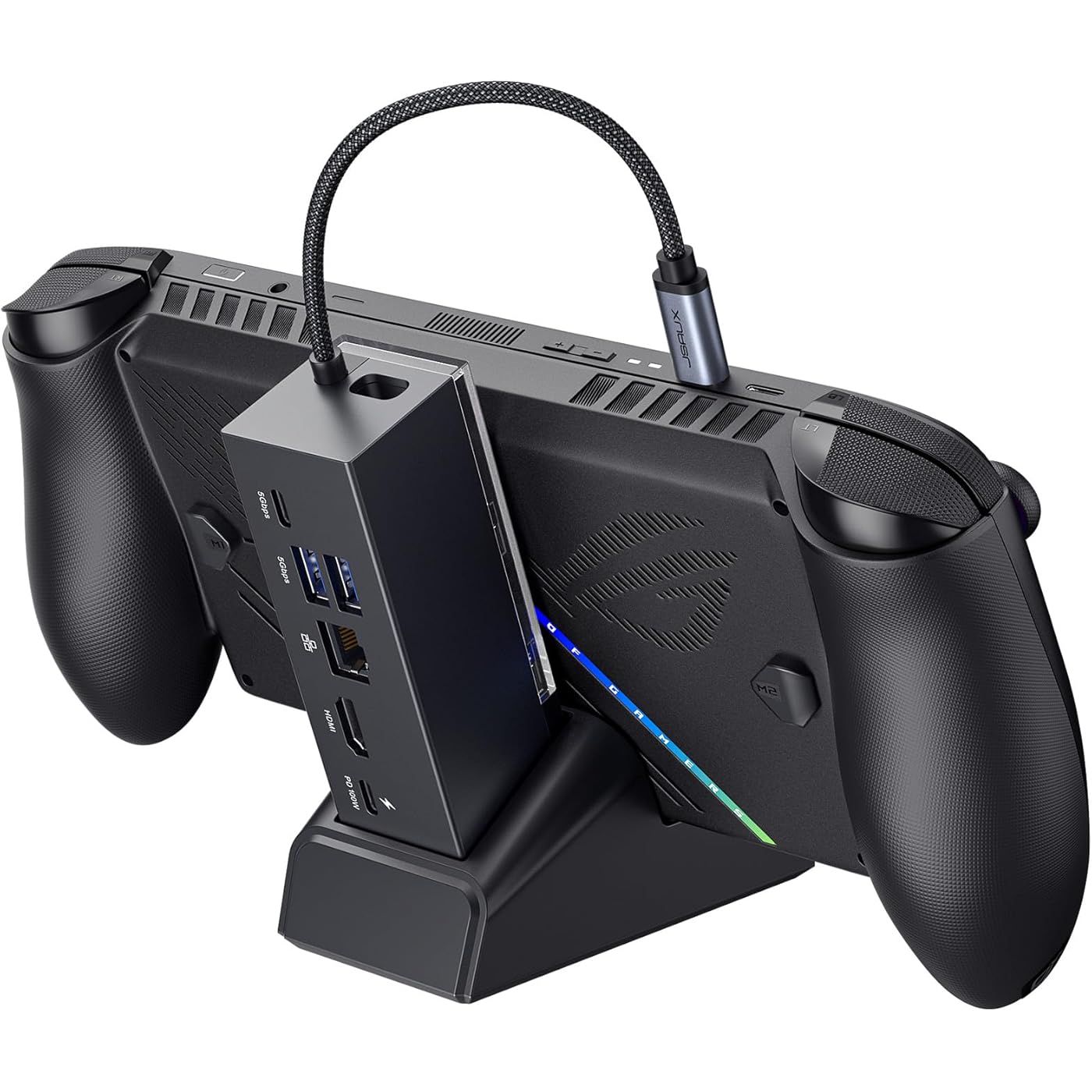
  • 6-in-1 Docking Station for Handheld: Experience enhanced gaming with 4K@120Hz HDMI output, Gigabit Ethernet, USB C PD charging, USB C 3.2 Gen 1, and dual USB A 3.2 Gen 1 ports. Enjoy crisp 4K@120Hz or 1080@240Hz HDMI output for vivid gaming visuals
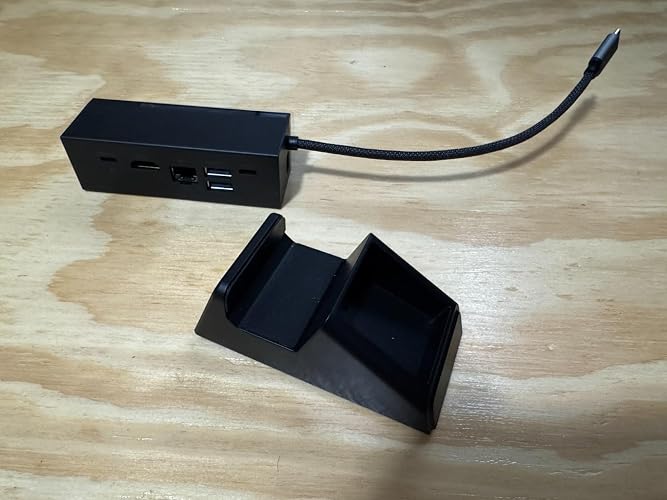
  • Modular Docking Station: The JSAUX docking station provides dual functionality. Use it with the gaming console directly on the dock, or detach the base for standalone use as a stand, offering flexibility for both desktop and portable setups. The extra silicone pad ensures a perfect fit, enhances stability, prevents slipping, and improves support angles for a better gaming experience
  • DIY Customize Your Docking Station: Easily personalize your docking station by adding a custom card between the front cover and the dock. Just remove the cover, insert your card, and snap the cover back on. NOTE: Recommended card size is 3.00" x 1.13" x 0.01" (76.3mm x 28.7mm x 0.3mm). Custom cards NOT included
  • Perfect Compatibility: Compatible with ROG Xbox Ally X (2025), ROG Xbox Ally (2025), ROG Ally X, ROG Ally, Steam Deck, Legion Go, Legion Go S, Razer Edge, AYA NEO, AYA ODIN, Logitech G Cloud, and ONEXPLAYER. Supports 100W max power delivery, which is enough to charge your ROG Ally X, ROG Ally, Steam Deck LCD/OLED, or Legion Go at full speed when paired with the original charger
  • NOTE 2: The HB0609 dock does not support VRR or ALLM. For VRR/ALLM support, please choose the HB0705 dock, listed as Color: Black-RGB Fan Cooling.

Brand: JSAUX


Color: Black


Hardware Interface: Ethernet, HDMI, USB 3.0 Type A, USB 3.0 Type C, USB Docking Station, USB Type C


Compatible Devices: ROG Xbox Ally X (2025) , ROG Xbox Ally (2025), ROG Ally X, ROG Ally, Steam Deck, Legion Go, Legion Go S See more


Total USB Ports: 4


Product Dimensions: 3.35"L x 1.93"W x 4.92"H


Number of Ports: 6


Item Weight: 0.27 Kilograms


Total HDMI Ports: 1


Wattage: 100 watts


Product Dimensions: 3.35 x 1.93 x 4.92 inches


Item Weight: 9.6 ounces


Item model number: HB0609


Date First Available: July 30, 2024


Manufacturer: Shenzhen Wuyishi Technology Co.,Ltd


Frequently asked questions

If you place your order now, the estimated arrival date for this product is: Saturday, Mar 28

Yes, absolutely! You may return this product for a full refund within 30 days of receiving it.

To initiate a return, please visit our Returns Center.

View our full returns policy here.

  • Klarna Financing
  • Affirm Pay in 4
  • Affirm Financing
  • Afterpay Financing
  • PayTomorrow Financing
  • Financing through Apple Pay
Leasing options through Acima may also be available during checkout.

Learn more about financing & leasing here.

Top Amazon Reviews


  • Best dock under $50 you can buy. Period.
Color: Black with Charger
Works perfectly. Compact and lightweight. 4k 120hz output to displays. Ethernet is stable and fast. Charges while Xbox Ally is in use.
Reviewed in the United States on December 27, 2025 by Ken G.

  • Blown away by how good this dock is.
Color: Black-RGB Fan Cooling
So this is the 4th dock/usb hub I've owned and I really can't believe how good this one is. I'm using it with a Lenovo Legion Go 2 connected to an LG OLED CX TV. Have it connected to a Lenovo 100 watt usb c charger. After using the Ivanky non RGB version dock purchased from here I was really starting to question whether it's even worth trying to dock these handheld PCs. With that Ivanky dock I would have to reduce resolution to 1080p or I would get audio drop out about every 5 minutes while playing a game. Also the connection was never stable. It would sometimes randomly lose signal during an hour long play session. I don't know if it was the metal casing on that Ivanky or just something with usb interference on it but when I used my Legion Go 2 controllers disconnected from the PC they would randomly lose signal if I moved more than 3 feet away. This JSaux RGB dock has nullified all those issues and has really surprised me at what it can do. I'm running my Legion Go 2 at 4k 120Hz on my TV with Freesync Premium, HDR and Auto Low Latency Mode enabled and haven't had one signal or audio disconnect so far. I read somewhere that you need a really high dollar dock with a display port and a display port to HDMI adapter to even push out VRR to a TV with these things. Well this dock just straight up does it over HDMI and does it well. One thing I was iffy about when purchasing this dock was the RGB lights because I'm not a huge fan of having RGB lights flashing in my living room. Well there's a button on the base that let's you easily turn off the lights or cycle through RGB modes. Just hold the button for a few seconds to disable. The fan on this thing is actually pretty cool too. My CPU idl and load temps drop about 10 Celsius with the fans powered on. Really can't recommend this dock enough if you need a dock for your handheld PC. The price isn't bad at $50 and it's way better than any other dock I've used. JSaux rules! ... show more
Reviewed in the United States on December 17, 2025 by Kevin

  • A dock finally works for me!
Color: Black
Before this purchase, I've only ever gotten one HDMI input/output device to work consistently on my LCD Deck, and it was a VAVA hub (awkward, no stand). I'm happy to report that with a bit of tinkering, this one worked for me! As many have said, the dock has a serious lack of sturdiness, with the base being quite narrow and easy to tip over + the two parts can easily be detached when the console *isn't* on the base. I'd compliment this since it can be good for travel and ventilation, but on the other hand it's obviously made like this to be accessible to more types of handheld PCs at once and can easily tip over and hurt your device if it falls in just the right way (even when plugged in or on sturdy ground). You may want a case, but definitely care for the screen, maybe cover it up with the cover included with the JSAUX or Dbrand modcases or apply a protective screen. Also, a plus for including a card slot to customize. After plugging it in the dock's video output it should be responsive in ~4 sec. If not, try playing with your decks display settings and try again -- it may glitch out or not display initially, but that even happens with the official dock. I have used it with a SD card reader and dongles, no issues so far... besides the USB slots being very close. One of my dongles is old and big (white Targus pictured) and that one can't fit well with a normal USB next to it :( Fortunately, you can just use a USB adapter. Apparently you should be able to charge the Deck and appears to do that in gaming mode, but it sometimes doesn't show that way in Desktop mode (not "discharging" but instead "not charging" so there may not be enough power for mine). If you turn off the deck or put it in sleep it definitely charges (plug the cord into the bottom most USB-C with the lightning picture). Troubleshooting: When I first got my picture to display, certain games didn't work properly and I couldn't understand why. At first, games wouldn't launch at all when docked, which usually has to do with resolution or refresh rate, so that was my hint (I ended up starting the game in handheld mode and replugging it in when booting). After messing with settings and testing a few games I had an issue with Wobbledogs, which only worked until logging into a profile. While in any profile, any input whatsoever (directly from the Deck or from a mouse or external controller) would result in the HDMI connection severing completely. In case anyone else has a similar issue, this is what I set my LG Ultragear to in Gamemode: ✅ Gamescope resolution set at 1280x720@60 (my 1440p native monitor always becomes a black screen w/ any 2650x1440 options) ✅Automatically scale on ✅HDMI CEC on ✅Magnifier was 150% ✅Max game resolution set to 2560x1440 ✅External display safe mode on ✅HDR was on Afterward, there were still rare occasional glitches (vertical line across the screen that shows briefly in desktop mode) but no glitches stayed for long. I also feel the need to tell those who don't know about JSAUX's notices: there may be a pamphlet in the box that mentions optional firmware updates... but firmwares on their website were delisted and are no longer an option due to community feedback (took me like 30 minutes to find that info but it's just on the general FAQ option at the bottom of their website lol). I mention this because at first my Deck/dock weren't cooperating at all and I had hope after reading that pamphlet that I would be able to fix the situation. Overall, my advice is to just keep playing around with the resolution and refresh rate, especially on LG monitors which historically had issues). ... show more
Reviewed in the United States on September 26, 2025 by Mimi Ivy Mimi Ivy

  • Great dock. Use it with a 100W charger.
Color: Black
It's the best dock for handhelds in the market. Works great with the ASUS ROG Ally portable consoles. Use ONLY with a 100W+ charger. Otherwise, it won't work well.
Reviewed in the United States on November 20, 2025 by Juan P.

  • Mistaken negative review corrected
Color: Black
My original commentindicated the ROG X does not fit. I was mistaken. It does fit perfectly. Dock works as described.
Reviewed in the United States on January 8, 2026 by Cory Hansen

  • Great company perhaps a faulty dock?
Color: Black
As a huge fan of Jsaux I was excited to receive my dock but after mounting my Rog ally X i struggled to get a connection and its almost like using an old apple charger you have to wiggle it to get a charge the right angle. I would get the display option then it would disappear. Really sad As I paid to get it here fast and play but at the moment stuck in predicament. Great company and love their products but not like this man. 😢 ... show more
Reviewed in the United States on December 30, 2025 by Jonathan

  • Great dock fits Xbox ROG Ally X
Color: Black
This dock is PERFECT! I had originally bought the official 100w ROG charging dock, but man that thing is garbage. But this dock is fantastic; it fits the Xbox ROG Ally X beautifully, it can be disassembled for easy packing to take on trips, has Ethernet and an extra USB-C, and is just simple plug and play. It also goes up to 4K 120fps vs the officially ROG charging dock only does up to 4K 60fps. Get this with the 100w Anker charger and call it a day, you can thank me later. ... show more
Reviewed in the United States on November 26, 2025 by Adam

Can't find a product?

Find it on Amazon first, then paste the link below.
Checking for best price...