Search  for anything...

HyperX Alloy Origins - Mechanical Gaming Keyboard, Software-Controlled Light & Macro Customization, Compact Form Factor, RGB LED Backlit - Linear HyperX Red Switch (Black)
  • Based on 2,170 reviews
Condition: New
Checking for the best price...
$149.82 Why this price?
Save $0.17 was $149.99

Buy Now, Pay Later


As low as $24.97 / mo
  • – 6-month term
  • – No impact on credit to apply
  • – Instant approval decision
  • – Secure and straightforward checkout

Ready to go? Add this product to your cart and select a plan during checkout.

Payment plans are offered through our trusted finance partners Klarna, Affirm, Afterpay, Zip, Apple Pay, and Google Pay. No-credit-needed leasing options through Acima may also be available at checkout.

Learn more about financing & leasing here.

Selected Option

Free shipping on this product

This item is eligible for return within 30 days of receipt

To qualify for a full refund, items must be returned in their original, unused condition. If an item is returned in a used, damaged, or materially different state, you may be granted a partial refund.

To initiate a return, please visit our Returns Center.

View our full returns policy here.


Availability: Only 1 left in stock, order soon!
Fulfilled by amazinoutlet

Arrives Oct 17 – Oct 23
Order within 20 hours and 31 minutes
Available payment plans shown during checkout

Protection Plan Protect Your Purchase
Checking for protection plans...

Size: 100%


Style: HyperX Red


Color: Black


Features

  • HyperX Mechanical Switches rated for 80 million keystrokes
  • Full aircraft-grade aluminum body
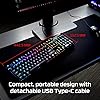
  • Compact, portable design with detachable cable
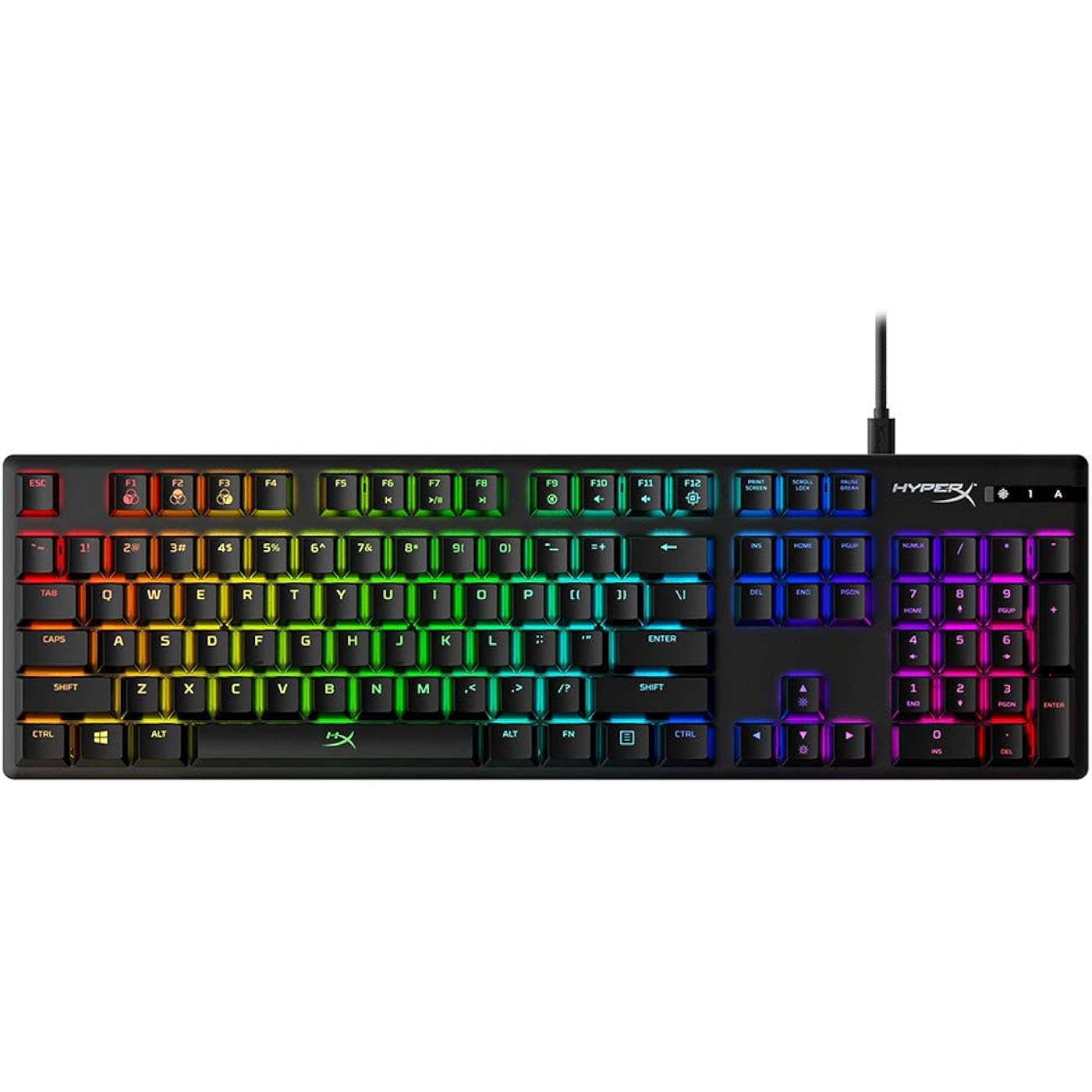
  • Dazzling RGB lighting with dynamic effects
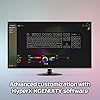
  • Advanced customization with HyperX NGENUITY software
  • 3 adjustable keyboard angles
  • Onboard memory for 3 profiles
  • Game Mode, 100% anti-ghosting, and N-key rollover functionalities

Description

The HyperX Alloy Origins is a compact, sturdy keyboard featuring custom HyperX mechanical switches designed to give gamers the best blend of style, performance, and reliability. These key switches have exposed LEDs for stunning lighting with an actuation force and travel distance elegantly balanced for responsiveness and accuracy. Alloy Origins is built with a full aluminum body so it stays rigid and stable when keystrokes are flying, and also features keyboard feet that let you choose from three different tilt levels. Its sleek, compact design frees up space for mouse movement, and it also features a detachable USB Type-C cable for supreme portability. Customize your lighting, craft macros, and adjust Game Mode with HyperX NGENUITY Software. This powerful, yet easy-to-use program lets you set per-key lighting, layer dazzling lighting effects, and add scores of other personalized touches to your NGENUITY-compatible products.

Brand: HyperX


Compatible Devices: PC


Connectivity Technology: USB-C, wired


Keyboard Description: Mechanical, Gaming


Recommended Uses For Product: Gaming


Special Feature: Backlit, Portable


Color: Black


Keyboard backlighting color support: RGB


Style: HyperX Red


Product Dimensions: 17.4"L x 5.2"W x 1.5"H


Compatible Devices: PC


Connectivity Technology: USB-C, wired


Additional Features: Backlit, Portable


Keyboard Backlighting Color Support: RGB


Language: English


Power Source: Corded Electric


Switch Type: Linear


Keyboard Layout: QWERTY


Hand Orientation: Ambidextrous


Button Quantity: 104


Water Resistance Level: Not Water Resistant


Minimum Required Operating System Version: Windows 10, Windows 11


Compatible Operating System Family: Windows


Number of Keys: 104


Color: Black


Style Name: HyperX Red


Item Dimensions L x W x H: 17.4"L x 5.2"W x 1.5"H


Enclosure Material: Aluminum


Keyboard Plate Material: Aluminum


Brand: HyperX


Keyboard Description: Mechanical, Gaming


Antenna Location: Gaming


Built-In Media: Item


Model Number: HX-KB6RDX-US


Model Name: HyperX Alloy Origins


Global Trade Identification Number: 79, 51


Unit Count: 1 Count


Manufacturer: HP Inc.


Number of Packs: 1


UPC: 196188042779 740617288551


Number of Items: 1


Item Weight: 1075 g


Item Type Name: Mechanical Gaming Keyboard


Mfr Part Number: 4P4F6AA#ABA


Warranty Description: 2 year warranty


Frequently asked questions

If you place your order now, the estimated arrival date for this product is: Oct 17 – Oct 23

Yes, absolutely! You may return this product for a full refund within 30 days of receiving it.

To initiate a return, please visit our Returns Center.

View our full returns policy here.

  • Klarna Financing
  • Affirm Pay in 4
  • Affirm Financing
  • Afterpay Financing
  • Zip Pay in 4
  • Financing through Apple Pay
  • Financing through Google Pay
Leasing options through Acima may also be available during checkout.

Learn more about financing & leasing here.

Top Amazon Reviews


  • The RGB keyboard for everyone
Size: 100% Style: HyperX Blue Color: Black
I picked this up to use across two systems as I recently started using a docked laptop as my daily driver. The usb-c connection makes swapping between systems as simple as swapping a single cable, meanwhile I can tuck the other cable away when not in use. This is replacing the alloy elite and this is my experience so far ... Been using this board since late Feb 2021 and I love it. It has a much smaller footprint than the alloy elite while boasting pretty much all of the same features. At first the removal of the dedicated media keys, volume roller, and dedicated RGB keys was bothering me, but all of these functions are mapped to the function keys on this board. Not having those keys is actually the big thing I love about this board. It offers the same hyper x clicky switches that I love in a much more compact form factor. The build quality is great. The deck is all metal and super slim compared to the alloy elite as well as every other board I've used in the past. It's close to logitech's offerings as far as thinness goes, but without the extreme flex and terrible keycaps. The hyper x keycaps use standard mx stems so using pretty much any keycap set should fit these, though check the questions if you're looking for specific compatibility. I removed the pudding keycaps from my alloy elite and swapped them over to these which ... is a mixed bag. Overall I love the floating keycap design and the backlighting on this thing is both very bright and software accurate. I do miss the the legends printed on the FN keys that tell me which keys do what since I no longer have the dedicated media keys, but it took approximately a day to remember everything. Compared to the alloy elite this board seems much brighter overall. The lowest setting on these switches seems to be brighter than the highest setting on the elite, which could be a placebo effect but I don't know. I can't turn these up to max without it being painful to keep in my periphery. So RGB?? Fantastic on this board, especially with the pudding keycaps. I also really like the adjustable feet that offers you 3 different height adjustments. It's pretty standard these days but I still love to see it. Another thing I love is the numlock/caps lock display. It's positioned perfectly so that you can easily see at a glance which functions you have activated. This was not the case on the alloy elite. The display was placed too closely to the numpad meaning that unless you were sitting up very straight, are super tall, or leaned forward to look at it you could NOT tell what was on/off. This is a big improvement. It seems minor but it really bugged me on the elite. Not much else to say. Keycaps feel great, very stable and it has that satisfying bump I'm looking for in an mx-blue style switch. i love it. So everything about this keyboard is amazing, but it right now!! ... oh wait ... the software Well the software is pretty barebones, isn't very streamlined, and still appears to be in beta from the MS store? I'm not sure as I didn't install this on the computer I'm using right now. I used my old pc (desktop) to set this up since it already had the hyperx software (ngenuity i believe) installed, and it works well enough. While the colors of the keycaps are very accurate in terms of how close they are to what you see in the software you would not notice this with the stock keycaps. The black seems to shift the colors just a little bit so that they appear darker. With the pudding keycaps though they're amazing. Can't complain here. So yeah use the software once to customize your board, then uninstall it. There are plenty of effects to choose from whether you prefer static colors or moving effects ... it all looks great. And with that yeah I think we're done. This is a fantastic keyboard for anyone looking for a better overall typing experience. Do some research about switches, maybe order a sample pack of switches or something, to find the one that's right from you, then go nuts. Great product, will definitely be buying hyper x again if they can maintain this level of quality and value. Good stuff ... show more
Reviewed in the United States on March 26, 2021 by Tim M.

  • Fantastic keyboard
I bought this because I'm having to work from home for a few months and my wireless keyboard wasn't reliable enough for heavy every-day use. This might have been overkill since I'm not a big PC gamer, but I absolutely love this thing. First, what I really like: -It's a joy to type on. It just feels right. I'm a fast typer and this keyboard is not holding me back at all. -I love the colors and different options. You can set 3 different presets and then switch between them by pressing FN and F1, F2 or F3. My favorite effect is the fireworks setting, but the "breathe" and "wave" settings are fun too. You can easily turn the brightness down all the way (so it's not lit up at all) at night or the Fireworks setting only lights up when you're using it. Given that this is in my bedroom, that was a must. -It feels incredibly well made. It's definitely got some weight to it and is not made out of cheap plastic. I expect this to last a long time. -Full size keyboard including 10-key, but is still fairly compact. Important for me as I have a very limited amount of desk space available. Downsides: -The software Ngenuity software used to customize it is clearly still being worked on. I was able to get everything to work properly, but it's not the most intuitive experience. -It's pretty loud. It doesn't bother me, but you're not going to be the guy in the Zoom meeting typing on this without everyone on the meeting noticing. Unless you mute yourself, of course. :) This is my 2nd HyperX product that i've bought in the last year (the other being a headset) and they seem to be making consistently high quality products. I highly recommend this keyboard. ... show more
Reviewed in the United States on July 14, 2020 by Daniel McFadden

  • The transition from a membrane gaming keyboard to this has been Great!
So I recently purchased this keyboard, my first mechanical keyboard. I have had a steel series membrane gaming keyboard for over 5 or 6 years now (and loved it). I finally felt it was time to upgrade. As I'm in grad school and game (when time allows) I have been looking at moving to a mechanical keyboard that is good for typing and gaming. After a lot of research in to switches I settled on something like a cherry mx brown switches, which is exactly what the hyperx aqua switches are. The truth is this board was on sale during Prime day this year for a great price. It was the best reviewed keyboard I could find for the money during the sale (there were other brands but I have given up on some top gaming brands, just won't put them on blast), so I pulled the trigger, made the purchase. I could not be happier so far with my experience. Going from a good membrane keyboard to a mechanical w/ the Aqua Switches has been seamless. It feels good, isn't super loud, and tactile enough to feel comfortable and familiar. I like the cut down, no frills design, that is just how i prefer things in general. I will update if anything changes but so far I would recommend this keyboard to anyone who needs a good keyboard for both gaming and typing. The keyboard is comfortable, but I did also buy the hyperx wrist rest too, and so far it's very comfortable and well made. Just for the way I position my hands I'd recommend picking that up too. ... show more
Reviewed in the United States on October 16, 2020 by Amazon Customer

  • Responsive, Ergonomic Keyboard. No On-Board Customization
Love the clicky-ness and feel of the keyboard. My words per minute (WPM) increased 10-15 on average using this keyboard versus standard ones/non mechanical keyboard For gaming it’s okay. I’d go for a liner keyboard (red ones if you want the same brand) instead of these aqua tactile switches if you plan to use it for gaming only. This keyboard is a good all rounder if you plan to use this for other tasks along with gaming. I'd all get the 60% over the full version for gaming since you're mainly focused on the WASD keys and other letter keys for chat. LED lights are great, especially if you’re a gamer and have a gaming PC with RBG lighting. Able to adjust the settings/pattern via separate app/program. Only able to set 3 profiles. Also have macro customization options. Wish there was on board customization. If you plan to customize, it does NOT have on-board memory. Must have the program always running on your computer. Not good if you switch computers often, or if you’re traveling Key caps are smooth to the touch. Does collect oil and fingerprints if you have dirty fingers. Keycaps are replaceable. Text on key caps is very visible at a glance and has RBG lighting Would be great if there were more media controls I like the weight on the keyboard. Will not slip during use, no need to put a grip pad under it Has removable braided cable (USB Type C to USB). Input plug for cable is USB-C. Wish they did Type C to Type C and included a USB-A adapter instead to better future proof the product. Also the plug is on the right hand size instead of the left which is an odd design choice Life span of 80 million keystrokes. Even if you game using WASD keys, should last you a long time. Even by the time it starts deteriorating, you most likely go for a new model by then and already well worth the cost Overall, very good keyboard in terms of functionality on the hardware side. Software not so much as with the lack of onboard customization ... show more
Reviewed in the United States on December 26, 2021 by Vincent

  • Very happy!
Size: 100% Style: HyperX Red Color: Black
Came a few days earlier, which I was really happy about! Packing was secured and it is in mint condition as described. I am very happy with the product!!
Reviewed in the United States on September 26, 2026 by T.

  • Great mechanical keyboard with a heavy feel, great quality!
I bought this after using a Razer Blackwidow Chroma and this keyboard is an absolute must have. I was on the fence about buying this product as Hyperx is generally known for their headsets, not their keyboards. However, I trust the brand and the company. I fell in love with this keyboard the moment I unboxed it and plugged it in. Pros: - The keyboard can be disconnected at the base of the keyboard (instead of the usb port) for easy cleaning and transport. - The keyboard is HEAVY comparatively to most mechanical keyboards I've used. I absolutely love it as it not easy to accidentally move the keyboard while gaming. Also, it gives it a nice quality feel to it. It has a metal base (NOT plastic). - The keys look pretty standard for a mechanical keyboard and they feel fantastic/responsive to type with. You can also replace the keycaps should you desire but I see no reason to do so unless it's for aesthetic reasons. - The software that it comes with allows you set different color sets for specific keys. For example, I have WASD set as blue. QERTFG set as orange and everything else set as purple. I love this! Cons: - My "F" key paint is chipping. By looking at it, it's hard to tell it's an "F" on the keyboard. However, that doesn't impact typing or my ability to do so. It's only a minor gripe. It's mainly from wear and tear as I use this keyboard for everything: gaming, emails, work, social media, etc. All in all, purchase with confidence! Another great product from HyperX/Kingston. Highly recommend! ... show more
Reviewed in the United States on October 24, 2021 by Justin Armstrong

  • Very easy to type and game on
Size: 100% Style: HyperX Red Color: Black
Really happy with this keyboard. The keys are very easy to press with no fatigue throughout the day. I work a 8 hour desk job and will spend an additional 4-8 hours gaming here and there throughout the week gaming. The switch itself gives a satisfying muted clacking sound without being overly noise-y. Something I noticed between the last keyboard I was using is this keyboard is a little lower to the desk. It has multiple tilt options which is great. But my current wrist support is a little too high and will sometimes slide into the front row of keys(like the space bar or control button). I also noticed that the keys are shallower so you do not need to press the key down as far to allow it to make contact compared to my last key board. It's taking a bit to get use to, but I feel it's quicker and more responsive than I'm used to. Lights are bright and high quality. Highly recommend. ... show more
Reviewed in the United States on August 5, 2024 by Adam&Anna

  • Very Bright and Sturdy!
Size: 100% Style: HyperX Blue Color: Black
I love the "HyperX Alloy Origins" Keyboard, it's very bright and sturdy. I originally bought the "Redragon K556" Keyboard but returned it because it was not bright enough for me. I read reviews about how bright the "HyperX Alloy Origins" Keyboard can get and that is the reason I purchased this one and I'm glad I did. I also like how it uses a C Cable to attach to the keyboard rather than the cord being hardwired. The only thing I don't like about the "HyperX Alloy Origins" Keyboard is the location where the cable connects to the keyboard. I like cable management and to hide as many cables as I can. I drilled a hole in my desk and ran the cable through my desk, however, I can still see a little bit of the cord because it attaches to the back right of the keyboard (See Second Image). I looked online for a right angle C Cable and I found the “Anker 180 Degree Right Angle USB A to USB C Gaming Cord” (See First Link Below). I also purchased a USB 3.0 Extension Cable (See Second Link Below). https://www.amazon.com/gp/product/B07SNS51RK/ref=ppx_yo_dt_b_asin_title_o00_s00?ie=UTF8&psp=1 https://www.amazon.com/gp/product/B088GSJLWX/ref=ppx_yo_dt_b_asin_title_o00_s00?ie=UTF8&psp=1 The “Anker 180 Degree Right Angle Cord” is perfect for this keyboard and hides the cord well! (See First Image). The cord is only 3 ft. long so I had to purchase a USB 3.0 Extension Cable so it could reach my PC. Also, the Right Angle Cord is a little tight so you have to push in a little to connect it to the keyboard, but it works. I wish these keyboard manufactures would connect the cable to the bottom of the keyboard for better cable management. I know a lot of gamers out there also prefer to hide their cables and also drill holes in their desk for better cable management, so I think HyperX should consider updating their design. I am happy to have found a cable management solution with the "Anker 180 Degree Right Angle USB A to USB C Gaming Cord”. Hope this review helps some people. ... show more
Reviewed in the United States on December 6, 2020 by Steve

Can't find a product?

Find it on Amazon first, then paste the link below.
Checking for best price...