Search  for anything...

HUION WH1409 Wireless Graphic Drawing Tablet 8192 Pen Pressure Pen Tablet with 12 Press Keys

  • Based on 422 reviews
Condition: New
Checking for the best price...
$65.98 Why this price?
Labor Day Deal · 18% off was $79.98

Buy Now, Pay Later


As low as $11.00 / mo
  • – 6-month term
  • – No impact on credit to apply
  • – Instant approval decision
  • – Secure and straightforward checkout

Ready to go? Add this product to your cart and select a plan during checkout.

Payment plans are offered through our trusted finance partners Klarna, Affirm, Afterpay, Zip, Apple Pay, and Google Pay. No-credit-needed leasing options through Acima may also be available at checkout.

Learn more about financing & leasing here.

Selected Option

Free shipping on this product

FREE 30-day refund/replacement

To qualify for a full refund, items must be returned in their original, unused condition. If an item is returned in a used, damaged, or materially different state, you may be granted a partial refund.

To initiate a return, please visit our Returns Center.

View our full returns policy here.


Availability: In Stock.
Fulfilled by Amazon

Arrives Monday, Sep 7
Order within 17 hours and 50 minutes
Available payment plans shown during checkout

Protection Plan Protect Your Purchase
Checking for protection plans...

Size: 13.8x8.6 inch


Features

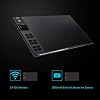
  • Large Work Surface: Just feel free to express your creativity, as the 13.8x8.6 inch working area is big enough to deliver your talent beyond your imagination.
  • 2.4 GHz Wireless Communication: Ensure you to have a flexible drawing experience and free you from the space limitation; The maximum sensing distance can range up to 10m
  • 12 Programmable Express Keys: Time saving shortcuts, Can be used for both left and right hand; Comes with a 8192 pressure sensitive rechargeable pen, allows you to create freely on the paper-like drawing surface with the resolution of 5080LPI and response rate of 233RPS
  • 2000mAh Build in Lithium-ion Battery: Charging time 5-7 hours; Lasts for up to 25 hours of being constantly on in wireless mode, save you from the awkwardness of charging the tablet over and over during long hour working
  • OS Compatibility: Windows 7 or later, macOS 10.12 or later;

Description

Founded in 2011, Huion has always been dedicated to providing high-quality pen tablets, pen displays, and pen computers to creative users. And our products not only help artists, designers, and animators to create fantastic digital masterpieces, but also bring digital ink solutions to many people around the world, changing the way they create, learn and work. We believe the world is in your hands. New release-Kamvas 13 (Gen 3) Special Edition

Brand: HUION


Connectivity Technology: USB cable or Wireless


Pressure Sensitivity: 8192 levels


Operating System: Windows 7 or later, macOS 10.11 or later


Special Feature: Extra-Slim, Programmable Press Key, Shortcut Key, Stylus Dock


Brand: HUION


Model Name: WH1409(8192)


Built-In Media: Digital Pen, Pen Holder, Pen Nib Clip, Replacement Nib


Target Audience: Student, Teacher


Model Number: WH1409(8192)


Manufacturer: ShenZhen Huion Animation Technology Co., LTD


Mfr Part Number: WH1409V2


Color: WH1409


Connectivity Technology: USB cable or Wireless


Pressure Sensitivity: 8192 levels


Operating System: Windows 7 or later, macOS 10.11 or later


Additional Features: Extra-Slim, Programmable Press Key, Shortcut Key, Stylus Dock


Specific Uses For Product: 3D Modelling, Animation, Designing


Compatible Devices: Desktop, Laptop


Native Resolution: 1920x1080


Screen Size: 13.8 inches


Item Weight: 1100 g


Item Dimensions L x W: 13.8"L x 13.8"W


Active Surface Area: 13.8 x 8.6 inches


Frequently asked questions

If you place your order now, the estimated arrival date for this product is: Monday, Sep 7

Yes, absolutely! You may return this product for a full refund within 30 days of receiving it.

To initiate a return, please visit our Returns Center.

View our full returns policy here.

  • Klarna Financing
  • Affirm Pay in 4
  • Affirm Financing
  • Afterpay Financing
  • Zip Pay in 4
  • Financing through Apple Pay
  • Financing through Google Pay
Leasing options through Acima may also be available during checkout.

Learn more about financing & leasing here.

Top Amazon Reviews


  • Fantastic tablet
Size: 13.8x8.6 inch
After careful research on what tablet I wanted to replace my old wacom babmoo fun, I decided on the Huion Giano. It's large drawing area, the levels of pressure sensitivity, and it's low price point compared to the intuos line all contributed to my choice. I am very pleased with the product overall. Let's give it a quick breakdown: Appearance/Feel: The tablet is nice looking in person, there is a general matte finish on it (though much less pronounced on the drawing surface) so that it doesn't shine. It is nicely textured, and does not feel cheap or flimsy. When picking up and moving it does not creak, groan, or snap. It is solidly put together and sturdy, with a clean, professional appearance. The pen is of similar quality, though slightly more lightweight than expected for the size. It lacks a soft or rubberized grip found in some tablet pens, which I prefer because I have found those to become grimy and difficult to clean. Performance: Please keep in mind I'm coming from a 10+ year old bamboo fun. Tablet is very responsive and not hypersensitive-- one needn't have an exceedingly light touch for natural results as I've found with some other tablets. Pressure sensitivity is adjustable, if you find the default too light or heavy. Programmable keys are nice for mapping shortcuts, though I would prefer the method where you can simply type your combination as opposed to a drop-down select for keys and check boxes for options like shift/control/etc. I find that sometimes depressing at the edge of a key, even with an audible click does not activate the button, the key and feel slightly gummy if you are clicking it off to the side when this happens and it seems a fairly minor issue to me. Indicator lights works well and as outlined in the included manual, setup was very easy with the wireless USB included, simply popped it onto my macbook air and used the indicated installer on it. Misc: The microusb connector seems very solidly built to avoid rocking/damage to the port in the tablet, with a firm snap-in fit. Rubberized feet are flat and low profile to prevent accidental skidding on your workstation. Tablet is certainly lightweight for it's size but despite that not exactly comfortable to carry or move one-handed and not what I would consider portable at this size. Packaging was good and secure. I had not read well enough and initially thought the device was bluetooth but it is not, wireless connection is via a USB stick stored in a compartment on the backside of the tablet. This works very well, but you will need an open USB slot to use the tablet at all. Overall I really like the Huion Giano. I would not hesitate to suggest it to my friends, including those who are professional artists. At it's price point it easily is comparable to tablets in the 400-600 dollar range in terms of performance, while offering a large drawing area that commands a premium price in other brands. I think if you're in the market for a tablet at the present this is one of the best choices you can make as far as quality for your dollar. I'm very pleased with my purchase and I am happy that I gave this brand a try. I will certainly be choosing Huion for any future tablet purchases. If my opinion changes in the future this review will be updated to reflect that. ... show more
Reviewed in the United States on March 6, 2017 by Alexandria

  • Looking for a good Wacom alternative or just getting started? Behold the beast!
Size: 13.8x8.6 inch
Being fed up with Wacom's prices, I looked into Huion. I have had bad experiences in the past with Chinese tablets. My past issues consisted of driver problems and display issues (for graphic tablets). Huion seems to be noticing the large complaints of drivers being a mess for some people. e.g simply not working, pen alignment is off from resolution, gittering, etc... This is not to say some of Huion's older model of tablets are being fixed as they seem to be EOL (End-of-life) unfortunately. Luckily it appears Huion is starting to fix a lot of the current issues with Chinese tablets and this is a great one to start with. The Giano is, as the name sounds, HUGE but it fits my needs after using it for a few days. The build quality is great. You can try to bend the tablet but it will not budge, unless you are looking to damage it. The only issue I have had thus far is the drivers, but with a happy ending. The included driver was corrupt on the Wireless USB receiver (Nifty extra storage!). All I had to do was download the most updated driver. Keep in mind that some reason I had to download it from their store page NOT the device description page as you could with other tablets. Why Huion? Fortunately after installing it took less than a minute and starting working with no hiccups afterwards. The settings page is simple but to the point. I do wish there is more features but maybe down the road! All in all, if you are looking for a cheap Wacom competitor that has no issue with their drivers, then this is a nice tablet to get! As long as you don't mind the size as it seems to throw some people off. Pros: +Sturdy quality +Plenty of buttons +Wireless functionality (very cool!) +Sensitive with no gittering so far +Driver working perfectly after install Cons: -May be too big for some people -Included driver was corrupt (Best practice is to download the new driver from their site) ... show more
Reviewed in the United States on July 6, 2016 by Brian H.

  • Large canvas for your work
Size: 13.8x8.6 inch
Kindly given to me to review, while I've tried graphics tablets before they've never been such large devices, they've always been fairly compact, never bigger than an A4 sheet of paper. This is a big slap of a device, yet despite it's size it's not uncomfortably heavy. The bulk of the unit is reserved for drawing, but on the left hand side are 12 buttons that can be programmed to keyboard shortcuts. Around the back is a removable USB dongle that allows the tablet to be used wirelessly and should, in theory, contain the required drivers. I say in theory as Windows 10 had an issue with the drive, reporting it as corrupt and needing repairing. Once repaired the drivers were no longer available on the drive, but were readily available from the manufacturers website. If you're not fussed about wires this can be used by plugging it into your computer via USB, the cable is included in the box. As well as the tablet you get a pen, replacement pen nibs and a pen stand. The pen stand also acts as the storage for the replacement pen nibs. The pen has a pressure sensitive nib and two programmable buttons on the side. It's comfortable in the hand and doesn't require any batteries. Once installed the driver software allows you to test the pressure sensitivity of the pen as well as programmed the various buttons available. As well as the two pen buttons there are the previously mentioned 12 buttons down the side of the tablet and these can all be assigned different key combinations. The size of the tablet takes a little getting use to, but does give you much finer control over your drawing. With smaller tablets the cursor tends to move very quickly around the screen due to the small size, the opposite of this is true of this, giving finer control over small, precise movements. For those in need of a digital canvas this large graphics tablet will certainly give you a lot of room for your creativity, providing you've got the desk space! ... show more
Reviewed in the United States on June 26, 2016 by Mark J Draper

  • Worth the investment
Size: 13.8x8.6 inch
I can't believe this product. I researched many tablets trying to find the perfect fit for my 11 year old that LOVES to draw and animate. I read the reviews about how difficult it could be to download software and actually getting to use. I read all the nightmares and was a little hesitant. I am REALLY happy that I considered the difficulties everyone had but did not discourage me from buying. I had NO problems downloading the driver/software despite the lack of clear directions (horrible user manuals) and completed the whole process in minutes. The tablet is big and the wireless feature is really nice. My daughter says the pen is comfortable and writes/draws easily. The preset buttons are handy to. This tablet is really nice and we've had no problems with any freezing or glitches at this point. I would recommend this to any artist out there looking for affordable ... show more
Reviewed in the United States on March 29, 2017 by angela neill

  • Not worth it
Size: 13.8x8.6 inch
Save your money and get a xppen deco for $44, this is double the price and is very inaccurate with pressure. Tracking is fine but likes to "sleep" while using it, as in it stops working and I have to press the pen to the tablet a little harder than a tap. Battery life kinda sucks, I mainly use this as a mouse replacement so being constantly plugged in doesnt affect me too much, just overall not a good deal for what you are getting. I understand most people dont use tablets for input other than art, but for me when it comes to everyday tasks such as cad, gaming, web browsing.. this falls so short, i dont think itd be good for anything else. In the short time I have used this for writing, its pressure sensors ssuuuuuuck ... show more
Reviewed in the United States on April 16, 2026 by John'z Fold

  • Great Professional tool for the money. Don't hesitate.
Size: 13.8x8.6 inch
After 4 hours of trying to digitally paint hair for a swimsuit calender with a mouse, I looked online for a reasonable tablet and stylus. This one was reviewed well and you get a fairly large tablet for your money. I ordered the tablet and had it in 2 days. Tablet installed quickly and functioned well right out of the box. The sensitivity is good and the customizable buttons work great for quick save, undo, and zooming in & out. I accomplish 3 times the work done 3 hours with this tablet instead if a mouse. Sometimes you just need the right tool for the job. In a pinch this was a good option and it works phenomenally. I love this thing. Blown away. Amazed at the performance. This is a professional tool worth every penny. ... show more
Reviewed in the United States on April 11, 2018 by Average Typical Dude

  • Large working space
Size: 13.8x8.6 inch
The large size makes this a great tablet for people with desktop computers and large screens. It's closer to a 1:1 ratio than a tiny tablet, and long hours of use don't cramp my wrist/hand. It has a few downsides: only the charging cable it comes with charges it, and for some reason you have to turn it on to charge the tablet. I thought mine was dead because I'd "charged" it overnight and it still didn't work, but I had tried charging it while the tablet was off and the battery was still dead. Biggest drawback: if you're using the wireless connection and you don't use the tablet for a while, it doesn't wake up so you have to flick it off and back on again. But it's not a $600 drawback. Also, the hotkeys on the side are unlabeled and the same size/color so sometimes I forget what I've mapped to them. It would be nice if they had numbers or something on them so you could look down and remember which was which. Or bumps on some of them. ... show more
Reviewed in the United States on November 30, 2016 by hj20

  • It's a good art tablet
Size: 13.8x8.6 inch
It's a good art tablet, however, I am having issues and have had it for about a month or two. Firstly, pressure sensitivity often does not work, and the pen is frequently running out of charge. It started a week or two ago, and I recently redownloaded the driver. I charge the pen for hours until the light turns off, and then I recheck it five times by plugging it back into the charger. Each time I plug it back in, the light is on for a second and then turns off. I use it and have a few issues, such as glitchiness, and then put it away. When I go to reuse it a day later, the pen is suddenly completely out of charge. I only use it for about an hour. I continuously download the driver again, and yet pressure sensitivity often does not work. I am considering getting a Wacom instead. However, this art tablet is very useful when pressure sensitivity does work. I believe the driver needs to be updated to be better, and the pen may need a few modifications. Overall, this is an okay art tablet, but I'd recommend getting a Wacom instead. I got this only because it has a better price, so if you're looking for a cheap starter tablet, I'd say get this. ... show more
Reviewed in the United States on November 14, 2017 by Amazon Customer

Can't find a product?

Find it on Amazon first, then paste the link below.
Checking for best price...