
Search  for anything...

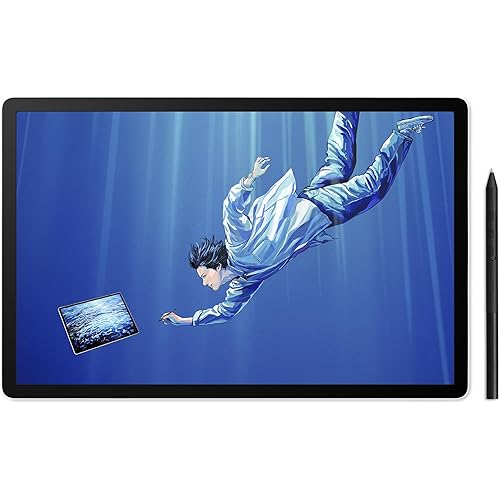
HUION KAMVAS Slate 11 Standalone Drawing Tablet No Computer Needed with Anti-Glare Screen, 10.95 Inch Digital Art Tablet with Tilt-Alignment Stylus, 90Hz Android 14 Pad with 8GB + 128GB for Artists

  • Based on 993 reviews
Condition: New
Checking for the best price...
$262.99 Why this price?
Save $66.01 was $329.00

Buy Now, Pay Later


As low as $43.83 / mo
  • – 6-month term
  • – No impact on credit to apply
  • – Instant approval decision
  • – Secure and straightforward checkout

Ready to go? Add this product to your cart and select a plan during checkout.

Payment plans are offered through our trusted finance partners Klarna, Affirm, Afterpay, Apple Pay, and PayTomorrow. No-credit-needed leasing options through Acima may also be available at checkout.

Learn more about financing & leasing here.

Selected Option

Free shipping on this product

FREE 30-day refund/replacement

To qualify for a full refund, items must be returned in their original, unused condition. If an item is returned in a used, damaged, or materially different state, you may be granted a partial refund.

To initiate a return, please visit our Returns Center.

View our full returns policy here.


Availability: In Stock.
Fulfilled by Amazon

Arrives Wednesday, Jul 22
Order within 37 minutes
Available payment plans shown during checkout

Protection Plan Protect Your Purchase
Checking for protection plans...

Size: 11 Inch


Features

  • All-in-One Drawing Tablet: This standalone tablet requires no computer connectionstart drawing right out of the box. Perfect for artists on the go, its sleek aluminum back provides a comfortable feel and makes the writing tablet an ideal choice for note-taking and capturing ideas.
  • 10.95-inch Full HD Graphic Tablet: The combination of a 10.95-inch screen and FHD+ (1920*1200) resolution ensures a high pixel density of 207 PPI, delivering a sharp visual experience. With a 99% sRGB color gamut, every stroke of your artwork is precisely represented.
  • Smooth 90Hz Refresh Rate: The digital drawing tablet features a 90Hz refresh rate, ensuring smooth visuals with no lag. This makes images more vivid, allowing you to immerse yourself in a seamless creation experience. The digital drawing pad also enhances your viewing experience, whether you're watching films or playing games.
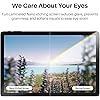
  • Full-Laminated Anti-Glare Screen: The digital art pad features a nano-etched, anti-fingerprint matte surface that significantly reduces glare and provides a natural paper-like texture for a comfortable drawing feel. The full-lamination technology minimizes parallax, enhancing stroke precision and clarity, while also helping to reduce eye strain during prolonged use.
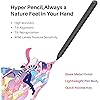
  • High-Precision H-Pencil: The drawing pen features Huion's years of experience in line-drawing algorithms, offering better accuracy and preventing line offset while drawing. With 4096 levels of pressure sensitivity and 60 tilt recognition, it brings you a writing experience that feels just like using a real pencil.
  • Powerful Performance & Capacity: An 8-core CPU, 8GB of RAM, and 128GB of storage (expandable up to 1TB). With its exceptional processor, the computer tablet allows you to multitask without any lag. The 8MP front camera and 13MP rear camera with flash capture every moment.
  • Long Battery Life: The computer graphics tablet with an 8000mAh large-capacity battery ensures you stay connected all day long, even when you're on the go, making the sketch tablet perfect for artists and designers who need to maintain creativity for a long time.
  • Pre-installed Drawing App: Kamvas Slate 11 computer drawing tablet runs on Android 14, allowing you to use it as a portable drawing display. The animation tablet also comes with a variety of pre-installed software, helping you take notes and learn more about drawing. You can also download software from Google Play
  • Your all-in-one art suite: Comes pre-installed with Clip Studio Paint and ibisPaint Xincluding up to 3 Months of Free Memberships!

Description

Founded in 2011, Huion has always been dedicated to providing high-quality pen tablets, pen displays, and pen computers to creative users. And our products not only help artists, designers, and animators to create fantastic digital masterpieces, but also bring digital ink solutions to many people around the world, changing the way they create, learn and work. We believe the world is in your hands. Visit the Store Visit the Store Visit the Store Visit the Store New release-Kamvas 13 (Gen 3) Special Edition Visit the Store Visit the Store Visit the Store Visit the Store Visit the Store Visit the Store Kamvas Slate 11 Note E Kamvas Slate 10 HUION Kamvas 13 (Gen 3) Kamvas 13 (Gen 3) What's in the box? Kamvas slate 11 x1,HS230 Pen x1, USB-C Cable ,Replacement Nib x3, Case x1, Palm Rejection Glove X1, SD-card ejection pin x1, Quick Start Guide x1 What can I do if tablet cannot power on. 1. Restart your tablet 2. Press the power button to check if the tablet is in sleep mode 3. Press and hold the power button for 7-8 seconds to restart the device. What can I do if the stylus button does not work. The side buttons of the stylus are only functional in HiNote、HiPaint and ibisPaint apps, and other software doesn't support button functions . In addition, the functions of the side buttons can only be customized under HiPaint and ibisPaint. Does the Kamvas Slate 11 tablet need to be connected to a computer to work? No, Kamvas Slate 11 tablet is a standalone drawing tablet, allowing you to use it as a portable drawing display. You can download a variety of software from Google Play.

Brand: HUION


Connectivity Technology: Bluetooth, Wi-Fi


Pressure Sensitivity: 4096 Levels


Operating System: Android 14


Special Feature: 8-core CPU, 8GB + 128GB, 8000mAh Battery, 90Hz Refresh Rate, Anti-Glare Glass, Front Facing Camera and Rear Camera, Full Lamination See more


Brand: HUION


Model Name: Kamvas Slate 11


Built-In Media: Android Tablet, H-Pencil Pen, Pen Nibs x 3, Leather Case, Palm Rejection Artist Glove, Quick Start Guide, USB-C to USB-A Power Cable


Target Audience: Artist, Designer, Office Worker, Student, Teacher


Model Number: KT1101


Manufacturer: Shenzhen Huion Animation Technology Limited


Warranty Description: 1 Year


Unit Count: 1.0 Count


Connectivity Technology: Bluetooth, Wi-Fi


Pressure Sensitivity: 4096 Levels


Operating System: Android 14


Additional Features: 8-core CPU, 8GB + 128GB, 8000mAh Battery, 90Hz Refresh Rate, Anti-Glare Glass, Front Facing Camera and Rear Camera, Full Lamination


Specific Uses For Product: Drawing, Gaming, Notetaking


Compatible Devices: iPad Pro


Display Type: LCD


Native Resolution: 1920x1200


Screen Size: 11 Inches


Item Weight: 0.51 Kilograms


Item Dimensions L x W: 10.11"L x 6.63"W


Active Surface Area: 11 inches


Frequently asked questions

If you place your order now, the estimated arrival date for this product is: Wednesday, Jul 22

Yes, absolutely! You may return this product for a full refund within 30 days of receiving it.

To initiate a return, please visit our Returns Center.

View our full returns policy here.

  • Klarna Financing
  • Affirm Pay in 4
  • Affirm Financing
  • Afterpay Financing
  • PayTomorrow Financing
  • Financing through Apple Pay
Leasing options through Acima may also be available during checkout.

Learn more about financing & leasing here.

Top Amazon Reviews


  • Good, reliable + portable
Still working over a couple years of use. No dead pixels or issues I've come across yet! The hotkeys are super convenient, and I use them a lot- I don't think I would choose to get a tablet without them, now. Even if you're not a user of the hotkeys, they don't take up too much extra space. The stand it comes with is nice, though I wish it had a couple more levels for more precise angling of the screen. I appreciate that it doesn't have to be mounted with hardware. You can choose how you use it, and change things up for different situations. It all packs up very easily, the tablet is light and has a thin profile, making the whole set easily portable. It has a decent resolution, good pressure sensitivity, doesn't lag, and is very accurate and easy to use. The screen is matte and glare-free in most situations. I appreciate that it comes this way and does not need an extra screen protector. I can be pretty clumsy and the screen is still in good condition. My one and only complaint for this tablet is that the screen could be brighter. I often feel that I have to check the colors of my work on my main monitor as I work. I would easily recommend this tablet to most people. It's definitely been worth the price and I would be confident buying a Kamvas tablet again if ever I need to. ... show more
Reviewed in the United States on July 1, 2026 by Lilly M

  • A good intermediate or beginner tablet thats not too expensive
Size: 10.1 Inch
So far everything has been good. The tablet was easy to set up. It has good durability but obviously don't drop it (i already did once and its alright). It only took a moment to link it to my phone. The stylus works well though after a few days of using it I've noticed it wont draw or will be choppy (it keeps reading my palm, i think that's the problem) Initially the pressure sensitivity worked well. Im not sure whether or not thats from my art app (ibis paint x) or the actual tablet. I got it on sale and for the price I paid i would say it's worth the money. Definitely wait for a sale before you buy though. Its not the highest quality tablet but it works. The left side of the tablet gets warm quickly but i haven't had to turn it off due to heat yet. ... show more
Reviewed in the United States on November 29, 2025 by Ellison Westphal

  • Solid Tablet
Size: 11 Inch
Bought this tablet for my teen who is pursuing art as a specialized subject but who also needs a tablet for other school assignments and general functions. She was not happy initially as this replaced a Samsung tablet however after many months of use this tablet has become indispensable. The pen works well and all apps function smoothly. ... show more
Reviewed in the United States on May 27, 2026 by T E

  • Not incredible but not bad
Size: 10.1 Inch
Nice but can be glitchy.... worked perfect for almost a year then now it randomly clicks and flickers when not in use. Almost sounds like.....clicking of electricity? Battery doesnt charge well anymore .....Idk but other than that its okay and im still able to use it
Reviewed in the United States on February 9, 2026 by katie

  • Not only for drawing. Has all functions of a normal tablet
Size: 10.1 Inch
Got this for my older child who loves to draw and this works very well as it has many options and different uses. Not only can you use it as a drawing tablet but you can also use it as a normal tablet. You can download apps, play games, and watch YouTube. It was easy to set up. I got it back and December and haven’t had issues with it. It seems durable so far ... show more
Reviewed in the United States on May 31, 2026 by Brianna Gerling

  • Defective cables, drivers, and the single worst customer care experience I've had.
What a trip this one. Bought this on black friday on impulse. Reviews overall looked good, minus some issues with faulty cables and whatnot. Good outweighed the bad, right? Well. No. I apparently received one of those faulty cables. The display would work fine, but the USB and touch interface would endless disconnect and retry, never fully connecting. Reading what I could, it seemed to be a cable or driver issue. First thing was first, I tried the USB on every port I had, even plugging in the auxiliary power connector into a wall charger to make sure it wasn't a power delivery issue. No go. I tried downloading updated drivers and firmware. The driver software was updated Nov 02 this year. OK. The firmware installer completely crashed and gave fatal errors on install, and I later discovered doesn't even support or detect my model. (Need the Pro version). So I contacted support. They wanted all sorts of obtuse information to put in warranty information and start a support ticket. Whatever, jump through the hoop. And then I waited. And waited. Four days later I finally get a scripted response in badly formatted english giving me 20 steps on how to test the HDMI. It's a USB problem, not HDMI... So I shot back. I also informed them many other people are having this same issue in the reviews. Reply: please provide us a video of the issue, including how it is connected to your cell phone. What? I already stated that I'm using their included cable. I look up a youtube video (There are many and more) detailing the rapid disconnect issue and send that off. Reply: please provide us a video of the tablet connected to your cell phone.. What? I've specifically stated that I was using their 3-in-1 cable and described how it was connected. Explicitly stated that I will not be sending them a video of my tablet connected to a phone because my tablet is NOT connected to a phone. And that this lack of active thinking with their support is looking bad on them as a company. Well, my ticket is closed, and I'm back at square one. With a faulty tablet I can't use. I contact Amazon, who, being Amazon, had my back and sent me a replacement cable (with credit compensation) which I am now using. Lo and behold? Now the screen flickers as well, and the USB still doesn't initialize. I'm returning this piece of crap and never looking back at Huion as a company. ... show more
Reviewed in the United States on December 9, 2020 by Black Wyvern

  • Good portable option. Mostly exactly what I wanted after fixing.
Size: 11 Inch
EDIT // Huion reached out to me to determine if my tablet is faulty. Will update conclusion, but I've added more thoughts below // EDIT 2 // Huion sent me a replacement pen. This arrived as the pen only, no nib, so I used the one the original pen came with (you get a few). Immediately notice the nib fits differently. I wish I could show this, but it's quite small and I can't really convey through photos. But it immediately felt different. After some test drawing, it does seem the pen I received was faulty. With working pen, it is much easier to vary line weight and achieve thin lines with nice points without erasing. Drawing is more natural and it will register quicker strokes. Before, I found using smaller brush sizes really difficult too. Now, with a working pen, I haven't had issues with size or textured brushes seeming weird. I can mostly draw as normal, which is good! I still stand by my statement of not trusting Huion products without also getting the extended warranty, so I added the Amazon 2 year to mine. This will be the second Huion tablet I purchased that ended up faulty. However, their customer service was MUCH better this time around. They clearly care more than they did previously and reached out to me, which I definitely appreciate. Clearly I not only liked my original Kamvas13 tablet enough to keep using it even if the colors were incorrect, I went on to try this one too. Was I initially worried it wouldn't be as good? Yes. But now that it works properly, I feel much more comfortable with it. While the tablet is not as good as their other pen displays (like kamvas13), I do think this would be very suitable for a beginner tablet or for someone who is already familiar with tablets that need to be connected to a laptop or PC who want something more mobile. It is lightweight and easy to hold. Sketching on it feels more accurate now. I adjusted the pen pressure settings once when I received the new pen. I've switched tools and brushes in CSP and have not had the issue of having to adjust the pressure again between tools or brush types. So using it is way easier. Overall, for portability it's great. Some of my old review still applies, so I've left it. The case is pretty mid. It's nice that it comes with one though. I still recommend an elastic band or something to hold it closed and to keep the charger and glove together with it. Especially if you travel. You can see this in my photo. No, it isn't as good as say the Kamvas13, but I feel like it is still suitable as a portable tablet option. I've also moved files from it to my laptop and haven't had issues with color or quality being different. So, for me, I wanted a tablet that could be portable and stand in for my tablet tied to my laptop because I just can't always juggle all that. For this, it works more closely to how I had hoped! It still feels like any other android tablet to use, but this is good for portability and familiarity and it's less disappointing now that I'm not struggling to use it. If you are having any considerable issues, I do recommend you reach out to Huion! They were friendly and easy to talk to. Was it still usable defect? Yes, but it shouldn't feel THAT different or difficult to use. So please don't hesitate to reach out to Huion if something feels off! Because you should be able to use it mostly normally. There is a little difference between using android interface and a laptop, of course, but not to the point where it feels like a bad time now. I have left my old drawing where you can see a lot of blunt round edges, but have added a new drawing for comparison. The video is still the faulty pen. I've left this in case it helps someone else too. I have changed my review from a 3 star to 5 because of this. I'm more comfortable in recommending it to others now. // original unedited review below because it shows where my previous issues were and some general things still apply // First, DO NOT BUY HUION PRODUCTS WITHOUT A WARRANTY. I've used their products and they are fine but seem to have issues immediately once the manufacturer warranty runs out. They will not allow you to pay for repairs or otherwise compensate you. Please buy with caution. Now, the tablet is very mid. It's easy enough to set up and use, but I've found the pressure is difficult to adjust. You have to use a pretty heavy hand. No matter how I change settings, I can't seem to fix this. I normally draw lightly, so this was really difficult for me. I'm disabled and can't draw at a laptop much currently, so I bought this fully excepting it to be disappointing because it just isn't the same. I did want it to be good and hoped it would surprise me, but it's just not as responsive for drawing as it should be. It feels like a generic tablet, just with preinstalled art programs. Feels like buying a random cheap tablet and pen could get the same result. It doesn't feel like it was catered to or made with art in mind. I use CSP with mine. I've already used it on a PC so I'm familiar with it. I did appreciate that it had a few programs on it for you to try by default though, and did play with the others first. The settings seem to have to be adjusted separately for each one. I plan to download others and will edit this if I find one that works better than the preinstalled ones. I do recommend people check the app store for the app of your choice. I already had a different app I used and Google said it was available, but surprise! It actually isn't. Thankfully, I am also familiar with CSP, but had to upgrade my plan to use on both android and a laptop. It seems nearly impossible to achieve a variety of line weight. Regardless of tool or settings, you just can't get a whispy line. Adjusting pressure just results in a choppy line or no line at all. I have to use the eraser tool after to get a sharper line without a more blunt end. I've found this to be the case regardless of the tool or brush type, but have only used the basic ones available in CSP. Colors seem accurate. I have only done sketches so far, but the colors are close or the same when viewing on other devices. The colors were incorrect on my other huion (Kamvas13) due to a defect so this has a very obnoxious improvement lol (again, don't rely on manufacturer warranty! I used the old tablet for years, but the colors stopped being really early on, just barely a year of owning) I have not had issues with battery on pen or tablet and they seem to charge in a timely manner. Middle. Not really fast but not super slow. Kind of just as expected. I've only had to charge it once so far, but I've also been using it to read ebooks. It comes with an art glove and case. The glove will be big if you have small hands. It's a one size fits deal. But it's soft and does its job. The case doesn't hold the tablet up well and it's difficult to remove the pen (but my hands don't work well so it might be me). There's a gap in the case behind the pen that's probably helpful for removing the pen if you have working hands lol. I use this and bend the edge of the case to pop it out (the plastic there is flexible). It's a bit awkward, but works for me. I do appreciate that the pen is secure, though. No worries about losing it or it just randomly falling out. Case flap is prone to, well, flapping. I had an elastic fabric pen case that wraps around sketchbooks and use this so keep it closed while carrying it or traveling. There is no included pouch or anything for the charger or glove, so this solution also keeps all the things you need together securely. Worked very well on a plane! Photos to show what I mean. I put stickers on my case to see if it would help with holding it with different friction, but it's mostly the same. Really easy to find the tablet if I set it down though. Overall, it's passable. If you're on a budget and are expecting a product that reflects that, it delivers that. May be better for coloring vs drawing. Despite it being a little disappointing, I am happy to be able to draw wherever I feel like and not have to be attached to a laptop or PC. There is a slight learning curve of you have used another tablet in adjusting to the limitations of this one. WOULD NOT RECOMMEND FOR BEGINNERS. I know a lot of people are saying it's good for a first tablet, but given the frustrating issues, I'm afraid it might turn new users away. I think it's most suitable for use in combination with a better tablet on a laptop or PC. ... show more
Reviewed in the United States on March 27, 2026 by SpaceKids

  • easy to lose the nibs. but easy for traveling
Size: 10.1 Inch
very straight forward to use if you have used a tablet, ipad, or even a smartphone before. took a little getting used to the pen and setting up how the button on the pen would respond. batterly life is not bad. took a 9hour flight with it last year and it survived playing netflix pre-downloaded movies, and multiple ep. come with a case which was nice. only came with one extra pen nib. an the nib is super easy to lose and fall out. down side is i cant seem to find replacement out side of the huion website for $$. + shipping. ok for a first time tablet for someone that likes to draw with out the mess of pencil shavings, paint, pens, and paper everywhere. but would say find one with a better pen that has more availability of replacement nibs if they use them. ... show more
Reviewed in the United States on March 6, 2026 by Amazon Customer

Can't find a product?

Find it on Amazon first, then paste the link below.
Checking for best price...