Search  for anything...
HP

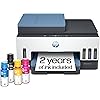
HP Smart Tank 7602 Wireless All-in-One Ink Tank Printer, Scanner, Copier with 2 Years of Ink Included, Best-for-Home Office, Cartridge-Free Refillable, AI-Enabled (28B98A)

  • Based on 2,070 reviews
Condition: New
Checking for the best price...
$369.89 Why this price?
Save $100.10 was $469.99

Buy Now, Pay Later


As low as / mo
  • – Up to 36-month term if approved
  • – No impact on credit to apply
  • – Instant approval decision
  • – Secure and straightforward checkout

Ready to go? Add this product to your cart and select a plan during checkout.

Payment plans are offered through our trusted finance partners Klarna, Affirm, Afterpay, Apple Pay, and PayTomorrow. No-credit-needed leasing options through Acima may also be available at checkout.

Learn more about financing & leasing here.

Free shipping on this product

This item is eligible for return within 30 days of receipt

To qualify for a full refund, items must be returned in their original, unused condition. If an item is returned in a used, damaged, or materially different state, you may be granted a partial refund.

To initiate a return, please visit our Returns Center.

View our full returns policy here.


Availability: In Stock.
Fulfilled by Amazon

Arrives Jul 25 – Jul 31
Order within 23 hours and 40 minutes
Available payment plans shown during checkout

Protection Plan Protect Your Purchase
Checking for protection plans...

Features

  • SET IT UP ONCE AND PRINT WITH CONFIDENCE. No complicated maintenance. Just easy, reliable printing you can count on.
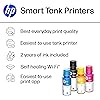
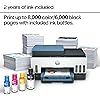
  • INK FOR YEARS. NOT MONTHS. Up to 2 years of ink included. Get thousands of pages of cartridge-free printing. More pages, less hassle
  • KEEPS PRINTING WELL AFTER COMPETITORS HAVE QUIT. No complex maintenance. Sharper text, richer colors.[2] Only with HP Smart Tank
  • INNOVATION YOU CAN TRUST. Cartridge-free printing that keeps you printing longer with fewer interruptions, powered by the trusted HP innovation you rely on today
  • THE LAST PRINTER YOU'LL EVER NEED. Enjoy years of refillable, cartridge-free printing.[
  • MESS-FREE REFILL – Replenish ink with HP's easy-access, mess-free refill system. Simply plug the ink bottles into this cartridge-free ink tank and let them drain—no squeezing, no spilling
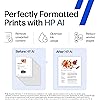
  • PERFECTLY FORMATTED PRINTS WITH HP AI – Print web pages and emails with precision—no wasted pages or awkward layouts; HP AI easily removes unwanted content, so your prints are just the way you want

Description

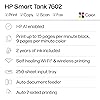
The HP Smart Tank 7602 is a smart, connected and refillable tank printer that makes printing seamless for the whole family with its high capacity and wireless connectivity. Create everyday color documents at a low cost with 2 years of Original HP Ink included in the box. This cartridge-free Smart Tank printer is an inkjet perfect for high-volume printing. It's also AI-enabled to intuitively adapt to your workflow, with wireless and security features that keep your multifunction printer up to date and secure.

Printer Type: HP Thermal Inkjet


Other Special Features of the Product: Auto Document Feeder, Auto-Duplex, Display Screen, Refillable Ink Tank, dual band Network-Ready


Printer Output Type: Color


Item Weight: 19.75 Pounds


Item Dimensions D x W x H: 16.83"D x 9.46"W x 14.33"H


Controller Type: Amazon Alexa, Android, Hand Control, iOS


Print media: Envelopes, Glossy photo paper, High-resolution paper, Labels, Paper (plain)


Scanner Type: ADF, Flatbed


Maximum Copy Speed Black and White: 13 ppm


Compatible Devices: Laptops, PC, Smartphones, Tablets


Warranty Type: Limited


Maximum Copies Per Run: 99


Ink Color: Black, Cyan, Magenta, Yellow


Additional Printer Functions: All In One


Control Method: App, Touch


Compatible Cartridge: HP 32XL 135-ml Black bottle (~6000 pages), HP 31 70-ml Cyan bottle (~8000 pages), HP 31 70-ml Magenta bottle (~8000 pages), HP 31 70-ml Yellow bottle (~8000 pages)


Number of Trays: 1


Processor Count: 1


Number of Drivers: 2


Resolution: 4800 x 1200


Display Type: MGD


Color: Blue


Color Depth: 24 Bits


Maximum print Resolution Color: 4800 x 1200 Dots Per Inch


Maximum Print Resolution Black and White: 1200 x 1200 Dots Per Inch


Power Consumption: 1.1 Watts


Wattage: 1.1 watts


Dual-sided printing: Yes


Duplex: Automatic


Brand: HP


Model Name: Smart Tank 7602


Model Number: 28B98A#B1H


Built-In Media: 28B98A HP Smart Tank 7602 All-in-One Printer; HP 32XL Black Original Ink Bottle; HP 31 Cyan Original Ink Bottle; HP 31 Magenta Original Ink Bottle; HP 31 Yellow Original Ink Bottle; HP Black Printhead; HP Tri-color Printhead; Power cord; Ink caution flyer; Setup guide; Reference guide; Regulatory flyer; Warranty flyer


Series Number: 7602


Model Series: Smart Tank 7602


Specific Uses For Product: Home and small business


UPC: 195908302605 195908302599


Manufacturer: HP, Inc.


Warranty Description: One year limited hardware warranty from the date of purchase; user replaceable parts have separate warranty periods.


Item Type Name: Inkjet Printer


Unit Count: 1.0 Count


Best Sellers Rank: #10,981 in Office Products (See Top 100 in Office Products) #24 in Ink Tank Printers


ASIN: B09CJCNJBL


Customer Reviews: 3.8 3.8 out of 5 stars (2,070) 3.8 out of 5 stars


Color Pages per Minute: 9 ppm


B&W Pages per Minute: 15 ppm


Initial Page Print Time: A4 Black 14 sec; A4 Color 16 sec Seconds


Maximum Media Size: 8.5 x 14 inch


Maximum Sheet Capacity: 250


Paper Size: 3.5" x 5", 4" x 6", 5" x 7", 8" x 10", 8.5" x 11", 8.5" x 14", A4, A6, half letter, legal, executive) Inches


Output sheet capacity: 250


Printer Connectivity Type: Wireless


Hardware Interface: USB 2.0


Number of Ethernet Ports: 1


Total Usb Ports: 1


Maximum Copy Resolution Color: Up to 600 x 600 dpi


Maximum Copy Resolution Black and White: 600 dpi


Frequently asked questions

If you place your order now, the estimated arrival date for this product is: Jul 25 – Jul 31

Yes, absolutely! You may return this product for a full refund within 30 days of receiving it.

To initiate a return, please visit our Returns Center.

View our full returns policy here.

  • Klarna Financing
  • Affirm Pay in 4
  • Affirm Financing
  • Afterpay Financing
  • PayTomorrow Financing
  • Financing through Apple Pay
Leasing options through Acima may also be available during checkout.

Learn more about financing & leasing here.

Top Amazon Reviews


  • Color me impressed! Color me impressed!
Compact, high quality unit, SUPER easy ink refills, great value, fast print and good color. I've lived with 2 printers and moved them between 5 states. A laser printer for good, fast, low cost prints and an all in one ink jet. It was a total pain, they were both big, both have me headaches, heavy and I needed 2. FINALLY, FINALLY I have 1 printer to replace both, do anything I might need and the ink refills MAKE SENSE! Imagine that?! Haha. A printer that doesn't come with just enough ink to print a test page, but comes with 2 full years with of COLOR ink! This is the way forward and thank you HP for going this route. The idea that buying a new printer is cheaper than buying ink refills warms my heart because there are so many printers that end up in landfills, not to mention how much of a consumer headache it is. I will say that I had concerns regarding color print quality and that it might be messy to refill. I'll put your mind at ease - impressive color print quality, speed and adding ink couldn't be easier! (Idk how this printer would travel while full, but everything seems tight and sealed) Overall I couldn't be happier with the end result. The cost, functions, ease of use and low ongoing ink cost are 100% with it in my opinion. I forgot to mention that I've never found a personal or work printer that was easy to use wirelessly. I'd have a headache adding the printer to my PC or couldn't get a crappy app to work. Once I did, I'd get error codes or a jam... Idk, I'm very techy but that's been my experience. This HP worked without issue and the app was very straightforward. I haven't tried advanced options but it does what I need... It just works! I did try scanning and they was fast and easy as well. I have the printer on a 6ft hutch, so fingers crossed everything continues to work and I won't have to bust out the step ladder 6x like I used to. ... show more
Reviewed in the United States on January 9, 2024 Reviewed in the United States on January 9, 2024 by OKCSteve1

  • I started my own photo printing shop
Having a printer that performs this well has been great. Setting it up was easy to do with the included instructions. I already have a color laser printer which I use all the time, and you may be wondering why I would go buy an inkjet printer. Photos. You can't print on glossy paper with a laser printer very well. All the photo paper I've purchased clearly says it's for inkjet printers. While this hasn't stopped me from trying. The results have been very poor. Especially if you want to cut the photos to specific sizes. Little bits of toner get everywhere. I've been putting off getting an inkjet because the cartridge system is too expensive and messy. I got more ink on my hands pulling the stickers off the refills than filling every tank on the HP 7602. This printer has all the features you would expect such as Wi-Fi, flatbed scanner, automatic document feeder, 2-sided printing, and even an ID card copy function. If your business provides financing this is something that would really make things easy for you. My wife and I print photos from our phone using the HP Smart app or the phone's default printing app and both produce excellent results. The photos are where you would expect them to be, and the quality is as good as getting them from the pharmacy. Like I said I have a laser printer, but I was curious how this would work just printing some regular documents. It’s not quite as fast obviously but the results are just as good. I love the user interface that is so seamlessly placed into the front bezel. Unless it’s telling you something you would never know it was there. This Printer checks a lot of boxes for me and was 100% worth the investment. ... show more
Reviewed in the United States on January 21, 2024 by Jordan P.

  • HP Warranty: Know this before buying; Unit malfunction in less than 5 months
UPDATE: Not even 5 months using this printer and there are problems. 1 - the printer's black ink is not working. A blank paper comes out for documents printed in black ink only. The problem: the black ink is not running through the tube that connects the blank ink tank to the ink cartridge. The tube is totally clear. 2 - The ink cartridge does not move to the center when opening the printer cover, preventing access and removal of the ink cartridge. HP Tech Support: Spent about an hour with tech support for them to tell me what I already knew - the printer is defective. HP Warranty: HP is not abiding by the terms of the warranty. According to the standard warranty, HP is to first ship a replacement. To ship the defected unit back, the customer is to use the prepaid shipping label provided by HP and use the box of the replacement unit to ship the defective unit back. Without any advance notification to the customers, HP has indicated to me that this policy does not apply to Smart Tank printers. Smart Tank purchasers are responsible to bear the cost of shipping the defective unit and providing the box. Once HP receives the defective unit, they will then ship the replacement. This policy obviously extends the period the customer is without a working printer. I tried pushing back, but to no avail. Replaced a HP Officejet Pro 8600 printer. The HP 7602 takes up less space, is well made, looks nice and the printing quality is better. The printing speed is slower, which will be much more noticeable when printing multiple, double sided pages. The paper tray does not have a slider from the top to ensure that the paper stays level and in place. It only has sliders on the side. I would have liked to see an Officejet Pro 8600 equivalent tank printer. The cost of ink cartridges for regular inkjet printers can not be justified for someone that does not print much. ... show more
Reviewed in the United States on March 8, 2025 by deing

  • Why didn’t I buy this sooner?
I am so happy I shelled out for the 7602. HP makes less expensive Ink tank printers but this is perfect for me. Pros: 1. The printing quality is great. I’m in the middle of a massive project that requires thousands of pages to be printed. I upgraded to 32lb paper to ensure the project would be quality, but also to handle double sided printing with images. The images with this printer and clear with zero smudging. 2. It’s fast. It said 12 pages per minute, but I’m getting more than that double sided. 3. The paper tray. The ad doesn’t go into this, but the paper tray is rad. I have terrible back pain so to sit and do a project for hours is hard enough. To have to get up to reload a paper tray sucks. This paper capacity has got to take 200-250 sheets. I grab about half the package of paper to fit a load snuggly. I LOVE this feature. 4. The cost I was worried about the reality of the savings on ink. The initial cost is over $300. However the little ink jet cartridges are between $30 to $50 each time. They run out so fast. Plus, HP changed the machines to only read their proprietary cartridges, so you can’t order a cheap fast cartridge off Amazon. I printed close to 1,000 pages last night and I’m only seeing a slight dip in the ink levels. That’s crazy. Now consider the ink. The bottles are designed so they fit over the loading tube. No mess. I was worried about this because I am a stone cold clutz. I did spill a drop of blue, but I was moving fast. The bottles have a plastic top the presses into the tube creating a seal. Imagine when you pull a gas nozzle out of your tank. If you are in a rush you might drip gas on your car. This is the same. You pull the bottle up slowly allowing the plastic barrier to seal. I just whipped off the bottle but only 1 drop spilled, by the tube. I haven’t tried the scanner. I will update in awhile. The only con is the paper catch. This is where the prints come out and stack up. It has a manual slide out. If you forget to pull it out your pages will end up on the floor. I’m a bit spoiled from the automatic arm that extended on my ink jet when you press print. To me that is such a small sacrifice for all the advantages. I highly recommend this printer. In the last 3 months I spent $600 on cartridges. I wish I had done this sooner! ... show more
Reviewed in the United States on August 31, 2025 by Michelle Y.

  • Some Easy, Some Hard, & 8AF30001 (how to fix) Some Easy, Some Hard, & 8AF30001 (how to fix)
1.5-year Update: Well, sure enough, I tried to print some multiplication tables for my child and the magenta didn't print at all. After more than a dozen "Clean Printhead" runs, it output exactly 0 magenta. Took hours and multiple tries but thanks to youtube's electronicsNmore video on "How To EASILY Unclog Ink Jet Print Heads" I was able to get it printing all colors again by blowing hard into a 1/4" tubing while the head was sitting in 3/8" of warm water. The magenta is down 50% after that fiasco though. The carriage doesn't move to the middle when opening the access door. Only way I could get to the print head was while it starts up the carriage moves left and right and I just held it in the middle and opened the access door (blue "button" on front of carriage). It complaines about a carriage jam but was the only way I could do it. 1-Year Update: The printer is still working well. It failed to connect for a firmware update, again, but at least this time the exe from HP's website worked and it rebooted ok (003.2324A.00). The Yellow and Cyan are starting to show a dent - as I said, we don't print a lot. The quality is still sharp after a year of occasional printing so the heads are holding up ok. Remote printing from mobile devices or Chromebooks is sometimes still finicky - will say it's offline so you have to cancel and try again and usually works. Original: I've always had good luck with HP printers. My last one, a 6840 lasted about 15+ years before it became too difficult to find decent aftermarket print heads (HP stopped making them long before). I liked the idea of bottled ink over another cartridge. Tried a Brother but the software wouldn't install on a Windows 10 PC and find the printer even though it connected to the WiFi ok. Took about 4 years of looking before HP came out with ink tank printers. Though I didn't think I needed a document feeder (turns out it is useful to digitize old documents), don't need fax, and the 6001 had a better % off, the 7602 appealed more for the wired Ethernet (comes in handy more than you'd think), and the touch screen that is easier to use and understand than a bunch of codes you have to lookup (or so I thought). Setup with HP app on smartphone (android) was easy - walked you through proper steps to fill the ink tanks, print, scan, and align. The ink bottles have a seal that gets pushed into the bottle when you press them down to fill the tanks. Good design, and no ink spills what-so-ever. The Windows Store HP App on Windows 10 is also nice compared to how much bloatware/spyware used to come with printers. The printer seems well enough built. The power plug on the 6840 was impossible to insert blind - the 7602 is impossible to screw up. Although the hinge and slow close mechanism on the main access door feels delicate and could break, it hasn't. Setting up printing and scanning from the HP app was really easy but setting up Scan to Email was awful. Gmail doesn't like unsecure communication channels (and I wouldn't want to add an unsure access to one of my main emails accounts) so I ended up having to make a dedicated gmail account just for the printer to use and added an "App Password" (which required having 2FA setup). After this I was able to add my family's emails to the address book and setup Scan to Email (smtp.gmail.com, port 465, use SSL/TLS, DO NOT validate certificate). While configuring it through the Embedded Web Server (EWS), checking for new firmware upgrades was not working (kept giving connectivity errors). After searching HP support I found an upgrade utility, downloaded it, and ran it. The first attempt said it failed, tried again and also failed but this time it ended up bricking the printer! Turning it on would only display a garbled picture and the error code 8AF30001 - so much for cryptic codes. After finding nothing online but saying it would have to go back to HP I called HP phone support. They had no idea how to help with these new printers! None! While on the phone through my own trial and error I managed to get it fixed and ended up instructing HP support personnel on what to do when someone else runs into this: HOW TO FIX 8AF30001 (and possibly others): 1. Turn the printer off and unplug it 2. While pressing and holding in the Power button, plug the printer in (continue holding power button) 3. When two buttons illuminate (back arrow, red x) release the power button. Wait a few seconds and read my notes below! 4. This will allow it to boot into a manufacturer diagnostic and maintenance menu. My compliments to the designers for having the smarts to include a lower level BIOS to fix broken firmware flashes!!! 5. Push the Question mark to get to the menu 6. The screen will show Prev, OK, Next. 3 buttons will be illuminated; the back arrow, circled question mark, and a red X. These are your Prev, OK, and Next buttons! 7. Click either the back arrow (Prev) or the red X (Next) to cycle through the menu until you find the "DRIVE REFLASH" option 8. Click the circled question mark (OK) 9. Wait for it to complete and hopefully boot back into normal working mode. *Notes*: Getting to the menu was sometimes clunky and I had to tap the buttons a few times for it to show up (red x). Also, You can probably hit the red x to reflash and skip the menu but there's other options that might be helpful at other times (like safe mode booting, boot without scan, etc.). There really is tons in there, again, as an IT SE my compliments and appreciation to the designers! Hopefully this works for others as it did for me. It now successfully checks for updates. I've printed several several documents, color copies, etc. and haven't made a dent in the ink levels, but it's only been a month. Keep in mind, this is a Small/Home Office printer. If you need something printed in under 10 seconds buy a laser, and if you need pictures go to Walgreens. For regular work/school, this seems to suit our needs just fine. ... show more
Reviewed in the United States on December 30, 2022 Reviewed in the United States on December 30, 2022 by Ryan S

  • Great replacement for our old HP.
We purchased this for our small office to replace an old OfficeJet Pro 8600, which had been ol' reliable for about 13 years before it was finally laid to rest. We wanted to make sure to get a printer with similar features, namely the document feeder and the ability to automatically print 2-sided, and wanted to stick with HP since our last one lived so long. The Smart Tank 7602 is definitely an upgrade! It prints faster, the scans are much sharper and clearer, and I love the refillable ink feature (it seems like it will last longer than the cartridges, but I'll report back on that). I also love that the display tells you when the paper is running low. The printer plays a cute little jingle when it's done printing; this feature is adjustable in settings but it's just a quiet twinkling sound so I left it on. Setup was super easy, and installing the two print heads took less than a minute. The only thing I'm having trouble with is getting the printer to scan directly to a network folder, but I know our network is set up weird, so I can't really blame the printer for that. For now, we just scan using the HP app on the computer, which is also very easy to use, and it allows you to save your scans to any folder from there. So far, after a few weeks of daily use, we are very happy with our new printer. We've printed over 100 regular color pages and a couple sheets of labels with no issues. ... show more
Reviewed in the United States on June 22, 2026 by Laura M

  • good and bad
Good: The ink tank concept is brilliant. It was insanely easy and mess-free to install the print heads and fill the ink tanks. The control panel is elegant and nicely integrated into the printer. The whole thing was relatively easy to set up. The print quality was fine. Bad: The first printer I received was covered in ink because apparently the black ink exploded in transit. The replacement printer came barely in time. I tried to print Microsoft Word labels from the HP app, and wasted a lot of labels because it refused to format correctly. Then I had trouble printing in color from Microsoft (but at least the formatting matched the labels). After an update, I was able to print labels in color, BUT had to do one sheet at a time because they kept jamming (set at specialty paper glossy since they were glossy labels) -- again wasted a lot of labels. AND it took FOREVER to print one sheet of labels in color, even when there was barely any color. After it jammed, the color on the labels changed and took several sheets to return to the original colors. I donʻt know yet if the print heads were actually damaged, but it seemed to recover eventually If you want to print a lot of labels in color in a reasonable amount of time without having to feed one sheet at a time, this is not the printer for you. If you mostly print black & white on regular paper, and only occasionally need color, then maybe it will work for you. I havenʻt tried scanning. Again, the ink tank concept is a game changer, but this printer is far from perfect. ... show more
Reviewed in the United States on August 9, 2025 by Coconut Earth Monkey

  • User Friendly Printer With Mess Free Ink That Lasts!
I have always had a pleasant experience with HP Printers out of the other brands. This printer is very user friendly as the display screen walks you through each step on the set up process. I was a bit skeptical about the liquid ink filling process. However, this process was mess free and fast! Not one bit of ink dripped as the ink tanks were designed with this mess free concept where the tanks include caps that easily lift up and the ink does not disperse until the bottles are pushed in and you hear a click. The quality of the printing is awesome! My old printer I would always have issues with printing shipping labels, the quality would come out blurry causing issues at the UPS store to scan my labels. When printing out pictures it would take forever and the color of the pictures would be dull and fuzzy. With this printer I can print out beautiful pictures to frame so fast. Not only does this printer print very quickly but the quality of the print is amazing. The ink colors are spot on! The images come out vibrant with color and crystal clear. I have many pictures from traveling an I love to frame pictures for gifts to family and I will definitely be using my printer for more photo prints instead of getting them professionally printed! Another great feature that was needed was good wireless connectivity. My office is far from the router which caused my other printer to not be able to reach the internet without a strong signal. This printer has no problem with that and now I can hide my printer next to my desk instead of having it on the other side of the room where a stronger router signal is. Very happy with the setup process and would definitely recommend this printer to anyone. Especially those who are not very tech savvy! ... show more
Reviewed in the United States on January 20, 2024 by Alexjbe

Can't find a product?

Find it on Amazon first, then paste the link below.
Checking for best price...