Search  for anything...
HP

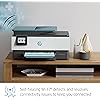
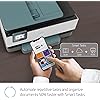
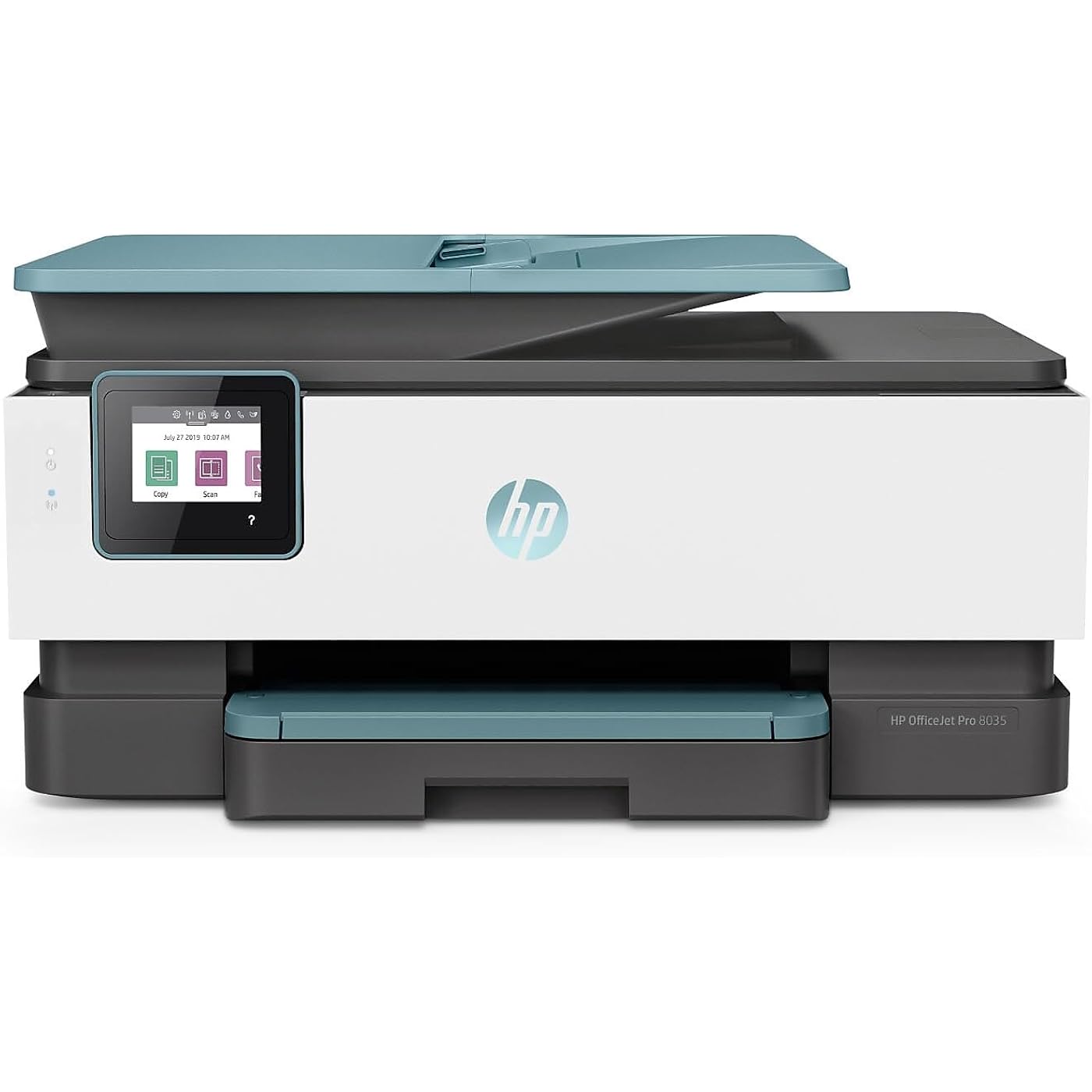
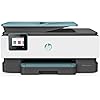
HP OfficeJet Pro 8035 All-in-One Wireless Printer - Includes 8 Months of Ink, Instant Ink, Works with Alexa - Oasis (3UC66A)
  • Based on 2,931 reviews
Condition: Used - Like New
Checking for the best price...
$449.00 Why this price?

Buy Now, Pay Later


As low as / mo
  • – Up to 36-month term if approved
  • – No impact on credit to apply
  • – Instant approval decision
  • – Secure and straightforward checkout

Ready to go? Add this product to your cart and select a plan during checkout.

Payment plans are offered through our trusted finance partners Klarna, Affirm, Afterpay, Apple Pay, and PayTomorrow. No-credit-needed leasing options through Acima may also be available at checkout.

Learn more about financing & leasing here.

Selected Option

Free shipping on this product

This item is eligible for return within 30 days of receipt

To qualify for a full refund, items must be returned in their original, unused condition. If an item is returned in a used, damaged, or materially different state, you may be granted a partial refund.

To initiate a return, please visit our Returns Center.

View our full returns policy here.


Availability: 11 left in stock
Fulfilled by Risingstars(Genuine Pro Gaming/Eletronics/Beauty)

Arrives Friday, Jul 17
Order within 12 hours and 45 minutes
Available payment plans shown during checkout

Protection Plan Protect Your Purchase
Checking for protection plans...

Style: Printer


Color: Oasis


Description

HP OfficeJet Pro 8035 Oasis all in one

Brand: HP


Connectivity Technology: Ethernet, Wi-Fi


Printing Technology: Inkjet


Special Feature: Auto Document Feeder, Auto-Duplex, Cloud Print Enabled, Energy Star, Ethernet Networking, HP Instant Ink Eligible, Network-Ready, Scan to Email Via HP Smart App, Touch Screen, USB Port for Image Print and Scan See more


Color: Black, White


Model Name: 3UC66A#B1H


Printer Output: Color


Maximum Print Speed (Color): 25 ppm


Max Printspeed Monochrome: 29 ppm


Product Dimensions: 9.21"D x 18.11"W x 13.43"H


Printer Type: Inkjet


Other Special Features of the Product: Auto Document Feeder, Auto-Duplex, Cloud Print Enabled, Energy Star, Ethernet Networking, HP Instant Ink Eligible, Network-Ready, Scan to Email Via HP Smart App, Touch Screen, USB Port for Image Print and Scan


Printer Output Type: Color


Item Dimensions D x W x H: 9.21"D x 18.11"W x 13.43"H


Print media: Card stock, Envelopes, Glossy photo paper, High-resolution paper, Labels, Paper (plain)


Scanner Type: Flatbed


Maximum Copy Speed Black and White: 20 ppm


Compatible Devices: Laptops, PC, Smartphones


Warranty Type: Limited Warranty


Maximum Copies Per Run: 99


Ink Color: color


Additional Printer Functions: Copy, Fax, Scan


Control Method: Voice


Number of Trays: 1


Processor Count: 1


Resolution: 4800 x 1200


Display Type: LCD


Maximum Media Size: 8.5 x 14 inch


Maximum Sheet Capacity: 100


Paper Size: 3 x 5 to 8.5 x 14, Letter, Legal, Envelope


Printer Connectivity Type: Ethernet, Wi-Fi


Hardware Interface: Ethernet


Number of Ethernet Ports: 1


Total USB 2.0 Ports: 1


Total Usb Ports: 1


Maximum Copy Resolution Color: 4800 x 1200 dpi


Maximum Copy Resolution Black and White: 600 x 600 dpi


Brand: HP


Model Name: 3UC66A#B1H


Model Number: 3UC66A#B1H


Built-In Media: HP OfficeJet Pro 8035 All-in-One Printer; HP 910 Setup Black Ink Cartridge; HP 912 Setup Cyan Ink Cartridge, HP 910 Setup Magenta Ink Cartridge, HP 910 Setup Yellow Ink Cartridge; User Guide; Setup poster; Power cord; Instant Ink Flyer [For ink volume and page yield information,visit hp.com/go/learnaboutsupplies]


Model Series: OfficeJet Pro


Specific Uses For Product: business, home office


UPC: 193424632251 193424632268


Global Trade Identification Number: 51, 68


Manufacturer: HP


Warranty Description: One-year limited hardware warranty


Item Type Name: Inkjet Printer


Unit Count: 1.0 Count


Color Pages per Minute: 25 ppm


B&W Pages per Minute: 29 ppm


Color: Black, White


Maximum print Resolution Color: 4800 x 1200 dpi


Maximum Print Resolution Black and White: 1200 dpi


Wattage: 21 watts


Dual-sided printing: Yes


Duplex: Automatic


Frequently asked questions

If you place your order now, the estimated arrival date for this product is: Friday, Jul 17

Yes, absolutely! You may return this product for a full refund within 30 days of receiving it.

To initiate a return, please visit our Returns Center.

View our full returns policy here.

  • Klarna Financing
  • Affirm Pay in 4
  • Affirm Financing
  • Afterpay Financing
  • PayTomorrow Financing
  • Financing through Apple Pay
Leasing options through Acima may also be available during checkout.

Learn more about financing & leasing here.

Top Amazon Reviews


  • Great home office printer
I bought this after my Epson died a slow death. I've been happy with this unit. The setup was simple. The user interface is fairly intuitive and seems to work well with multiple devices in the household. The print quality is great. The scanning works well although you seem to have to initiate from your PC. Trying to do so from the scanner doesn't seem to work but I'm sure I have something wrong in the settings. It works well on the wifi with multiple users printing from devices all across the house. ... show more
Reviewed in the United States on January 3, 2021 by Anthony Haupt

  • Great printer, awesome features! Love it
Just purchased this printer and was discouraged (as seems to be the case these days with new TV's, Printers, Computers and so on) about the lack of a printed manual. I have become accustomed to using the PDF manuals though. I actually like them better because I can use the "search" feature to electronically search for a specific topic or when troubleshooting. I am a huge fan of HP printers and computers and have always been thankful, when needed, for their customer service. While the "Insta Ink" may not be for everyone, I have read that it will be very cost effective and I will not have to preempt ordering cartridges. :-) Will have to let some time go by to see what my experience is with this. The Scan to Email is awesome,..Actually there are alot of features I can't wait to jump into and will update here later! Printing from ANYWHERE using HP Smart printing software on my Android phone is very simple and flawless- that I can attest to! Although - I have learned that if my wife is home and in my office when the printer starts printing out unexpectedly - well I now send her text forewarning her now, let me put it that way! LOL Printing speeds in color and B/W and color are more than sufficient for my small office needs. Even printing in DRAFT mode presents a clear copy! Only a week with this new printer so I will update as time goes on. So far? I love it and recommend it. ... show more
Reviewed in the United States on February 16, 2020 by MaineReview

  • Only Day 17, still happy with it!! prints on cardstock and has a large paper tray!
**I am always going to update my review as things change!!** DAY 17 - Cardstock fits and runs thru the auto tray without a flaw, no changing paper sizes or anything. Still love it and have printed over 1000 pages so far!! I will say Epso has been advertising a color printer with eco tanks that I am looking atm i currently run HP instant Ink with mine and love it, but some of those can print 6000-11000 pages on one fill up and ink isn't that expensive.... hhmmmm DAY 1 - I got it, plugged it in, set it up and was printing in under 10 minutes flat (that is connecting to computer, internet, installing the ink, adding to my already open Instant Ink account, adding paper and unpacking it). I am a former teacher who now creates and sells classroom materials so I used it ALOT and I print with color on cardstock al the time and it works great!! It is always hard to find reviews for cardstock usage by people who print a lot, so I hope it helps!! I have been using a HP 4650 prior to this, had it almost 4 years before the paper tray wouldn't feed anymore and I had to replace it fast. I looked and looked and it took me longer to make sure it worked with my Instant Ink account (which by the way, the printer #'s on Instant Ink are rounded to the tens on their list which was the hardest part of this process). I printed about 250 pages before my black ink started to run out (and my pages are with lots of color and lines, so I am happy with that). I always suggest the HP Instant Ink account, its is worth it!! I always request extra ink in the beginning to avoid running out when I have big jobs, but they do send it out as you run low, but keep track because sometimes it runs out before ( like I said ask for extras in the beginning to keep a small stock). ... show more
Reviewed in the United States on November 24, 2019 by Trisha C.

  • I wish there was a manual, I do like the printer so far.
I like the print quality. I love the color of my blue printer, but I really wish there was manual either in the box or online. The touch screen is too small for my liking. I really wish it were larger. The original prints made with the original ink tanks that came in the box were awful. But-- the ink in the tanks that I get from INSTA INK are beautiful. I was ready to return the printer because the original prints were dull and ugly-- but when the Insta Ink arrived, I put it into the printer even though my original ink tanks were not all empty. The HP customer service person happened to be on the phone helping me and he told me to install the new inks immediately and what a huge difference the ink made. The colors are warmer and brighter. It was a night and day difference. So far after 2 months, I am happy with Insta Ink. I think that it will work out well for me. But be warned it is not for everyone. If you print just one sentence on a page or accidentally print 57 pages out when trying to print a recipe from online, Insta Ink will count each page. If one character is printed on that page it counts. The first two months are 300 pages free with Insta Ink (right now) and I am having fun printing anything I want. Refills have arrived and are ready on hand before I run out. I wish there was a manual though. That is a huge drawback for me. Customer service had to help me figure out how to enlarge a print, but the agent was winging it, telling me roughly where to look and what I should be looking for IF my printer had the capability to make enlargements. I found it with the customer service agent giving me ideas of which buttons to press and which menu choices to dropdown. I would have never figured it out without help. But the problem is that HP has so many printers and the customer service agent did not have a manual specific to my printer either. So basically, I don't have a clue what all the options are that available on this printer and without a manual to help me, I will never use it to it's fullest. I have no idea how to use HP Smart Tasks, I can't figure it out, I don't even really know what kind of things they can speed up for me because there is no manual. The computer option to learn more is useless there are no working links. Back to Insta Ink, they send you cartridges and you pay monthly like a rental system to use those tanks. So if you go to the library to print you pay by the page. Same thing with Insta Ink. IF something happens and you don't pay say you change banks or you have to block your card stolen and Insta Ink doesn't get your monthly payment they shut off your ability to print. That is crazy!! So be warned the ink is theres and they are letting you use it as long as you pay your monthly payment which is a fair price in my mind. I like that much better than paying for all the ink tanks new and then running out and having to go buy more and the store being out of the ink you want or having to wait for it to ship online. So I like the idea of paying $3.00 or $4.00 per month to print 50-100 pages. $48 dollars per year is a fantastic deal to have always have ink on hand to print whatever I want. The other good thing is, for example that you choose the option of 50 pages and you run through your 50 pages and need more you can upgrade immediately to the 100-page plan-- but you can only downgrade at the next payment cycle. And if you decide not to continue with Insta Ink, then choose to cancel at the end of your next payment cycle, rather than immediately, so that you have time to get to the store to buy ink because the minute you are canceled your printer will be cut off from printing with Insta Ink tanks. They have a computer chip inside that is alerted that you are no longer a customer and those ink tanks even if full will stop working and you will be blocked from printing anything. YOU WILL AT NO TIME OWN THE INK TANKS. You are paying for the ability to print for that month with their ink x number of prints. But their ink is pretty ink and it is a lot cheaper than going out and buying your own ink tanks. A lot cheaper!! ... show more
Reviewed in the United States on February 12, 2020 by RB

  • Toy Printer - Poor Quality, Subscription Money Pit
It is so rare that I would write a negative review, but if I can save someone from making my mistake, it's worth it. First, I have been a huge HP advocate, buying every single printer to date from HP. That ends today. PROS: - If a printer with a blue accent color is your jam, you're in luck. CONS: - Annoying delay before printing. The printer head moves back and forth several time. Some adjustment is being made but this thing in no way will just start printing. Every time. - Print quality is marginal at best. Not even close to my 8 and 10 year told inkjets from HP. - Requires regular print head realignment, which you need to initiate. - Scanner is exceptionally poor. I have tried the glasstop flatbed on top, the document feeder, and there is constantly an issue with both. The doc feeder always has a line going through each page. The flatbed has artifacts all over the page. The printer is brand new and there is zero dust, yet I cleaned it again anyway to no avail. - Ink lasts maybe 50 pages max. The subscription service bills your credit card when you are low or have reached the maximum number of pages to your plan. At that time, HP sends underfilled replacement ink cartridges, which you need to install one by one each time. - Once you install the new ink cartridges, even if you leave town and do not use your printer for 3-4 months and do not print a single page (which happened to me), you will still start to receive a "very low ink" message, your credit card will be billed, and new ink cartridges mailed. This HP is a little scammer. - Cheap construction. I find myself handling this printer with kid gloves. Everything from opening the scanner to inserting new paper, to pulling out the paper output tray seems like a delicate operation. Nothing moves smoothly and without plastic on plastic resistance, nothing seems sturdy. If you pull/push too hard, this thing hits the ground, or your kids get at it - forget about it, RIP toy scammer printer. ... show more
Reviewed in the United States on July 15, 2021 by Kevin G

  • A wonderful 4-in-one wireless printer, scanner, copier, fax machine! A wonderful 4-in-one wireless printer, scanner, copier, fax machine!
I love the print quality, the wireless set up, and the scanner (I haven't had cause to use the fax yet). It has been so handy for my son's homeschooling! I have utilized the two sided print option with zero issues. I can print assignments and scan homework into PDF format with no problem. It works like a dream! And the ink seems to last. The touch screen is a great addition, and the menu is thoughtfully intuitive. It looks nice, it's not too heavy, and it's extremely easy to set up. The phone app is robust and also simple to set up. And I love the splash of blue on the outside! It adds a nice break from endless tan printers. I'm so glad I researched this ink jet and I have no regrets with my purchase! ... show more
Reviewed in the United States on April 6, 2021 Reviewed in the United States on April 6, 2021 by Sabrina F.

  • I finally found a printer I don’t hate.
I’ve always hated printers. They are easily the most temperamental and tedious computer peripheral. I used to buy Canon until I realized how often I’d have to replace them. Then I tried an Epson which was ok until the cartridge holder broke the very first time I needed to replace the cartridge! By that time I was determined to find a printer not made by canon or epson. When I read about HP’s Instant Ink service I was extremely skeptical. I didn’t want yet another monthly fee for services subscription! They were offering 8 months free to try it so I gave in and bought this printer expecting to yell at it just like I’ve yelled at all my printers. To be perfectly honest I did yell when trying to connect it to my network. It has this stupid long name that it gives itself and you have to change certain network settings but thankfully I found the answers I needed on HPs support page. After that initial frustration I am surprised to say that I haven’t yelled at this printer since setting it up. It’s now been about 2.5 years and my whole family now prints to it and everything is working great. We even moved last year and had to change its location several times to find a good fit. No issues printing with our wireless connection at all. I even really enjoy the Instant Ink features. The app is great and has printables which my kids love. I pay for the 50 pages a month which is $4/mo we get 150 pages of rollover and they mail me ink cartridges well before I actually need it. In the summer I drop our plan to the 10 page plan so it’s only $1/mo. I never want to go back to the old way of buying ink cartridges. No more shopping for the best deals and making sure the cartridges are compatible. I highly recommend this printer and the Instant Ink service. If this printer ever gives out I’ll definitely buy HP again. ... show more
Reviewed in the United States on June 28, 2023 by Leona Delene

  • High quality versatility
This copier was bought for personnel use and printing forms, receipts,..etc from my phone and making a copy now and again. The android application for this printer is easy to navigate and print anything that I can see on my phone. The print quality is very crisp and neat. This is a needed investment for anybody's home or home office that wants high quality at a low price. The credit for home ink delivery is just an added bonus, and will let me have for 13 months of free copies. The only draw back to this amazing copier/printer is that the digital keyboard is a little small and is extremely sensitive and I push the wrong button allot of the time just trying to get to what function I want. I know I have large fingers, but the touch screen is just a little too sensitive most of the time and you can't adjust the sensitivity. Other then this one draw back, this is an excellent copier and a GREAT investment. ... show more
Reviewed in the United States on December 1, 2019 by Pete

Can't find a product?

Find it on Amazon first, then paste the link below.
Checking for best price...