Search  for anything...
HP

HP OfficeJet Pro 8035 All-in-One Wireless Printer - Includes 8 Months of Ink, HP Instant Ink, Works with Alexa - Basalt (5LJ23A)

  • Based on 4,277 reviews
Condition: Used - Good
Checking for the best price...
$283.00 Why this price?

Buy Now, Pay Later


As low as $47.17 / mo
  • – 6-month term
  • – No impact on credit to apply
  • – Instant approval decision
  • – Secure and straightforward checkout

Ready to go? Add this product to your cart and select a plan during checkout.

Payment plans are offered through our trusted finance partners Klarna, Affirm, Afterpay, Apple Pay, and PayTomorrow. No-credit-needed leasing options through Acima may also be available at checkout.

Learn more about financing & leasing here.

Selected Option

Free shipping on this product

This item is eligible for return within 30 days of receipt

To qualify for a full refund, items must be returned in their original, unused condition. If an item is returned in a used, damaged, or materially different state, you may be granted a partial refund.

To initiate a return, please visit our Returns Center.

View our full returns policy here.


Availability: Only 1 left in stock, order soon!
Fulfilled by 12zstore

Arrives May 20 – May 26
Order within 1 hour and 7 minutes
Available payment plans shown during checkout

Protection Plan Protect Your Purchase
Checking for protection plans...

Style: Printer


Color: Basalt


Features

  • Upgrade your office Replacing the HP OfficeJet Pro 6978, this home office printer offers faster printing at 20 pages per minute, includes fax and scan-to-USB capabilities, and is 14% smaller
  • Eight months of ink, delivered This wireless printer comes with a code to redeem 8 months of Instant Ink based on printing 100 pages/month, so you can save on ink and get it delivered to your door
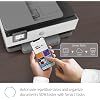
  • Organize documents 50% faster Eliminate steps in repetitive tasks and sync to QuickBooks, Google Drive, and more using Smart Tasksthe easiest way to digitize and organize receipts and business documents on your phone
  • Print remotely using HP Smart app Access your printer and scanner, monitor ink levels, and print, copy, and scan on the go with our highly-rated HP Smart app
  • Self-healing WI-FI Ensures you stay connected by detecting issues and automatically undergoing up to 3 stages of reconnection to keep your Wi-Fi stable and reliable
  • Built-in security essentials Protect sensitive data with built-in security essentials like basic encryption, password protection, Wi-Fi security, and document protection
  • Sustainable design This inkjet printer is made from recycled plastics and other electronicsup to 15% by weight of plastic
  • HP Instant Ink: Ink delivery service starting at three dollars per month; Original HP ink delivered before you run out; plus great savings on ink (optional)
  • One-year limited hardware warranty Get help with 24-hour, 7 days a week FREE HP Web support. Easily set up your all-in-one wireless printer by downloading the HP Smart app on your mobile device

Description

Set the new standard in business productivity. The HP OfficeJet Pro 8035 All- in-One is a revolutionary home office printer that includes 8 months of ink, delivered to your door. Features like Smart Tasks and scan-to-USB capabilities help increase productivity and save time. Reduce interruptions and maintain privacy and control, thanks to the 8035's self-healing Wi-Fi and best-in-class security. No matter how you choose to connect to your wireless printer, you can be confident in quality prints.


Product Dimensions: 18.11 x 9.21 x 13.43 inches


Item Weight: 18.1 pounds


Item model number: 5LJ23A#B1H


Date First Available: May 19, 2019


Department: Unisex-adult


Manufacturer: hp


Frequently asked questions

If you place your order now, the estimated arrival date for this product is: May 20 – May 26

Yes, absolutely! You may return this product for a full refund within 30 days of receiving it.

To initiate a return, please visit our Returns Center.

View our full returns policy here.

  • Klarna Financing
  • Affirm Pay in 4
  • Affirm Financing
  • Afterpay Financing
  • PayTomorrow Financing
  • Financing through Apple Pay
Leasing options through Acima may also be available during checkout.

Learn more about financing & leasing here.

Top Amazon Reviews

  • Good printer for the price but......
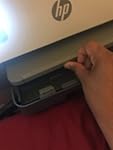
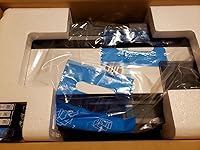
This printer is good for the price. I wanted to create my own home post office using Pitney Bowes SendPro Office online. I would give the printer 5 stars but: Pros: (1) I like the print quality. It's a good printer for documents and graphs. I'm not using it for pictures and I wouldn't suggest you do. I'm sure there's better printers on the market. The quality might be average because I did run into one alignment issues when I unplugged. But it is a good printer for home office and personal documents. (2) Connecting to wifi was pretty easy once you download the app. The printers main screen will show you video's of what to do if you don't understand the instructions. It will communicate with you as you set up your account set up It can be done by phone or laptop / computer. (3) Documents look nice on Bright white paper at 100%, and the black cartridges can take an XL. (4) It's 200 % better than that stupid mess of a printer HP Tango X compact that I got from apple! Everything jammed in that printer and I paid the same price. This printer moves the paper nicely through the printer. You can even change the paper settings for thicker paper and cards. Cons: (1) I had a problem getting the printer to communicate with the Pitney Bowes software. It keeps saying the paper size envelope # 10 did not match the print job. I had already changed the settings on the printer etc. I finally called Pitney Bowes and they had to remote into set it. Make sure the post service you use at home has a live help desk or you will get frustrated using this printer with a home post office software. (2) I called help desk by HP to see if they could help. The representative was dumb as heck. She told me I was using the wrong paper size and that I needed envelope size # 10. I told her that's what I was using. Then asked if could she provide the measurements for the envelope # 10 type that match's the printer. This crazy told me just size 10....(me)!?!?!?!. I tried to explain that Envelope # 10 is not an exact measurement. You have 4.5in X 9.5...4 1/8 X 9.5...4.33 X 9.6 etc. If I was using the wrong size 10 tell me which one I should use. She knew nothing!!!! I don't know why she even said anything if she didn't fully know. She transferred me back to a number that only had the option for the virtual assistant. I was using 4 1/8 X 9.5 envelope # 10 but yet I'm WRONG????. At that point, I started SMGDH OFF!!! I finally tested the printer with MS word envelope settings and it worked fine. It was a program communication setting issue as I stated in (1). (3) The paper tray is a piece of GARBAGE!!! It's extremely weak and doesn't catch the print outs. I'm very scared that it will break before the printer. The issue is you need to remove all the paper in order to print envelopes. So I'm using it a lot :(. It might not hold up. I do have a top tray but I have now clue how to use it. Plus the top can't be used for envelopes. The HP software seems to only recognize the main tray, the bottom one. (4) The ink cartridges insert was a pain in my behind. I had to google it. I was being too gentle because you really need to SNAP the top clip over the cartridges to get that dabb nabbit thing in place. This was disturbing because the inside is as weak as the paper tray! I felt like it couldn't or wouldn't hold up under the pressure required to insert the ink. (5) Too much wrapping of little things inside the printer like that stupid white thing in the ink slot. I couldn't tell if it was apart of the printer or not. Hope's this helps :) ... show more
Reviewed in the United States on July 27, 2020 by Kennie

  • HP has won me back!
HP Officejet pro All and one has been a bit interesting from the start. The installation to my computer was bit different than traditional methods. It first had me install via the HP Smart App from Windows Store on my workstation. I also installed HP Smart App and HP Drivers for my android phone. I proceeded to print pictures and documents both from my windows 10 workstation and directly from my phone. The only quark I found is that when I remove standard letter paper and put in 4x6 photo paper the printer does detect the difference, but if you don’t confirm that from LCD. Your print jobs keep trying to print in letter even though the app shows auto select. I had to remove auto select so that I can preselect what paper size I want to print from when using the app. Windows printing worked flawlessly though. I have to admit the quality of photo pictures are amazing and after 10 photo prints and about 20 color sheets of paper the usage on my ink is still less than 10% used. Scanning dpi is perfect for my needs just don’t try and do any high res photo scanning to edit. The only thing I’m not a fan of is the print tray it doesn’t come in and out very smooth and normally I only use letter, but in going from letter to photo and back it was a bit of a hassle. The printer head does move very fast side to side and like most inkjets this produces a lot of moment, but even with all this movement no bleeding or blurry edges occurred so that’s a huge plus. The LCD is a bit tiny if you are not right in front to read the smaller text it displays, but I don’t use that often. So far the printing is reliable no jams, it will feed an extra blank sheet from time to time and cycle through loading in some rare cases when changing paper, but HP is holding true to a multi printing device that can stand up to personal and business use in one. A nice extra feature is the remote printing from app. I don’t have to be on wifi to send documents to print to my printer! Finally my favorite thing about this printer is so simple yet happens so often to many wireless printers. When it goes into eco/hibernation mode I don’t need to wake it up it keeps wifi connection 100% of the time!! Final item I will be looking out for is printing black and white copies when color is out. Will it let me or force to me add color. Not there yet, but I hope this is not the case. One last shout out to HP the package is fantastic. When unboxing I knew my product would be safe from any shipping situation! ... show more
Reviewed in the United States on August 28, 2019 by Strike1nc

  • I was nervous about getting an HP printer after reading some negative reviews- HOW WRONG THEY WERE
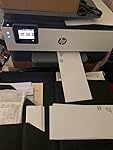
I chose the OfficeJet Pro 8030 because it IS NOT the 8030e, so I knew I would not be locked into the auto ink plan. I have to say the most impressive thing about the printer was how EASY it was to setup, install the app and add the printer to my WIFI network, especially after reading reviews indicating it was problematic. I have bought HP printers for years and I thought if there was an issue, I would just return it and NEVER buy HP again. The printer was easier to install than any previous HP printer I ever had. The sample print page was beautiful, the updated features in the app look productive, especially the short cuts. I have to admit this is only the first working day I have had it, but I am super optimistic. I uploaded an image of the printer in my office and an image of the first 2 pages I printed. ... show more
Reviewed in the United States on April 17, 2022 by Eileen

  • It doesn’t need to be attractive, but it is.
The only ding is the cost of ink cartridges. Not extreme but I prefer the name brand. Others may not work because of a sensor the often reveals other aftermarket stuff. It prints on both side of you want to and colors are vibrant on good quality paper. The setup was easy the second time. Everything is there and except for one or two ”What the hell you talking about?” screen instructions, it’s a breeze to get up and running. It seems to be better at sensing power surprises than some. My old print looked for excuses to get confused. This one has been up for months except when replacing ink. Amazon had an excellent price, and with new model releases this one should be even less. ... show more
Reviewed in the United States on April 24, 2022 by Tim, Laurel, MD

Can't find a product?

Find it on Amazon first, then paste the link below.
Checking for best price...