Search  for anything...

GMKtec Gaming PC Mini, M7 Ultra Ryzen 7 PRO 6850U 16GB DDR5 RAM + 512GB SSD

  • Based on 1,030 reviews
Condition: New
Checking for the best price...
$679.99 Why this price?

Buy Now, Pay Later


As low as / mo
  • – Up to 36-month term if approved
  • – No impact on credit to apply
  • – Instant approval decision
  • – Secure and straightforward checkout

Ready to go? Add this product to your cart and select a plan during checkout.

Payment plans are offered through our trusted finance partners Klarna, Affirm, Afterpay, Zip, Apple Pay, and Google Pay. No-credit-needed leasing options through Acima may also be available at checkout.

Learn more about financing & leasing here.

Selected Option

Free shipping on this product

FREE 30-day refund/replacement

To qualify for a full refund, items must be returned in their original, unused condition. If an item is returned in a used, damaged, or materially different state, you may be granted a partial refund.

To initiate a return, please visit our Returns Center.

View our full returns policy here.


Availability: Only 7 left in stock, order soon!
Fulfilled by Amazon

Arrives Saturday, Oct 24
Order within 8 hours and 57 minutes
Available payment plans shown during checkout

Protection Plan Protect Your Purchase
Checking for protection plans...

Size: R7 PRO 6850U 16GB DDR5 + 512GB


Features

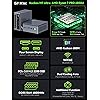
  • PREMIUM GAMING PC MINI COMPUTER - The Nucbox M7 Ultra Mini PC is a small form factor Desktop Micro Mini Computer with an AMD Ryzen 7 PRO 6850U (8C/16T 2.70Ghz Base speed with Turbo speed up to 4.7Ghz) processor. The GPU is integrated with a powerful AMD Radeon 680M 12 Cores Graphics Card; performance is almost close to that of a full NVIDIA GTX 1050 Ti. Coupled with the support of FSR 3.0+ technology, the computer can handle heavy computing tasks and AAA gaming
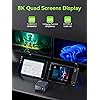
  • MINI PC COMPUTER SUPPORTS QUAD SCREEN 8K DISPLAY - Nucbox M7 Ultra gaming pc is equipped with Dual USB4 USB-C Video output. The latest HDMI 2.1 port can connect to large screen TV and Display Monitors and output up to 8K@60Hz resolution. The Type-C DisplayPort Video output can connect to the latest monitor displays utilizing 4K@144Hz. Features simultaneous four screen display
  • OCULINK PORT - The M7 Ultra Oculink port enables higher bandwidth capabilities, better frame rates and lower lag. The standard also operates at PCIe x4 speeds, compared to Thunderbolt's x3. Gamers and content creators can benefit from OCuLink's higher bandwidth, resulting in better performance and lower lag for eGPU setups
  • UPGRADED DUAL COOLING FANS - Our new Hyper Ice Chamber 2.0 design uses larger top and bottom cooling fans with 360 degrees in and out air flow. The copper base keeps the fan cool and we have lowered the fan noise down to 35dB in Quiet mode
  • THREE PERFORMANCE MODES UPDATED UEFI - The M7 Ultra mini computer features an all new BIOS update with three performance modes (Quiet 35W, Balance 50W, or Performance 65W-70W). VRAM Allocation is also possible with Auto Power On, Wake-on-LAN options available
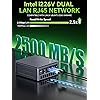
  • DUAL NIC 2.5GbE + WiFi 6E + BT 5.2 - Dual Intel NIC 2.5GbE LAN port design provides more applications, such as firewall, multichannel aggregation, soft routing, file storage server, etc. WiFi 6E provides a faster internet experience for browsing, streaming and gaming. Built-in Bluetooth 5.2 is more stable and efficient to connect multiple wireless devices such as projector, printer, monitor, speakers and etc
  • 16GB DDR5 RAM & 512GB PCIE SSD DUAL SLOT EXPANSION - Installed with DDR5 16GB RAM 4800MHz, the Nucbox M7 Ultra mini pc support expansion to 128GB RAM. Featured with 512GB M.2 2280 PCIe 3.0 SSD, supports dual slot expansion to 2*PCIe 4.0 2TB SSD up to 4TB. (Upgrades not included)
  • PREMIUM PC BUILD DESIGN - The M7 Ultra mini gaming pc has a beautiful metal chassis and matte top cover. Easy to remove cover lid, simply rotate the cover counter clockwise and remove. The top cooling fan is custom built and the bottom cooling fan has been upgraded with a copper base
  • GMKTEC WARRANTY - GMKtec offers a 3-year limited warranty (1 year replacement + 2 years parts replacement) for each mini PC, starting from the date of the purchase effective on all sales starting Oct. 2026. All defects due to design and workmanship are covered. With a professional after sales team always ready to attend to your needs, you can simply relax and enjoy your mini PC

Description

1 Year War~ranty, 24Hr Support. Amazing discounts for Business Buyers. Follow our brand for deals and updates. Shenzhen GMK Technology Co., Ltd is a high-tech enterprise integrating scientific research, development, production and sales of Mini PC and Computer Accessories. Our company was established on June 6, 2019 and our core team is composed of engineers with 20 years of experience in consumer electronics. It was our shared dream that brought us together as GMKtec. GMKtec manufactures professional Mini PC computers. GEEK | We aim to provide the ultimate product experience for users around the world. MODERN | We aim to provide users with cutting-edge technology products. (K) Creative | We always adhere to the innovative spirit of keeping pace with the times. The GMKtec mini PCs are widely used at office, home theater and bussiness. All computers support customer customization. Due to global market constraints, DDR4/DDR5 RAM and SSD storage prices are on the rise. If you have been planning a PC build or storage expansion, now is the time to buy. Current inventory is still available at existing rates, but forecasts indicate costs will continue climbing. Don't wait until it costs more—lock in your savings today and upgrade with confidence. Equipped with the latest AMD Ryzen & Intel Processories. Built-in GPU for smooth framerate and gameplay. Introducing the Improved Nucbox M7 Ultra Mini Gaming PC with a translucent top cover that can easily be removed by rotating the cover. It also comes with a metal chassis and upgraded cooling fans and vents. New Hyper Ice Chamber 2.0 Design. Dual cooling fans allows you to work and play without any outside noise Interference. Showcasing the Nucbox M7 Ultra eGPU setup connected via Oculink port. In this video, we will show the how to connect our Nucbox M7 Ultra mini pc to the eGPU setup. In this video, we will show the M7 Ultra handling some of the most demanding games in FPS and gameplay when the Nucbox M7 Ultra is connected via eGPU Oculink port. In this video, we will show the M7 Ultra playing some of the recent AAA game titles with no large drops in fps. This is one of the best value gaming pc in the current marketplace. In this video, we will show the M7 Ultra streaming 4K Videos with ease. Perfect HTPC media player.

Brand: GMKtec


Operating System: Windows 11 Pro


CPU Model: AMD Ryzen 7


CPU Speed: 4.7 GHz


Cache Size: 16 MB


Graphics Card Description: Integrated


Graphics Coprocessor: AMD Radeon 680M


Memory Storage Capacity: 128 GB


Specific Uses For Product: Everyday Use, Gaming, Multimedia


Personal computer design type: Mini PC


Operating System: Windows 11 Pro


Specific Uses For Product: Everyday Use, Gaming, Multimedia


Personal Computer Design Type: Mini PC


Color: Matte Black


Additional Features: Oculink Port, HDMI 2.1, DP 2.1 Quad Display Video Ports with Built-in DMIC, Dual NIC 2.5GbE Ethernet, Metal Chassis with Glossy Top Cover Lid, Updated UEFI BIOS, VRAM Allocation, Auto Power On, WOL, Fan Speed Control, Upgraded Top and Bottom Large Cooling Fans


Hard Disk Description: PCIe 3.0 M.2 2280 SSD Dual Slot Max. 4TB


Hardware Interface: 3.5mm Audio, 802.11 ac/b/g/n, Bluetooth 5, DisplayPort, USB Type C


Power Consumption: 54 watts


Video Output Interface: DisplayPort, HDMI, USB4


Hard Disk Interface: PCIE x 16


Style Name: R7 PRO 6850U


Cooling Method: Air


Power Plug Type: Type A - 2 pin (North American)


Total Expansion Slots Quantity: 2


Video Output: HDMI, USB-C, DisplayPort


Cache Memory Installed Size: 16 MB


Memory Storage Capacity: 128 GB


RAM Memory Installed: 16 GB


RAM Memory Technology: DDR5


Ram Memory Maximum Size: 128 GB


Memory Speed: 4800 MHz


RAM Type: DDR5 RAM


Memory Clock Speed: 4800 MHz


Screen Size: 75 inches


Display Resolution Maximum: 4096x2160 pixels


Aspect Ratio: 169


Resolution: 4096x2160


Native Resolution: 4096x2160


Connectivity Technology: Bluetooth 5.2, DisplayPort 2.0, Dual Ethernet 2.5GbE LAN, Ethernet, HDMI 2.0


Wireless Compability: 2.4 GHz Radio Frequency, 5 GHz Radio Frequency, 5.8 GHz Radio Frequency, 802.11a/b/g/n/ac, Bluetooth


Wireless Technology: Wi-Fi


Brand: GMKtec


Model Number: M7 Ultra


Model Name: M7 Ultra


Built-In Media: GMKtec Nucbox M7 Ultra AMD Ryzen 7 PRO 6850U Mini PC Computer, HDMI Cable, Power Supply & Cable, User Manual, VESA Mount and Screws


Processor Brand: AMD


Model Year: 2025


CPU Model Number: AMD Ryzen 7 PRO 6850U


Warranty Description: 3-Year Limited Warranty (1 Year Replacement + 2 Years Parts Replacement)


Video Processor: AMD


Unit Count: 1 Count


Manufacturer: Shenzhenshi Jimokekejiyouxiangongsi


Graphics Description: Integrated


Graphics Coprocessor: AMD Radeon 680M


Graphics Card Ram: 16 GB


Graphics Ram Type: VRAM


Graphics Card Interface: Integrated


Processor Series: AMD Ryzen 7


Processor Speed: 4.7 GHz


Processor Socket: TSMC 6nm FinFET


Processor Count: 8


CPU Model Speed Maximum: 4.7 GHz


Total Usb Ports: 6


Total Number of HDMI Ports: 1


Number of Component Outputs: 4


Human-Interface Input: Buttons, Keyboard, Mouse, Touchscreen


Frequently asked questions

If you place your order now, the estimated arrival date for this product is: Saturday, Oct 24

Yes, absolutely! You may return this product for a full refund within 30 days of receiving it.

To initiate a return, please visit our Returns Center.

View our full returns policy here.

  • Klarna Financing
  • Affirm Pay in 4
  • Affirm Financing
  • Afterpay Financing
  • Zip Pay in 4
  • Financing through Apple Pay
  • Financing through Google Pay
Leasing options through Acima may also be available during checkout.

Learn more about financing & leasing here.

Top Amazon Reviews


  • (K12 - Ryzen 7 H 255) Great value, exceptional hardware and connectivity
Size: R7 H255 32GB DDR5 + 512GB
This is specifically for the K12 with the Ryzen 7 H 255. Honestly, not a bad deal. The CPU is pretty good for its class, and has very acceptable integrated graphics. The H 255 is seemingly only sold to the chinese market, has no real documentation officially (as of the time of writing), and is essentially a recycled die from better chips that didn't meet the cut so to speak (at least as far as I can find), but I don't see any of those as a real problem; die recycling is perfectly fine if it actually works and is stable, and AMD is usually pretty good at the latter... and it makes me feel a little better that AMD can save something that would otherwise end up being e-waste. Despite the borderline unofficial nature of the CPU, I have not experienced any performance issues, instability, or crashes of any kind after a few weeks. Note that I updated the BIOS and microcode immediately after receiving the unit, and I suggest everyone do the same. The unit itself is from GMKtec, which is a chinese company. However, there were some (good) surprises in the box that tells me they actually cared about the end user experience, though possibly only just enough to make sure that the average joe blow didn't immediately return it because they got pissed off at something that would honestly be Microsoft's fault (eg. the horrendous OOBE for Windows). I choose to believe they actually care though, and somewhat reinforcing that, my email to them was answered the next day (I'll get to what the contents of that was later). The specs of the unit, aside from the CPU which is pretty good itself, are actually darn incredible. OCuLink is a quasi-rare connector, but an *extremely* welcome one! That significantly improves the unit's lifespan and enables mostly modern gaming, provided you genuinely do the research into how to use it (remember, don't plug or unplug it when the PC is on!), though it can already handle light-medium gaming with just the integrated graphics. Though I have not tried the OCuLink port yet, I have no reason to believe it doesn't work or anything like that. USB4 is also extremely welcome, and I can confirm that it not only works, but it follows best practices of how to implement the protocol. Since the port does do PCIe tunneling, it should work with all Thunderbolt 4 appliances out of the box. GMKtec could have taken the cheap way out and omitted this detail, but they did not. Absolutely incredible to have both of these available. There are also, seemingly (I have not opened the unit up yet, no reason to), three M.2 slots, one at Gen4x4 and two at Gen4x2, which is perfectly fine in terms of speed and great in terms of how many slots they offer. I cannot think of any other mini PC with this level of overall connectivity. You lose out on some external USB connectors that would otherwise be present, but USB4 seriously more than makes up for it. The dual 2.5G LAN ports are just the whipped cream on top of all this. Though, not all can be as good. There is no S3 power state support in the firmware, so you're stuck with shutting down the computer, hibernating it, or relying on Microsoft's absolutely abysmal "implementation" of sleep in the form of modern standby (S0). This was confirmed in my aforementioned email to GMKtec's support. Oh well, I have the whipped cream but miss out on the cherry. This may be an oversight on GMKtec's part, but it may also be difficulty getting S3 implemented with OCuLink. Don't know exactly how that works. I'm tempted to knock a star off for this, since S3 is a very, very nice power state to have available, but it's something I'm personally not terribly concerned about, especially with everything else so good. Please, if you're reading this GMKtec, add it in a BIOS update! Would love to see it! There may also be an issue with the TPM, specifically in regards to when the firmware tells the OS to initiate S0 sleep (eg. from the power button short pressed). In such an event, when the computer resumes from S0 the TPM will either fail or lock up. This may be an issue with Windows, or with the TPM, or with just my unit, and it requires a reboot to clear it up. Either way, my way around it is to leave the unit turned on or to just shut it down, but again it's not a concern for me personally, and YMMV. Overall, I would recommend this unit. Though I have not opened it to inspect the internals, nor tested the OCuLink connector yet, I see great value in this unit, and I imagine I will keep it around for a very long time, getting significant usage out of it. I would give it 4.5 stars if that were possible, but for Amazon I will leave it at 5. ... show more
Reviewed in the United States on November 1, 2025 by Kaine

  • GMKtec K12 Gaming Mini PC: A C&C Generals Fan's Compact Powerhouse
Size: R7 H255 32GB DDR5 + 512GB
As a PC enthusiast since the dial-up era, I’ve built my share of rigs to fuel epic Command & Conquer: Generals and Zero Hour sessions. I’m not chasing high-end FPS titles—give me base-building and Shockwave tank rushes at 60fps any day. The GMKtec K12 Gaming Mini PC, with its AMD Ryzen 7 8745HS, 32GB DDR5, 512GB SSD, and Radeon 780M graphics, has become my go-to for strategy gaming and everyday tasks. Here’s why this tiny titan earns my nod. This thing is small—think hardcover book size—yet it’s a beast. Setup was a breeze; Windows 11 installed without a hitch, dodging Microsoft’s TPM 2.0 roadblocks. I went local user mode for privacy, and it just worked—no workarounds needed. The K12’s quiet operation is a standout; even during intense Zero Hour GLA campaigns, the fans barely hum. It’s a far cry from the roaring towers of my past, perfect for late-night gaming without disturbing the house. Performance? Stellar. The Ryzen 7 and 32GB DDR5 chew through Generals and Zero Hour at 1080p, delivering silky-smooth battles and fast load times thanks to the NVMe SSD. The Radeon 780M handles particle-heavy Scud Storm effects flawlessly. I’ve also dabbled in Age of Empires II Definitive Edition—high settings, no lag. Multitasking is effortless, with browser tabs and Discord running alongside game sessions. Three M.2 slots and dual 2.5G NICs scream future-proofing, though I’d grab a USB hub for extra peripherals. Downsides? The port selection (HDMI 2.1, USB4, etc.) is solid, but heavy peripheral users might need a dock. Thermals are great, but place it in a well-ventilated spot for marathon sessions. At roughly $500, it’s a steal for the power. For C&C fans like me who want a compact, quiet rig that crushes strategy games without the hassle, the K12 is a winner. Five Stars—ready to command and conquer. ... show more
Reviewed in the United States on September 27, 2025 by W4d3101

  • Great deal, but mine came with a used SSD
Pros: - Small - Powerful (8 Zen4 cores, 16 logical CPUs, Radeon 780M graphics, HX power spec) - (Relatively) low power consumption from being a laptop CPU (Though the HX is not as efficient as the U version) - Comes with a good amount of good quality RAM from a name brand - 2x 2.5G nics - USB4 port (haven't tested it out yet, other reviewers had issues) - Good cooling - Quiet at idle (YMMV) Cons: - Came with a moderately used Lexar SSD - Windows 11 (wiping that put even more write cycles on the SSD) - A U power spec option or BIOS support for lowering TDP would have been nice for lower power consumption - No SATA support - Ethernet controllers are Realtek, not Intel - Wifi also not Intel This is just an initial review, but out of the box I noticed that the 1TB SSD that was included in this GMKtek K6 mini PC had logged about 86 hours of usage in SMART, as well as over 8TB written and 7TB read on this 1TB Lexar SSD. That seems like a lot more than initial imaging and burn-in to me. Over 8 full write cycles for every memory cell will have an impact on the SSD's lifespan. I am only using the included SSD as a supplement to my main SSD, so it's not a big issue, but buyer beware! Also, the SSD did come with an extra heatsink pre-installed. That may improve the longevity of the disk enough to compensate for a lot of the usage. I removed it from the included drive and installed it on my 3rd-party drive instead since I use that one more. Overall, this system seems to work well. I wiped Windows 11 and am using proxmox on it. The Ryzen 7840 CPU is really great for my purposes as a VM server / AI host. In July 2024 I got this for $509. With the 32Gigs of ram and a 1TB SSD that is functioning, at least, it's a really amazing deal. Similar machines from other manufacturers cost hundreds more without the RAM or SSDs, so I'm not going to complain too loudly. In fact, I think it's a great deal from Amazon and GMKtec. Time will tell how well this machine holds up, but the construction seems solid, the cooling seems to be well-designed for this form factor with a fan for the CPU being pretty standard, but a second fan for cooling all the other components is a nice addition that you don't see in some competitors. I will update this review with any developments. ... show more
Reviewed in the United States on July 19, 2024 by Raltar

  • Installing Linux Takes Some Effort
Size: R9 8945HS 32GB DDR5 + 1TB
Good (and fast) product, however ... if you are installing a Steam Deck alternative like Bazzite then expect to get down in the weeds with a little Konsole work. Actually, everything is quite simple. It just needs tweaking. The biggest problem ... of all things ... was the 3.5mm jack! Note: it is TRRS 3-ring. Most likely you will get no audio there, even on a TRRS jack! I went down a rabbit hole of alsactl settings only to find out my USB 2.0 mini-DAC fixed the no audio through headphones issue. I could only tap the HDMI digital audio through my monitor speakers! Now, it's good through the mini-DAC. Bazzite installs GREAT! No problems. Setup your BIOS first. I Clonezilla'd the disk with Win 11 and tossed in drawer. Bazzite runs great and if I need an upgrade, most things are possible with the OcuLink and spare memory and hd slots. Also note: the front ports are electronically noisy for BT and 2.4G. You might have issues. Move to the rear ports. BT is out for my mini-keyboard but 2.4G works fine. All in all, a good buy. I was skeptical of the 'ease' of installation claims. Not the easiest and not the hardest. Typical weird Linux stuff. Bypassing and configuration usually fixes things. Is it the best solution all the time? No, but it gets you into Steam just fine! Runs fast in Performance Mode. Fan runs constantly, so switched back to Balanced Mode. We'll see how some later games play. Recommended! ... show more
Reviewed in the United States on August 7, 2026 by Steve

  • Perfectly capable little computer, great form factor
This is a very neat little box of a computer, and if you know what you plan to do with it, I think it's a pretty good value. Basic setup is extremely simple, literally just plug in your mouse/monitor/keyboard and the power supply and turn it on. It booted with zero issues into the normal Windows 11 setup. For some reason the manufacturer recommends that you do not use a LAN cable when you first start the computer, but I was never planning on using it on anything but wifi, and it worked fine over wifi, so that is not a problem for me. Although I am planning in the future to install Linux on this machine, I was grateful that it came with minimal Windows 11 bloatware (just the windows standard stuff). Although initial setup was very fast, as soon as it connected to the internet it discovered that it had a year's worth of Windows updates to install, which takes a while, so the second time you restart the computer, expect it to go through a long update process (10-15 mins). I had no trouble hooking up Bluetooth peripherals (in my case a controller). If you are planning to use this computer for general purpose web browsing/word processing/light home server use/etc, you will have zero problems. For general purpose tasks, this computer is great. It's extremely snappy when browsing the web, downloading files, and running programs like Steam or Discord. I think advertising this as a gaming PC is a bit of a stretch-- there's only so far integrated graphics will get you, and I suspect this computer will suffer if you try to run any truly top of the line games on it. It is great for older games, or lighter indie games. I tested it on Fallout New Vegas and Celeste and it had zero issues whatsoever. I ran a benchmark test and it performed predictably poorly compared to computers with dedicated graphics cards. You can get a little more juice out of this machine by changing the allocation of VRAM in the BIOS. It's by default set at 3GB, but I went in and bumped it up to 8 (see the options in the pictures). After doing that, I didn't notice any performance dips from reallocating away the regular RAM. The 32GB this machine comes with is very generous. Even when I was trying to stress-test this machine, it was very quiet, and putting my hand on the top of the case, it never produced a ton of heat. The best way I could describe this machine is unobtrusive-- it's really small and could easily be mounted beneath a desk to completely hide it away. The power supply it comes with is almost the same size as the computer itself. The computer comes with a mounting bracket that I think is intended to be used to mount it to the wall. My one grumble is that the 1TB of onboard storage will run out pretty quickly if you're a person with a large media library like I am. I am not sure how upgradable the storage is, but I guess I can always just attach an external hard drive if I need more storage. The display options are HDMI and DisplayPort, which is fine. I wish the audio jack were on the back of the box rather than the front, but it is what it is. It comes very well packaged, works right out of the box, and performs exactly as expected. If you have a need for general purpose computing in a small form factor, this will serve that need. ... show more
Reviewed in the United States on July 10, 2025 by natalie paris

  • Good performanc in a small footprint
We were looking for a family gaming PC that was small, low cost, and good enough to run most of today's PC games. This computer arrived the day after we ordered it. It was preinstalled with Win11 and was quickly set up and activated. It was a fresh standard Win11 install. All hardware matched the product page. No viruses, malware, or bloatware detected. The setup process was quick. We plugged it directly into our TV with the provided HDMI cable. We connected a wireless keyboard and mouse and were able to use our existing game controllers (8BitDo, Nintendo Switch, old Google Stadia controller). This computer is much faster than we expected. For gaming, we installed Steam and EPIC. The controllers work great with Steam. There are a ton of free games from both services. The 1TB hard drive allows quite a few games to be installed. This computer was intended for gaming and some light video editing. So far it's been constantly used for gaming, but we plan to test out some video editing tools, which we expect will work well based on gaming performance. All in all, this is a great little computer. We can easily move it between rooms. Some games can be a little laggy when using the highest resolution settings on our 4K UHD TV, but adjusting the resolution down a bit fixes that problem without a noticeable difference in quality. In summary this is a phenomenal computer for the cost and size (portability). Great for gaming and also a nice little Win11 PC. ... show more
Reviewed in the United States on June 17, 2024 by C. Lower

  • Better than expected, but you need realistic expectations
I definitely recommend this mini PC, but it is not for everybody. I spent several weeks watching videos of testing and gameplay in different devices before selecting this device with this APU, because I am a gamer and also a developer. For an average user who does not play the newest, high-spec games, this should be more than enough. I got what I expected and a bit more -- it performs better than I expected. It has not failed to meet my expectations in the 3 months I've used it, and I use it every day for many hours. The device is reliable, and the 7840HS APU is exceptional. I have played games on this which have higher requirements than this device offers, and it has done well despite being "below spec", (ymmv). The fan is as noisy as I would expect from a laptop-type fan, so beware that if you put this under heavy load you will notice the fan noise, but it isn't any different than a laptop fan running at full speed. They have online access for updates like BIOS, which I've not updated yet but seems relatively simple. The only complaint I've got is, I'm struggling to reach the BIOS menu. My monitors are 75hz and on most desktop PCs that's not a big deal, but on mobile processors with integrated graphics you can encounter issues reaching BIOS when using monitors over 60hz, as it is not built by default to accept higher monitor refresh rates. I have found multiple sources online which state you can get around this by using a different cable such as VGA (I use HDMI and Display Port), but I have not had the opportunity to try yet. However, I have seen recent YouTube videos where people have successfully reached BIOS on the GMKtec K6, so it is an issue on my end and not the device. I typically will have a lot of things going on, usually streaming videos, plus many browser tabs, plus a game of some kind, plus some apps, and this device really handles it all very well. I treat it like a normal PC, and it does truly rise to the challenge, despite being small lower power -- it is a significant change in power consumption from my gaming PC, which is quite nice, because I haven't really sacrificed anything significant to go smaller! Overall, I'm very impressed. I have been telling everybody about it now that I've had a chance to really feel it out. It will play games like Cyberpunk 2077, but you may need to tweak the settings to get the most out of it. Do not expect it to run heavy games like an actual full gaming PC with a dedicated GPU. Have realistic expectations, but don't be surprised if this little device exceeds them. 10/10, would buy again, no doubts. ... show more
Reviewed in the United States on August 3, 2024 by Nicole Krause

  • Decent PC with an AWFUL Flaw
Size: R7 H255 32GB DDR5 + 512GB
First of all, this is good value for the money. I wouldn't use it as my primary gaming PC unless it was connected to a 1080p monitor. But it serves as a powerful home station in my living room for in-home streaming from my main tower, and also playing media to my TV. There's a decent selection of ports, and the CPU and RAM means you can game on it with either older titles, or if you're willing to take a big hit to graphics and frames. I have played some indie games like Stardew, Cast & Chill, and Cult of the Lamb at 4k on it with decent FPS, but have either had to drop settings or pick games that run on potatoes. However, there is a glaring issue I have which can't be fixed as it's hardware level. GMKtec skimped on the USB controller. This thing cannot actually drive every USB port on the device concurrently, let alone if you use a hub as well. It seems to cap out at about 5-6 devices before the USB controller runs out of resources and you need to unplug things. I have two controllers, a headset, a keyboard, a mouse, and a Streamdeck connected to it. I usually have to unplug one of the controller dongles to get everything to work cleanly, or remove some other device if I want to play couch co-op games. This isn't a dealbreaker, per se, but it is frustrating that I can't actually use everything I want to use on this PC. ... show more
Reviewed in the United States on September 29, 2026 by Adam Cohen

Can't find a product?

Find it on Amazon first, then paste the link below.
Checking for best price...