

Search  for anything...

GAOMON PD2200 Drawing Tablet with Screen, Full-Laminated Digital Art Tablet with 8 Touch Buttons, Battery-Free Stylus, Tilt, 130% sRGB, 21.5 inch Graphics Tablet with Stand for Mac, Windows PC

  • Based on 6,675 reviews
Condition: New
Checking for the best price...
$359.99 Why this price?
Save $129.20 was $489.19

Buy Now, Pay Later


As low as / mo
  • – Up to 36-month term if approved
  • – No impact on credit to apply
  • – Instant approval decision
  • – Secure and straightforward checkout

Ready to go? Add this product to your cart and select a plan during checkout.

Payment plans are offered through our trusted finance partners Klarna, Affirm, Afterpay, Apple Pay, and PayTomorrow. No-credit-needed leasing options through Acima may also be available at checkout.

Learn more about financing & leasing here.

Selected Option

Free shipping on this product

FREE 30-day refund/replacement

To qualify for a full refund, items must be returned in their original, unused condition. If an item is returned in a used, damaged, or materially different state, you may be granted a partial refund.

To initiate a return, please visit our Returns Center.

View our full returns policy here.


Availability: In Stock.
Fulfilled by Amazon

Arrives Wednesday, Mar 25
Order within 14 hours and 29 minutes
Available payment plans shown during checkout

Protection Plan Protect Your Purchase
Checking for protection plans...

Size: 21.5 inch


Style: with shortcut keys


Features

  • Please kindly note that GAOMON PD2200 drawing tablet is not a standalone tablet, It must be connected to a laptop or computer to work.
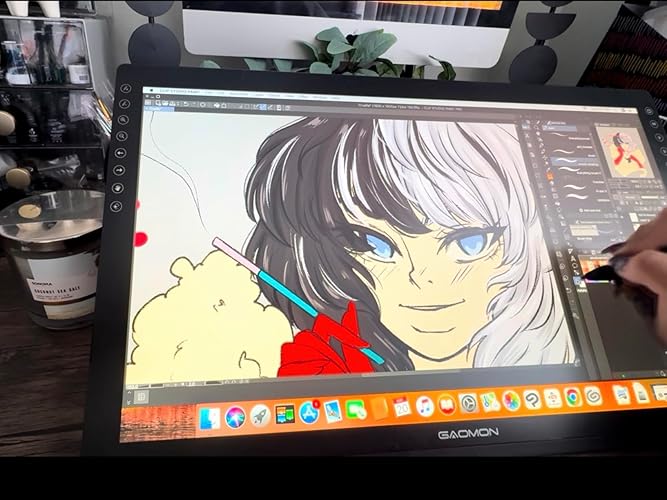
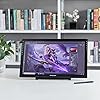
  • FOR ONLINE TEACHING & MEETINGYou can use GAOMON PD2200 pen display tablet for online education and remote meeting. It works with most online meeting programs, like Zoom, and so on. FOR DIGITAL ART & CREATION-- It's not only for beginner but also for professionalists in digital drawing, sketching, graphics design, 3D art work, animation, etc. FOR ANNOTATING AND SIGNATURE--It is also broadly used in annotating and signing file in excel, word, pdf, ppt, etc.
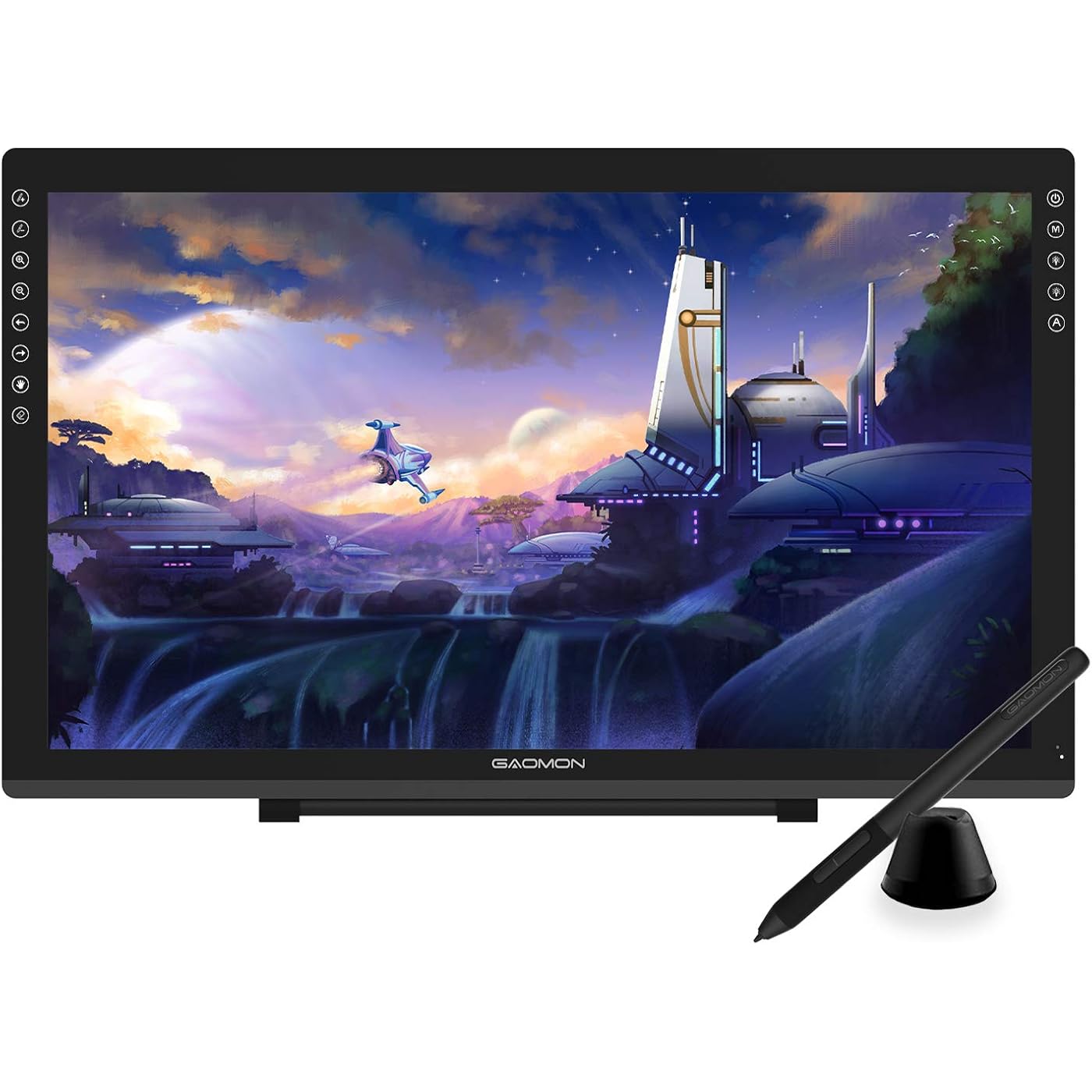
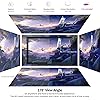
  • FULL GLASS STYLISH DESIGN Its full glass design with 8 touch keys. No PVC frame on 3 sides.HD FULL-LAMINATED SCREEN & 130% sRGB/92%NTSC--Visually the parallax will be deduced to the lowest level. WITH AG-FILME PRE-APPLIED--To protect the PD2200 drawing monitor during long shipping and to avoid bubble when applying film, we applied an anti-glare film in advance in our no dust factory. After you peel off the outside layer protective film, the real film remains on PD2200.
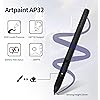
  • 8192 LEVELS PRESSURE & BATTERY-FREE PEN AP32TILT SUPPORT FUNCTION--GAOMON PD2200 Drawing Display Tablet uses 8192 battery-free pen with tilt support function allow you to create your remarkable piece with superior control and stunning fluidity. [PEN HOLDER & PEN NIBS]-- 8 replacement nibs are put inside the pen holder. [8 TOUCH SHORTCUTS]--They are areavailable to customize in GAOMON driver.
  • 1000: 1 CONTRAST RATIO--Enables more clear and vivid images effects. OTHER DISPLAY INFO--Max Viewing Angle: 89/89(H)/89/89(V) (Typ.)(CR>10). Display Area: 476.64 x 268.11mm(18.8*10.6 inches). Resonse Time: 25MS. HOW TO UNSE OSD MENU--Longe Press Menu Button for 6 seconds to active the OSD panel. You can adjust the color, brightness, etc here. HOW TO ADJUST COLOR--Go to RGB-Color--Color Effect--Enter ''USER''--Then you can adjust the hue & saturation of RGBCYM here.
  • OS SUPPORT& PROGRAM COMPATIBILITY--Work with laptops or desktops which run Windows 7/8/8.1 or above, Mac OS 10.12 or above; compatible with most of major drawing software such as PhotoshopSAI version 2IllustratorkritafirealpacagimpSketchBook ProMediBang Paint Pro, etc.

Brand: GAOMON


Connectivity Technology: HDMI, USB


Pressure Sensitivity: 8192 Levels


Operating System: Windows 7 or later, macOS 10.12 or later


Special Feature: 60° Tilt Support, Anti-Glare Glass, Full Lamination, Programmable Touch Buttons, Stylus Dock


Product Dimensions: 20.55 x 12.44 x 0.1 inches


Item Weight: 8.47 pounds


Item model number: GAOMON PD2200


Date First Available: October 24, 2019


Manufacturer: GAOMON TECHNOLOGY CORPORATION


Frequently asked questions

If you place your order now, the estimated arrival date for this product is: Wednesday, Mar 25

Yes, absolutely! You may return this product for a full refund within 30 days of receiving it.

To initiate a return, please visit our Returns Center.

View our full returns policy here.

  • Klarna Financing
  • Affirm Pay in 4
  • Affirm Financing
  • Afterpay Financing
  • PayTomorrow Financing
  • Financing through Apple Pay
Leasing options through Acima may also be available during checkout.

Learn more about financing & leasing here.

Top Amazon Reviews

  • Amazing Tablet for the price!!
Size: 21.5 inch Style: with shortcut keys
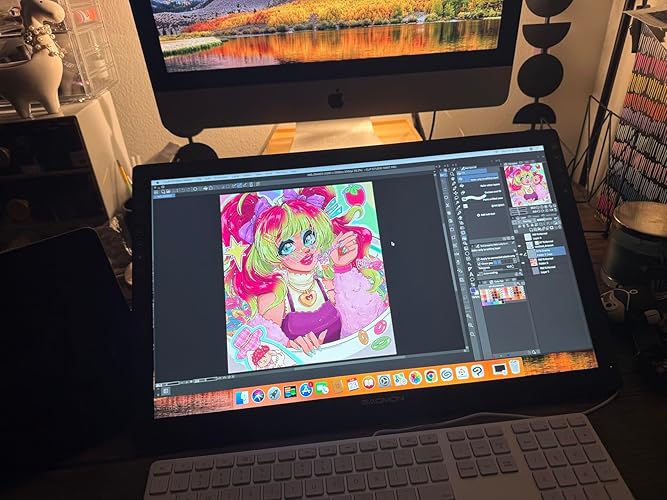
I have had this tablet for about a year now and I can confidently say this is an amazing tablet! It a wonderful start out if you’re looking for a larger screen but don’t want to drop $1-2k on the higher name brands. I’ll give a couple pros and cons about the tablet and hopefully it’ll help those who are deciding if they want to get one! Pros! *Large screen! - I’ve have used the 12.9 iPad Pro for almost 6-7 years, but always wanted something larger. This screen suits my needs so well! I don’t like to use shortcuts so I’m able to adjust my program to accommodate my tools and windows. *Sensitivity - I was worried with it being a lower cost tablet that there would be some sensitivity issues…nope!! It’s perfect! The pressure can be adjusted to your desire as well, but I pretty much left it how it came out of the box! The is no lag, but I will say it depends on your computer. I noticed I got a bit of a lag on my iMAC, but that’s because it’s old and I had to unselect screen recording to have it optimized better. But I had no issues when I used it in my Windows gaming Laptop. Just keep in mind on your processor. That my only concern on that part. *Price- Is there more to be said?! It’s at an amazing price for someone wanting to start out on a larger screen but not sure if they want to go and drop over $1K on the name brand tablets. I will say I have use a Wacom Cintiq Pro 27 during a convention to try it out, and while obviously there are some differences in quality and performance, the Gaomon PD2200 performs insanely well for its price. *Accessories - tablet is build with its own stand and already installed so no assembly required or having to purchase a stand separately! You get the display pen along with additional tips and a holder for your pen! As I’ve mentioned I have had the tablet for nearly a year and have yet to change the tip yet. But I will say I don’t use it very often as life is busy, but I will put a guess if you use the tablet everyday you may just need to change the tip out every 3-4 months depending how much pressure you use. Now to the Cons: I don’t have many but the couple I would put out would obviously be involved on how it’s priced. You get an amazing and large sized tablet for the fraction of the name brands, but it’ll come with its downsides. First would be the buttons- the buttons to turn the tablet on/off are not synced properly so I have to maneuver around to have to turn off the tablet when I’m done. It gets annoying especially when it takes more than a minute to figure out the right spot to press. The short cuts being on the top right our a bit annoying. I wish they were at the bottom but like I mentioned earlier the screen is large enough that you an adjust your tools to your liking that suits your needs or you can just use keyboard shortcuts. This is also something to keep in mind if you’re a left hand drawer. It’ll be more difficult to select the shortcut keys. Display Match - Trying to display match was a nightmare. It took a lot of time and effort to get it remotely similar. I would suggest going to your computer graphics settings and set it that way. Trying to adjust it from the tablet itself is difficult and when the buttons not being syncs properly, it makes it even more frustrating when trying to adjust the display settings. I have used this both on Windows and Mac, and Windows took a little more time but iMac has preset settings to match with it, and it made it a little easier but it’s not perfect. So just something to keep in mind when drawing. Your colors will be off so always reference from a screen you’re used to and the tablet for best results! That’s all I really have. It’s still an amazing tablet if you’re starting out on wanting a larger screen! I love this tablet despite its quirks and really happy with my purchase!! ... show more
Reviewed in the United States on July 13, 2025 by Allie B. Allie B.

  • Great for everyone and no limit if you take the time to learn AHK or a proper language like C#
Size: 11.6 inch Style: with shortcut keys
Disclaimer: I bought this tablet as Used Good for $99. I expected the tablet to have issues, but was really surprised that the thing is practically new. I looked it over hard and there wasn't even tiny scratches, TBF it's like the last owner opened it, took it out of the packages, threw away the manual, put it back in the box and sold it. I do suggest buying a extension cable 12FT, HDMI extension cable 12FT, and USB 2.0+ extension cable 12FT if you're like me, in a bed that can be a chair/recliner/reclined bed with a 60" screen at my feet, a 43" screen left of my head, a high end chromebook and the tablet both to my right with cables running under my bed and hooked up on a extra wide vented stand. The pen lag is too small to notice, the only thing smoother is my high end gaming mouse with a very high polling rate, but I'm able to play OSU on it at the highest levels. I used a no screen Wacom for OSU in the past and quickly rose through the ranks to the top 200. After 20+ hours of OSU on this tablet, my rank went from 200s to 90s. The screen quality is great, but I suggest turning it off when not in use unless it's on a vented stand since it puts out some heat, about 50% to 60% of heat as my high end Chromebook generates. On a vented stand there is no problem leaving it on accidentally which I did, but it was cool when I woke up. Instead of duplicating a screen, I set it as a fourth monitor, and use Autohotkey to automatically move all my GFX software to the tablet meaning I don't have to calibrate it at all, it's 100% accurate. I suggest setting the hotkeys to ALT + F13-F20 (I use F13-24 on a razer keypad with a joystick and ctrl is for my steam controller) and AutoHotkey to make the keys multi-function. To learn AutoHotkey I suggest using Pulovers macro creator which generates code. That will teach you the basics of AutoHotkey coding which makes products infinity better since you're only held back by your imagination and skill level. For example: I have each key set-up to detect up to eight presses within X time + a hold to timeout/cancel and four levels of time delay for a total of 12 functions per key for a total of 96 functions per program with a sleek OSD and a dark GUI to edit functions/add new software and toggle/remember software positions and stuff like removed title bars and borders for more room. It pretty much makes my and Huion pad useless, even the knob since I set the bottom hotkey to function as a knob by locking the mouse in a circle that changes when the pen is tilted at x angle, though it required using C functions inside AHK to set 360 points. As for my Wacom, I set it up as a awesome gesture pad using StrokesPlusNets C# to write macros/functions. There's no need to stop using older hardware when it can be repurposed to do so much with a little code. Also, don't be afraid of C# in StrokesPlusNet, it has plenty of built in functions, most things can be done without knowing any code. Sames goes for AutoHotkey when using pulovers macro creator. The scripts can be saved as programs right from the software. Hope this review helps with your new tablet and ways to repurpose old hardware with or without knowing how to code/script. Last, last, lastly, thanks for buying me the tablet Jim. :) Merry Christmas -A ... show more
Reviewed in the United States on December 15, 2022 by Jim

Can't find a product?

Find it on Amazon first, then paste the link below.
Checking for best price...