Search  for anything...

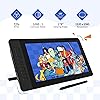
Drawing Tablet with Screen GAOMON PD1561 Drawing Monitor Art Tablet with Adjustable Stand, 10 Shortcut Keys, Tilt Support, Battery-Free Pen, 15.6-inch Graphics Tablet for Mac, Windows PC

  • Based on 6,670 reviews
Condition: New
Checking for the best price...
$218.99 Why this price?
Save $70.00 was $288.99

Buy Now, Pay Later


As low as $36.50 / mo
  • – 6-month term
  • – No impact on credit to apply
  • – Instant approval decision
  • – Secure and straightforward checkout

Ready to go? Add this product to your cart and select a plan during checkout.

Payment plans are offered through our trusted finance partners Klarna, Affirm, Afterpay, Apple Pay, and PayTomorrow. No-credit-needed leasing options through Acima may also be available at checkout.

Learn more about financing & leasing here.

Selected Option

Free shipping on this product

FREE refund/replacement until Jan 31, 2026

To qualify for a full refund, items must be returned in their original, unused condition. If an item is returned in a used, damaged, or materially different state, you may be granted a partial refund.

To initiate a return, please visit our Returns Center.

View our full returns policy here.


Availability: In Stock.
Fulfilled by Amazon

Arrives Thursday, Apr 30
Order within 17 hours and 13 minutes
Available payment plans shown during checkout

Protection Plan Protect Your Purchase
Checking for protection plans...

Size: 15.6 inch


Style: with shortcut keys


Features

  • 10 SHORTCUT KEYS There are 10 shortcuts available to be customized on PD1561 drawing tablet monitor.8192 LEVEL PRESSURE& TILT SUPPORT & BATTERY FREE AP50 PENensure smooth natural and neat lines. 8 Replacement Nibs Inside the Pen Holder HIGH QUALITY IPS FULL HD SCREEN-- Report Rate: 266PPS Viewing Angle: 178Screen Resolution: 1920 x 1080 (16:9)
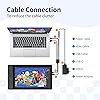
  • ADJUSTABLE STAND-- You can find a perfect and comfortable position by dragging the switch to adjust the angle of GAOMON tablet . 3-in-1 CABLE-- To reduce the cable clutter. if there is no hdmi port on your computer, you need extra hdmi adapter. PRE-APPLIED SCREEN FILM- to protect the surface screen ,also providing paper-like drawing experience. PEN HOLDER & 8 NIBS-- nibs are inside pen holder. Gift 2-finger Gloves
  • NOT STANDALONE PRODUCTGAOMON PD1561 is computer graphics tablet. It has to connect to a Windows/Mac computer to work. IPS HD DISPLAY -1920*1080 HD IPS FULL Screen ensures high quality and accuracy of color, lines and images. HOW TO ADJUST COLOR- OSD panel >Color > Color Effect > User > and the color settings for > Red, Yellow, Green, Cyan, Blue and Magenta are available to change > Hue and > Saturation. LEFT-HAND SUPPORTED
  • FOR DIGITAL ART & CREATION-- It's not only for beginners and amateurs but also meet basic needs of professionals for digital drawing, sketching, graphics design, 3D art work, animation, etc.FOR ONLINE TEACHING & MEETINGYou can use PD1561 monitor drawing tablet for online education and remote meeting. It works with most online meeting programs, like Zoom, and so on. FOR ANNOTATING AND SIGNATURE--It is also broadly used in annotating and signing file in excel, word, pdf, ppt, etc.
  • OS SUPPORT & PROGRAM COMPATIBILITYWork with laptops or desktops which run Windows 7/8/8.1 or above, Mac OS 10.12/13/14 or above; Compatible with most painting software, like Adobe Photoshop, Illustrator, Clip Studio, Lightroom, Sketchbook Pro, Manga Studio, CorelPainter, FireAlpaca, OpenCanvas, Paint Tool Sai2, Krita and so on. [NOTE]--Make sure to plug the HDMI cable into graphic card directly instead of plugging it into motherboard when using a desktop computer.

Features

  • 10 SHORTCUT KEYS There are 10 shortcuts available to be customized on PD1561 drawing tablet monitor.8192 LEVEL PRESSURE& TILT SUPPORT & BATTERY FREE AP50 PENensure smooth natural and neat lines. 8 Replacement Nibs Inside the Pen Holder HIGH QUALITY IPS FULL HD SCREEN-- Report Rate: 266PPS Viewing Angle: 178Screen Resolution: 1920 x 1080 (16:9)
  • ADJUSTABLE STAND-- You can find a perfect and comfortable position by dragging the switch to adjust the angle of GAOMON tablet . 3-in-1 CABLE-- To reduce the cable clutter. if there is no hdmi port on your computer, you need extra hdmi adapter. PRE-APPLIED SCREEN FILM- to protect the surface screen ,also providing paper-like drawing experience. PEN HOLDER & 8 NIBS-- nibs are inside pen holder. Gift 2-finger Gloves
  • NOT STANDALONE PRODUCTGAOMON PD1561 is computer graphics tablet. It has to connect to a Windows/Mac computer to work. IPS HD DISPLAY -1920*1080 HD IPS FULL Screen ensures high quality and accuracy of color, lines and images. HOW TO ADJUST COLOR- OSD panel >Color > Color Effect > User > and the color settings for > Red, Yellow, Green, Cyan, Blue and Magenta are available to change > Hue and > Saturation. LEFT-HAND SUPPORTED
  • FOR DIGITAL ART & CREATION-- It's not only for beginners and amateurs but also meet basic needs of professionals for digital drawing, sketching, graphics design, 3D art work, animation, etc.FOR ONLINE TEACHING & MEETINGYou can use PD1561 monitor drawing tablet for online education and remote meeting. It works with most online meeting programs, like Zoom, and so on. FOR ANNOTATING AND SIGNATURE--It is also broadly used in annotating and signing file in excel, word, pdf, ppt, etc.
  • OS SUPPORT & PROGRAM COMPATIBILITYWork with laptops or desktops which run Windows 7/8/8.1 or above, Mac OS 10.12/13/14 or above; Compatible with most painting software, like Adobe Photoshop, Illustrator, Clip Studio, Lightroom, Sketchbook Pro, Manga Studio, CorelPainter, FireAlpaca, OpenCanvas, Paint Tool Sai2, Krita and so on. [NOTE]--Make sure to plug the HDMI cable into graphic card directly instead of plugging it into motherboard when using a desktop computer.

Product Dimensions: 17.8 x 9.92 x 0.77 inches


Item Weight: 3.48 pounds


Item model number: GAOMON PD1561 Pen Display


Date First Available: September 17, 2019


Manufacturer: GAOMON TECHNOLOGY CORPORATION


Brand: GAOMON


Connectivity Technology: HDMI, USB


Pressure Sensitivity: 8192 Levels


Operating System: Windows 7 or later, macOS 10.12 or later


Special Feature: 60° Tilt Support, Anti-glare protective film, Programmable Press Key


Product Dimensions: 17.8 x 9.92 x 0.77 inches


Item Weight: 3.48 pounds


Item model number: GAOMON PD1561 Pen Display


Date First Available: September 17, 2019


Manufacturer: GAOMON TECHNOLOGY CORPORATION


Frequently asked questions

If you place your order now, the estimated arrival date for this product is: Thursday, Apr 30

Yes, absolutely! You may return this product for a full refund within 30 days of receiving it.

To initiate a return, please visit our Returns Center.

View our full returns policy here.

  • Klarna Financing
  • Affirm Pay in 4
  • Affirm Financing
  • Afterpay Financing
  • PayTomorrow Financing
  • Financing through Apple Pay
Leasing options through Acima may also be available during checkout.

Learn more about financing & leasing here.

Top Amazon Reviews


  • Amazing Tablet for the price!!
Size: 21.5 inch Style: with shortcut keys
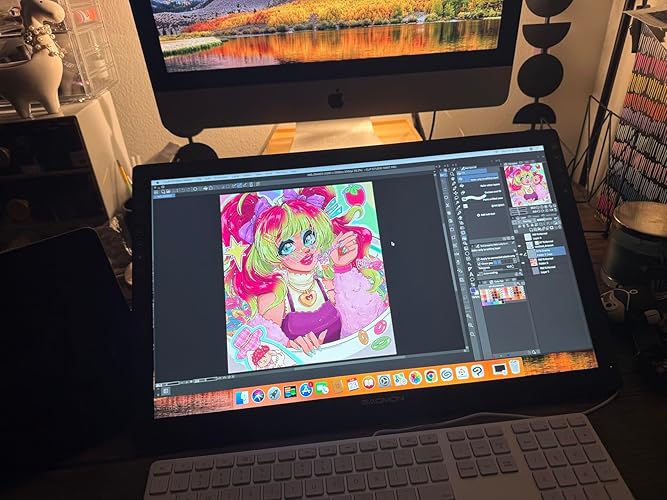
I have had this tablet for about a year now and I can confidently say this is an amazing tablet! It a wonderful start out if you’re looking for a larger screen but don’t want to drop $1-2k on the higher name brands. I’ll give a couple pros and cons about the tablet and hopefully it’ll help those who are deciding if they want to get one! Pros! *Large screen! - I’ve have used the 12.9 iPad Pro for almost 6-7 years, but always wanted something larger. This screen suits my needs so well! I don’t like to use shortcuts so I’m able to adjust my program to accommodate my tools and windows. *Sensitivity - I was worried with it being a lower cost tablet that there would be some sensitivity issues…nope!! It’s perfect! The pressure can be adjusted to your desire as well, but I pretty much left it how it came out of the box! The is no lag, but I will say it depends on your computer. I noticed I got a bit of a lag on my iMAC, but that’s because it’s old and I had to unselect screen recording to have it optimized better. But I had no issues when I used it in my Windows gaming Laptop. Just keep in mind on your processor. That my only concern on that part. *Price- Is there more to be said?! It’s at an amazing price for someone wanting to start out on a larger screen but not sure if they want to go and drop over $1K on the name brand tablets. I will say I have use a Wacom Cintiq Pro 27 during a convention to try it out, and while obviously there are some differences in quality and performance, the Gaomon PD2200 performs insanely well for its price. *Accessories - tablet is build with its own stand and already installed so no assembly required or having to purchase a stand separately! You get the display pen along with additional tips and a holder for your pen! As I’ve mentioned I have had the tablet for nearly a year and have yet to change the tip yet. But I will say I don’t use it very often as life is busy, but I will put a guess if you use the tablet everyday you may just need to change the tip out every 3-4 months depending how much pressure you use. Now to the Cons: I don’t have many but the couple I would put out would obviously be involved on how it’s priced. You get an amazing and large sized tablet for the fraction of the name brands, but it’ll come with its downsides. First would be the buttons- the buttons to turn the tablet on/off are not synced properly so I have to maneuver around to have to turn off the tablet when I’m done. It gets annoying especially when it takes more than a minute to figure out the right spot to press. The short cuts being on the top right our a bit annoying. I wish they were at the bottom but like I mentioned earlier the screen is large enough that you an adjust your tools to your liking that suits your needs or you can just use keyboard shortcuts. This is also something to keep in mind if you’re a left hand drawer. It’ll be more difficult to select the shortcut keys. Display Match - Trying to display match was a nightmare. It took a lot of time and effort to get it remotely similar. I would suggest going to your computer graphics settings and set it that way. Trying to adjust it from the tablet itself is difficult and when the buttons not being syncs properly, it makes it even more frustrating when trying to adjust the display settings. I have used this both on Windows and Mac, and Windows took a little more time but iMac has preset settings to match with it, and it made it a little easier but it’s not perfect. So just something to keep in mind when drawing. Your colors will be off so always reference from a screen you’re used to and the tablet for best results! That’s all I really have. It’s still an amazing tablet if you’re starting out on wanting a larger screen! I love this tablet despite its quirks and really happy with my purchase!! ... show more
Reviewed in the United States on July 13, 2025 by Allie B. Allie B.

  • GAOMON Tablet | Great starter tablet!
Size: 11.6 inch Style: with shortcut keys
I’m honestly impressed with this Gaomon screen tablet! For the price, it delivers way more than expected. It’s a screen tablet, so you can see exactly what you're drawing, which makes the whole experience much more intuitive—especially if you're transitioning from a non-screen tablet. Keep in mind, it’s not Bluetooth, so you’ll need to use the included cables to connect it to your computer. But once everything is plugged in and set up, it runs beautifully. IMPORTANT: Make sure to install the correct drivers from Gaomon’s website that match your model. This step is crucial—once the drivers are installed, the tablet works like a dream. I've used it with both Krita and Clip Studio Paint, and the responsiveness and pressure sensitivity are fantastic. Overall, this is an amazing value for artists on a budget or anyone wanting a solid, reliable drawing experience without spending a fortune. ... show more
Reviewed in the United States on June 5, 2025 by Gigi

  • Great Tablet, Weird Buttons.
Size: 21.5 inch Style: with shortcut keys
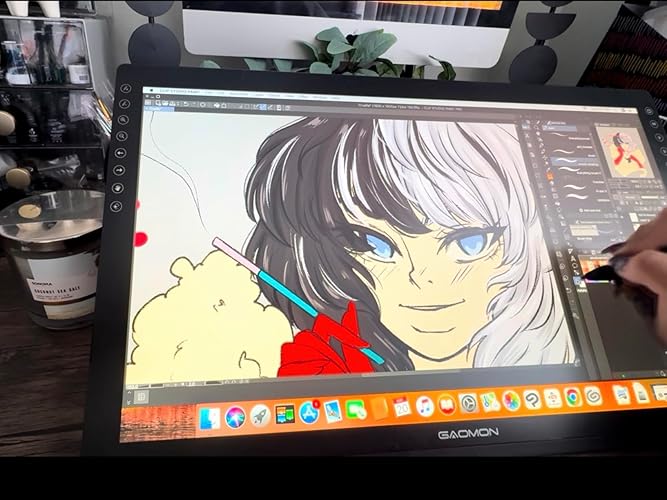
I've been a Gaomon Customer for years, and I've bought a multitude of their tablets from their PD1560, to their PD1161 and I've been satisfied with all of them. I bought this tablet because it had the size of the 1560 [but bigger] and the nice laminated screen that the 1161 had. I've loved these tablets and wanted to try something a big larger. Was a little cautious about the touch buttons, but I'll get to that later. The Screen itself is good quality and a great size compared to the overall tablet. The PD1560 had some issues displaying certain colours like purple, but this one doesn't have that problem as far as I'm aware. However, there is some pretty noticeable ghosting in the tablet screen. If you don't know what that is, its when you're moving images around on the screen, some red afterimage markings pop up and sometimes that can be a little strange or disorientating. The PD1560 also had some noticeable screen stick which this tablet does not have because it is laminated. My hands glide across it smooth without needing the included glove. The screen being laminated however causes your pen nibs to degrade faster, but this is hardly an issue with how many they give you to start out or how cheap replacements are. The adjustable stands are nice and responsive, though I'm a little confused as to why there are two of them. Having the extra adjustable stand is great don't get me wrong, but it does make it hard to connect the wires to the actual tablet. Normally, Gaomon tablets plug into the side of the tablet screen, while this one plugs in the side of the box that connects to the stand behind the screen. If you're like me and don't really adjust your stand after you find that perfect sweet spot, then this shouldn't create any issues. My only main issue with this tablet are the buttons. The 5 touch buttons to the right side of the tablet that control the menu and brightness functions are fine since they have a safety lock so you don't accidentally hit the buttons while drawing. The 8 programmable touch buttons on the left however are where my only negative thoughts for this tablet come from. They are quite small and it is VERY easy to accidentally slide your finger onto a button that you didn't intend to use, especially if you have large thumbs. It can also be a little uncomfortable to have these buttons on the top of such a larger screen as well. Personally, the placement of the button's functions are strange too. Having the bottom button default to the eraser is weird when the eraser tool has usually been defaulted to one of the buttons on the pen with other Gaomon products. The buttons have predetermined icons on them that you sadly cannot change as well so button customization is a little hard for this tablet. If Gaomon continues to make tablets, I would be happy if they kept to physical toggle buttons, instead of the touch buttons. The only other tablet I think that has touch buttons is the PD1610, so I hope they continue making ones with the toggle buttons. This might be a personal experience, and might not have anything that has to do with the product or it's performance but I thought it was worth mentioning just in case. A lot of the time these touch buttons don't even work or randomly work when I'm not touching them. I've had my tablet just 'undo' several times without any input from me or my pen. Sometimes the buttons won't function at all when pressing them multiple times in a row. I have tried multiple drawing software. Another issue is my CTRL key keeps getting stuck even when I'm not pressing it or not even having a keyboard plugged in. This only happened when I started drawing with Gaomon products, but I cannot confirm if they were the root cause of this. Just something to keep in mind. I recommend buying a standalone keypad, keydial, or remote of some kind to handle shortcuts if your tablet/computer happens to behave like this. Overall, great experience and great feel. Just the design is a little... 'off' ... show more
Reviewed in the United States on September 26, 2022 by Andrew Modica

Can't find a product?

Find it on Amazon first, then paste the link below.
Checking for best price...