Search  for anything...

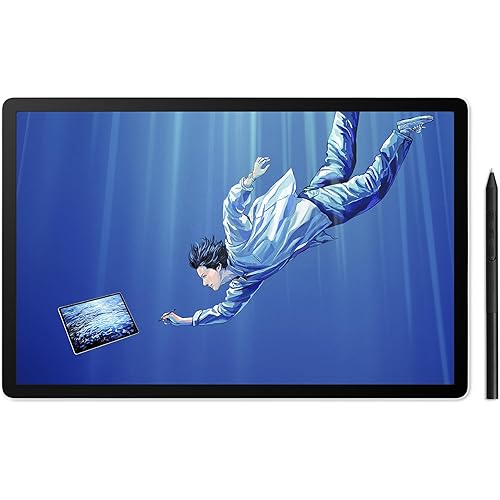
GAOMON M10K PRO Graphics Drawing Tablet, 10x6.25, Tilt & Radial, 10 Keys

Based on 1,418 reviews
Condition: New
Checking for the best price...
$42.99
Holiday Deal · 14% off was $49.99

Buy Now, Pay Later


As low as $10 / mo
  • – 4-month term
  • – No impact on credit to apply
  • – Instant approval decision
  • – Secure and straightforward checkout

Ready to go? Add this product to your cart and select a plan during checkout.

Payment plans are offered through our trusted finance partners Klarna, Affirm, Afterpay, Zip, Apple Pay, and Google Pay. No-credit-needed leasing options through Acima may also be available at checkout.

Learn more about financing & leasing here.

Selected Option

Free shipping on this product

FREE 30-day refund/replacement

To qualify for a full refund, items must be returned in their original, unused condition. If an item is returned in a used, damaged, or materially different state, you may be granted a partial refund.

To initiate a return, please visit our Returns Center.

View our full returns policy here.


Availability: In Stock.
Fulfilled by Amazon

Arrives Monday, Nov 23
Order within 16 hours and 32 minutes

Available payment plans shown during checkout

Protect Your Purchase

Easy claims online, fast replacements, no fees

Checking for protection plans...

At a glance

Condition
New
Size
10 x 6.25 in
Style
M10K Pro
Model
M10K PRO 10*6.25 in
Screen size
6.25 in
Weight
721 g
Color
Black
Warranty
1 year warranty under non human made damage
Works with
Android 6.0 and above, MacOS 10.12 or later, Windows 7 or later

Features 5

  • [Android OS Support]--M10K PRO can be compatible with Android OS 6.0 or later. Connect the tablet to your mobile Android phone/tablet with OTG adapter, then we can start art creation freely.
  • [Battery-free Stylus AP32]--Passive stylus AP32 with 8192 levels pressure sensitivities and 266 PPS report rate, which makes you freely output your inspiration immediately. Providing you accurate and smoothly drawing experience.
  • [Tilt Function Support]--Tilt sensitivity makes a digital stylus to draw as natural as a normal pencil. With this function, when you use the pen on a slant angle it changes the behavior of the strokes from a normal line to shaded ones just like in a normal pencil. It is suitable for sketching, shading as well as creating stylized paintings.
  • [Radial Controller &10 Shortcut Keys]-- The touch ring equipped on M10K PRO facilitated zooming canvas / adjusting brush / scrolling page, and now you can use the touch ring as Windows radial controller. In addition, there are 10 Express Keys, which could be set into any shortcuts that you want. This will greatly increase your productivity.

Description

GAOMON is a high-tech enterprise founded in 2011. Dedicated to independent research and development of digital tablets, digital screens, animation copy stations, etc. Its products comply with EU RoHs standards and have passed certifications such as CE, FCC and CCC. With the value-for-money products and the growing reputation among consumers, Gaomon develop rapidly and gradually become known to consumers around the world. GAOMON believes that digital creation should not be limited in specific areas or groups. GAOMON is committed to producing quality and affordable products. GAOMON encourages confident and free creation. We always support to enlarge digital creative community and to take digital art to every corner of the world. If you have any questions about the product before or after purchasing , please send a message to us via Amazon Message. GAOMON M10K PRO--Upgrad version of M10K 2018 for professional artist and E-learning/working people. GAOMON M10K PRO GAOMON Pro 19 GAOMON M10K2018 GAOMON PD1320 GAOMON S620 GAOMON WH851 GAOMON M106K PRO

Specs 23

Brand GAOMON
Connectivity Technology USB
Pressure Sensitivity 8192 levels
Operating System Android 6.0 or later, Windows 7 or later, macOS 10.12 or later
Special Feature Stylus
Model Name M10K Pro
Built-In Media Artpaint AP32, Pen Nib*8, Type-C OTG Adapter, User Mannual
Target Audience Artist, Beginer, Student, Teacher

Frequently asked questions

If you place your order now, the estimated arrival date for this product is: Monday, Nov 23

Yes, absolutely! You may return this product for a full refund within 30 days of receiving it.

To initiate a return, please visit our Returns Center.

View our full returns policy here.

  • Klarna Financing
  • Affirm Pay in 4
  • Affirm Financing
  • Afterpay Financing
  • Zip Pay in 4
  • Financing through Apple Pay
  • Financing through Google Pay
Leasing options through Acima may also be available during checkout.

Learn more about financing & leasing here.

Top Amazon Reviews


Good and accurate - Cable Port Guard
Size: 10 x 6.25 inches Style: M10K Pro
Update 1/23/2022 At last! The software bugs for OneNote have been fixed! I am currently running the Gaomon Tablet software version v14.8.133.1259 for Windows 10 PC. After a Microsoft update, the issues went away! I don't know who to thank for this, but I do know that this now makes this tablet the best value on the market for students looking to go paperless! Back to 5 stars for this product! These things really last through heavy use and being transported in my backpack 5 times a week for college (Assuming you protect the cable port like I did). I am still using the same tablet I originally purchased on 08/24/2020. I have added one additional photo to show its current state with Version 2 of the support BRKT after several years of use. Update 11/1/2021 Gaomon tablet has MAJOR issues with OneNote 2016, OneNote for windows 10, AND OneNote 2019 (updates come from office 2019 license) I have been working with Microsoft on this issue for some time now, and it all keeps coming back to the Gaomon user interface. Issues are as follows: - pen sensitivity does not work/ rarely works - using eraser can erase multiple things accidently - after using eraser, cannot reselect pen or anything else, must click out of window and then click on pen - vertical spacing tool does not work at all All these problems disappear once you QUIT/ EXIT/CLOSE the Gaomon application that runs in the background (you can pull it up by pressing ctrl + alt + h by default). But then you have a new host of problems: absolutely ZERO buttons or shortcuts will work. Gaomon needs to keep up with its driver/software to enable its compatibility with OneNote applications. I highly recommended this tablet to people who are college students like me in engineering. I am grateful for the seller and manufacturer for making a good hardware product. Now we just need Gaomon to make a driver/ application that works with OneNote! Please please please Make an update for your M10k pro tablet so I can use it in peace. Also, it would be nice if updates were automatic. -1 star for now, happy to give it back once a software update is released! Update 8/23/2021 New Software from Gaomon for the M10K Pro was released a while back, I just discovered it today by accident. It would be nice if their software had an auto update option as the newer user interface is more user friendly and aesthetically pleasing to the eye. Great tablet for note taking, very responsive still and highly recommend printing a Guard as I have shown in my photos. Update 5/12/2021 I printed a guard bracket to protect the plug. Even if you don't drop the unit on its plug and destroy the charging port like I did on my first tablet (which I simply soldered on a new one to repair it), the same problem of intermittent connectivity will occur over time unless you are only ever using the tablet on a flat surface. I used PETG for the print material. If you are like me and need to hold the tablet on your lap to write (shown in the photo where my laptop sits on my desk), then you will want to make or buy a guard for this. If I get enough helpful votes, I might start selling these guard brackets on amazon for like $15 S&H included. Hit the helpful button if you're interested in one. I use this daily for school. I have used it for 1yr now with the only issue being progressively worse intermittent connectivity if the micro USB plug isn't at just the right angle. I just bought a new replacement plug from Sunguy here on amazon with the reversible micro USB to 45° USB A and haven't had any connectivity issues since. Original review: Love the tablet. Writes well, easy to setup and use. Don't drop the tablet on the charging port with the plug plugged in or you will be ordering a new unit like I am right now. I had my last one for 1yr. Works very well, virtually no brush lag or issues with accuracy. ... show more
Reviewed in the United States on January 28, 2021 by Timothy S

Great
Size: 10 x 6.25 inches Style: M10K Pro
It feels great to draw on a bigger tablet, feels different since I'm used to drawing on a smaller one. Really great quality. the system and pen works well. I'm still learning to use it but yeah it's pretty fun to draw with.
Reviewed in the United States on January 31, 2026 by An g

Great budget or beginner tablet
Size: 10 x 6.25 inches Style: M10K Pro
No longer comes with the glove! You will absolutely want a glove with this. Order one at the same time, it might even be discounted if you bundle them. Took one star off because everything you read or watch about this tablet says that it comes with the glove but at some point they removed it from the included items. For the $52 (price including having to order a glove separately!) I spent on this, it is an outstanding drawing tablet. I think it's a great place to start without having to invest too much money if you're thinking about getting into digital art but are unsure. I've only run into one problem with the software after switching to a dual monitor setup. Sometimes brushes would not be aligned with the cursor on the canvas when moving between the canvas and other parts of Krita or Gimps UI. To fix this in the tablet software I had to set my work area to include "All Screens" in the work area tab. Then resize the work area window to exclude the second monitor. This fixed everything. Single monitor setups shouldn't have this problem. One more thing about this tablet is it still uses micro usb. The cable it comes with has very strong locking pins, but micro usb will break after time. I've seen people 3d print a cable brace to keep it from bending and you can probably . I don't have a 3d printer so I used some VBH tape to attach a strip of velcro I can run the cable through to keep it from moving. Probably not the best for a child. ... show more
Reviewed in the United States on August 21, 2026 by The Void

Great for the money, you can't beat it.
Size: 10 x 6.25 inches Style: M10K Pro
Tablet installed easily and stayed installed. Good pressure sensitivity and pretty resistant to moisture so I can wipe it down. There's no lag, and the programmable buttons have a nice little soft 'click' to them when you press them.
Reviewed in the United States on November 8, 2025 by Amazon Customer

Easy to use and perfect for any artist
Size: 10 x 6.25 inches Style: M10K Pro
Happy with this product, great price, graphics works well for my illustration and easy to handle. Love it.
Reviewed in the United States on January 17, 2026 by Nonna

Good drawing tool!
Size: 10 x 6.25 inches Style: M10K Pro
Very easy to use, no lagging , great tool for drawing!
Reviewed in the United States on March 8, 2026 by Lai

No gloves included.
Size: 10 x 6.25 inches Style: M10K Pro
Tablet didn’t come gloves and it usually comes with it. It is also very important to have use it while drowning.
Reviewed in the United States on July 25, 2025 by Amazon Customer

User freindly
Size: 10 x 6.25 inches Style: M10K Pro
My daughter loves it
Reviewed in the United States on March 17, 2026 by Jeremy Nelms
Checking for best price...