Search  for anything...

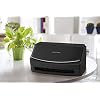
Fujitsu ScanSnap iX1500 Color Duplex Document Scanner with Touch Screen for Mac or PC, Black

  • Based on 1,149 reviews
Condition: New
Checking for the best price...
$869.84 Why this price?

Buy Now, Pay Later


As low as / mo
  • – Up to 36-month term if approved
  • – No impact on credit to apply
  • – Instant approval decision
  • – Secure and straightforward checkout

Ready to go? Add this product to your cart and select a plan during checkout.

Payment plans are offered through our trusted finance partners Klarna, Affirm, Afterpay, Zip, Apple Pay, and Google Pay. No-credit-needed leasing options through Acima may also be available at checkout.

Learn more about financing & leasing here.

Selected Option

Free shipping on this product

This item is eligible for return within 30 days of receipt

To qualify for a full refund, items must be returned in their original, unused condition. If an item is returned in a used, damaged, or materially different state, you may be granted a partial refund.

To initiate a return, please visit our Returns Center.

View our full returns policy here.


Availability: Only 9 left in stock, order soon!
Fulfilled by PCNation

Arrives Thursday, Sep 17
Order within 12 hours and 54 minutes
Available payment plans shown during checkout

Protection Plan Protect Your Purchase
Checking for protection plans...

Style: ScanSnap iX1500 Black


Features

  • Large, intuitive 4.3-inch touch screen for easy one-touch scanning
  • PC less scanning Easily scan to your preferred destination, popular cloud services such as Google Drive and Dropbox, your desktop folders, mobile devices and more
  • Sharing capabilities with multiple users via one scanner: Create unique user profiles and save information to user-specific folders
  • All in one solution to optimize your productivity. Includes ScanSnap Home to capture, organize, manage your business, home, or classroom.
  • The LCD Panel, WI-FI, and USB connections makes it easy to setup and start scanning

Description

The ScanSnap iX1500 delivers more flexibility and control than ever before. The iX1500 comes equipped with a user-friendly touch screen, providing an easy to use interface with simple icons and an intuitive user experience. Shortcut buttons let users save their settings and destinations for easy retrieval right from the touch screen. Scan to your choice of popular cloud services using shortcut buttons. Or let ScanSnap Cloud determine the document type and destination automatically. The iX1500 supports 2.4 GHz and 5 GHz wireless networks. With new Fast Startup mode enabled, the iX1500 is ready to scan as soon as the lid is opened. A gently rounded feeding chute helps prevent paper from curling over, reducing misfeeds. With 30 sheets per minute speed and a document feeder that holds up to 50 sheets of standard office paper, so you can scan more pages even faster without splitting up large documents. Automated features make perfect scans easy with auto color detection, size detection, blank page removal, deskew, and rotation. Ideal for home or small offices–organize documents, photos, receipts, business cards, IDs, and daily paperwork.

Scanner Type: Document, Receipt


Brand: ScanSnap


Model Name: iX1500


Connectivity Technology: USB, Wi-Fi


Resolution: 600


Item Weight: 7.5 pounds


Wattage: 17 watts


Standard Sheet Capacity: 50


Optical Sensor Technology: CIS


Minimum System Requirements: Windows 7


Scanner Type: Document, Receipt


Connection Type: USB, Wi-Fi


Resolution: 600


Wattage: 17 watts


Standard Sheet Capacity: 50


Optical Sensor Technology: CIS


Media Type: Business Card, Paper, Photo, Post Card, Receipt


Item Weight: 7.5 pounds


Minimum System Requirements: Windows 7


Brand: ScanSnap


Model Name: iX1500


UPC: 097564309656


Unit Count: 1 Count


Item Type Name: Desktop Scanner


Manufacturer: FUJITSU


Warranty Description: 1-Year Depot warranty


Frequently asked questions

If you place your order now, the estimated arrival date for this product is: Thursday, Sep 17

Yes, absolutely! You may return this product for a full refund within 30 days of receiving it.

To initiate a return, please visit our Returns Center.

View our full returns policy here.

  • Klarna Financing
  • Affirm Pay in 4
  • Affirm Financing
  • Afterpay Financing
  • Zip Pay in 4
  • Financing through Apple Pay
  • Financing through Google Pay
Leasing options through Acima may also be available during checkout.

Learn more about financing & leasing here.
Top Amazon Reviews


  • Great little workhorse of a Scanner
Style: ScanSnap iX1500 Black
I have one of the previous models of this scanner at my office, and I use it regularly to scan documents. When I started working from home several months ago, I went looking for that model of scanner to get one for my home. The model had changed, so I decided to take a chance on the new model since I love the one at my office so much. This one has not disappointed! The software is very easy to figure out, and I didn’t have any issue setting it up myself. It scans easily to my files, and is so quick and smooth. I really like that when I have a two sided document, it scans both sides in one pass, and it is easy to see the quality of the scan on my computer screen. Since I bought it myself and I’m using if for work a lot now, when I head back to the office to work I will enjoy using this scanner to digitize my personal paperwork. It will make it quick and easy to keep less paper. I did buy the extra warranty that Amazon sells, just in case I have any issues with it. So far, it’s a great little machine and I’m happy I bought it. ... show more
Reviewed in the United States on July 27, 2020 by RosyHibiscus

  • Far Better than IX500!
Style: ScanSnap iX1500 Black
First, let me say that this model is far better than the prior model some reviewers wish they still had! Although we had two of the IX500, the software was no less difficult to install and work with, so forget that: it’s a non-issue. This software not only has the same bundle, but now lets you scan directly to the cloud and does OCR on it, too. Learning the software, after dealing with the software on the 500, was simply one more step up—like moving from Windows 7 to Windows 10, sure you have to learn something new. The task is also far, far easier than it used to be because there are so many instructive videos out there. I watched maybe a half dozen and still refer to them when I hit a bump, but lets’ face it: getting more options—in fact far more—means there are more “forks in the road” than there were before. I also take task with the idea that this model is “flimsier” than the IX500, which still had plastic in the same areas. But in my opinion those parts are far easier to use and far less likely to break than they were before, and are far more functional. Otherwise, this little beauty is the same solid machine as the prior model. I was an R&D tech in development then became a designer and spent around 17 years doing that, and another 6 in the field installing, repairing (sometimes on-the-spot, jerry-rigged fixes) and still tear apart every new machine or tool I get for my workshop, fix it my way and reassemble it before using it, so I feel qualified to say that this is a very nice workhorse machine that will serve my legal work for years to come. ... show more
Reviewed in the United States on July 29, 2020 by Richard Berryhill

  • Excellent document scanner
Style: ScanSnap iX1500 Black
I first purchased an Epson scanner for my tax business based on the good reviews and lower price. I returned it in frustration and bought the Fujitsu ScanSnap ix1500. The price was higher, but it’s worth every penny! It was very easy to set up on my WiFi network where I use it on two computers. It scans both sides of documents very quickly and with high quality results. One-touch scanning works perfectly from the scanner’s touch screen or from the computer. The software automatically deletes blank pages and names the file with the date and a few words it reads from the top of the first page. It handles batches of mixed-sized documents (in my case, various tax forms) without skipping documents or causing jams. I highly recommend buying this scanner. ... show more
Reviewed in the United States on December 29, 2020 by Steve

  • Works out of the box. Easy to use and fast.
Style: ScanSnap iX1500 Black
Excellent scanner. I've installed more than my fair share of scanners - this is one of the best. I will no longer use Epson - they suck and Xerox is easily the most fragile brand out there. I would give this 5 stars but they include Nuance Power PDF in the box with a serial number. Great deal, right? Wrong. They fail to tell you that it's a 15 day license - kinda disappointing after a 15 min Windows 3 feel installation procedure. Really? What a joke. Paper handling is excellent; Scan speed is blindingly fast. I don't need any of the silly features they provide like "scanning directly to an email" etc. These are tasks I prefer to do after the file is saved on my PC. Networking the device is simple as is connecting to WiFi. I like it a lot, just a pity about the Nuance garbage software. If you want a device capable of excellent paper handling and fast speed, this is the machine. ... show more
Reviewed in the United States on April 15, 2020 by Tridacna

  • Have high hopes. Good hardware, so-so software.
Style: ScanSnap iX1500 Black
After almost a decade of with my trusty S1500, I upgraded (even though there is much more life in it). In summary: I was very excited about how it was chewing through my documents. The new scan buttons and profiles are cool and possibly a step forward. But I would be a lot happier if they just stuck to the basics and didn't include this Scansnap cloud nonsense and improved the engine for guessing filenames from the document. The details: The feeding mechanism, so far is what I would expect- excellent. The attachment for receipts works great. It is doing a great job with documents, receipts of various sizes, and business cards. The touchscreen is kinda cool, but unnecessary if you don't scan to wifi. I hope it will be as durable as my S1500, but the software has me a bit nervous. (I'm mostly on Mac OS) I love how the new software can occasionally guess the date and a reasonable filename. I would be over the moon if it was better, though. The included kofax powerPDF and ABBY Fine reader are also appreciated (although you do have to dig a bit on the website to get them). I am a bit perplexed by the Scansnap cloud. It doesn't have file sync (as you would expect from a "cloud" service). Instead it seems to do online file processing before it is sent to another cloud service. I'm not sure I understand the point for this unit. I guess it is for wifi scanning- esp to you phone? It does have iPhone features, but they are divided between 2 apps (which is stupid IMO). The Scansnap cloud IOS app has an option to scan with your camera and send to Scansnap cloud and then to another cloud service for storage. But there is no ability to send to your Scansnap Home - not even if Scansnap home is located in a cloud folder, like Onedrive or Dropbox.. I called Tech support to clarify how Scansnap cloud works and it's limitations. I didn't wait long for a tech and she answered my questions reasonable well (even if I was disappointed by the answers). Anyway I don't need Scansnap Could, but you have to be logged in to use the scanner. I feel like it could be a security concern, when scanning sensitive documents. I would prefer to be completely disconnected from it. I just want docs to be sent to the desktop and processed there. I'm not 100% sure I have have completely turned off submission to the cloud. The Scansnap Home desktop application is a joke. You would think that in the last 20 years or so there would be some improvement to these kinds of document management applications bundled with mid-range scanners. It is more trouble than it is worth and generally a bad idea. It is a great scanner for quickly generating searchable pdf's, and comes from a family of bullet-proof workhorses. I just think they overreached with adding features and radically changing the software using mediocre software engineers. It's hard to give a star rating as my opinion is so colored by my positive experience with the S1500, and there is so much that is familiar to a Scansnap users. I also have only had it a few days and have only scanned a few hundred pages so far and do not feel I have fully researched and understood the cloud component. But honestly I don't think I should have to. They should make it clearer how the cloud component works and how to turn it off. ... show more
Reviewed in the United States on April 17, 2020 by gt3ch

  • Great all-purpose scanner for the family
Style: ScanSnap iX1500 Black
This thing is amazing. We scanned a four drawer file cabinet full of documents in an evening. It is super easy to use. You can send a batch of docs through, and tell it what to name them. It scans both sides very quickly- more than one every second. It automatically straightens them up, and only jams if you feed docs with frayed edges. We ran out old family photos through and they look great. We're not professional photographers, and while I'm sure a pro would find fault with the image quality, I can't. Those photos look perfect to my amateur eyes. This thing is the best, and well worth the small fortune it costs if you want to go digital with photos and documents. ... show more
Reviewed in the United States on October 31, 2020 by Praedo

  • This is an amazing product; just take a hour to learn
Style: ScanSnap iX1500 Black
At first, I was hesitant to buy this as an upgrade to the prior ix500. There are so many negative reviews re: the user interface, operation, etc. However, I loved the wireless feature so it is easy to share among the household. Conclusion: This is a fabulous product. I'm IT kind of guy, an engineer by trade. I didn't 'get' the new user interface for about 30 minutes, but after a little work I am so happy with the result. Yes, if all you do is scan one type of document all day long then it takes two button presses to get going instead of one in the old 500. But I don't scan just one type. I have many different needs from photos, to photo duplex (for the handwriting on the back), to magazine pages in color and lately tons and tons of family historical data I am scanning. My fathers job reviews from the 40's are color jpg, his resume works nicely as color pdf, old photos I do duplex jpg to get the back and there are newspaper clippings (simplex), banquet programs, and so many many types of things to scan. To be able to do this at the scanner is a huge time saving; otherwise I had to reconfigure the can button or make other changes at the computer before each type of scan. So much that I grouped types of documents together by type and lost the timeline of the pieces in the past. Now, with the ix1500, I can stay at the scanner (mostly) and just choose the type of scan with the touch screen and keep on going. The key is to take a few minutes and define these 'profiles' in advance according to what you might use. I defined a about 12 of them with different variations of color, b&w only, gray scale, duplex, simplex, pdf, OCR pdf, jpeg and resolution combinations. Now I can work mostly from the scanner with whatever comes next. Yes, it's a change in user interface. I think it is a good change. For those opposed to change, I believe Fujistsu has released the old Scan Snap Manager software to work with the product for those that prefer the old methods. I almost was there until I unleashed the power of the new software. ... show more
Reviewed in the United States on October 5, 2020 by Older not Wiser

  • Why did I wait so long to get this....Game Changer for me
Style: ScanSnap iX1500 Black
To be honest, I’ve looked at this family of scanners for probably 10 years or more. I always held back because it was a little pricy for a single use product versus a multi-function all in one machine. So I’ve purchased the various multi-functions and gotten by over the years at my office. I seriously wish I had bitten the bullet years ago. This scanner is simply “life-changing” as much as a scanner can be. It is so quick and so accurate and the interface is amazingly simple and straightforward to use. I haven’t even fully setup its capabilities yet. It’s truly helped me down my digital document management road and has reduced staff time and expense so probably already paid for itself. One thing to note is that the duplex sometimes will scan in the back side of a blank page if there is dirt or show through from the front side. Easy fix is to simply click simplex and rescan. The scanner even auto-orients portrait and landscape pages in documents that have both. In my case, a check portrait page followed by landscape EOB (explanation of benefits) pages within the same set of documents. Super handy. I can’t recommend this enough. ... show more
Reviewed in the United States on February 20, 2021 by just me

Can't find a product?

Find it on Amazon first, then paste the link below.
Checking for best price...