
Buy Now, Pay Later
- – Up to 36-month term if approved
- – No impact on credit to apply
- – Instant approval decision
- – Secure and straightforward checkout
Ready to go? Add this product to your cart and select a plan during checkout.
Payment plans are offered through our trusted finance partners Klarna, Affirm, Afterpay, Zip, Apple Pay, and Google Pay. No-credit-needed leasing options through Acima may also be available at checkout.
Learn more about financing & leasing here.
Selected Option
30-day refund/replacement
To qualify for a full refund, items must be returned in their original, unused condition. If an item is returned in a used, damaged, or materially different state, you may be granted a partial refund.
To initiate a return, please visit our Returns Center.
View our full returns policy here.
Recently Viewed


![Ultimate Beginner Series: Trumpet Volumes I & II [Instant Access]](https://m.media-amazon.com/images/I/51uHZ-P2UrL._AC_US500_.jpg)


Style: ET-5800
Set: FAX/Print/Copy/Scan
Features
- *2 Years of Unlimited Ink promo valid for ET-5150, ET-5170, ET-5180, ET-5800, ET-5850, ET-5880, ET-16600 or ET-16650 printers purchased from 10/1/2021 to 3/31/2025. Product must be registered within 30 days of purchase. Limit four 542 ink bottles per claim. Each claim cannot contain multiple bottles of the same color. Retain your empty 542 ink bottle for submission along with rebate form. Promotion applies to ink only. Printer covered by Epson 2-year ltd wnty with registration. For promo participation, you must register your product. See manufacturer's website for details.
- Warning Printer Designed For Use With Pigment Inks Only Use of Dye Inks May Cause Damage not covered by the Epson Limited Wnty
- You can save up to 80 percent with low-cost replacement ink bottles vs standard-capacity color laser toner cartridges (1) very low cost per page with about 2 cents per color ISO page vs 14 cents with cartridges (1)
- Epson EcoTank is the #1 Best Selling Supertank Printer*
- Fast print speed powered by PrecisionCore Heat-Free Technology up to 25 ISO ppm black () no warmup time for fast first page out
- Print-shop quality Epson DURABrite Inks are pigment-based for crisp vibrant prints in black-and-white and color that are instant-dry borderless prints up to 8 5" x 14"
- Less waste zero-cartridge waste with high-yield ink bottles very low energy consumption (3)
- Set of replacement bottles includes enough ink to print up to 7 500 pages black/6 000 color (2) for fewer out-of-ink frustrations you could save 1 000 with each one (1)
- 500-sheet paper capacity two front trays plus a rear feed for specialty paper
- Genuine Epson Ink for Genuine Epson Quality Epson strongly recommends the use of genuine ink to ensure optimal print quality and performance. Use of non-genuine ink could cause damage not covered under the printers ltd. wnty.
Description
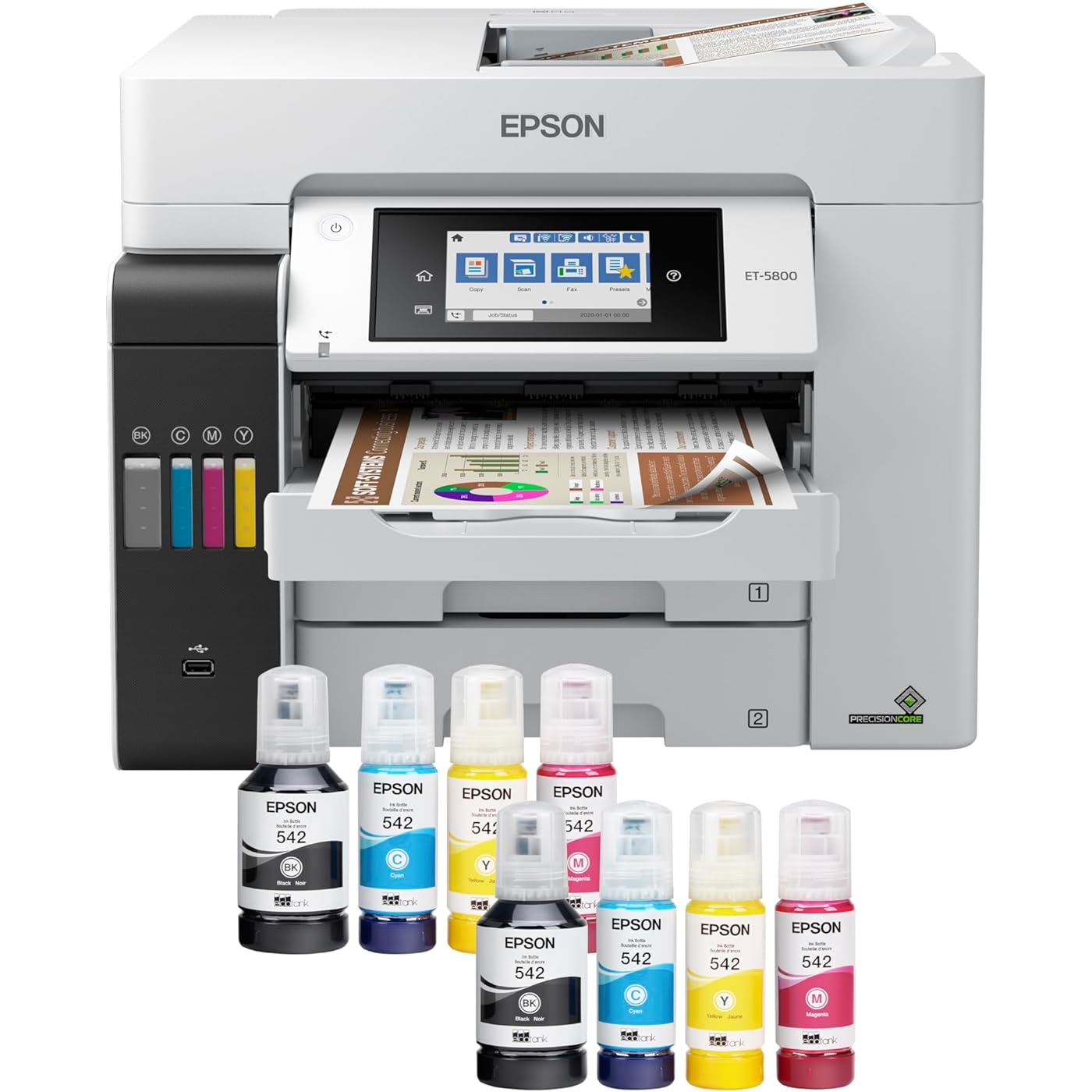
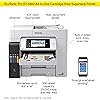
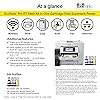
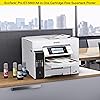
The EcoTank Pro ET-5800 wireless all-in-one offers fast Cartridge-Free Printing with easy-to-fill supersized ink tanks. You can save up to 80 percent with low-cost replacement ink bottles vs. standard-capacity color laser toner cartridges (1) – about 2 cents per color ISO page versus 14 cents with cartridges (1). PrecisionCore Heat-Free Technology delivers high-volume, print-shop-quality output, plus speeds up to 25 ISO ppm black (ƚ). This all- in-one with Epson DURABrite pigment-based ink delivers vibrant borderless prints up to 8.5" x 14". Each replacement ink set includes enough ink to print up to 6,000 pages (2). Plus, there’s zero cartridge waste and very low energy consumption (3). The ET-5800 features two 250-sheet front paper trays and a rear specialty-paper feed, plus a 4.3" color touchscreen and hands-free voice- activated printing (4). The NPD Group, Total Channel Tracking Service, U.S. & Canada, Inkjet SF/MF Printers, Refillable ink tank included, based on units, February 2019 - January 2020. Supertank printers are defined as refillable ink tank printers. 2 Years of Unlimited Ink promo valid for ET-5150, ET-5170, ET-5180, ET-5800, ET-5850, ET-5880, ET-16600 or ET-16650 printers purchased from 10/1/2021 to 3/31/2025. Product must be registered within 30 days of purchase. Limit four 542 ink bottles per claim. Each claim cannot contain multiple bottles of the same color. Retain your empty 542 ink bottle for submission along with rebate form. Promotion applies to ink only. Printer covered by Epson 2-year ltd wnty with registration. For promo participation, you must register your product. See manufacturer's website for details. Ƚ Black print speeds are measured in accordance with ISO/IEC 24734. Actual print times will vary based on factors including system configuration, software, and page complexity. 1. Actual savings and costs will vary considerably based on print tasks, print volumes and usage conditions. Savings and cost per ISO page are based on the cost of replacement ink bottles and the cost of enough standard-capacity color laser toner cartridges to achieve the total page yields of the ink bottles using the manufacturers' online prices and yields for the best-selling similarly featured color laser printers, available at retail, priced at $999 or less (USD) with speeds of 40 ppm or less per industry-available data as of July 2019. Savings of up to $600 (USD) and cost per ISO page of about $0.09 (USD) for XL-capacity color laser toner cartridges based on the same methodology. 2. Part of the ink from the included bottles is used for initial setup; yields are lower than those of replacement ink bottles. Replacement and included ink bottle yields based on the ISO/IEC 24712 pattern with Epson’s methodology. Actual ink yields will vary considerably for reasons including images printed, print settings, temperature and humidity. Yields may be lower when printing infrequently or predominantly with one ink color. All ink colors are used for printing and printer maintenance, and all colors must be available for printing. 3. Based on comparing manufacturers’ reported TEC values of the best-selling, similarly featured color laser printers priced about $999 (USD) or less with print speeds of 40 ppm or less as of July 2019. 4. Epson Connect account and voice-activated account registration required. 5. Most features require an Internet connection to the printer, as well as an Internet- and/or email-enabled device. 6. Wi-Fi CERTIFIED; level of performance subject to the range of the router being used. Wi-Fi Direct may require printer software. 7. 12 months of standard limited warranty or 80,000 plain paper sheets (whichever happens first). For an additional 12-month extended service plan (total of 24 months or 80,000 plain paper sheets, whichever happens first), register your product and use Epson genuine ink bottles. See Limited Warranty for details. 8. SmartWay is an innovative partnership of the U.S. Environmental Protection Agency that reduces greenhouse gases and other air pollutants and improves fuel efficiency.
Brand: Epson
Connectivity Technology: Wi-Fi
Printing Technology: Inkjet
Special Feature: Refillable Ink Tank
Color: White
Model Name: EcoTank ET-5800
Printer Output: Color
Maximum Print Speed (Color): 12 pages_per_minute
Max Printspeed Monochrome: 23 pages_per_minute
Item Weight: 39.2 pounds
Printer Type: Inkjet
Other Special Features of the Product: Refillable Ink Tank
Printer Output Type: Color
Item Weight: 39.2 pounds
Item Dimensions D x W x H: 32.4"D x 16.7"W x 18.1"H
Controller Type: Push Button
Print media: Paper (plain)
Scanner Type: Sheetfed
Maximum Copy Speed Black and White: 40 pages_per_minute
Compatible Devices: Laptops, PC
Warranty Type: limited warranty
Ink Color: Black
Additional Printer Functions: All In One
Control Method: Voice
Number of Trays: 2
Processor Count: 1
Display Type: LED
Resolution: 4800 x 2400
Color: White
Maximum print Resolution Color: 4800 x 2400
Maximum Print Resolution Black and White: 4800 x 2400 dpi
Power Consumption: 19 watts
Wattage: 19 watts
Maximum Copy Resolution Color: 4800 x 2400 dpi
Maximum Copy Resolution Black and White: 4800 dpi
Brand: Epson
Model Name: EcoTank ET-5800
Model Number: ET-5800
Built-In Media: EcoTank Pro ET-5800 all-in-one, power cord, 2 bottles of 542, Black ink (127 mL) and 2 bottles each of 542 Cyan, Magenta, Yellow (70 mL), CD-ROM for product setup
Model Series: EcoTank Pro
UPC: 010343954083
Unit Count: 1 Count
Item Type Name: Printer
Manufacturer: Epson
Warranty Description: 2 Years Limited Warranty
Color Pages per Minute: 12 pages_per_minute
B&W Pages per Minute: 23 pages_per_minute
Maximum Media Size: 8.5 x 14 inch
Maximum Sheet Capacity: 250
Paper Size: 8.5 x 14
Printer Connectivity Type: Wi-Fi
Hardware Interface: Ethernet
Duplex: Automatic
Frequently asked questions
To initiate a return, please visit our Returns Center.
View our full returns policy here.
- Klarna Financing
- Affirm Pay in 4
- Affirm Financing
- Afterpay Financing
- Zip Pay in 4
- Financing through Apple Pay
- Financing through Google Pay
Learn more about financing & leasing here.