Search  for anything...

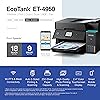
Epson EcoTank ET-4950 Wireless All-in-One Color Supertank Printer with up to 3 Years of Ink Refillable Tanks, Perfect for Home, 18 PPM, 2.4" Colorful Touchscreen, Auto Document Feeder - Black

  • Based on 23 reviews
Condition: New
Checking for the best price...
$422.00 Why this price?
Save $77.99 was $499.99

Buy Now, Pay Later


As low as / mo
  • – Up to 36-month term if approved
  • – No impact on credit to apply
  • – Instant approval decision
  • – Secure and straightforward checkout

Ready to go? Add this product to your cart and select a plan during checkout.

Payment plans are offered through our trusted finance partners Klarna, Affirm, Afterpay, Apple Pay, and PayTomorrow. No-credit-needed leasing options through Acima may also be available at checkout.

Learn more about financing & leasing here.

Free shipping on this product

This item is eligible for return within 30 days of receipt

To qualify for a full refund, items must be returned in their original, unused condition. If an item is returned in a used, damaged, or materially different state, you may be granted a partial refund.

To initiate a return, please visit our Returns Center.

View our full returns policy here.


Availability: 17 left in stock
Fulfilled by Betta tech

Arrives Mar 25 – Mar 27
Order within 1 hour and 28 minutes
Available payment plans shown during checkout

Protection Plan Protect Your Purchase
Checking for protection plans...

Features

  • SUPERIOR PRINT QUALITY - Achieve professional results with 4800 x 1200 maximum print resolution, ensuring crisp text and vibrant images for all your documents and photos.
  • SEAMLESS WIRELESS CONNECTIVITY - Effortlessly print from anywhere with Wi-Fi 5 (802.11ac) and Wi-Fi Direct, supporting various operating systems including Windows, Mac OS, and ChromeOS.
  • EFFICIENT SCAN & COPY FUNCTION - Utilize the 30-sheet auto document feeder for 1-sided to 2-sided scanning and rapid copying at 11.5 ISO cpm (black) and 5.7 ISO cpm (color).
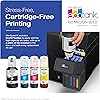
  • MAXIMIZED INK EFFICIENCY - Benefit from the EcoTank system with 4 individual ink bottles, yielding up to 8,500 black pages and 6,500 color pages, reducing replacement frequency.
  • HIGH-SPEED PERFORMANCE - Boost productivity with print speeds of 18 ISO ppm (black) and 9 ISO ppm (color), plus auto 2-sided printing at 7 ISO ppm (black) and 5 ISO ppm (color).

Description

Introducing the EcoTank ET-4950—The Ultimate Home Office Printer. Say goodbye to expensive cartridges with the Epson EcoTank ET-4950, the newest innovation from a recognized leader in photographic printing. Combining simplicity with a modern design, the ET-4950 features advanced technology that enhances both performance and print quality, making it an ideal choice for productive office printing—including content created by AI. Powered by PrecisionCore Heat-Free technology, the ET-4950 offers a duty cycle that’s twice as robust as its predecessor³. And unlike conventional thermal inkjet printers, its unique permanent printhead is engineered to last the life of the printer. Designed to be simple and error-free, refilling ink is a breeze with large ink tanks and uniquely keyed EcoFit bottles—no mess, no stress and no ink bottle mix-ups. And with enough ink in the box to last up to three years⁴, you'll enjoy affordable, worry-free color printing without the hassle of frequently replacing cartridges. Featuring Ethernet and Wi-Fi for seamless connectivity, along with the user-friendly Epson Smart Panel app⁵, you can easily print, scan, and more directly from your computer or wireless mobile device⁶. Choose Epson EcoTank, the World’s 1 Selling Supertank Printer². With more than 100 million units sold globally⁷ across seven generations of innovation, EcoTank consistently delivers affordable, photo-quality prints, making it a reliable choice for all your printing needs.

Brand: Epson


Connectivity Technology: Ethernet, USB, Wi-Fi


Printing Technology: Inkjet


Special Feature: Auto Document Feeder, Auto-Duplex, Network-Ready, Refillable Ink Tank


Color: Black


Model Name: EcoTank ET-4950 Black


Printer Output: Color


Maximum Print Speed (Color): 9 ppm


Max Printspeed Monochrome: 18 ppm


Item Weight: 16.1 Pounds


Product Dimensions: 13.7"D x 14.8"W x 9.4"H


Maximum Media Size: 8.5 x 14 inch


Power Consumption: 15 Watts


Included Components: EcoTank ET-4950 all-in-one, manual, power cord, 1 bottle of 502 Black (127 mL) and 1 bottle each of 502 Cyan, Magenta, Yellow (70 mL)


Print media: Paper (plain)


Scanner Type: Flatbed, Sheetfed


Max Input Sheet Capacity: 250


Max Copy Speed (Black & White): 18 ppm


Maximum Color Print Resolution: 4800 x 1200 Dots Per Inch


Sheet Size: 3.5" x 5", 4" x 6", 5" x 7", 8" x 10", 8.5" x 11", 8.5" x 14"


Maximum Black and White Print Resolution: 4800 dots_per_inch


Warranty Type: Limited


Color Depth: Input 48-bit color/Output 24-bit color


Dual-sided printing: Yes


EU Spare Part Availability Duration: 3 Years


Maximum copies per run: 99


Wattage: 15 watts


Max copy resolution color: 4800 x 1200 dpi


Max copy resolution black-white: 4800 x 1200 dpi


Duplex: Automatic


Hardware Interface: Ethernet, USB


Ink Color: black, cyan, magenta, yellow


Additional Printer functions: All In One


Compatible Cartridge: Epson 502 ink


Output sheet capacity: 250


Number of Trays: 1


Total Ethernet Ports: 1


Number of USB 2 Ports: 1


Total USB Ports: 1


Model Series: EcoTank


Specific Uses For Product: Home, Office, Document Printing, Photo Printing, Label Printing


UPC: 198390000899


Printer Ink Type: dye-based ink


Supported Media Sizes: 3 x 5 inches, 4 x 6 inches, 5 x 7 inches


Smart Home Compatibility: Smart Home Compatible


Item Weight: 16.1 pounds


Item model number: C11CL40201


Date First Available: July 7, 2025


Manufacturer: Epson


Frequently asked questions

If you place your order now, the estimated arrival date for this product is: Mar 25 – Mar 27

Yes, absolutely! You may return this product for a full refund within 30 days of receiving it.

To initiate a return, please visit our Returns Center.

View our full returns policy here.

  • Klarna Financing
  • Affirm Pay in 4
  • Affirm Financing
  • Afterpay Financing
  • PayTomorrow Financing
  • Financing through Apple Pay
Leasing options through Acima may also be available during checkout.

Learn more about financing & leasing here.

Top Amazon Reviews


  • BEST printer for home office.
I cannot imagine an easier set up/installation process for a printer! I used my iphone, downloaded the Epson app, selecting my 4950 device from the list, and was printing in less than 10 min. Make sure your phone bluetooth is on, & you’re wifi is turned on. For those who are tech challenged, they make a big deal out of your wireless passkey verbiage, which might lead you to think you need numbers off of your router… You’re simply entering your Wi-Fi password. I did also purchase a cable to link a computer to the printer, for scanning. I don’t use the fax feature, and did not purchase a cord for that. Double sided printing is faster than other personal printers, but still takes a minute.. The printing of pages single sided, is quite fast. And I am ecstatic about how far away I can be from my printer with my iPad/iPhone, and quickly print something wirelessly. I have printed out a lot of colored pages in the past month, and have barely made a dent in the ink. I feel that the menu is quite easy to navigate. Power has briefly gone out in my neighborhood a couple of times, and wifi stays linked, once the power is up & running. if it wasn’t connected, though, having the app will assist you in getting back online instantly. I would give this printer 10 stars if I could, I’m very satisfied, as I have dealt with a lot of personal printers that were duds, even though they had good ratings. My home office is very small and space is strictly limited. I have this sitting on an ottoman under my convertible desk. ... show more
Reviewed in the United States on February 12, 2026 by Heather M.A. Heather M.A.

  • Excellent Printer
Great reliable printer, includes faxing capability! Best price anywhere! Love my new EPSON ET 4950 printer. The liquid ink is incredibly simple to load also…I personally prefer the black model, hides the dust better…lol Fantastic setup and use online manual too. Should be the last printer I’ll ever use. ... show more
Reviewed in the United States on February 14, 2026 by daddio1965 daddio1965

  • Fits our printing needs
Given as a gift, they loved it. Set up was easy and ink seems like it will last for quite awhile. Replacement ink is also inexpensive compared to our other printer. Automatic 2 sided printing works well.
Reviewed in the United States on February 18, 2026 by Grandma to 4

  • Quality printer
I like it so far. The phone app setup option did not fully work for me. I had to finish setup from printer's display. Print quality seems good. Hopefully this style works better for us than the deskjet did. We don't use it all the time and the deskjet would just dry out the cartridges and not print certain colors. Time will tell on this new one. ... show more
Reviewed in the United States on January 13, 2026 by Shane

  • Great Printing Quality and Easy set-up!
I PERSONALLY purchased this printer ... it wasn't a gift or influencer item for a positive review! This is my honest personal opinion as of set-up on 11/4/2025! Bought this printer to replace an HP that we had, the second in fact, that had a problem with one of the print heads getting un-fixably gummed up! We needed the functionality of our old printer and this Epson has it! Print, Copy, Scan, & Fax!!! First, in case you are of the same old-school as I am ... you do NOT need a smart phone or need to download the app to set-up this printer! Nobody in my immediate family has a smart phone and we were okay setting this up!!! The printer came well packed in its box. Be diligent and carefully peel off all the blue tape. Follow the instructions and take your time! IF you choose to use your Wi-Fi to connect your printer make sure you know your network's name so you can choose it and your network password so you can enter it when asked. I did NOT connect to my PC via a USB cable so if that is the way you're going I can't comment on that. The printer does come with bottles of ink. I encountered ZERO mess, they can only fit one way and once they are filling the tank they auto stop when the tank is full ... do NOT squeeze or press the bottles one you hear them filling the tank. You should have a little ink left in the bottles but after the printer primes itself the rest can be put in to top it off again. After you run through all the printer set-up routines you will need to go to EPSON's site, register your printer and you can download an installer file that will install all the drivers and programs you will need to use and maintain your printer. Trust me ... it isn't as scary as it sounds ... I am a dinosaur and I was able to do this!!! Just give yourself a little Time & Grace!!! The printer is quiet and the color is spot on! As of right now I have no complaints with any of the features ... yes, I have used them all at this point! The speed varies, obviously depending on what you are printing. If you don't know that it will print a B&W text document faster than a photo ... I don't know what to tell ya! ;-) I hope that you try this printer and love it!!! Good Luck with your purchase! Be Safe & God Bless!!! ... show more
Reviewed in the United States on November 5, 2025 by Jersey Gal 56

  • Easy Set Up, Great Print Quality, Fast Printing, Fax, Scanner, & Copier
Absolutely love this printer! What an easy set up, great print quality from phone and computer. 10/10
Reviewed in the United States on February 17, 2026 by Crystal Pelling Crystal Pelling

  • Issues With Network Printing
Do not purchase this printer. The network printing features and software are inferior. I regularly update the drivers yet still cross my fingers that it will print with each document. Yes my internet service and WiFi are stable. Past printers I have owned never had these problems. Most of the time the printer must be reset and fiddled with to recognize something is trying to print. There is also has an annoying power light that blinks when not in use that cannot be disabled. Given the chance to go back I would choose a different brand. It’s too bad because I was excited about the savings related to the eco tank ink feature. ... show more
Reviewed in the United States on January 28, 2026 by Greg W

  • Easy to use
Replaced a 2015 era HP printer with this Epson. No more cartridges! Ink filling is not messy and super easy. Prints fine and scans fine. We do not use the fax (no land line anymore). Have it hooked up to our house wireless and the software compatibility with all of the devices in the house is far superior to our old HP. Easily prints from multiple desktop computers, iPhones, iPads and notebook computers in the house. One bit of weirdness is the preview scan is seriously crappy resolution. Rescan at the resolution you want and it's great. As a result, I do not use the preview feature in the scan function. ... show more
Reviewed in the United States on January 25, 2026 by Graham

Can't find a product?

Find it on Amazon first, then paste the link below.
Checking for best price...