Search  for anything...

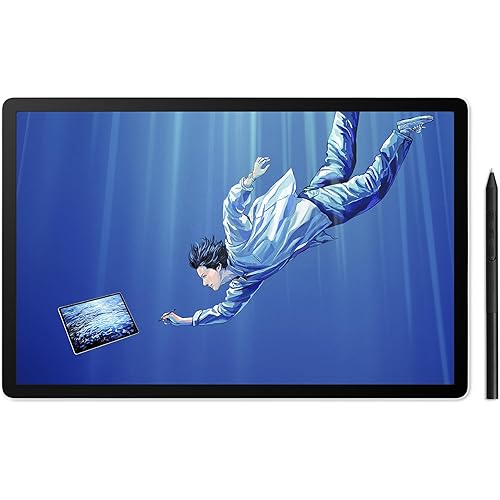
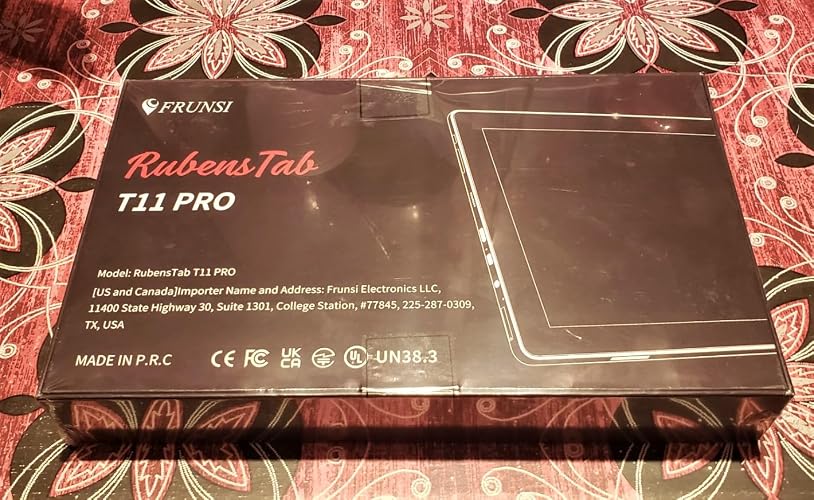
T11 Pro Standalone Drawing Tablet with 10.1in Display | 10.1 inch FHD Display,No Computer Needed,Pre-Installed Drawing Apps & Tutorials, for Beginners, Artists, Students

Based on 497 reviews
Condition: New
Checking for the best price...
$199.99
Holiday Deal · 44% off was $359.99

Buy Now, Pay Later


As low as $33.33 / mo
  • – 6-month term
  • – No impact on credit to apply
  • – Instant approval decision
  • – Secure and straightforward checkout

Ready to go? Add this product to your cart and select a plan during checkout.

Payment plans are offered through our trusted finance partners Klarna, Affirm, Afterpay, Zip, Apple Pay, and Google Pay. No-credit-needed leasing options through Acima may also be available at checkout.

Learn more about financing & leasing here.

Free shipping on this product
This item's return window has been extended for the holiday season: FREE refund/replacement until Jan 31, 2027

To qualify for a full refund, items must be returned in their original, unused condition. If an item is returned in a used, damaged, or materially different state, you may be granted a partial refund.

To initiate a return, please visit our Returns Center.

View our full returns policy here.


Availability: Only 3 left in stock, order soon!
Fulfilled by Amazon

Arrives Saturday, Nov 21
Order within 18 hours and 21 minutes

Available payment plans shown during checkout

Protect Your Purchase

Easy claims online, fast replacements, no fees

Checking for protection plans...

At a glance

Condition
New
Model
T11 PRO
Screen size
10 in
Weight
1 kg
Color
Black
Pressure Sensitivity
1024 levels
Operating System
Android 12
Warranty
1 year
Works with
Portable Monitor

Features 5

  • SKETCH. NOTE. CREATE. A standalone drawing tablet with a pen and pre-installed drawing app ready from the first touch. Sketch pictures or take notes instantly. A portable graphics display that removes every barrier between you and your ideas.
  • A DISPLAY WORTH SEEING. 19201200 FHD IPS. 16:9 aspect ratio. Expansive space for your vision. 64GB stores your entire creative library. A 5800mAh battery keeps you working for over five hours on a single charge.
  • DRAW ANYWHERE. CREATE EVERYWHERE. Completely self-sufficient. No computer required. Android 12. Quad-core MTK processor. 4GB RAM. 64GB storage. Limitless creation at any place, any time.
  • YOUR APPS. YOUR WAY. Works beautifully with SketchBook, ArtFlow, ibis Paint X, and every drawing app you love. Download. Create. Repeat.

Description

Standalone Drawing Tablet,Android 12 GPS Build-in Drawing-Tablet with Screen No Computer Needed 4GB/64GB Graphics Tablet, Drawing Display with USB-C for Artist,Designer This is standalone drawing tablet no need to connect to pc. Thanks. It depend on your artwork software,but this standalone drawing tablet no need to connect to pc for drawing. Yes you can downloaded another drawing app to the tablet. What art applications are compatible with this device? Standalone drawing tablet perform well with SketchBook,Flipaclip, ArtFlow,Clip Studio,ibis Paint X and other drawing APPs you can download from Google play store Does this tablet already have pre-built apps for drawing? Sketchbook and flipaclip comes pre-installed and other drawing software can be downloaded from the Play Store. The password stopped working after only using this a few times. Help? Please come to website service leave message in Amazon buyer center to us. We will help you out the issue. Which pens are compatible with this tablet? And how to get replacement pens? Only original pen,Please come to our website to leave message,we will try best to help you. I understand no computer is needed,but can i connect if i wanted to? This is drawing tablet no computer needed.And do not need to download any driver, open can be used

Specs 22

Brand Frunsi
Connectivity Technology USB, Wi-Fi
Pressure Sensitivity 1024 levels
Operating System Android 12
Special Feature FHD Display, Standalone Operation, Stylus Pen
Model Name RubensTab
Built-In Media Digital Pen
Target Audience Artist, Designer, Student, Teacher, Toddler

Frequently asked questions

If you place your order now, the estimated arrival date for this product is: Saturday, Nov 21

Yes, absolutely! This item's return window has been extended for the holiday season: FREE refund/replacement until Jan 31, 2027.

To initiate a return, please visit our Returns Center.

View our full returns policy here.

  • Klarna Financing
  • Affirm Pay in 4
  • Affirm Financing
  • Afterpay Financing
  • Zip Pay in 4
  • Financing through Apple Pay
  • Financing through Google Pay
Leasing options through Acima may also be available during checkout.

Learn more about financing & leasing here.

Top Amazon Reviews


Frunsi Rubens Tab T11pro: A Beginner's Artistic Companion
As a burgeoning graphic artist, finding the right tools to bring your creative visions to life is crucial. The Frunsi Rubens Tab T11pro presents itself as a promising candidate in the realm of graphic tablets. Here's a review tailored specifically for beginners in the field: Pros: Affordability: For beginners on a budget, the Frunsi Rubens Tab T11pro offers a compelling value proposition. It provides essential features at a fraction of the cost compared to some high-end competitors. This accessibility allows aspiring artists to delve into digital art without breaking the bank. Responsive Pen and Pressure Sensitivity: The tablet's pen boasts commendable responsiveness, mimicking traditional drawing tools with precision. With a respectable pressure sensitivity range, users can effortlessly vary line thickness and opacity, facilitating nuanced and expressive artwork. This responsiveness is essential for beginners honing their digital art skills. Compact and Portable Design: The Frunsi Rubens Tab T11pro's compact form factor makes it ideal for on-the-go creativity. Its lightweight construction coupled with a slim profile ensures easy transportability, enabling artists to sketch, draw, or paint wherever inspiration strikes. This mobility fosters a conducive environment for continuous artistic exploration and growth. Cons: Limited Software Compatibility: While the Frunsi Rubens Tab T11pro performs admirably as a drawing tablet, its compatibility with professional-grade graphic design software may be lacking. Beginners aspiring to transition into more advanced tools like Adobe Photoshop or Illustrator may encounter limitations with this tablet. However, it remains suitable for entry-level software and applications. Moderate Screen Resolution: The tablet's display resolution, while serviceable, may not meet the standards expected by some graphic artists. The visuals, though clear and vibrant, may lack the crispness and detail found in higher-resolution displays. While this might not be a deal-breaker for beginners, it's worth considering for those with discerning visual preferences. In conclusion, the Frunsi Rubens Tab T11pro offers an enticing proposition for beginning graphic artists seeking an affordable and capable drawing tablet. Its responsive pen, compact design, and affordability make it a commendable choice for entry-level creatives. However, its limitations in software compatibility and screen resolution warrant consideration, especially for those with aspirations for more advanced digital artistry. ... show more
Reviewed in the United States on April 15, 2024 by Susan

Nice tablet (update)
Tablet came quickly and had more accessories than it said in the description (unless I looked over it lol). It comes with the tablet, a pair of white gloves, a black partial glove (idk what it's actually called), the charger, the stylus with battery, an extra battery, a cloth to clean the screen, a brush to wipe away dust, a pre-installed screen protector, a card with the customer service email, and a manual. The tablet comes with a drawing app already, but I decided to install IbispaintX and Krita instead. The tablet was fine on both. A little laggy depending on the number of layers and the image quality, but significantly better than using my phone. It's comfortable to use, the gloves work great, and I'm really liking the stylus. I think this is great for people, like me, who want to get into digital art without spending $500+ Can't speak on durability yet since this is literally brand new, but as far as being easy to use and value for money, I give this 5 stars. Edit: I've now had the tablet for a few weeks. It works great, and the battery the pen came with is STILL going. Why am I changing my review to 4 stars? The adapter died within 24 hours. I have one of my own that works, so I can still charge my tablet just fine, but this is something that shouldn't have happened in the first place. I reached out to the customer service email provided with the tablet immediately, and they never responded. So, great tablet, but awful customer service if something goes wrong. Edit 2: The story continues. Customer service reached out to me out of the blue. Apparently my email ended up in spam. They sent me a new adapter, and it works! Will be changing my rating back to 5 stars. P.S. The stylus is STILL on its first battery, and it's been months. ... show more
Reviewed in the United States on January 15, 2023 by Linda

Excellent drawing tablet for art, note taking, and anything else.
Overall, this tablet is everything that it is advertised to be. It's essentially a fully functional Android tablet with a pen, drawing accessories and drawing software installed on it. - The tablet itself can do anything that a regular Android tablet can do, so you can install any drawing apps you want on it. It does have one preinstalled: Autodesk Sketchbook. This software is quite nice, as it has layer functionality, lots of nice brushes, and even a Copic marker color picker. The app has all the features you would expect from a drawing application, and does a fantastic job. - The pen is quite nice. It looks nice, feels nice, and is easy to use. There are no shortcut buttons, but it does come with an extra battery. There is pressure sensitivity, which is good. - The tablet comes with lots of drawing and convenience accessories. The screen protector is pre-installed, and the tablet comes with a nice case that fits it perfectly and has a built-in adjustable stand. It also comes with two white, non-slip drawing gloves as well as one black glove that covers only the part of your hand that touches the tablet so that there are no accidental touches. The glove also feels really nice on your skin. There is also a brush included, most likely to clean dust off the surface of the tablet, in addition to a cleaning cloth. Of course, the charging cable and adapter are also included. - I have not experienced any difficulties with the tablet, and it runs well. It's a perfectly good tablet at a good price, great for anyone that wants to draw or even take notes on a virtual whiteboard. ... show more
Reviewed in the United States on June 6, 2023 by 24/7ELECTRONICS

Budget Standalone Drawing Tablet
I treat visual art creation as a pastime. With my current life full of responsibilities, it's very difficult to sit down with my various pens, pastels, and pencil to produce anything. I was new to digital art, and this tablet made it easy to try. It's not expensive and is truly portable. When you look around, there are very few standalone drawing tablets. The ones that exist are very expensive and essentially for professionals. Then, there are drawing "monitors" that require a computer. These can be affordable, but if you're on the go they're no help. What's so special about this is they took a good (not great) android tablet and integrated a pen to allow for the detail you'd get from the more expensive models. It's not a fast tablet and it doesn't handle anything too heavy like video games or very detailed drawings... Well yeah, it's a budget tablet. Still, it's able to produce complex drawing through various apps and can do all the other things a tablet can do. You can create art with it that would require many hundreds of dollars to produce. It comes with some sweet gear. The case is a little too snug but fits it well enough. The case also has a stand built in. A drawing glove-thing is included that lets you rest your hand on the tablet while drawing (handedness doesn't matter). It also comes with a brush and microfiber cloth to clean the surface. TLDR: A PRO for one person could be a CON for another with this tablet. Are you looking into digital art for the first time or are not a professional? Do you not have a powerful computer to use as a power source for drawing monitors or are always on the run? If yes, this would be a good pick. ... show more
Reviewed in the United States on November 3, 2023 by Meghan Drummond

Updated: old review on top
Tablet worked fine enough. I was able to download my program for doodling and while the tablet is a bit slow, it was at least functional for my needs. (Mostly gaming and doodling when I am not at home.) It was easy to set up, charged pretty quickly and did what I wanted. However, it isn't the most durable device. The case and screen protector did not prevent it from breaking while it was in my purse for a few hours. For clarity, the hardest thing in my purse aside from the tablet is my wallet, so it really shouldn't have caused an issue, especially with a case on. Screen is now spiderwebbed with cracks and the touch function is broken and doesn't let me put my passcode in. So I literally can't use the device now. Tried to contact seller but they were offline so I suppose now I just wait with my paperweight and hope the screen can be fixed. I wouldn't pick this if you don't intend to replace the case or for a kid. (Or are clumsy) Otherwise, it works. Update: After contacting the company, I was sent a replacement which has been working beautifully. My compliments above still stand, it is a good little tablet. I do not know if I got a one off problem with my original one or what but I am happy with my purchase. ... show more
Reviewed in the United States on July 14, 2022 by Martha-Rita Morris

it works well with some annoying problems
I really like it so I won't rate it a zero but I will have to upgrade it at some point. It's good for the price but I had the screen randomly crack in the center of the screen. It's tiny but still not sure how that happened. I am very careful with it. Also don't get me started on the pen, it's so frustrating having a battery operated pen with NO OTHER OPTIONS. and sometimes it just chooses not to work. ALSO I can't find pen nip replacements so if it runs out I'm kinda screwed over. Besides that the pen is perfect and has been my favorite digital art experience so far. It was a nice test to see if I liked drawing on a tablet like this and the battery life is pretty good. ... show more
Reviewed in the United States on June 2, 2026 by Adryan Bartlett

Great drawing tablet
Arrived quickly, out of the box very easy to set up , was a gift for my 5 year old who was able to navigate and draw with very little guidance. Would recommend to anyone looking for a good beginner drawing tablet !
Reviewed in the United States on June 29, 2026 by Tyler

Awesome Drawing Tablet for Kids and Adult Beginners
I bought this last year for my 9-year-old daughter, who is an exceptional artist at her age. When the unit suddenly failed to start, I reached out to Sally, who worked with me at my pace. In the end, Sally arranged the replacement, which we received just days after confirming they got the returned unit. She is awesome. I used Google Family Link to manage the unit and access permissions for my daughter. Any website she wants to access and the app she wants to install needs my permission first. I recommend to Frunsi T11 Pro. ... show more
Reviewed in the United States on November 8, 2024 by Mr. C
Checking for best price...