




Buy Now, Pay Later
- – 6-month term
- – No impact on credit to apply
- – Instant approval decision
- – Secure and straightforward checkout
Ready to go? Add this product to your cart and select a plan during checkout.
Payment plans are offered through our trusted finance partners Klarna, Affirm, Afterpay, Zip, Apple Pay, and Google Pay. No-credit-needed leasing options through Acima may also be available at checkout.
Learn more about financing & leasing here.
Selected Option
FREE 30-day refund/replacement
To qualify for a full refund, items must be returned in their original, unused condition. If an item is returned in a used, damaged, or materially different state, you may be granted a partial refund.
To initiate a return, please visit our Returns Center.
View our full returns policy here.
Recently Viewed


At a glance
- Condition
- New
- Size
- 10x6.25inch
- Style
- 8 Shortcut keys
- Model
- H610X
- Weight
- 1.1 lb
- Color
- Black
- Pressure Sensitivity
- 8192 levels
- Warranty
- Every Huion product comes with a one-year warranty
- Works with
- Desktop, Laptop, Smartphone, Tablet
Features 8
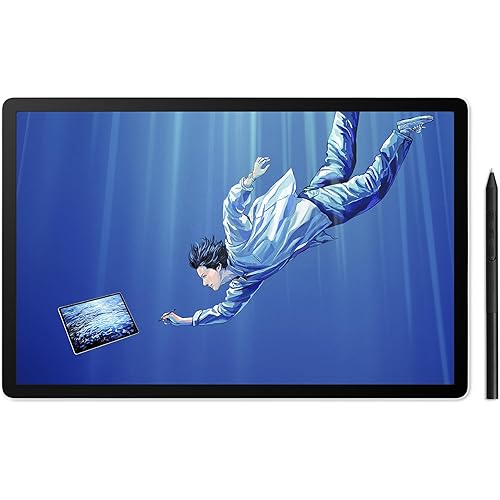
- Large Work Area - HUION Inspiroy H610X drawing tablet comes with 10x6.25 inches work area for drawing, sketching and modeling, which can match the screen of most laptops to assist you in better creation
- Matte Surface - The newly upgraded matte surface and fully covered panel bring you a natural pen-on-paper drawing experience and a tidy desk
- Online Teaching and Learning - With the PW100 battery-free stylus teachers and students can write, calculate, annotate or teach like in the classroom. Inspiroy H610X is ideal for science subjects like biology or physiology, as teachers can write formulas and equations or annotate abstract shapes, and students can take notes, share work and solve problems through video apps. Its compatible with Word, PDF, OneNote, Zoom and so on
- 60 Tilt Function - H610X is equipped with 60 tilt function to provide smoother and more natural lines when you choose different brushes, making your creation more realistic
- 8192 Pen Pressure - The standard 8192 pressure sensitivity and 5080LPI pen resolution feature accurate, stable, and smooth drawing experience, offering you a professional and reliable device
- 8 Customized Press Keys - With the 8 programmable press keys you can access your most frequently used functions via a single press to work with higher efficiency
- The Ergonomic Design - narrow frame palm area and rounded corners can reduce the fatigue of hand after long hours of work. You can also rotate the pen tablet to 90, 180 or 270 to suit your habits in the driver
- Compatibility - H610X is compatible with not only Windows 7 and above, macOS 10.12 and above, Linux(Ubuntu), but also Android devices (OS 6.0 and above). It also supports online class and digital painting in most programs including Adobe Photoshop, SAI, illustrator, corel draw, corel painter, sketchbook and more
Description
Founded in 2011, Huion has always been dedicated to providing high-quality pen tablets, pen displays, and pen computers to creative users. And our products not only help artists, designers, and animators to create fantastic digital masterpieces, but also bring digital ink solutions to many people around the world, changing the way they create, learn and work. We believe the world is in your hands. H610X is an ideal partner for teachers and students to overcome the new challenges of remote learning and recreate the classroom experience. After a simple plug-and-play setup, you can share ideas, communicate, and work together with others like before. It allows teachers to connect with their students and not change the way they teach. With the battery-free digital pen, teachers can explain complex processes and ideas, correct students’ online homework, and add handwritten notes on PDF, Word, and PowerPoint documents. Especially for scientific subjects, graphs drawings, calculations, and diagrams to explain concepts are essential. For the students, no matter where you are, you can check the whiteboard through video apps. You can take notes conveniently while the teacher is talking about the key points. It also helps you to write formulas, calculate, and interact with teachers and other students in the classroom. The 8 shortcut keys can be customized as common functions like brush switching, canvas zooming, and undo so that you can press a button to access your most frequently-used functions. You can set H610X to 4 different rotation angles in the driver according to your needs. You can rotate it to 180°if you are left-handed, or rotate it to 90°/270°to let the working fit for your portrait monitor. Plug the USB cable into your H610X drawing tablet and computer. Download and install the Huion driver on your computer. * For Mac: installing the driver, requires Security 8 Privacy settings. Restart your computer and follow the user manual to set up the shortcut keys, and pen buttons. Start your work/creation/study!
Specs 24
| Brand | HUION |
|---|---|
| Connectivity Technology | USB |
| Pressure Sensitivity | 8192 levels |
| Operating System | Android 6.0 and above, Mac OS 10.12 and above, Windows 7 and above, linux(Ubuntu) |
| Special Feature | 60° Tilt Support, Large Drawing Area, Programmable Press Key, Stylus Dock, Support Android Device |
| Model Name | H610X |
| Built-In Media | Digital Pen, Pen Holder, Pen Nib Clip, Replacement Nib, USB Cable |
| Target Audience | Art Student, Artist, Designer, Teacher |
| Model Number | H610X |
| Number of Items | 1 |
| Manufacturer | ShenZhen Huion Animation Technology Co., LTD |
| Item Highlight | Battery-Free Stylus, Tilt, 8 Hot Keys, Work with Windows/Mac/Android/Linux, for Professional Drawing, Design, Art, Teaching |
| Item Type Name | Computer Graphics Tablets |
| Mfr Part Number | HUION-H610X |
| Additional Features | 60° Tilt Support, Large Drawing Area, Programmable Press Key, Stylus Dock, Support Android Device |
| Specific Uses For Product | Designing & Animation, Digitial Writing & Online Teaching, Drawing & Painting |
| Display Type | No Screen |
| Native Resolution | 1920x1080 |
| Screen Size | 10 |
| Item Weight | 1.1 pounds |
| Item Dimensions L x W | 10"L x 6.25"W |
| Active Surface Area | 10 x 6.25 inch |
| Color | Black |
| Software Update Supported to Date | unknown |
No specs match.
Frequently asked questions
To initiate a return, please visit our Returns Center.
View our full returns policy here.
- Klarna Financing
- Affirm Pay in 4
- Affirm Financing
- Afterpay Financing
- Zip Pay in 4
- Financing through Apple Pay
- Financing through Google Pay
Learn more about financing & leasing here.
Similar Products




Top Amazon Reviews

