Search  for anything...

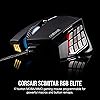
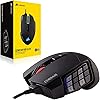
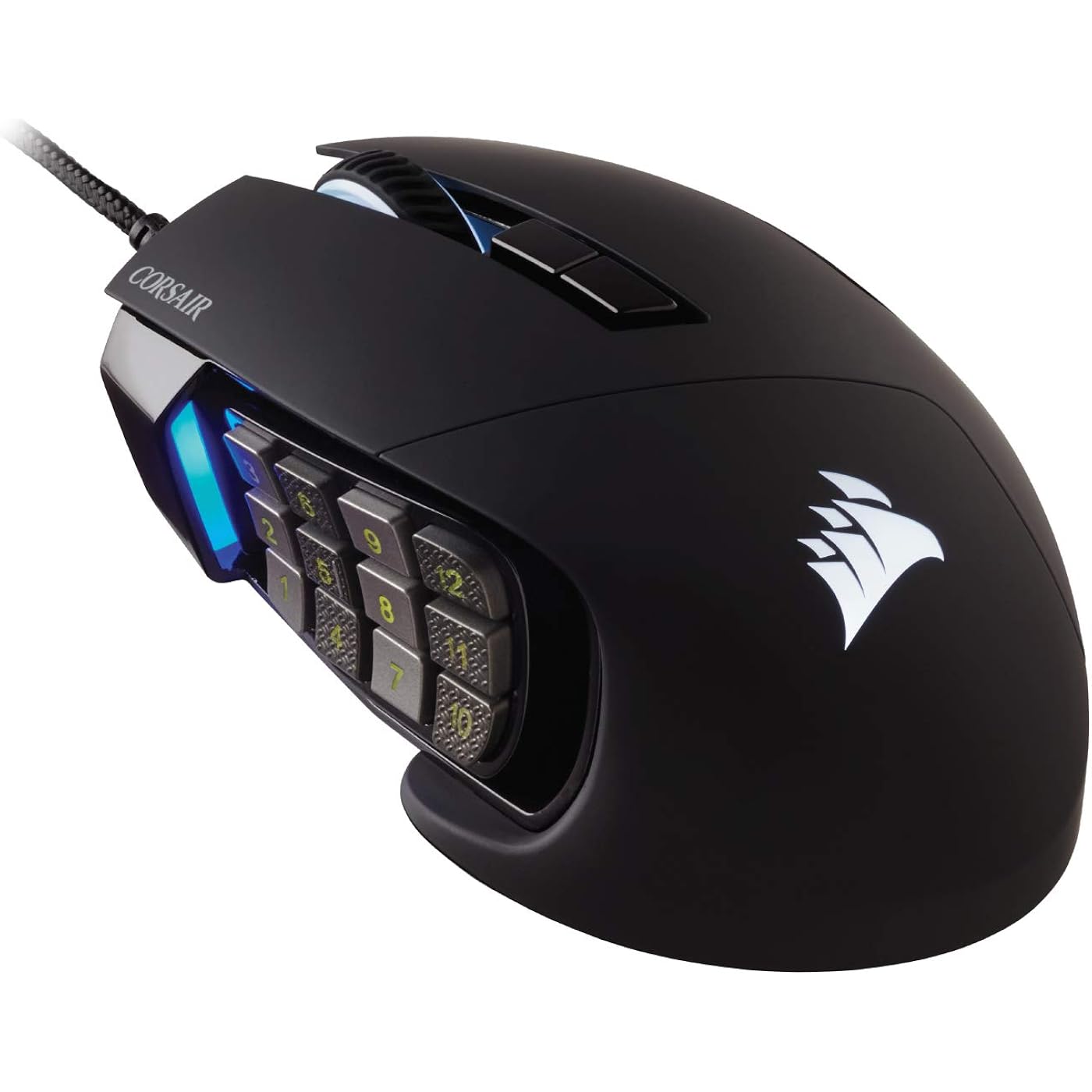
Corsair Scimitar RGB Elite Wired MOBA/MMO Gaming Mouse – 18,000 DPI – 17 Programmable Buttons – iCUE Compatible – PC, Mac, PS5, PS4, Xbox – Black
  • Based on 4,017 reviews
Condition: New
Checking for the best price...
$109.99 Why this price?

Buy Now, Pay Later


As low as $18.33 / mo
  • – 6-month term
  • – No impact on credit to apply
  • – Instant approval decision
  • – Secure and straightforward checkout

Ready to go? Add this product to your cart and select a plan during checkout.

Payment plans are offered through our trusted finance partners Klarna, Affirm, Afterpay, Apple Pay, and PayTomorrow. No-credit-needed leasing options through Acima may also be available at checkout.

Learn more about financing & leasing here.

Selected Option

Free shipping on this product

This item is eligible for return within 30 days of receipt

To qualify for a full refund, items must be returned in their original, unused condition. If an item is returned in a used, damaged, or materially different state, you may be granted a partial refund.

To initiate a return, please visit our Returns Center.

View our full returns policy here.


Availability: 11 left in stock
Fulfilled by SpaceBound

Arrives Sunday, Jul 12
Order within 20 hours and 54 minutes
Available payment plans shown during checkout

Protection Plan Protect Your Purchase
Checking for protection plans...

Style: Wired


Color: Black


Features

  • 17 Fully Programmable Buttons: Built with Ideal for performing frequent actions and executing complex macros in MMOs and MOBAs.
  • Patented Key Slider Control System: Reposition the 12 side buttons to comfortably fit your grip.
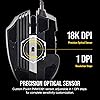
  • Native 18,000 DPI Optical Sensor: Equipped with a custom PixArt PMW3391 sensor, adjustable in 1 DPI resolution steps, for highly accurate and customizable tracking.
  • Ultra-Durable Construction: The SCIMITAR RGB ELITEs 50 million click-rated Omron switches, sturdy scroll wheel, and braided cable ensure that it stands up to the wear-and-tear of extended gaming.
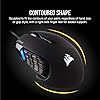
  • Comfortable Contoured Shape: Sculpted to fit the contours of your palm, regardless of hand size or grip style, with a right-side finger rest for added support.

Description

The SCIMITAR RGB ELITE levels up your gameplay with 17 fully programmable buttons for advanced macros or remaps. A patented Key Slider control system lets you reposition the 12 mechanical side buttons for optimal comfort whatever your grip, and a native 18, 000 DPI optical sensor adjustable in 1 DPI resolution steps enables highly accurate and customizable tracking. Powerful CORSAIR iCUE software enables macro programming, dynamic four-zone RGB backlighting synchronized with your system, surface calibration, and much more. Durable construction, including 50 million click-rated Omron switches, helps it stand up to the wear-and-tear of daily gaming, and onboard profile storage lets you take the SCIMITAR RGB ELITE’s customized gaming with you anywhere.

Brand: Corsair


Color: Black


Connectivity Technology: Bluetooth, Wired


Special Feature: Key Slider Side Panel


Movement Detection Technology: Optical


Connectivity Technology: Bluetooth, Wired


Additional Features: Key Slider Side Panel


Movement Detection: Optical


Button Quantity: 17


Hand Orientation: Right


Compatible Devices: Personal Computer


Operating System: Windows


Number of Batteries: 1 AA batteries required.


Hardware Platform: PC


Power Source: Corded Electric


Mouse Maximum Sensitivity: 18000 Dots per Inch


Minimum Required Operating System Version: Windows 10


Range: 1.0 meters


Embellishment Feature: LED


Color: Black


Style Name: Wired


Pattern: Gaming Mouse


Theme: Car


Enclosure Material: Plastic


Brand: Corsair


Model Name: SCIMITAR RGB ELITE


Antenna Location: Gaming, Office


Model Number: CH-9304211-NA


Are Batteries Included: No


Are Batteries Required: No


Manufacturer: Corsair


UPC: 840006616221


Mfr Part Number: CH-9304211-NA


Warranty Description: 2 Years


Item Type Name: CORSAIR SCIMITAR RGB ELITE, MOBA/MMO Gaming Mouse, Black, Backlit RGB LED, 18000 DPI, Optical


Item Weight: 122 Grams


Item Dimensions L x W: 6.89"L x 4.49"W


Unit Count: 1.0 Count


Frequently asked questions

If you place your order now, the estimated arrival date for this product is: Sunday, Jul 12

Yes, absolutely! You may return this product for a full refund within 30 days of receiving it.

To initiate a return, please visit our Returns Center.

View our full returns policy here.

  • Klarna Financing
  • Affirm Pay in 4
  • Affirm Financing
  • Afterpay Financing
  • PayTomorrow Financing
  • Financing through Apple Pay
Leasing options through Acima may also be available during checkout.

Learn more about financing & leasing here.

Top Amazon Reviews


  • Love this mouse.
Style: Wired Color: Black
So, I've owned 3 of these over the last 7 years. My first purchase of it was at another retailer in 2017 (when I first got into Final Fantasy XIV and wanted an MMO-style mouse) and my second was also from another retailer in 2020. I use one on my desktop and one for my laptop. My desktop one croaked after 8 years of service, and so I bought another one, from Amazon this time (Prime Day Deals, thank goodness). Pros 1. Good weight. Not too heavy, not too light (for me at least). 2. Lighting is nice without being overbearing. 3. Works with iCue without any issues. 4. I use mine for productivity and work, so I actually do use the profiles on iCue, and being able to swap from gaming to productivity with a button press (with different lights to tell me what profile I'm using) is supremely useful. 5. Scroll wheel feels good. Nice weight, dampened clicks. Feels premium (I've opened it up, it's not, but it feels good). 6. Good clicks and the side buttons are easy for my thumb to reach and hit. 7. The side number pad was very good for intermediate-level MMO play. I ended up doing a funky hotkey setup for endgame that used mostly my keyboard, but the mouse did good for the original purposes I bought it for. Cons 1. It's not easy to clean. The rubber parts get grimy with human hand oils n such, and rubber is just rough to clean anyway, especially with the triangle texture. In any case, for my level of gaming and productivity, these are virtually perfect. When my 8-year old one bit the dust, I immediately bought another and set it up the same way as the one that croaked, and I'll probably keep buying them until Corsair stops making them. There are better mice for specific applications, but this one fits me and what I do no problem. ... show more
Reviewed in the United States on November 19, 2025 by J. F. Hindy

  • Feels and plays great! Love the buttery yet snappy clicks.
Style: Wired Color: Black
I loved my Logitech MMO mouse deeply. I've burned through two of them through the past 18 years playing World of Warcraft and everyday computing. However, Logitech discontinued manufacturing the mouse a while ago, and finding one that isn't used is very hard to find. I finally had to look for something comparable from another manufacturer. There are very few manufacturers that make a side-button MMO mouse nowadays. The first one I tried was from Red Dragon. While good, it gave me hand fatigue. I still have it, it's a good mouse, but I decided to keep looking. I picked up the Corsair's Scimitar because of the good reviews it had received here on Amazon. I can honestly say that reviews are accurate, the good and the meh. Mostly, this is an excellent mouse and I highly recommend it. It fits my hand better and the clicks feel so good. The software looks sharp, but it's dorky to use. I am not a fan. Yet, I managed to stumble through and make it work. If there's a roadblock to successfully using the Scimitar mouse, it's the software. I don't like it. It's not intuitive. The mouse itself is excellent. The adjustable sliding side buttons help to find the sweet spot for my thumb to be happy clicking away without fatigue. The click feels GREAT. I honestly fell in love when I made my first clicks. I can't explain it but it feels great! Buttery yet snappy is the best way I can describe it. After several weeks of raiding with the Scimitar, I can honestly say I love this mouse. No regrets. I'm thrilled to have found a great replacement for my old Logitech MMO mouse. The Scimitar by Corsair is fantastic to play with. It's snappy and responsive. I have no problems to report other than the cool-looking but non-intuitive software needed to re-program the buttons. ... show more
Reviewed in the United States on June 9, 2024 by Ms. Rocki

  • Purchased in June 2022, January 2025 now and it's still going strong.
Style: Wired Color: Black
Purchased in June 2022, January 2025 now and it's still going strong. Compared to my wife's mouse whose "G6" broke off of her Logitech G604 after only a week of light use, I'd say that's a pretty good deal. I play WoW and use the mouse buttons for my rotation. What does that mean for non-WoW players? It means I smash these buttons thousands of times per gaming session, and I game every day. It's a great mouse and in hindsight I never expected it to last so long with how I use it. I'm actually only here because my wife now wants one too, so I figured I'd spread the good word. So yeah, excellent build quality, very tough, and if I had to criticize one thing it would just be the iCue software. Sometimes it just deletes itself randomly and that's kinda annoying, but I just keep the installation exe in my download folder and use that to fix it, so it's a quick and easy thing to rectify. I honestly can't recommend any other mouse so if you're here and reading this, Corsair SCIMITAR is the way to go. And no, I'm not being paid for this review but hey, if you're reading this too Corsair, hmu, I wouldn't mind having a backup mouse just in case lol ... show more
Reviewed in the United States on January 21, 2025 by bsfbsdfb

  • Downgrade from the discontinued Logitech G600 but gets the job done
Style: Wired Color: Black
Pros: Has 12 side buttons like the G600. It's comfortable and you're able to move the side buttons. Cons: No left or right click for middle mouse button. Software is slightly worse than Logitech's; You have to manually add game profiles. Logitech lets you scan your PC and adds them automatically. Remapping side buttons isn't as intuitive as Logitech - it doesn't show your remaps overlayed on each button like Logitech does. Side buttons 1-6 and 7-12 aren't shaped in a way that lets you easily "feel" them like the G600; the buttons are relatively flat whereas Logitech's 1-6 and 7-12 buttons had a concave shape and also had a line on 5 and 8 so you knew where your fingers were ( same as the line on the F and J of your keyboard ) This is why the Logitech G600 was the best MMO mouse but was sadly discontinued. You can still buy it on Ebay from Japan but for close to $100 which is more than I'm willing to pay for a mouse. The Scimitar is fine and gets the job done but is a downgrade if you're coming from the G600. ... show more
Reviewed in the United States on December 8, 2025 by Dan

  • Love the mouse. Better than the Razer Naga. iCUE software is better than ghub and razer synapse. Love the mouse. Better than the Razer Naga. iCUE software is better than ghub and razer synapse.
Style: Wired Color: Black
I switched from a g502 Logitech. The g502 mouse was amazing but I seriously disliked ghub software. It would not switch between profiles and dpi would be insane, It was also hard to search through games in the list if you had many installed. I stopped using my Naga years ago because it would double click as did my Razer DeathAdder. Only downside which is inevitable is it is a bulky mouse i'm assuming to accommodate the buttons and harder to lift when swiping. If you have owned a Naga it feels about the same ergonomically. Creating macros and customizing lighting was very easy as well as adding a program to switch profiles. [Tip: to link a profile to the mouse when the program is running. Press (ctrl+shift+esc) to open task manager directly. Then right click the application and go to (open file location) select the path by clicking the path up top right below (file, home, share ,view) something like (This PC > Local Disk (C:) copy that path by clicking to somewhere after the locations text and paste it in iCUE to link location.] Overall a great mouse so far. ... show more
Reviewed in the United States on April 24, 2022 Reviewed in the United States on April 24, 2022 by Chris

  • Great mouse, horrible software
Style: Wired Color: Black
Update: I am lowering my initial score lower due to the middle mouse wheel starting to fail. The mouse wheel will slip and either not register the movement, or slip backwards in the opposite direction. It should go without saying, that for gaming this is completely unacceptable. Looking at reviews and comments this appears to be so consistent it should be considered a feature of the mouse. You can temporarily "fix" this by disassembling the mouse and greasing the mouse wheel, but it seems that people end up having to do this every few months once it starts, honestly it is not worth my time to do that. Strangely, the software has gotten slightly better, at least up until the most recent update, where it started to fail again. It has been more reliable most of the time, but I doubt the initial setup has gotten any better. As things stand right now, within about a year you will have to buy a new mouse or start doing frequent maintenance where you have to disassemble the mouse. Between the short life of the middle mouse wheel, and the software still not being that great, I would strongly recommend against this mouse. Mouse: 1/10 iCue: 3/10 Original Review: The mouse itself is great. It feels good in the hand and the adjustable keypad is very convenient. The only issue that I have with the mouse itself is that the scroll wheel does not operate like a back and forward button (no left / right movement). But that is a minor gripe when coming from the logitech G600. I do like that you can see the DPI via the color of the LED at the thumb, that is a nice feature. The single biggest failure of the mouse is the iCUE software. Now to start off I have used iCUE for awhile now, I have a corsair keyboard and LED fans, so I do use the software quite a bit. But for whatever reason they made the mouse interactions extremely dumb. Everything from needing to manually program every button in the default profile (because why would you want to use the number keys?) to the hardware profiles not really saving (if they save they are corrupt and get reset when you start iCUE again). Every time that my screen locks, I lose access to the number keys. This would be helpful for signing into my desktop, but not the end of the world. The real annoying part is when you do login the profile that should be loaded on to the mouse gets loaded, due to the way the communication protocol works for USB devices the mouse itself goes unresponsive for a few seconds. All that being said, I think my biggest problem with the iCUE software is that profiles are completely isolated and do not have any sort of stacking. Not really a big issue if you are only using a mouse or keyboard. Kinda a big issue when you have multiple devices and LEDs being controlled by the software. Ultimately if you hit the change profile button on the mouse (and you will, a lot), you go to a blank profile that basically turns everything off. Overall the software is not well thought out and not user friendly. Mouse: 4/10 iCUE Software: 0/10 ... show more
Reviewed in the United States on May 30, 2022 by James M Dooley

  • Excellent, Affordable, Mouse for MMOs Excellent, Affordable, Mouse for MMOs
Style: Wired Color: Black
I play WoW, like most folks looking at this mouse, and wanted to not be handicapped all the time by hitting the number keys on my keyboard. This mouse is THE SOLUTION. It works great, looks good, and the software is intuitive and simple. I had it all up and running in under 15 mins, and I'm 100% not a computer-savvy person at all. I love that it's wired so I don't have to worry about charging. The programmable lights are great and now the red LED glow matches my tower, very cool. The movable 12-key pad is convenient, but for bigger hands (L or XL men's size) you'll be maxing it out and probably could use another 1/2 inch forward, but it's totally serviceable. Glides smooth over my regular trackpad, and the weight and grip seems standard for gaming mouses. No complaints. Admittedly, I bought this and thought I would becoming a PvP arena god overnight... It takes some getting used to. Like playing an instrument, knowing intuitively which key is #7 compared to #3 or #12 takes some practice. But I've been using it 2-3 hours a day over the last week and already I'm 2x as fast and more accurate than when I started. In a month of regular use, anybody could master it. Looking forward to being that arena god one day ;) Lastly! I love that this mouse is designed in Milpitas, California and has software from a reputable company not looking to steal your information. Not pointing any fingers at anyone, but there are some cheaper MMO-mouses on the market that I wouldn't want to install that software on my computer or touch it with a ten-foot-pole... Be MINDFUL of where your products and software are coming from, especially when the difference is just 20 bucks. Just a heads up. Stay safe out there, and see you in Azeroth. ... show more
Reviewed in the United States on October 31, 2025 Reviewed in the United States on October 31, 2025 by Talia

  • surprisingly compact. claw grip OK. great mouse surprisingly compact. claw grip OK. great mouse
Style: Wired Color: Black
PROS: ergonomic: I can claw grip it! mouse is not too long, not too tall, not too wide lighting: it has 5 zones that you can configure individually software is great: used to be horrible, they improved it a lot since launch. onboard memory: you can configure your lighting, keybinds, etc. once and never open the software again. up to 3 onboard profiles, very nice! scroll is comfortable, not too stiff and surface doesn't hurt my finger... looking at you, Logitech g305 lightspeed >:( CONS: keypad light is a bit dim: this is not a big problem long term because I probably won't even see the buttons when I get used to it but still a bit disappointing that the keys are dimmer than the other lighting zones. weight: a bit on the heavier side but I probably won't notice after using it for a week or two. coating: it feels and looks amazing right now, but will definitely wear out with time and will not be pretty. side buttons: this might be the only real con I could find in this mouse... the corners are SHARP. my thumb gets caught between the rows and it hurts after doing it a couple times. bear in mind I just got the mouse, maybe I get used to it later, idk ---------------------------------- the marketing pictures make it seem like a humongous mouse that would force me to me palm grip it, but it actually isn't that big. putting it side by side with my Logitech g305 lightspeed is just a bit bigger and heavier. I can claw grip it okay, all side keys accessible thanks to that adjustable keypad. for reference, the length of my hand from tip of middle finger to wrist is 7,5 inches. I think smaller hands might still be able to claw grip it. cable is not too stiff but not soft either. get a bungee or diy one. overall very satisfied with the purchase. ... show more
Reviewed in the United States on December 13, 2023 Reviewed in the United States on December 13, 2023 by Punpun

Can't find a product?

Find it on Amazon first, then paste the link below.
Checking for best price...